Assign To User
In order to PUBLISH workflows, you will need to establish a workflow trigger and a workflow action. Without both, you will only be able to save the workflow, not publish it.
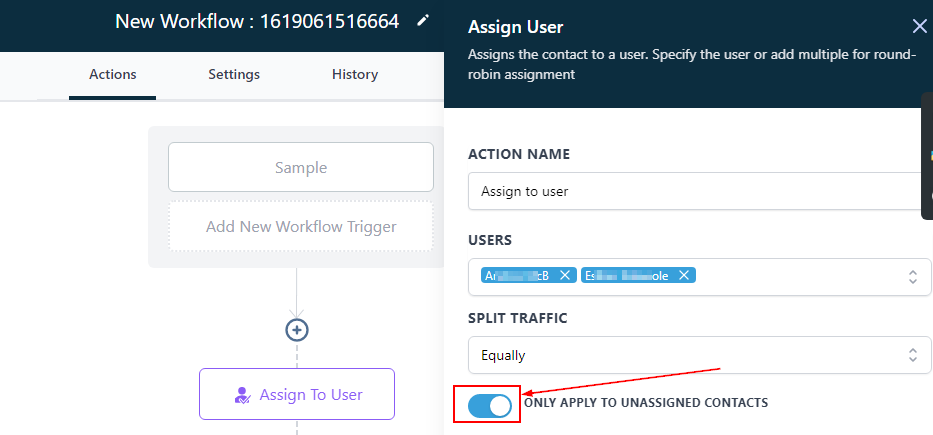
This action assigns the contact to a user. Specify the user or add multiple for round-robin assignment.
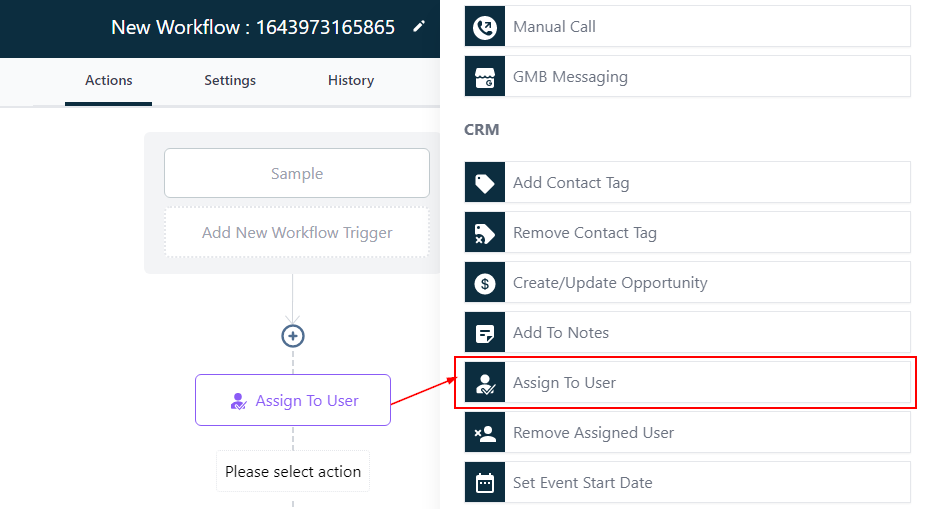
User
The “Assign To User” trigger allows you to trigger the assignment of a Contact to a User based on a condition of your choice. Select the user(s) you want to assign this contact to.
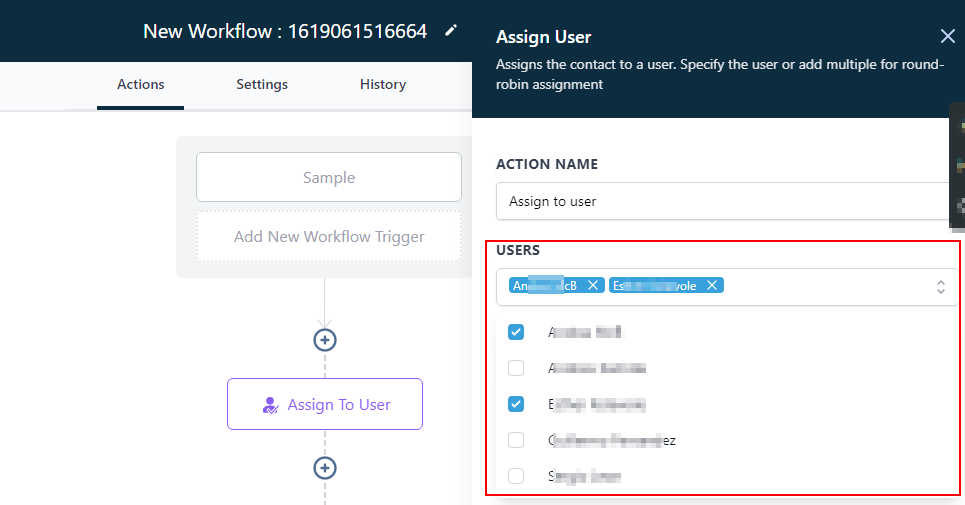
Split Traffic
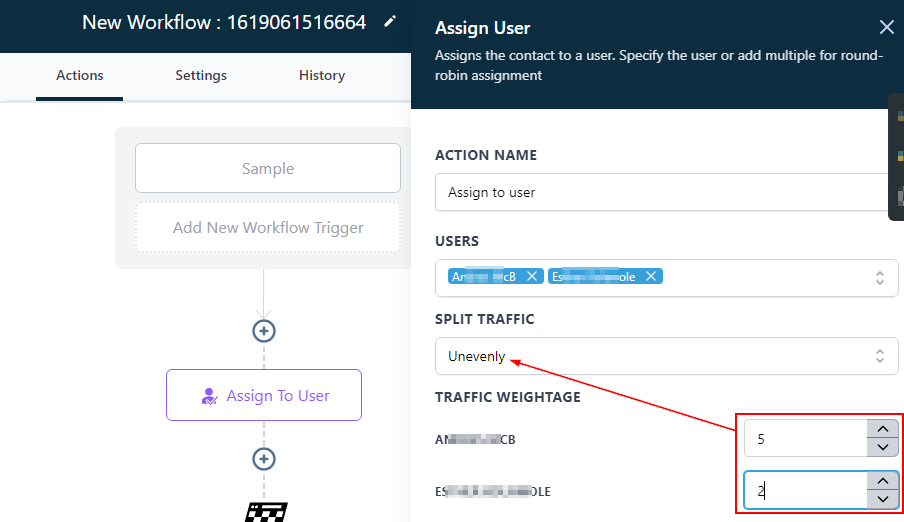
Once you assign more than one user to a contact, a “Split traffic” is created to determine how you want the traffic to be distributed among the users.
Equally
Selecting “Equally” means the traffic will be distributed equally between the users ( i.e 1:1, 2:2, etc.)
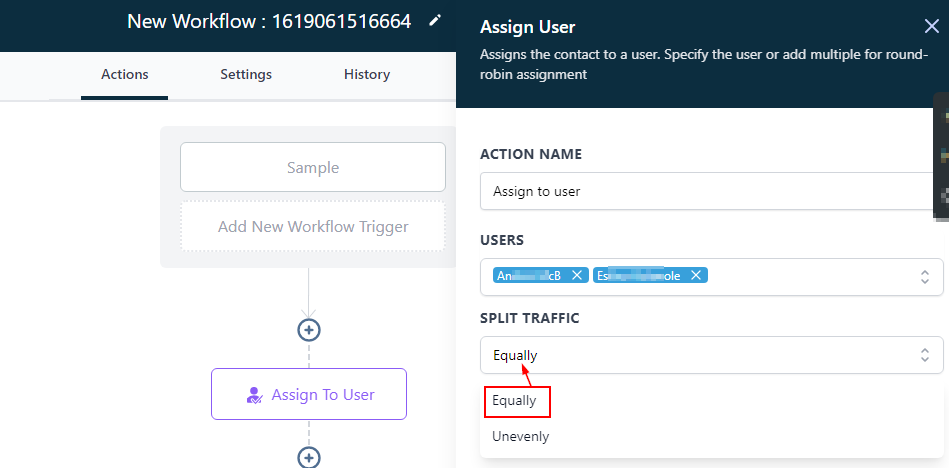
Unevenly
If you select “Unevenly” means you can customize the ratio at which each user gets the traffic from the contact.
For Example, in ratio 5:2; for every 5 traffic user A gets, user B gets 2. So user B won’t get traffic until user A has successfully gotten 5 traffic.
Only Apply To Unassigned Contacts
Note the “Only apply to unassigned contacts” toggle. If this is OFF and the trigger fires for a contact who has already been assigned to a User, the trigger will overwrite the previous assignment.