
Connecting “Other” SMTP Email Services
Lets you connect other email service providers. In this article, we will learn how to connect Sendinblue SMTP to your CRM.
Before setting up the smtp in the system, a user will first need to go to Sendinblue account and create a new sender. Once done, go to smtp settings area of the Sendinblue account to get the SMTP details which is required to connect the Sendinblue account to your CRM.
Creating new sender in Sendinblue
-
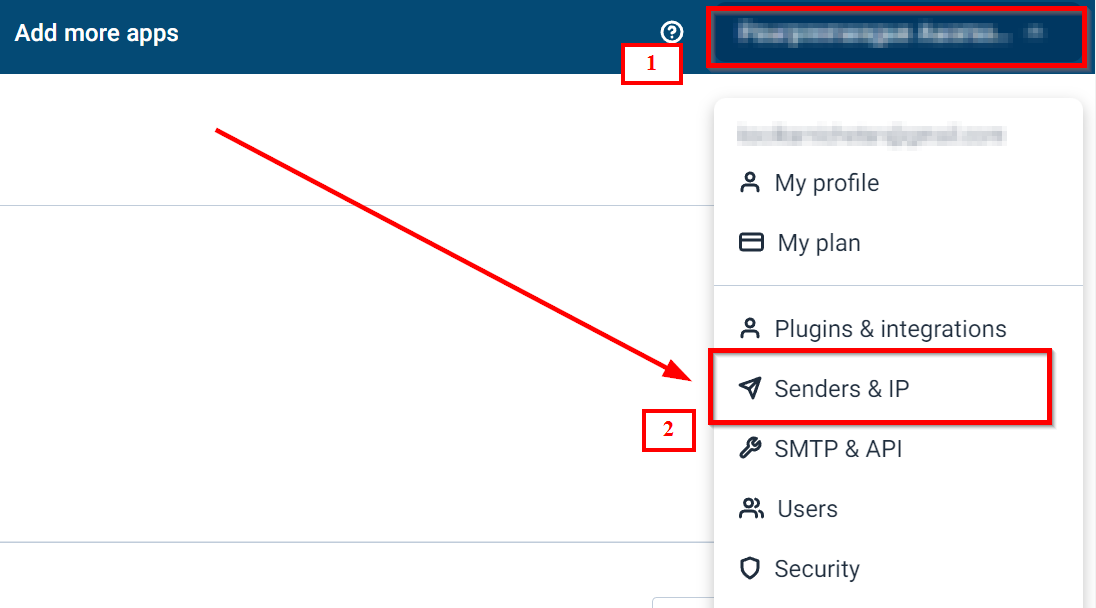
1.In Sendinblue, click on your name at the top-right side of the screen.
-
2.Select Senders & IP and click Senders.
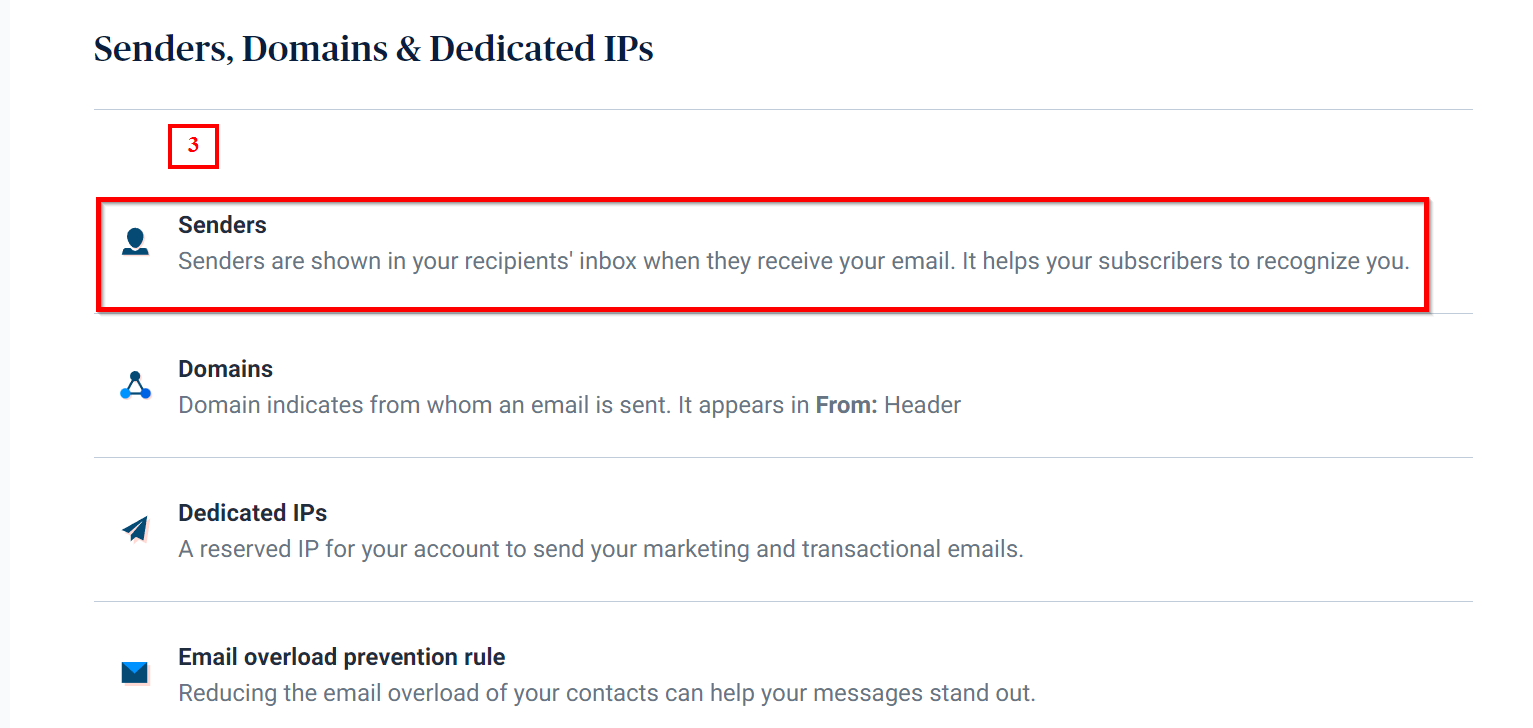
 3. Select “Senders” option.
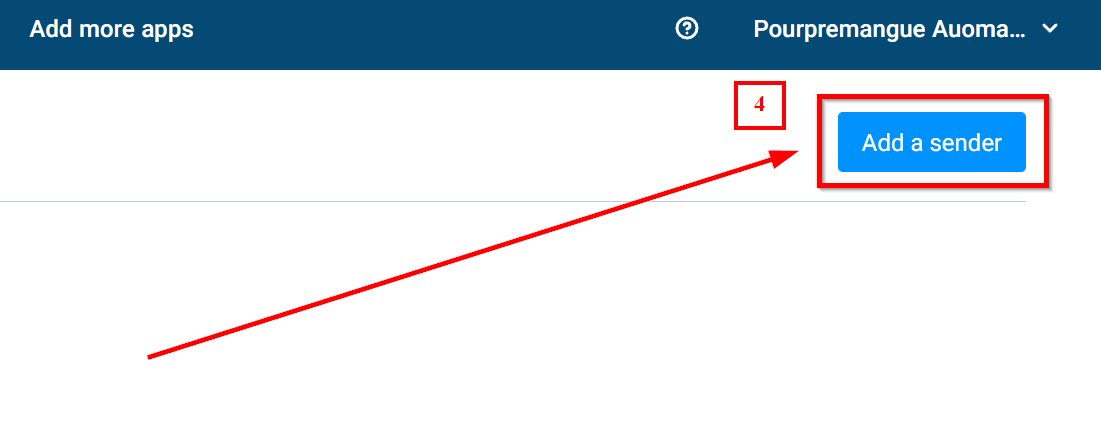
 4. Click “Add a sender” tab
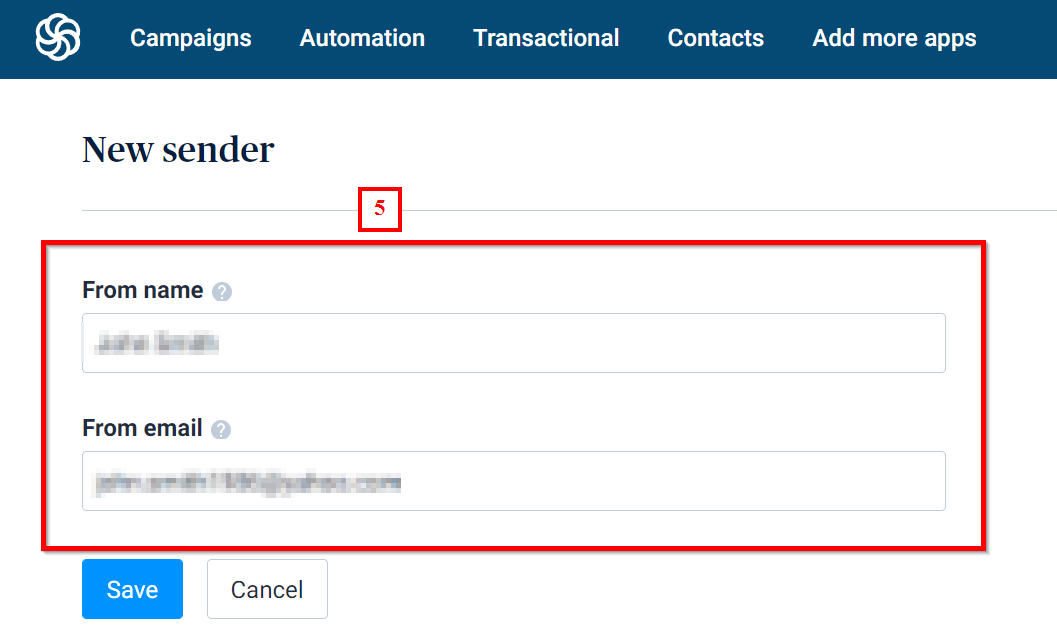
 5. Enter the From name and From email that will appear as the sender name and email in your recipient’s mailbox.
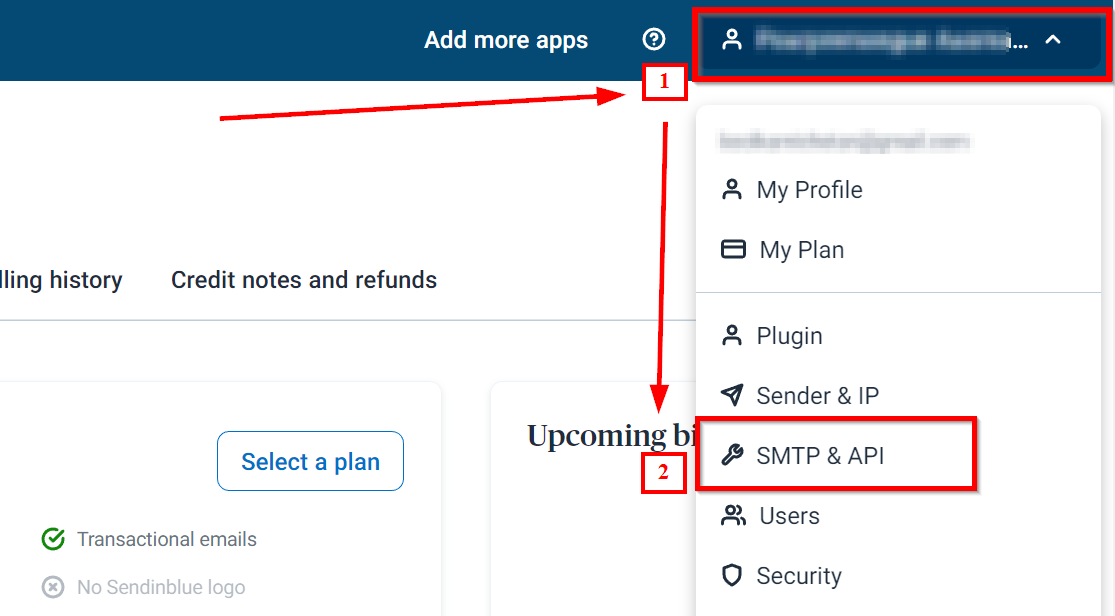
 How to retrieve SMTP Details from Sendinblue account?2. Choose SMTP & API.
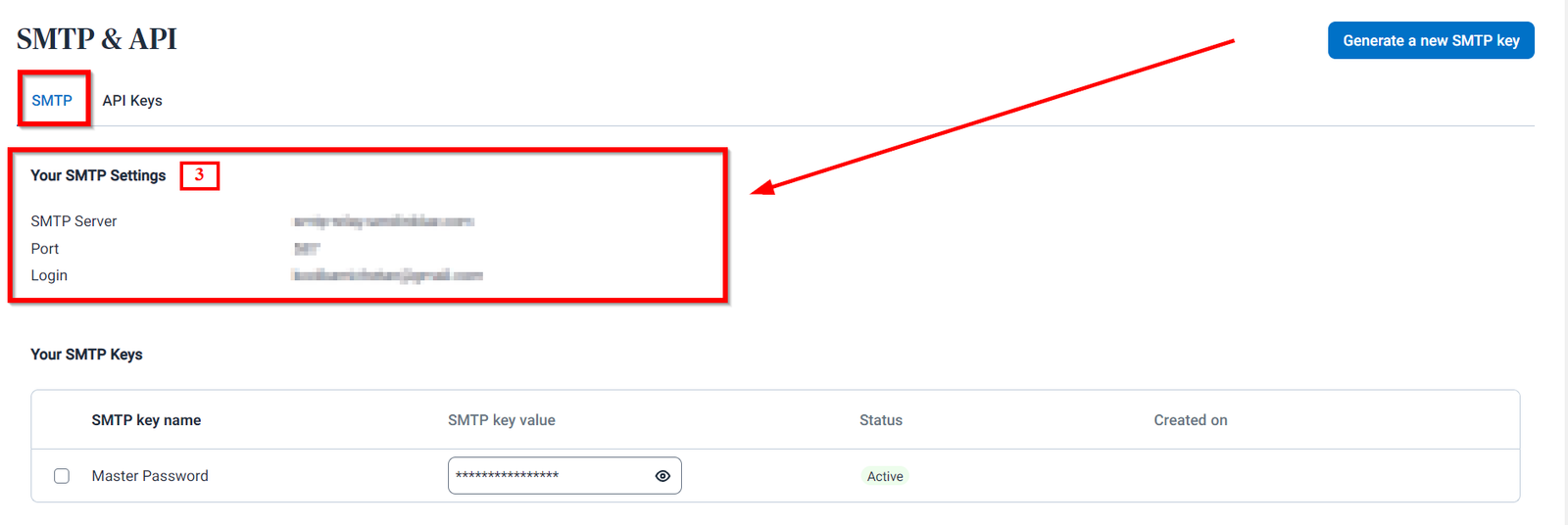
 3. SMTP Settings
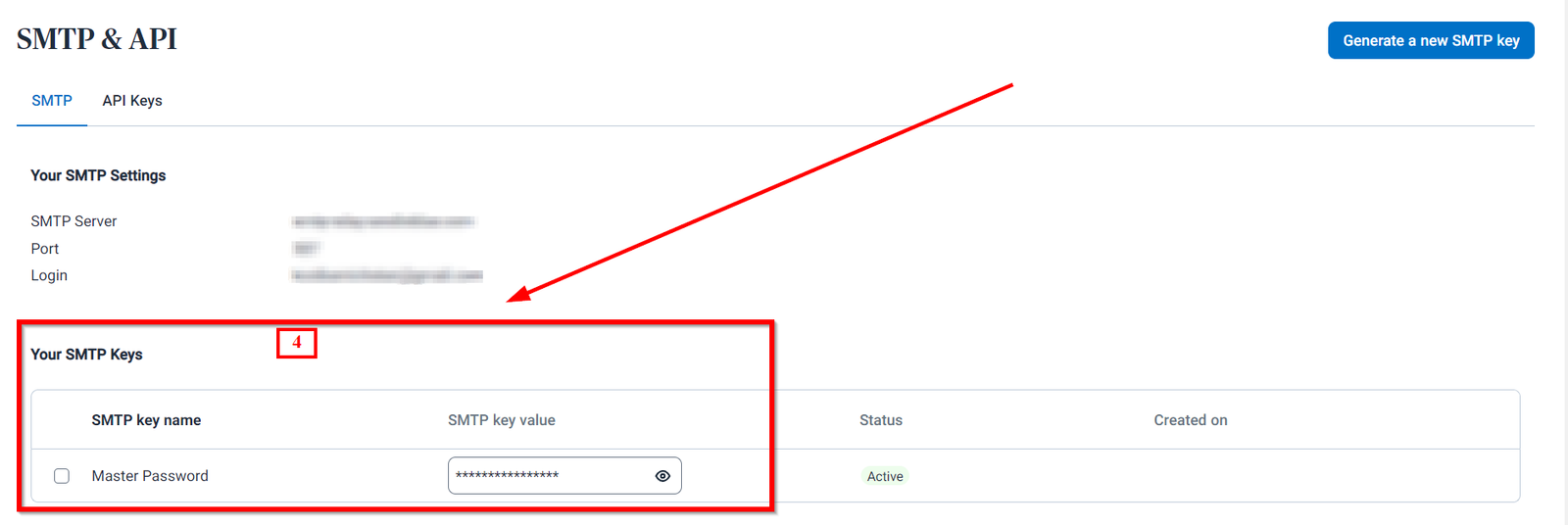
 4. SMTP Keys
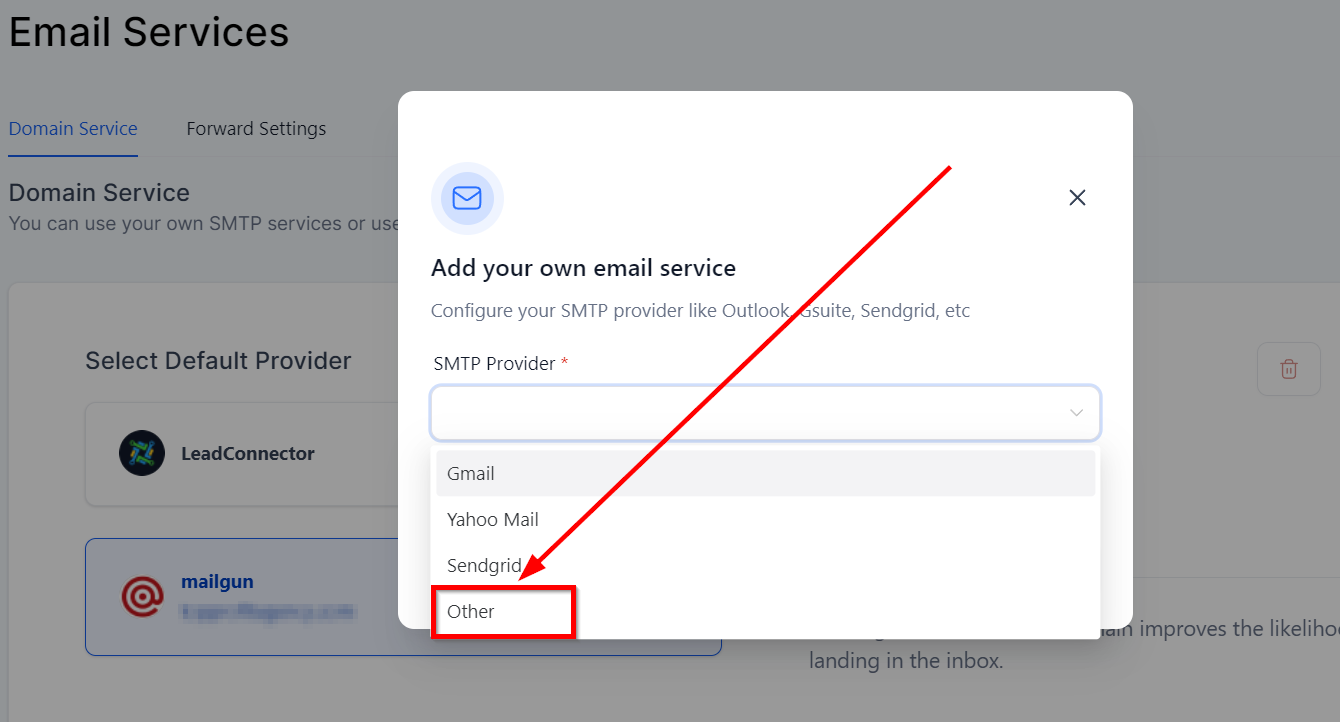
 Now go to “Email Services” section under “Settings” area of the CRM locationInside email services, Click on “Add Service” tab to be able to connect the Sendinblue SMTP to the respective CRM location.
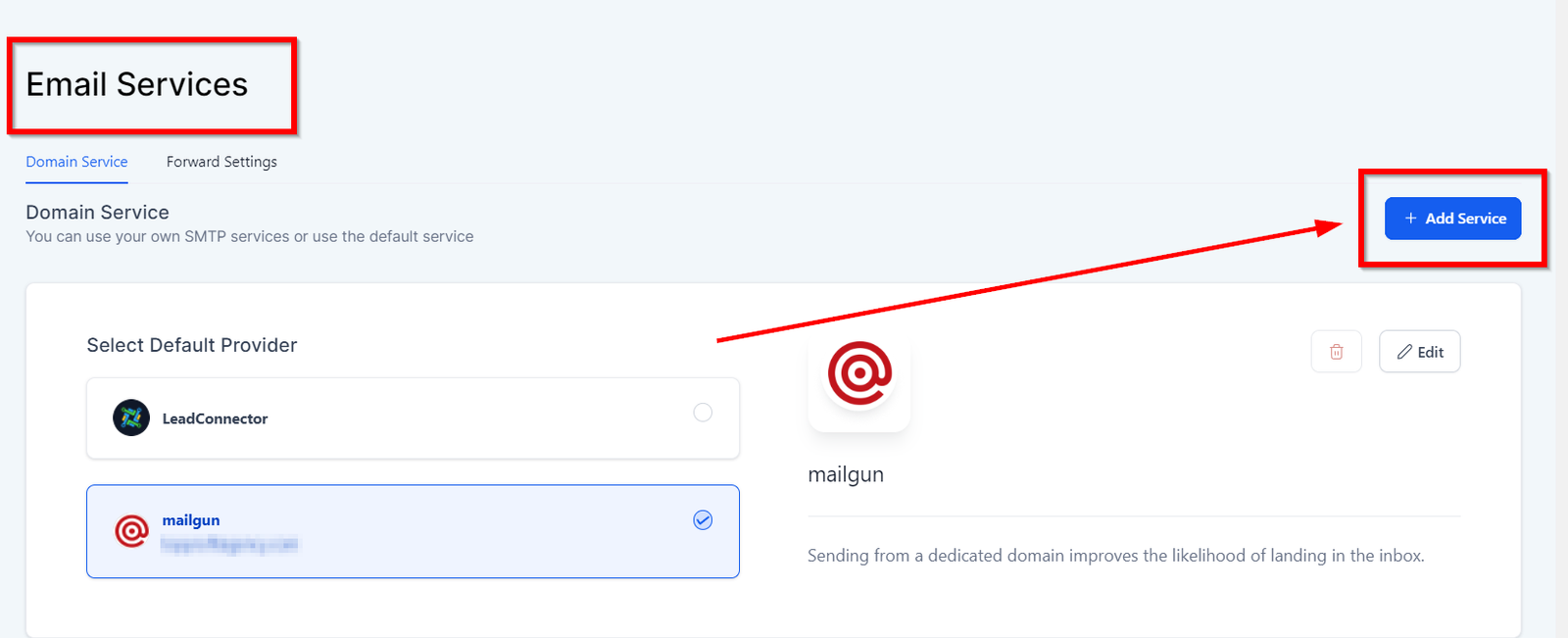 Selecting “Other” SMTP ProviderThis will allow you to connect the Sendinblue SMTP through the unique key we just found on the Sendinblue account.
 Configuring other SMTP