
Export Contacts
If you need to export a single contact or a group of contacts from your CRM or marketing campaign, click on this button and it downloads to your local device as CSV. spreadsheet.
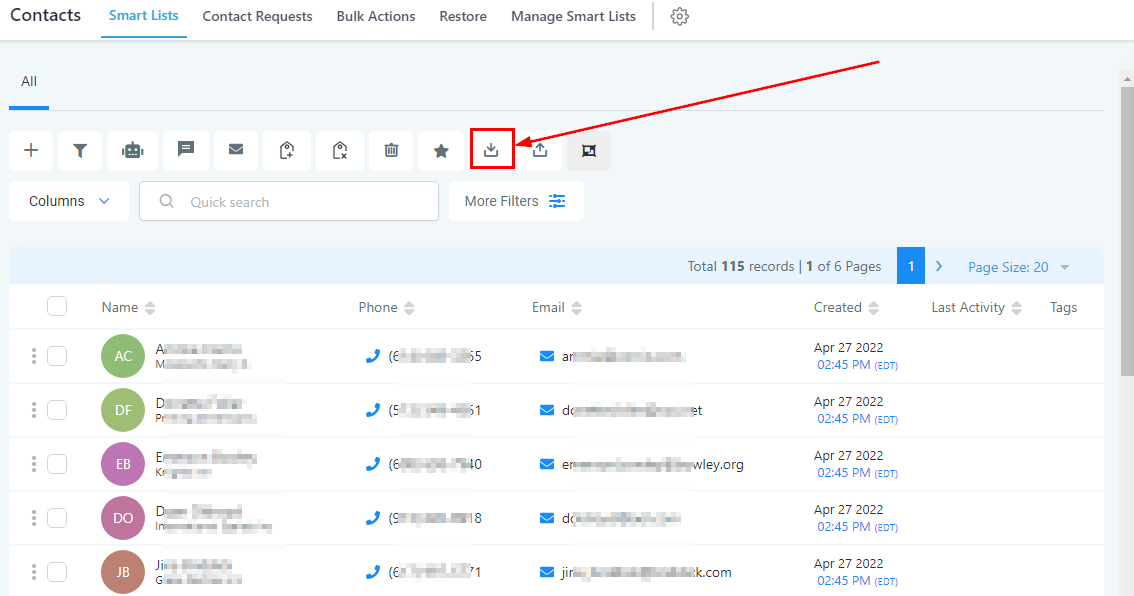
Exporting Contacts
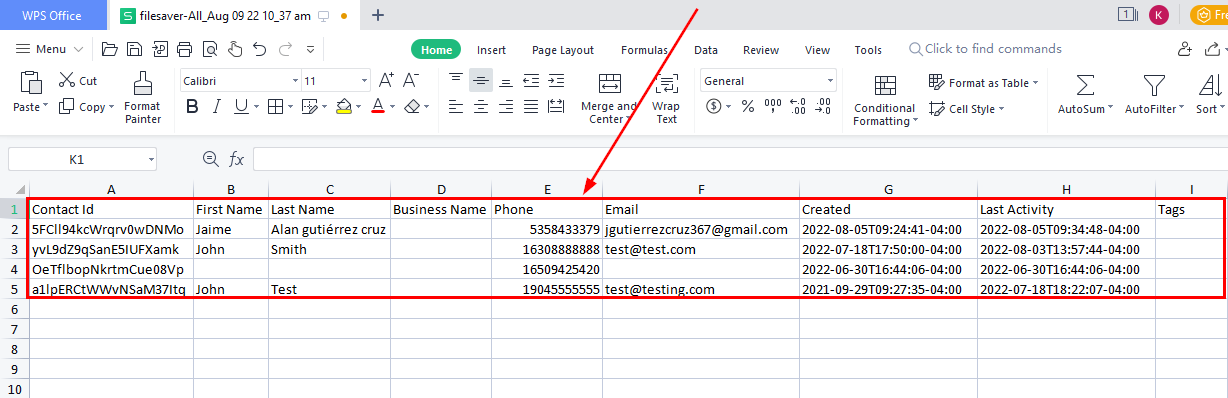
The downloaded spreadsheet consists of these column headers with the contact’s corresponding information;
Contact ID
This ID number will be the contact’s reference number for easy tracking within the CRM.
First and Last name
The first and last name is used to assign an owner to your contacts during the import, including the name of the ‘User’
-
Formats:
-
FirstName LastName (e.g. Logan Paul or logan paul)
-
LastName FirstName (e.g. Paul Logan or paul logan)
-
Note: Unless the user has both FirstName and Last Name, the system will not recognize it during upload
Business Name
This shows the business name of the contact.
Phone Number
-
For the vast majority of cases, as long as you format the phone numbers in E.164 (Ex: +1 1234567890) our system will recognize it as valid- irrespective of the default Country picked at the sub-account level
-
Additionally, if you have set the Country to the US, the following would work perfectly fine as well
-
123-456-7890
-
(123) 4567890
-
1234567890
Email Address