
FAQ
FAQ (Frequently Asked Questions) empowers customers to self-serve, enabling them to find solutions quickly on their own.
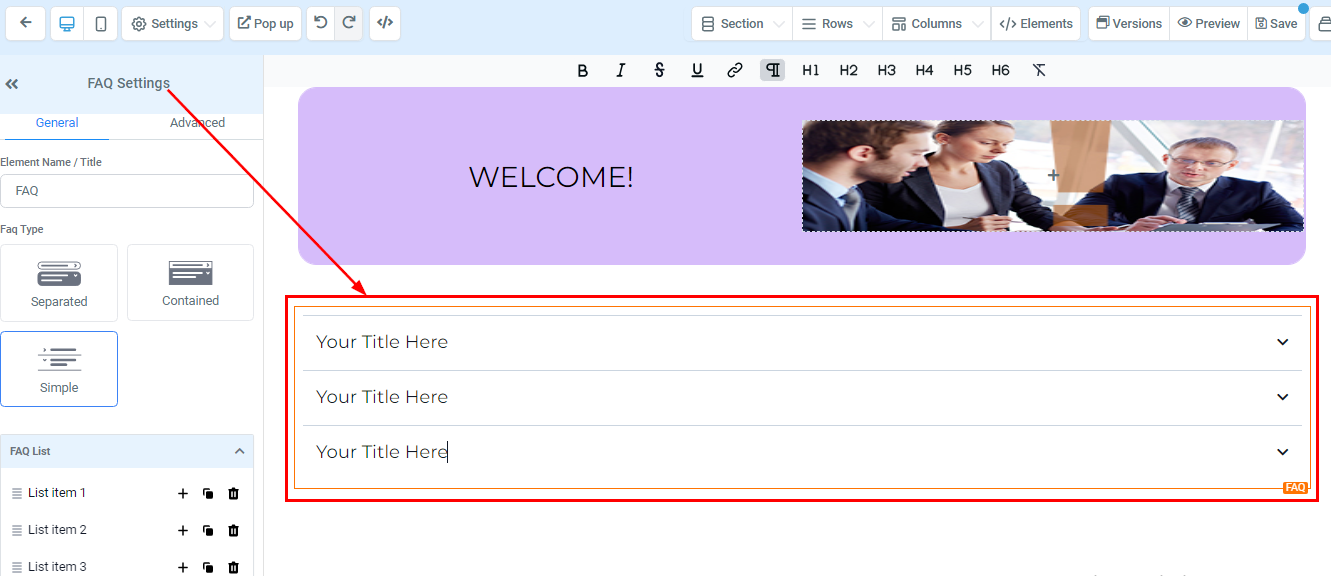
FAQ Element allows you to add to your funnel a list of answers or information to typical questions/concerns your customers might have related to your business/services.
Text Format
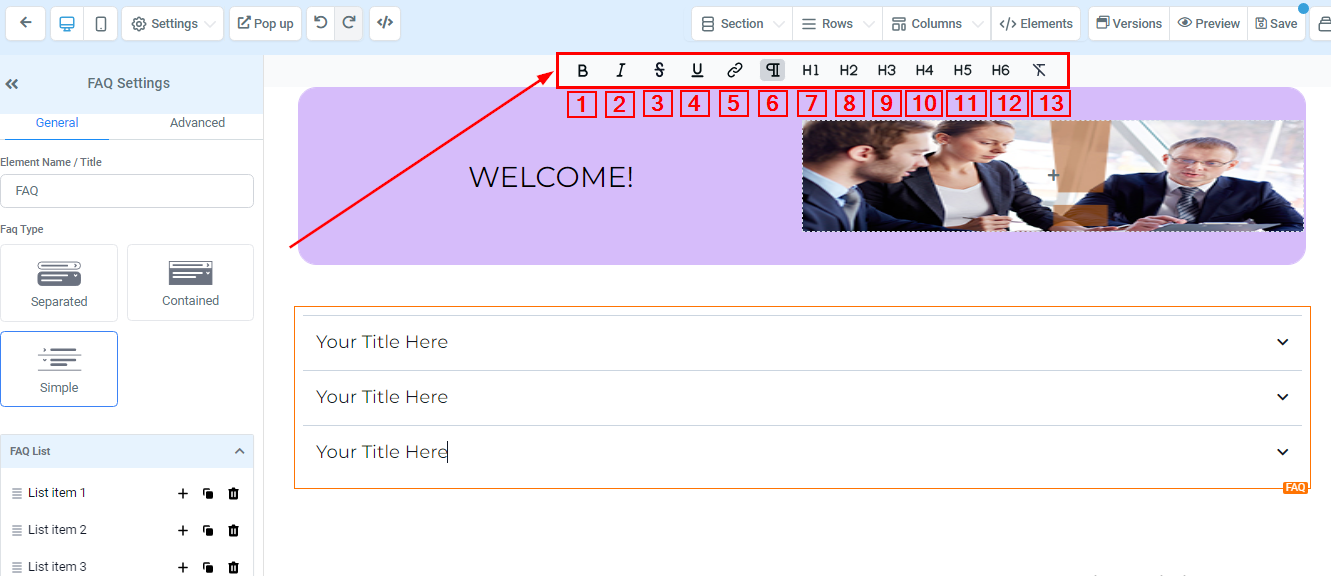
You can edit your texts using these text formats here;
-
1.Bold ****When you click on this format, it allows you to bold your highlighted text.
-
2.ItalicThis format allows you to slant your text.
-
3.StrikeThis format allows you to cross/strike your text.
-
4.UnderlineYou can underline your text by clicking on the format.
-
5.LinkWhen you click on this format, it allows you to add a link to the text you highlighted. You will also decide if you want the link to open on the current window or a new window.
-
6.ParagraphWhen you click on this button, it changes the font size to the “Normal text” size 11 with an “Arial ” font style.
-
7.Header 1Clicking on H1 changes your text font size to a size “23” with a “Roboto” font style and bold format.
-
8.Header 2Clicking on H2 changes your text font size to size “17” with a “Roboto” font style and bold format.
-
9.Header 3Clicking on H3 changes your text font size to a size “13” with a “Roboto” font style and bold format.
-
10.Header 4Clicking on H4 changes your text font size to size “11” with an “Arial” font style and bold format.
-
11.Header 5Clicking on H5 changes your text font size to a size “10” with an “Arial” font style and bold format.
-
12.Header 6Clicking on H6 changes your text font size to a size “9” with a “Roboto” font style and bold format.
-
13.Clear Format ****To clear out/delete any of the format choices you made, simply click on this button
General Settings