
This workflow trigger fires only when changes are made in the contact record.
Let’s suppose you made any changes in the contact record. Then, this trigger will fire. It helps to sync the contact information and keep track of changes.
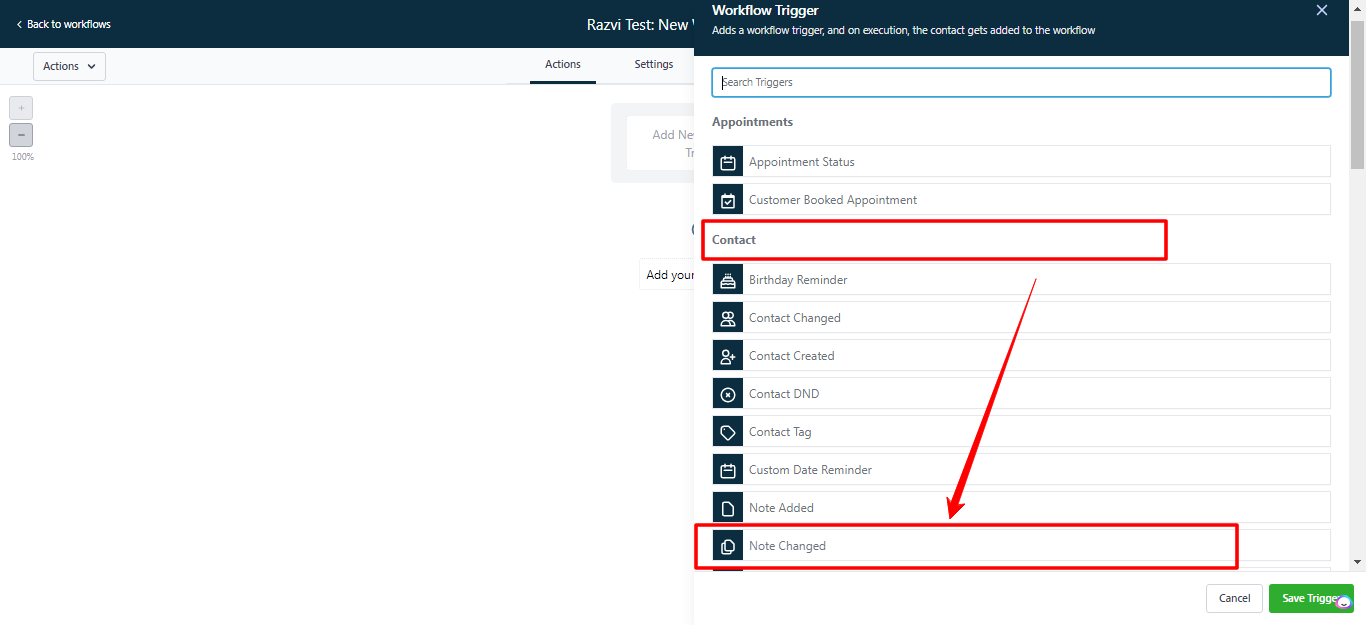
1. Choose a Workflow Trigger
Once you’ve selected a trigger, you can configure the workflow’s details.
Here, select the Note Changed trigger under the Contact section.
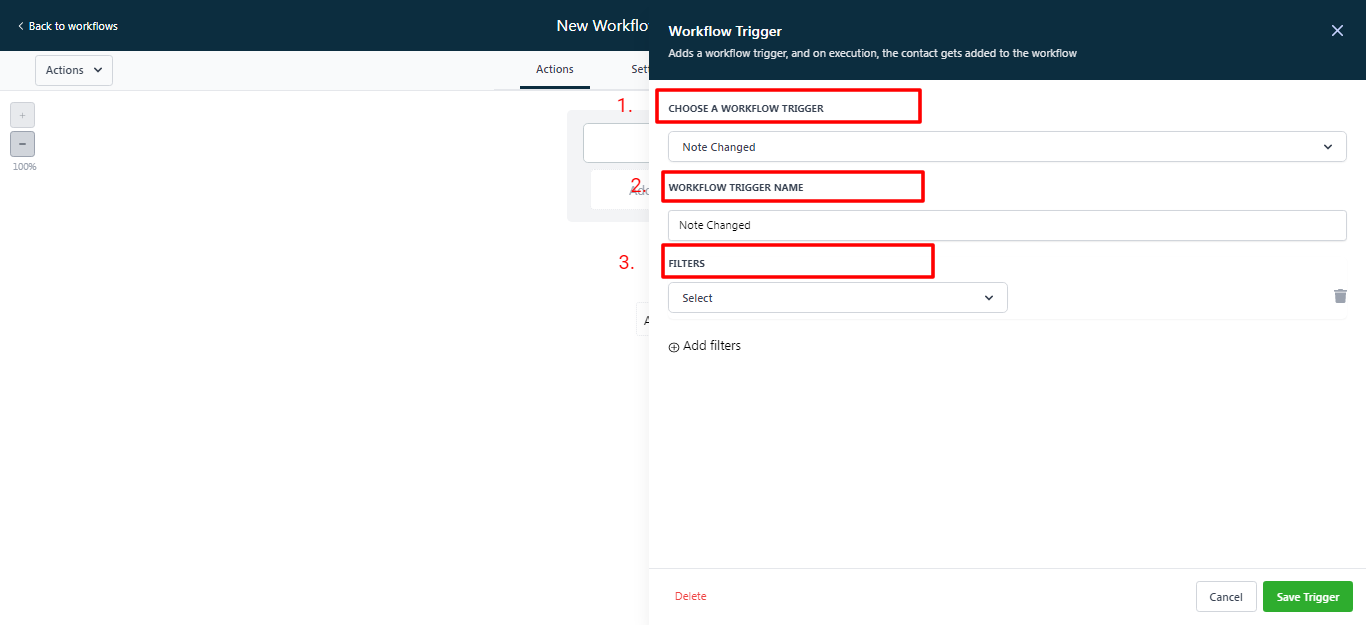
2. Workflow Trigger Name
Create your Workflow trigger name. It will help you to understand better & remind the trigger in case you want to use it again.
3. Add Filters
-
Hover over and click on the Add filters
-
You can select filters from the drop-down lists **** or save the trigger without any filters. Then, it will fire whenever there are any changes in any contact record.
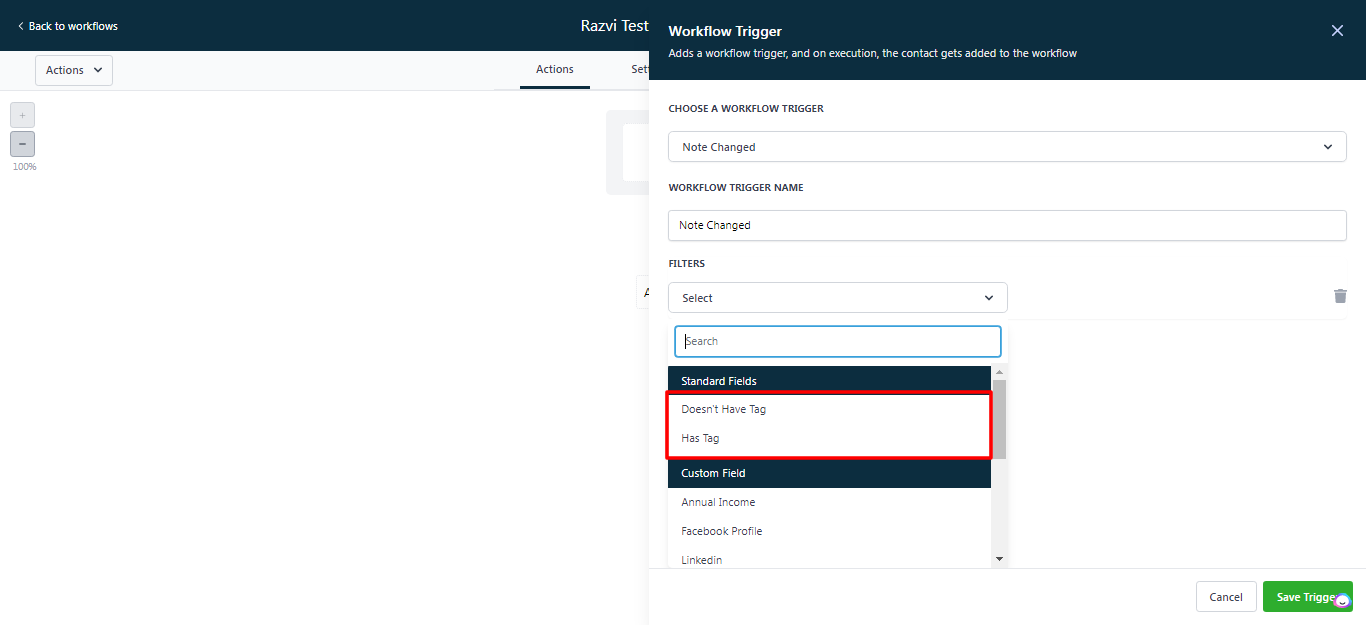
 If you don’t want this, select any filters from these two options.
-
1.Doesn’t Have Tag: This trigger will fire only when the contact record doesn’t have any tag.
-
2.Has Tag: This trigger will fire only when the contact record has any tag (this tag you’ll choose from your tag lists).
-