
Pipeline Change
Here you can manually move a single contact or a group of contacts to a different pipeline in your opportunities section.
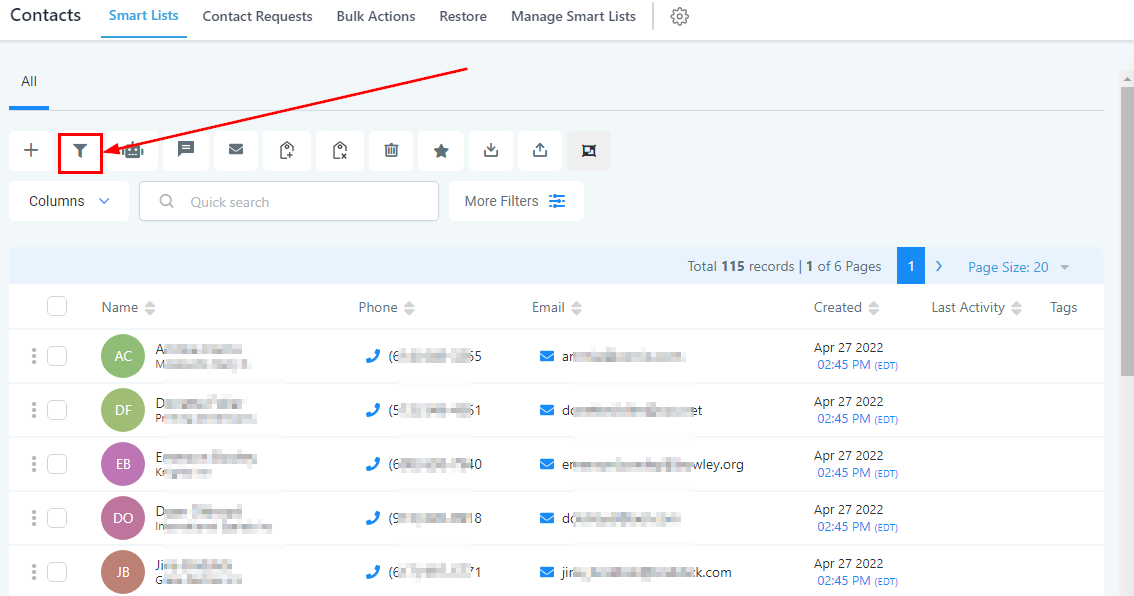
Add/Update Opportunity
To add a contact to any of your opportunities, you have to select the contact/s you want to add or update
-
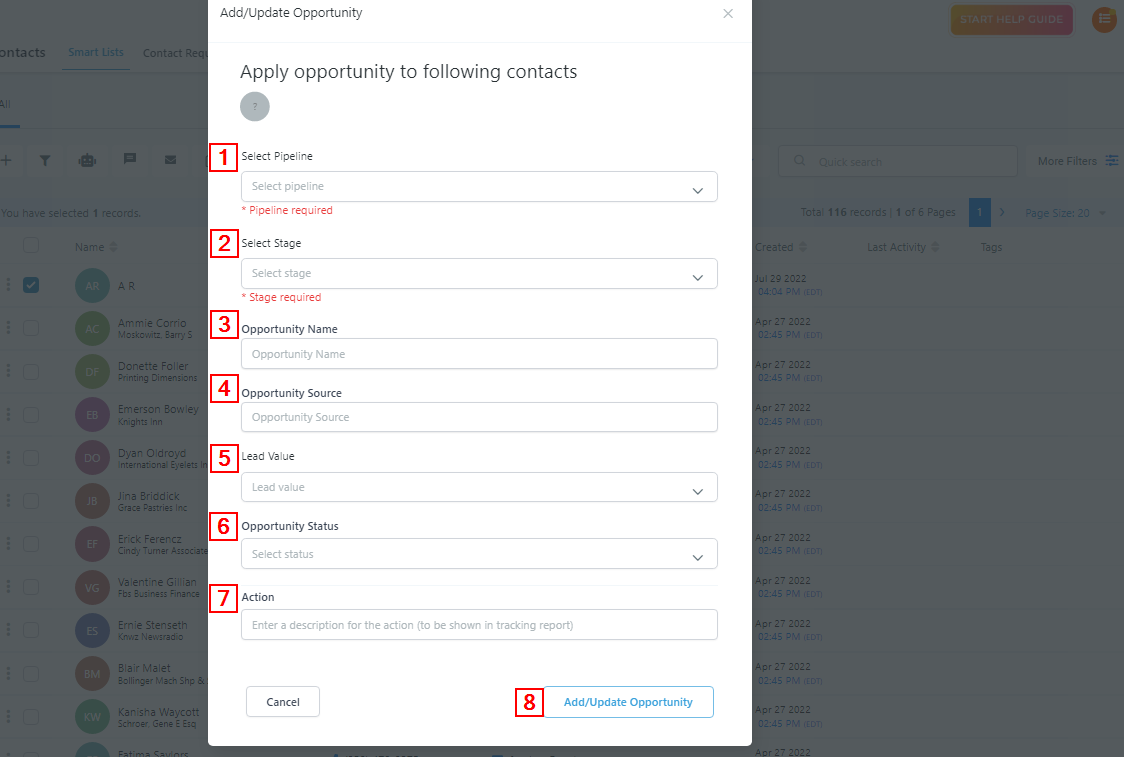
1Select PipelineSelect the pipeline you will like this contact to be in. It is required you fill this portion.
-
2.Select StageYou will also select the stage in the pipeline you want them to be. It is required you fill this portion.
-
3.Opportunity nameThis is the name that will appear on the contact’s card in the opportunities section. “Opportunity name” is different from “Contact name”,
-
4.Opportunity SourceType in the source (the platform you got the contact from) of the contact you are adding to your opportunity.
-
5.Lead valueInput the estimated value of the client/customer should in case you are able to close the deal(s) with them. Once you close the deal, the value will automatically be added to your revenue
-
6.Opportunity StageYou will select the stage you want to put them in your opportunity
-
7.ActionType the name you will like to describe this action, this will be shown in the tracking report.