Shopify
Here we will cover the steps needed to connect Shopify store. Shopify integration allows you to manage your store from inside of the CRM.
Integrating Shopify store is a 2 step process :
1. Create a Custom App in your Shopify Store.
2. Connect Shopify to your Account.
Step-1: Creating a Custom App
Before we setup integration you need to create a custom app in your Shopify store.
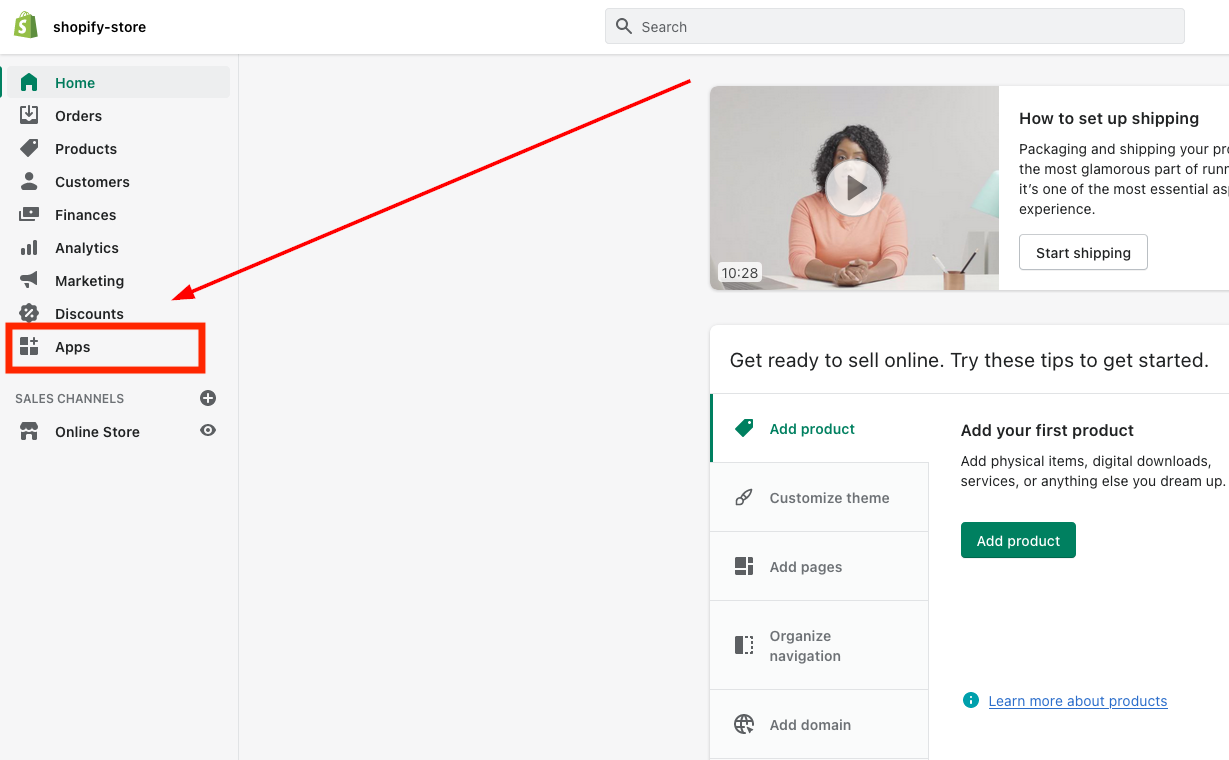
Selecting “Apps” in Shopify Dashboard
Login to your Shopify store and click on “Apps” in your dashboard.
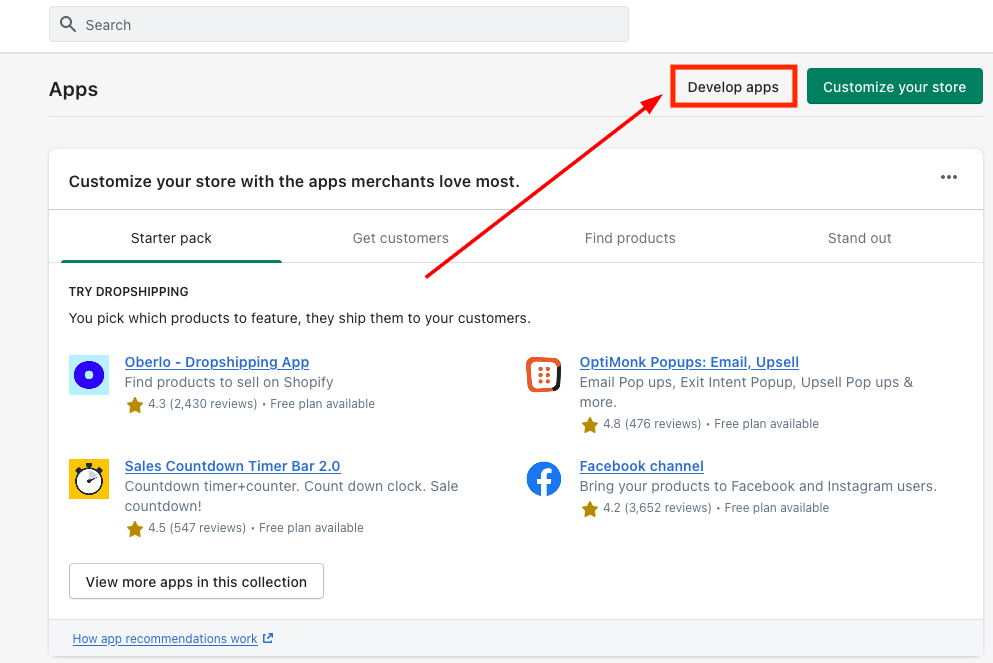
Develop Apps
As shown in the image below, click on “Develop apps” on the top of the screen highlighted in the below picture.
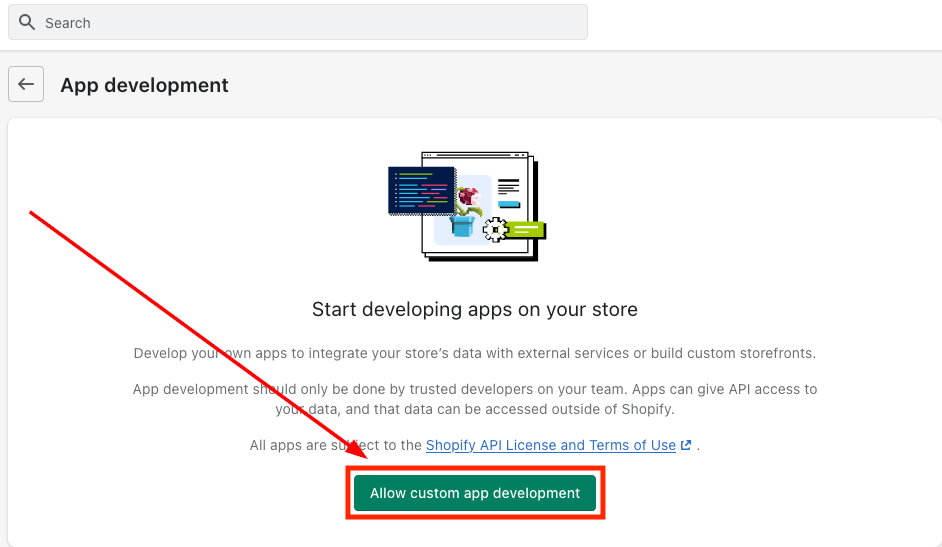
Then, click on “Allow custom app development” (if you have already enabled this permission then Shopify will take you to Step where you can start creating an app)
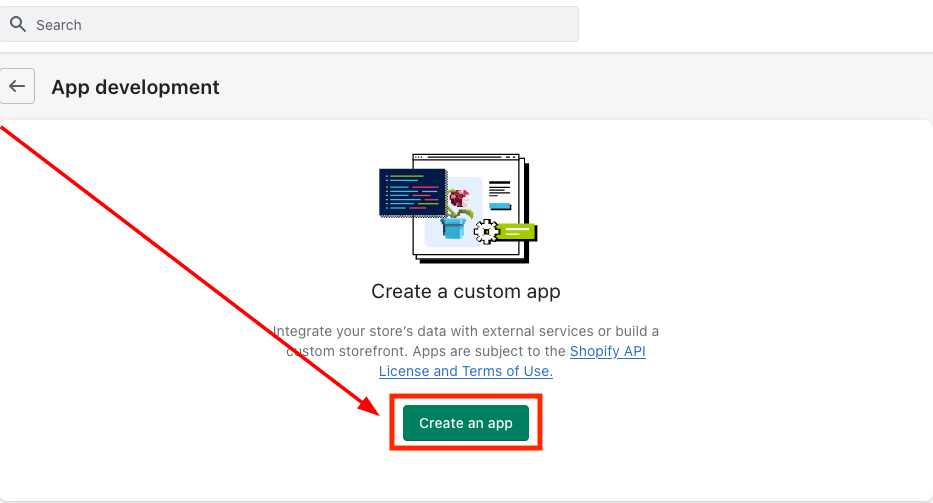
Click on “Create an app”
Select the option as shown in the image below.
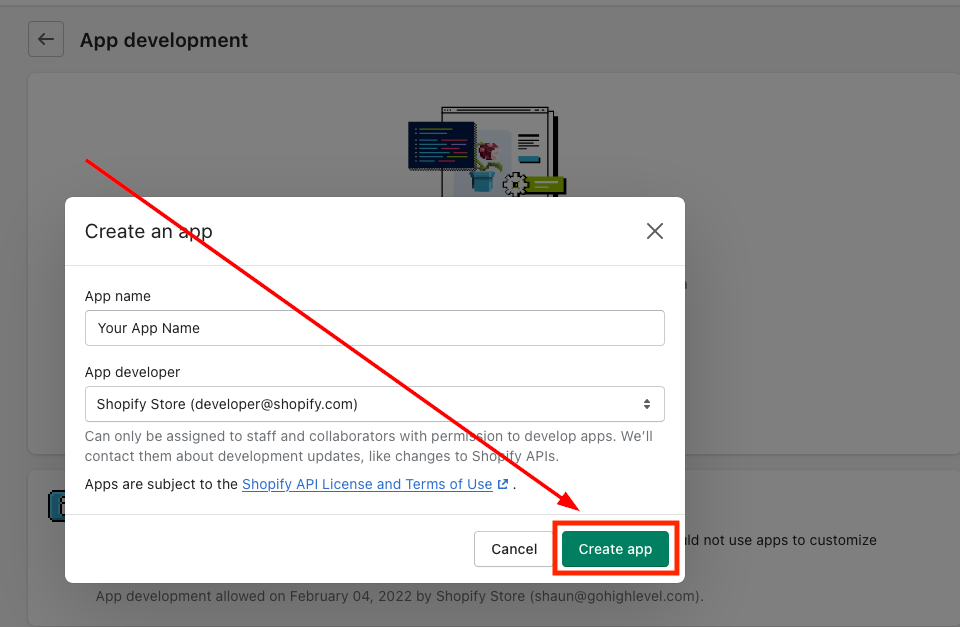
App name and email
Enter a name for the app (for example “Marvel’s App”), select your email under App developer and click on “Create app”
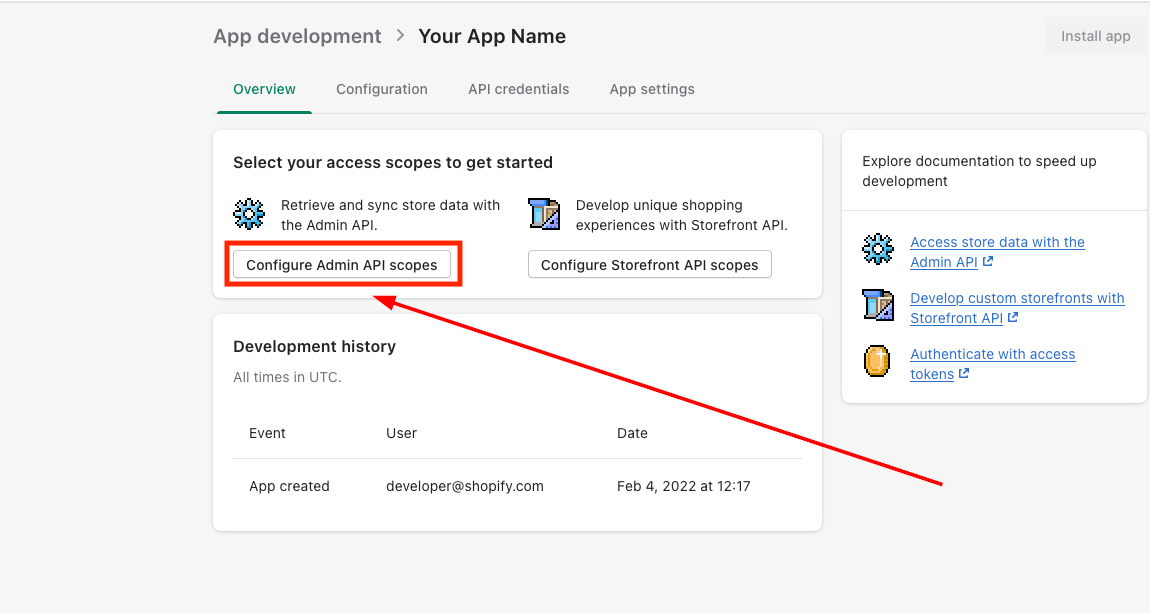
Configuring Admin API scopes
Once you have clicked on “Create app” option (See previous image) it will take you to the page where you will be required to configure Admin API integration.