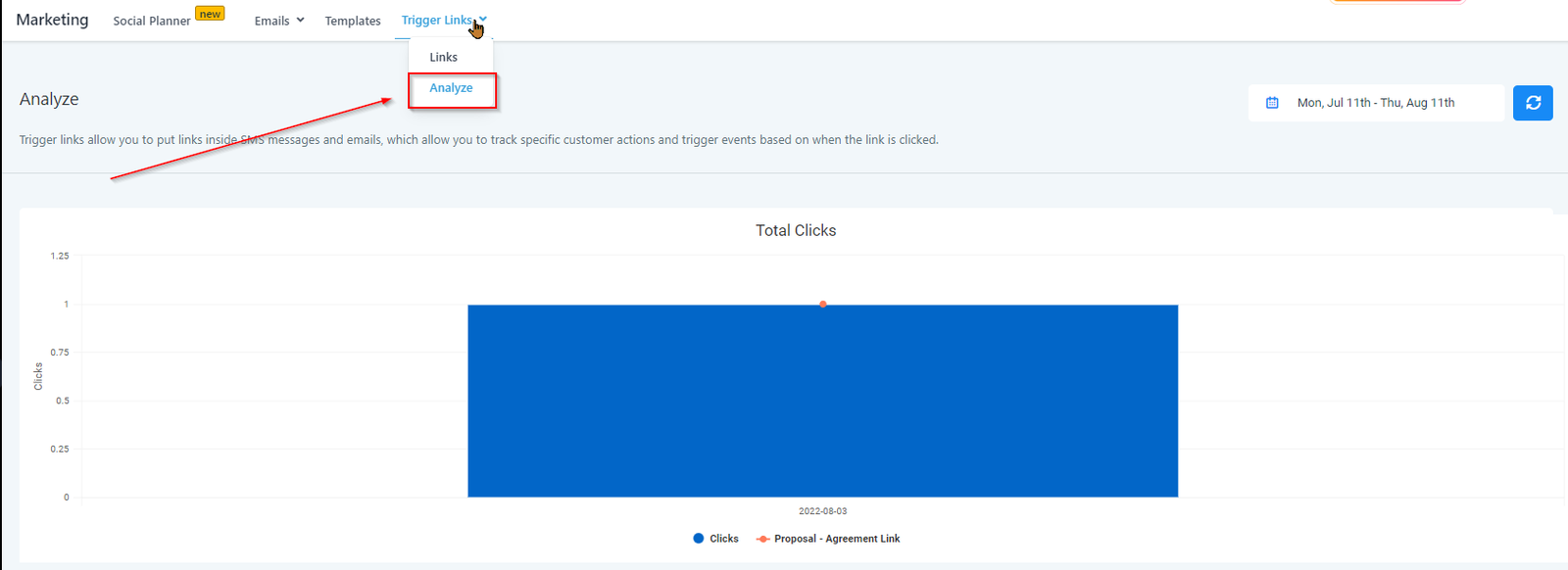
Analyze
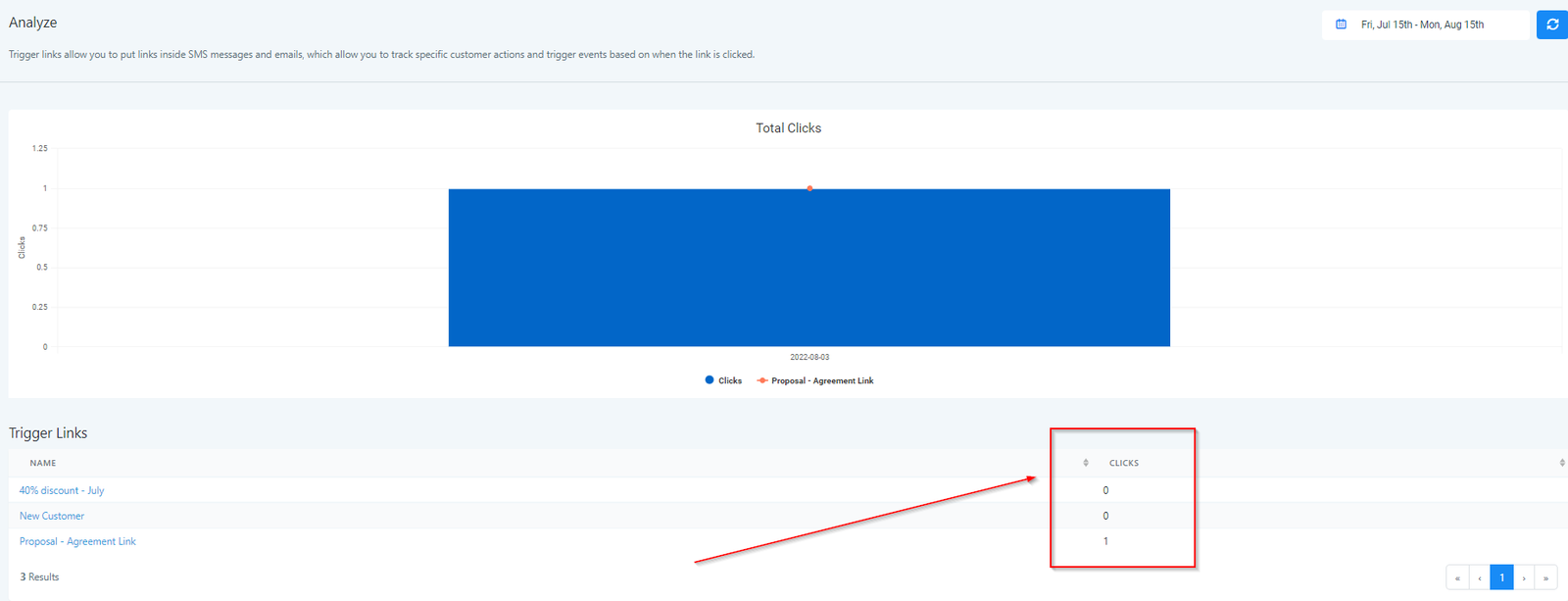
This helps you analyze the clicks and activities associated with the trigger link so that you know how your trigger link is performing.
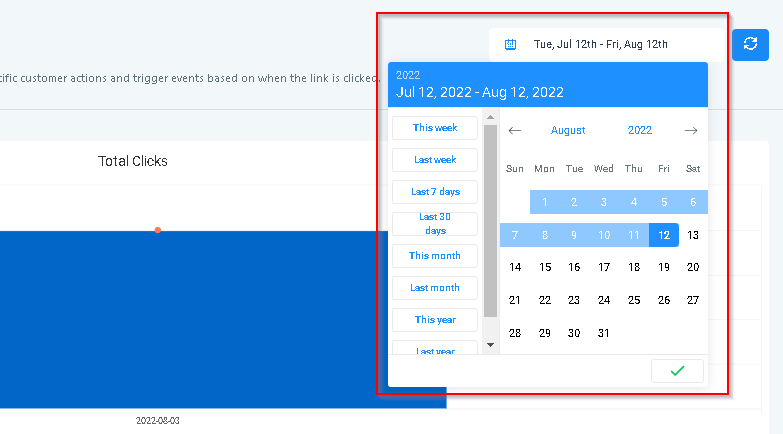
Selecting Calendar Period
You can check the activities of the trigger link during specific calendar period.
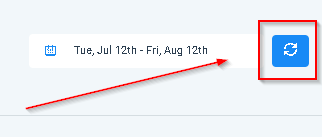
Refreshing Data
Click on this tab to refresh the data and get the latest report.
Clicks
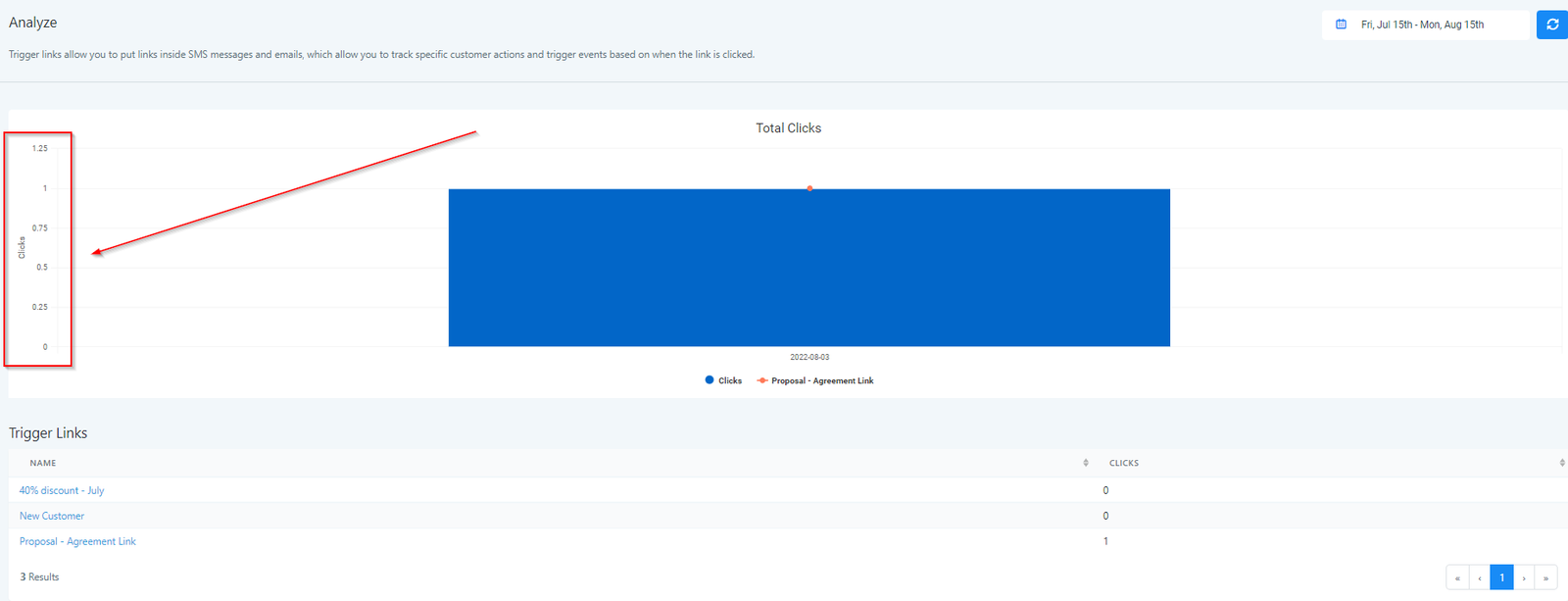
Total Clicks
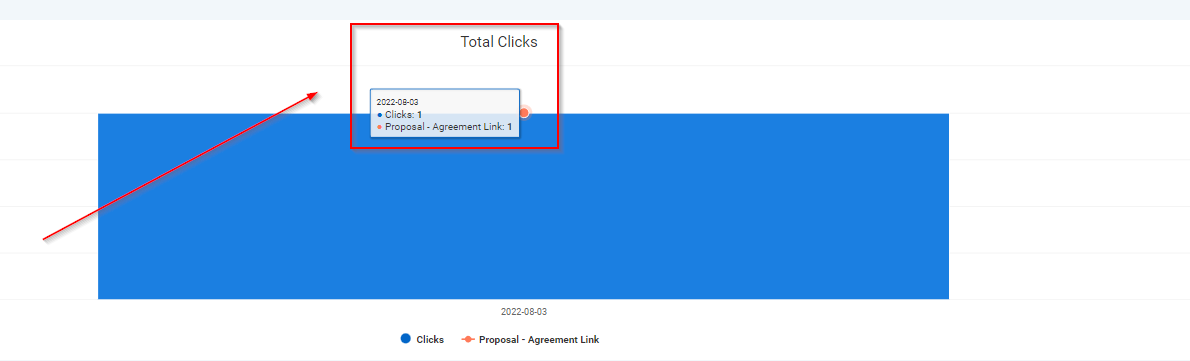
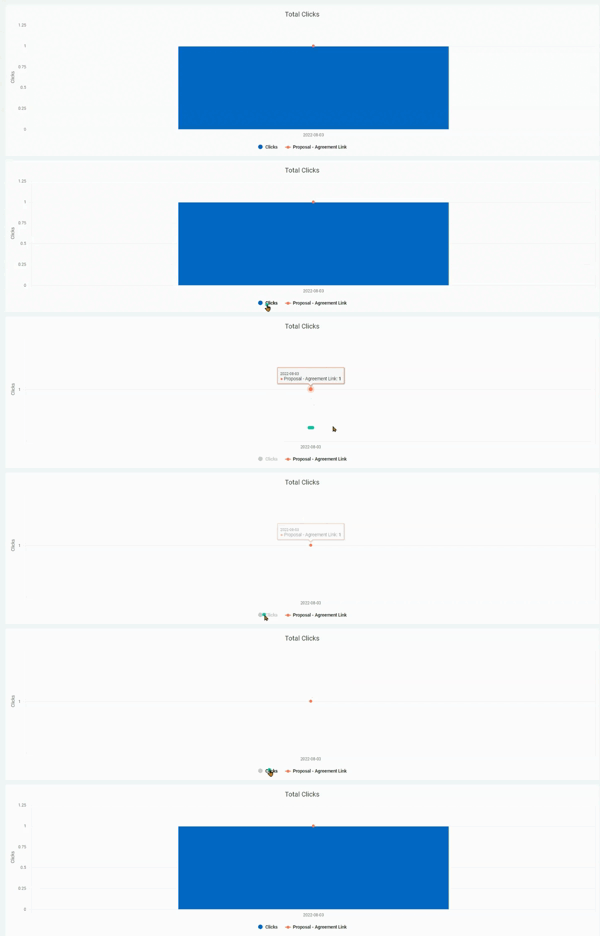
Changing Graphical Output Format
When you click on the blue circle at the bottom of the (as shown in the screenshot) You can view the number of clicks will appear in a plane white
(Not sure how to explain this phenomenon)
Trigger Link Name
This shows the Name of the trigger link for which the graph is shown. You can select any other Trigger link to view their graphs. (See the bottom of the screenshot to see the list of all trigger links.)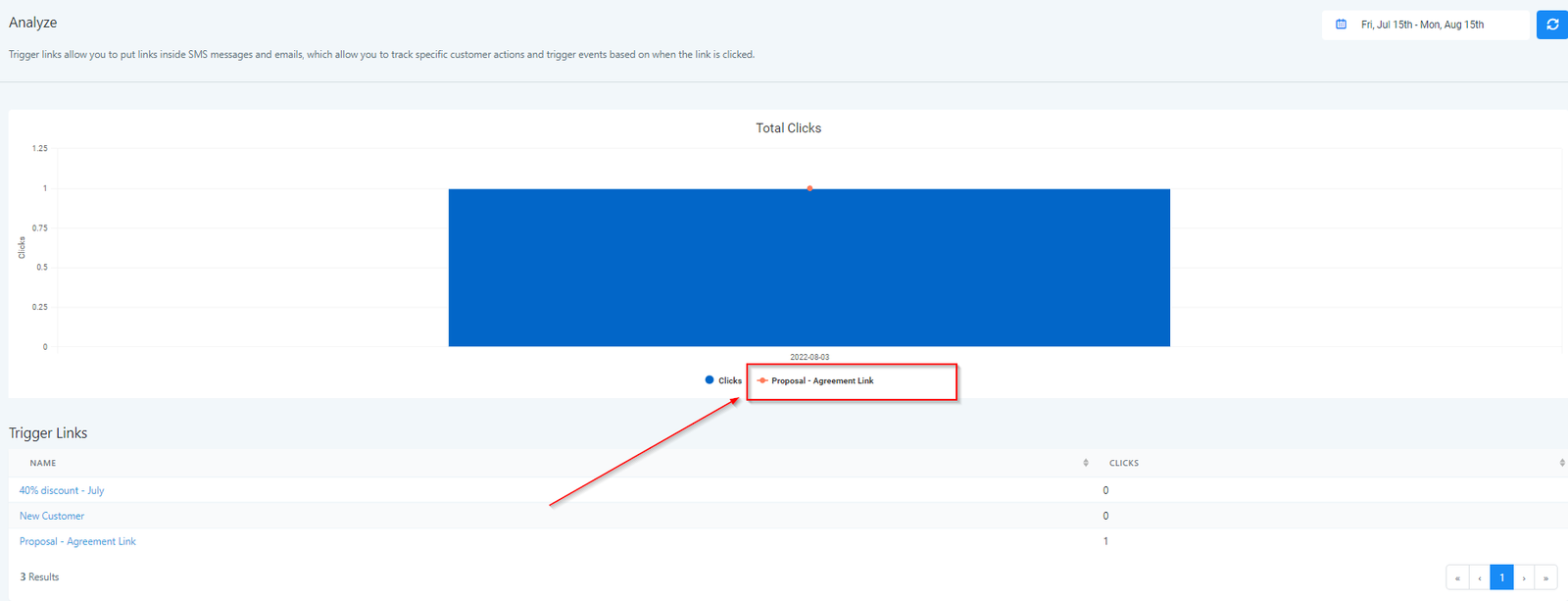
All Trigger Links
Here you will see all of the Trigger Links you have created in your CRM. To analyze any of the Trigger link from the list,
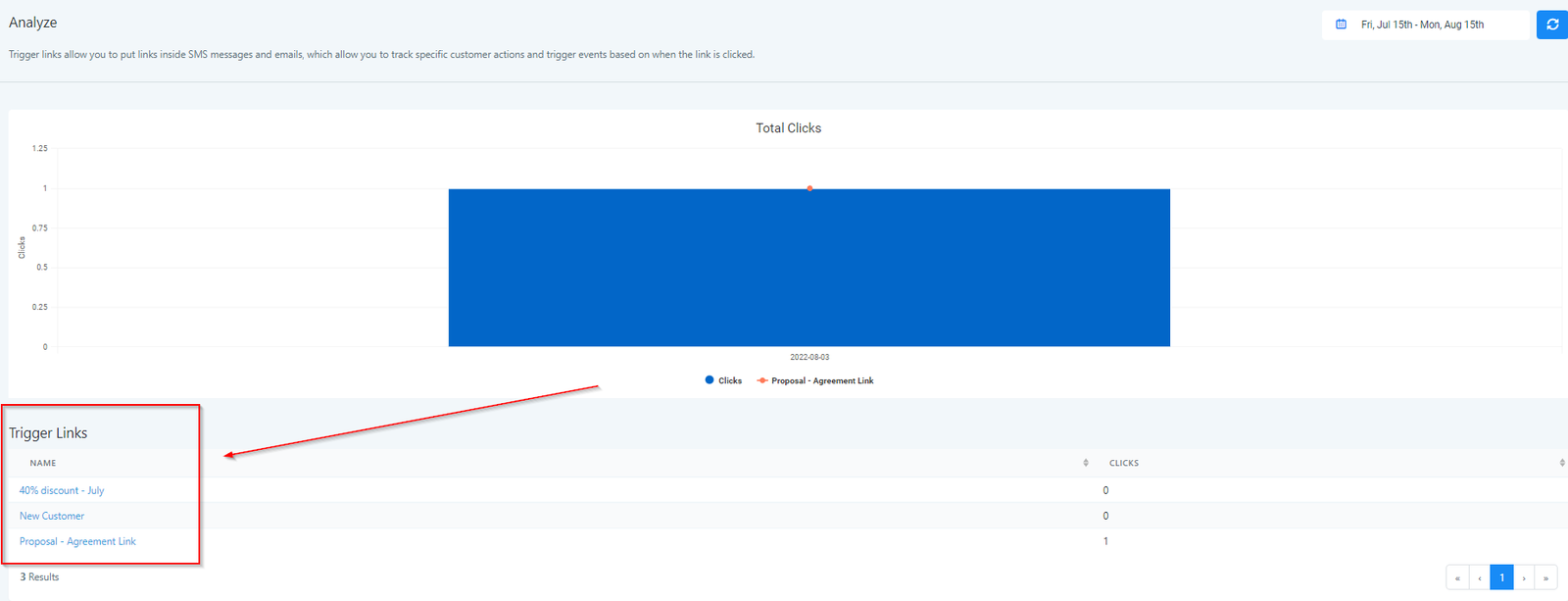
Clicks
Here you will see the number of Clicks for each trigger link created in the CRM.