
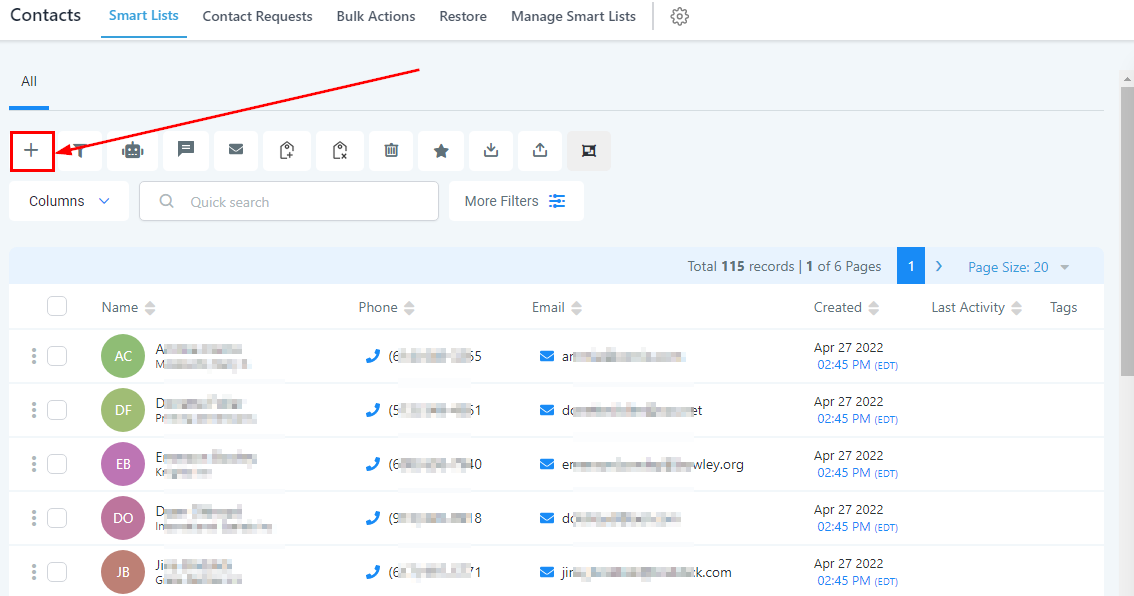
Although your CRM will automatically add contacts into your system whenever there is a text, call, Facebook message, or email communication created, you can manually add a new contact into your CRM with this button.
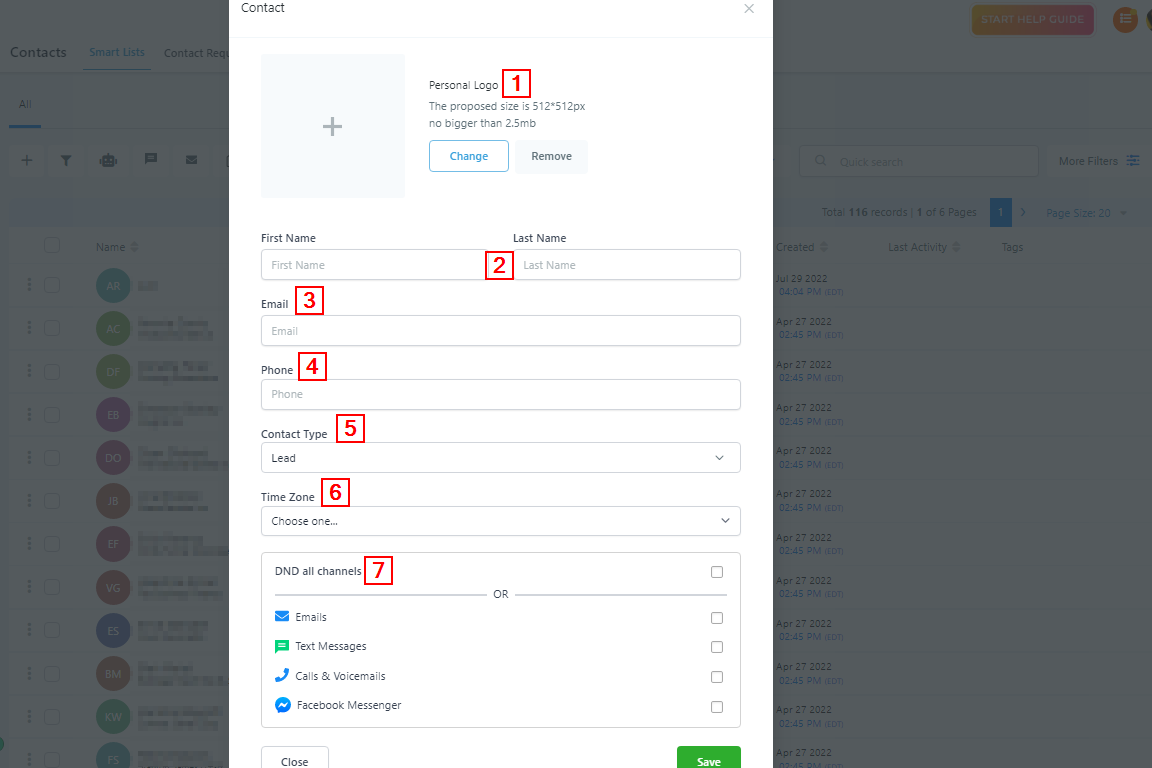
When you click on the button, it directs you to the information page where you can input the contact details.
Adding New Contacts
-
Personal Logo****Here you can upload the business logo of each contact as a way to identify them especially if you have clients bearing the same name. The proposed size is 512*512px and not bigger than 2.5mb.
2.
First and Last NameType in the Contact’s First and last name in these spaces provided.3.
EmailType in the contact’s email address here**.**4.
PhoneType in the contact’s Phone number here**.**5.
Contact TypeYou either move the contact to the Lead type or the Customer type.6.
Time ZoneChoose the timezone your contact is in. This will help you or any of your users know the best time to contact them.7.
DND All Channel or some ChannelsYou can enable the Do Not Disturb notification here for all the social channels or some of the channels of the contact.