Connecting Twitter account (Social Posting)
Social Planner gives you the ability to add all your Twitter profile publish posts and engage with your audience through tweets and retweets (follow-up comments).
Connecting Your Twitter
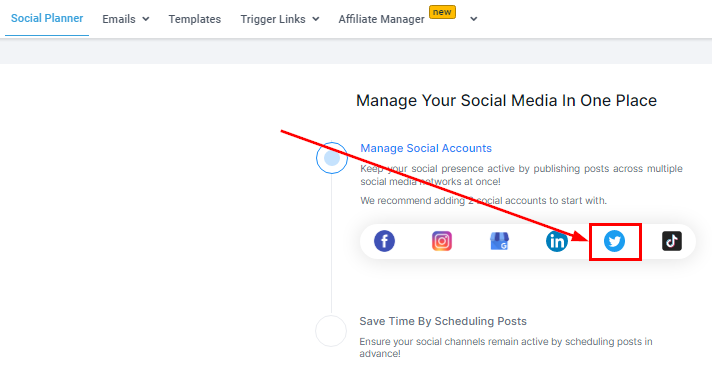
If you don’t have any social media account connected yet, you will see this page, click on the Twitter icon in the wizard with connect option as shown below to start setup.
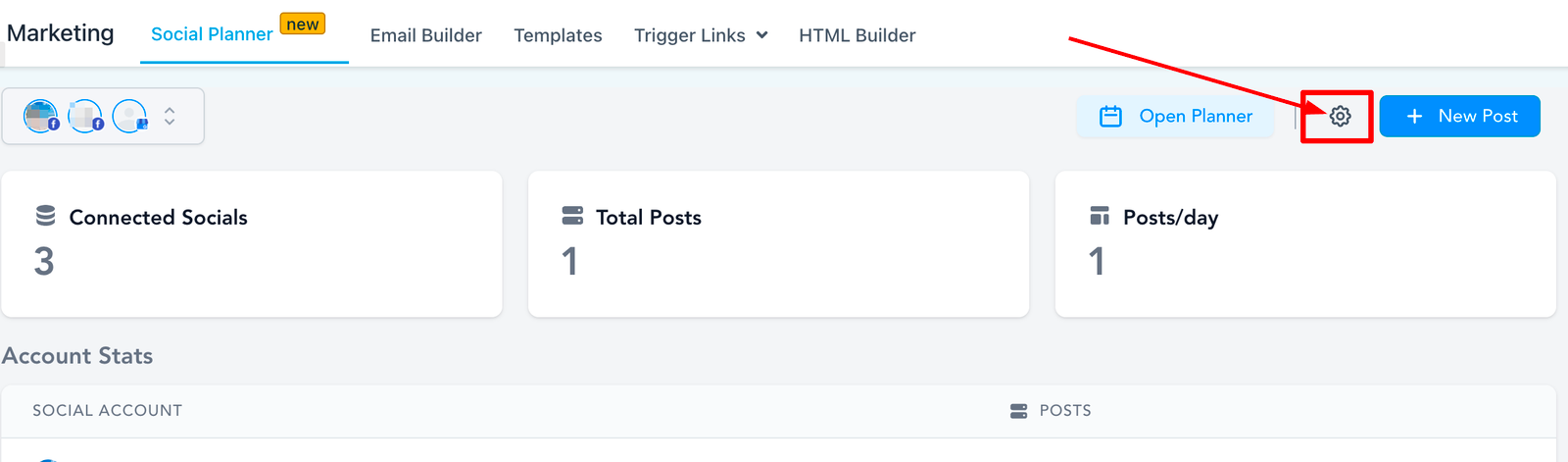
If you already have an account connected, click on the Setting option (Gear icon) at the top right corner of Social Planner.
The next step is to click on Connect a new Twitter Account of the table as shown below to manage.
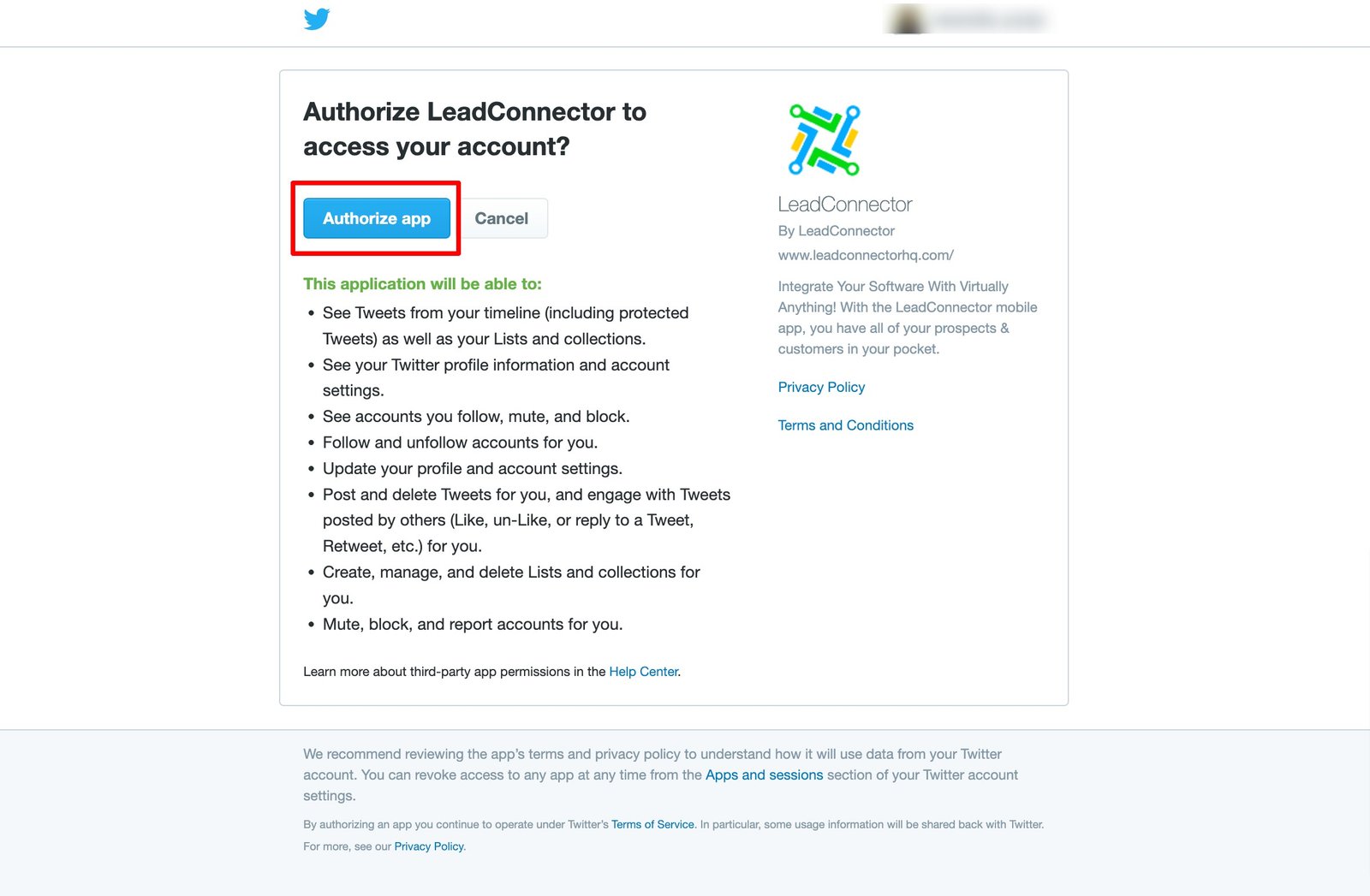
Click on the Authorize App and your Twitter profile should be connected with ContentStudio.
Verify your connection
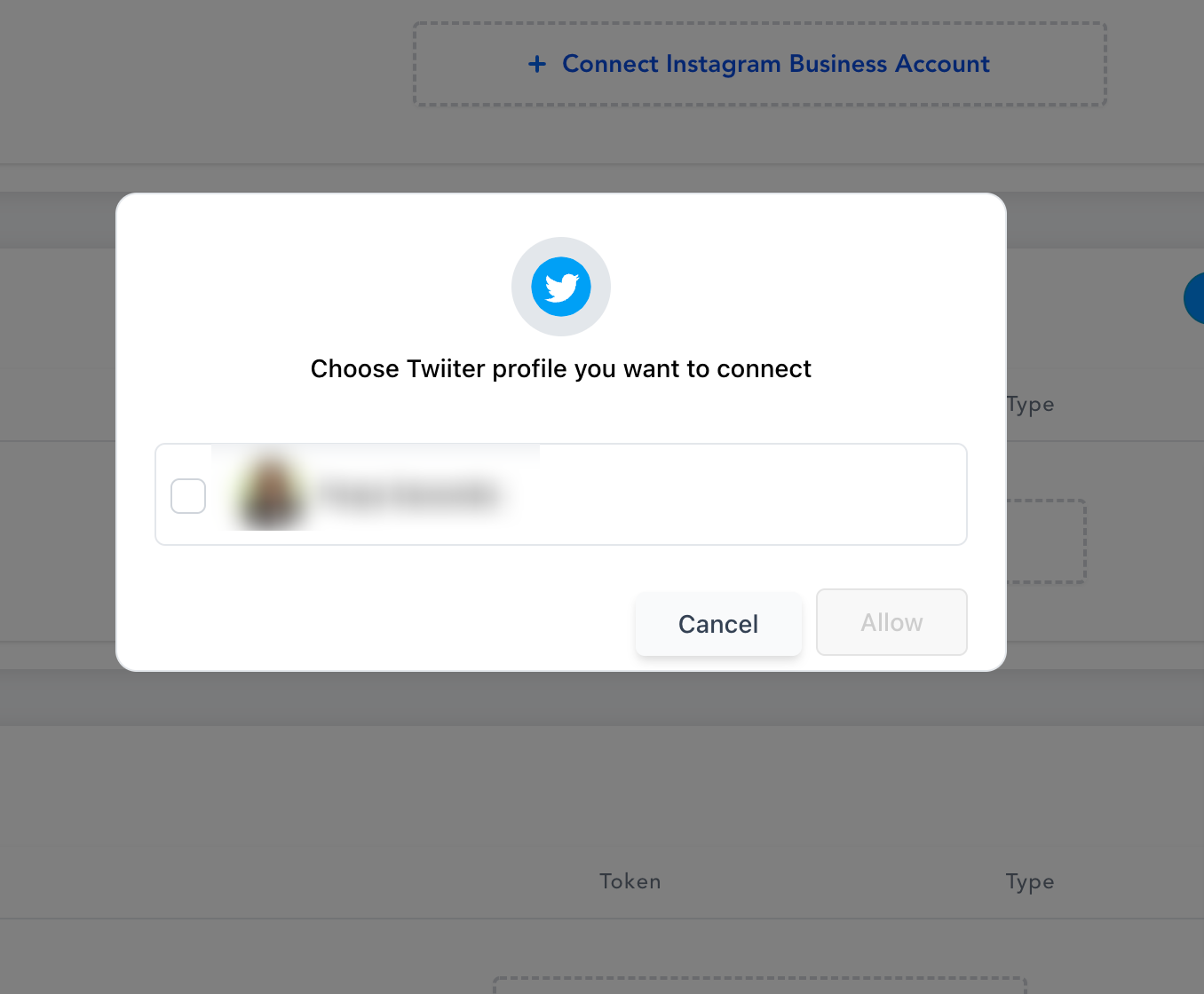
Select the pages you would like to connect. Last but not least, all of the selected pages in the previous step will be listed down showing a successful connection; as shown in the image below.