
Membership Settings
Managing Settings
This section allows you to customize your entire membership portal for your account. Before you go live with any of your portals you need to set up these three (3) sections below in a way that is easier for visitors to find.
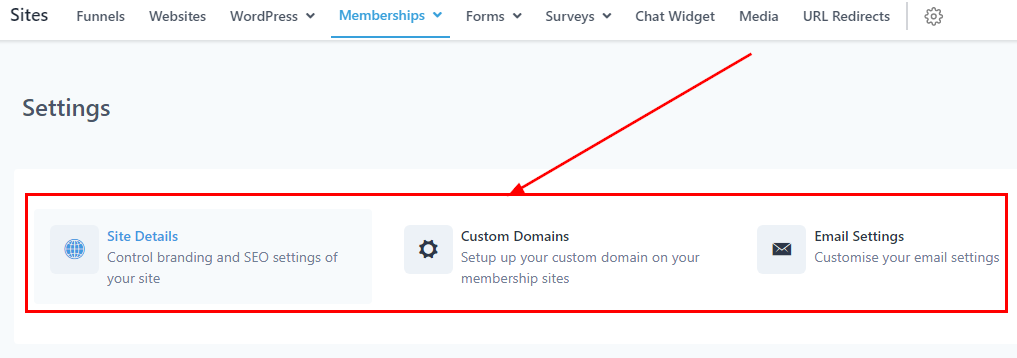
Site Details
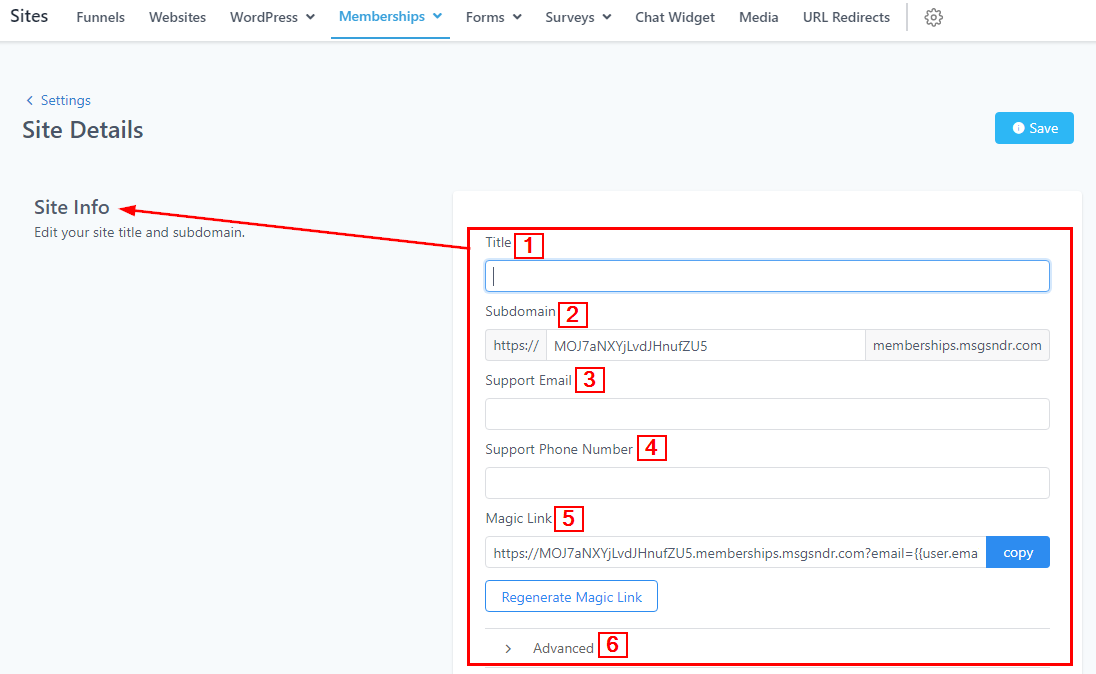
Here you can set up your site info and Branding.
Site Info
-
1.TitleYou can customize the title of your membership portal here. Whatever name you use will be for the entire membership portal, so it’s advisable to use your company’s name.
-
2.SubdomainFor the subdomain, you need to change it from the default subdomain to a simple one so it’s easier to remember because it’s going to be the link to your visitor’s login credentials
-
3.Support EmailAdd a support email here where visitors can reach out to you or your team for any inquiries.
-
4.Support Phone NumberYou can also add a support Phone number here where visitors can reach out to you or your team for any inquiries.
-
5.Magic LinkIf you want to share access to your course with someone without having them pay or subscribe to the course, you can generate a magic link to send them. Once you change the
-
6.AdvancedHere you can manage your Custom JS, CSS, and Tracking Code.
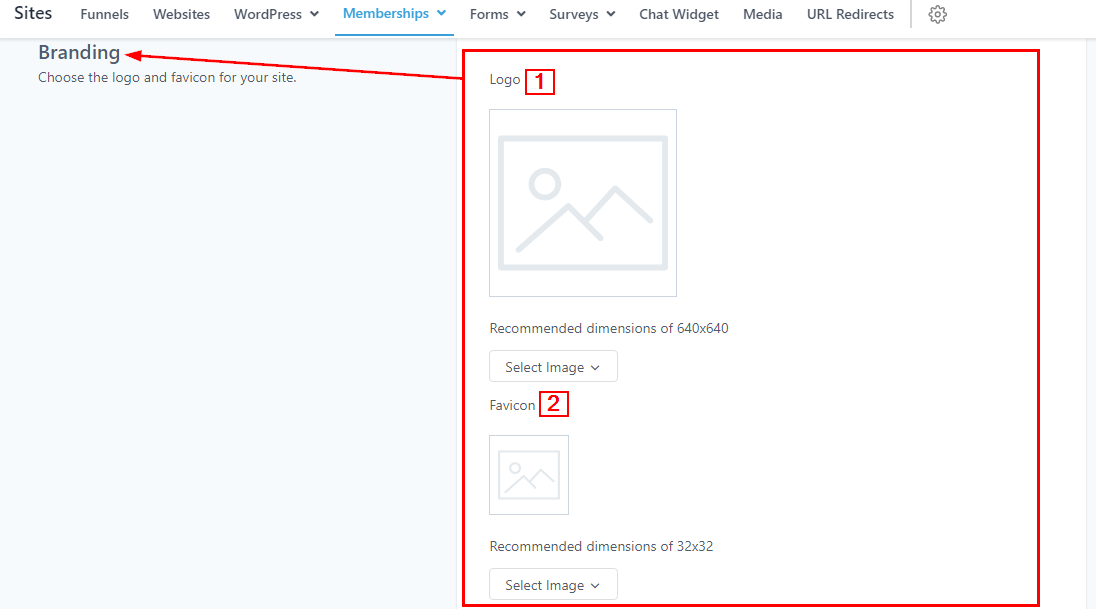
Branding
-
1.LogoAdd your Brand logo to your site. Make sure the recommended dimensions of the image are 640×640. When you click on the “Select Image” menu below the Image icon and then click on “Upload New Files”, it directs you to the upload page where you can upload the image you want to use from your local device.
-
2.FaviconAdd your Favicon to your site. Make sure the recommended dimension of the image is 32×32. When you click on the “Select Image” menu below the Image icon and then click on “Upload New Files”, it directs you to the upload page where you can upload the image you want to use from your local device.
Custom Domains