Create & Edit Forms
This is an overview of the form builder section of your CRM. You can create fully customized forms for new lead funnels, signup pages and calendar scheduling!
Depending on your user permissions, you may not have access to all of the components.
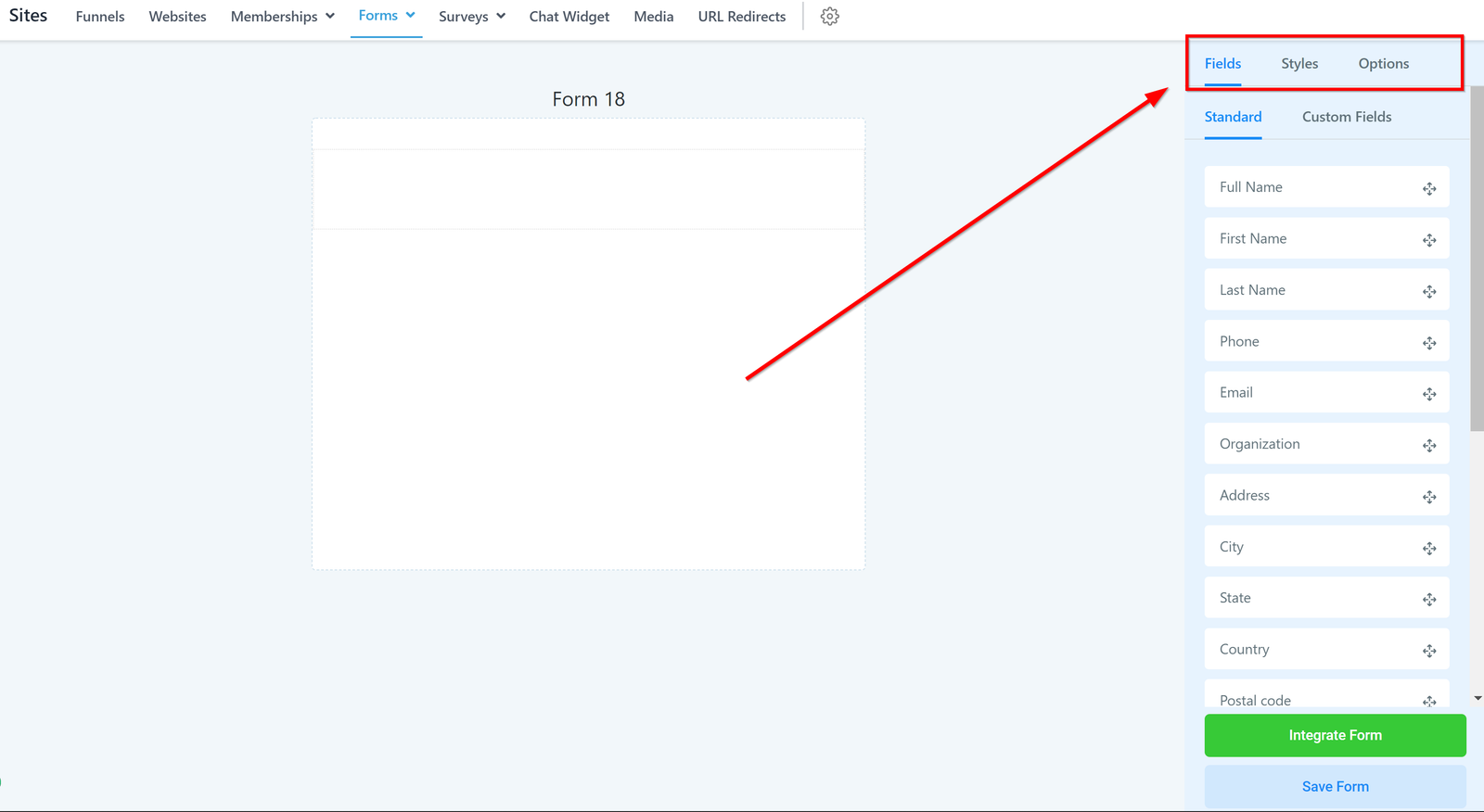
Different Tabs
You have three different tabs to navigate between when creating and editing forms:
-
Fields – This tab allows you to add new fields and components to your form. Click here to learn more about the fields tab: Fields Tab
-
Styles – Here you can change the look and feel of your form. Click here to learn more about the styles tab: Styles Tab
-
Options – Where you change components like name and tracking data. Click here to learn more about the options tab: Options Tab
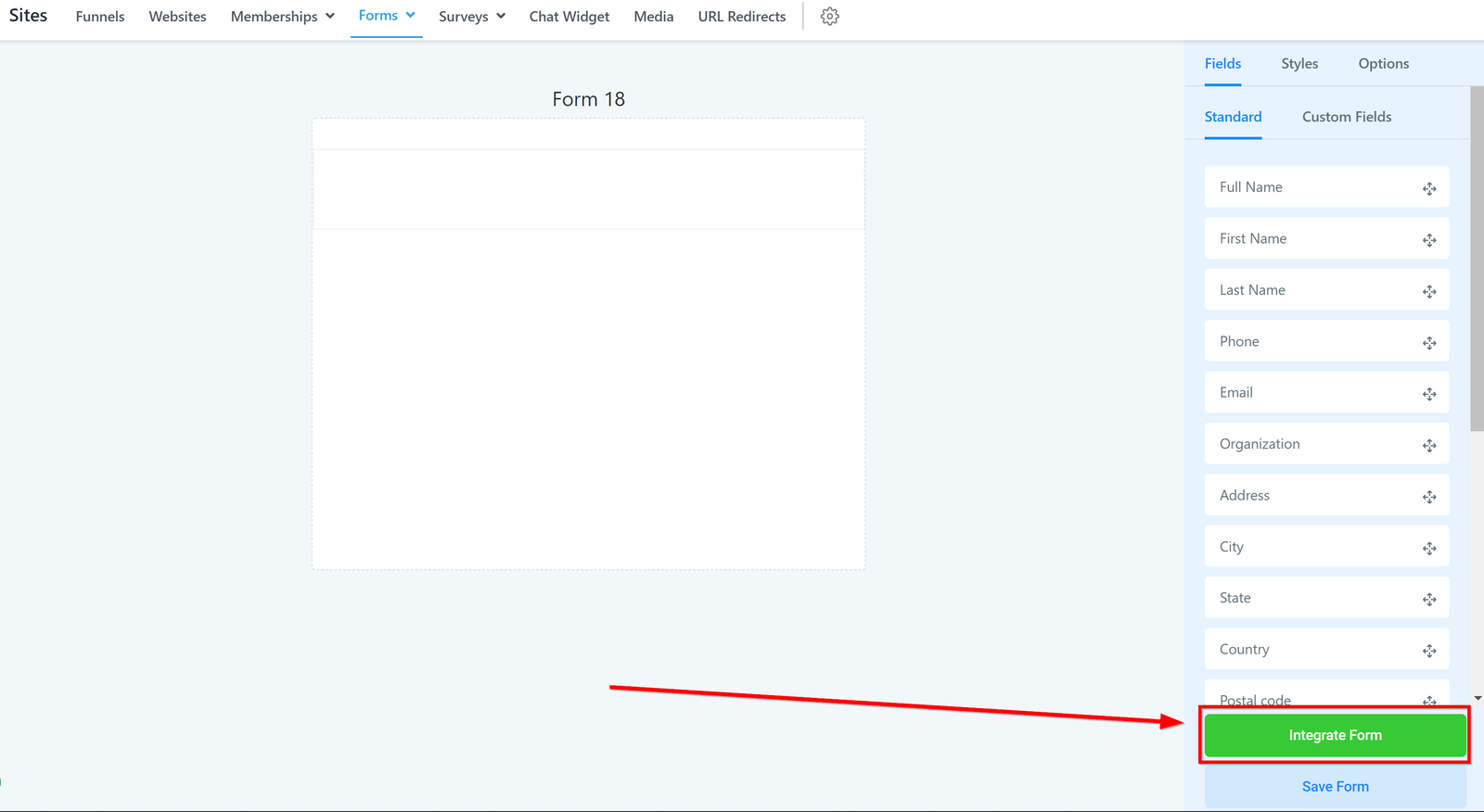
Integrate Form
You can embed your form onto your webpage, or use a custom form link where visitors can access the form.
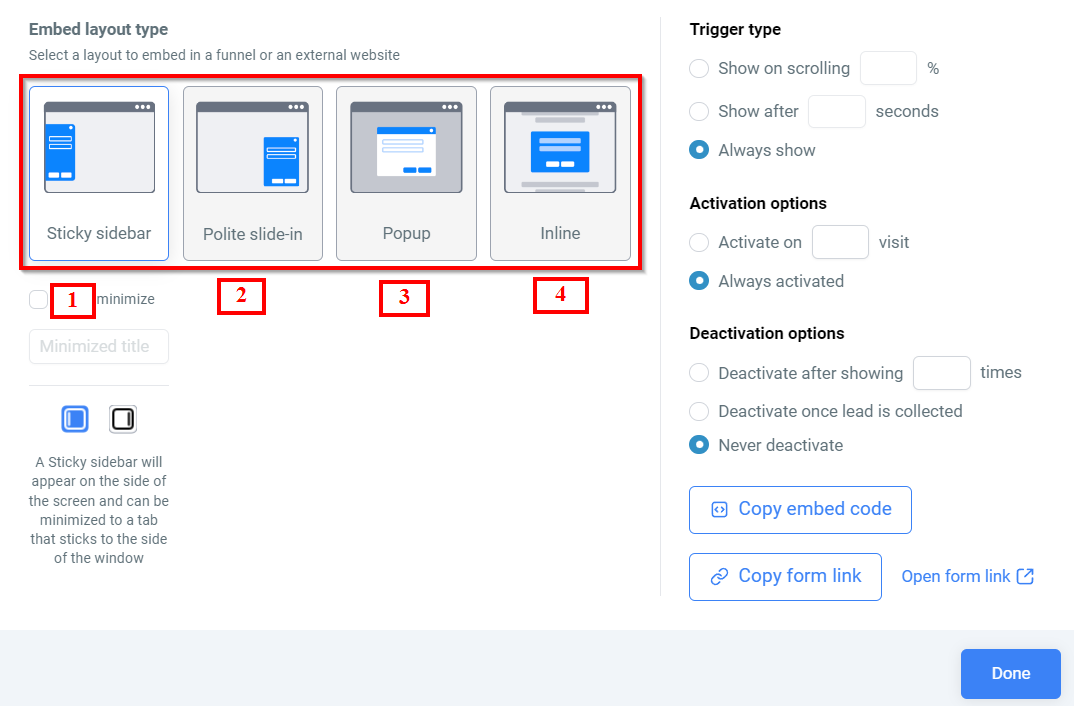
External Embed Layout Options for forms
When the user clicks on “Integrate form” tab, the following screen is shown. There are 4 types of layout user can select for the form. These options gives the ability for a user to create a form based on how a user would like the form to appear on the screen.