
Understanding Conversion Metrics for Tracking Email Campaigns Print
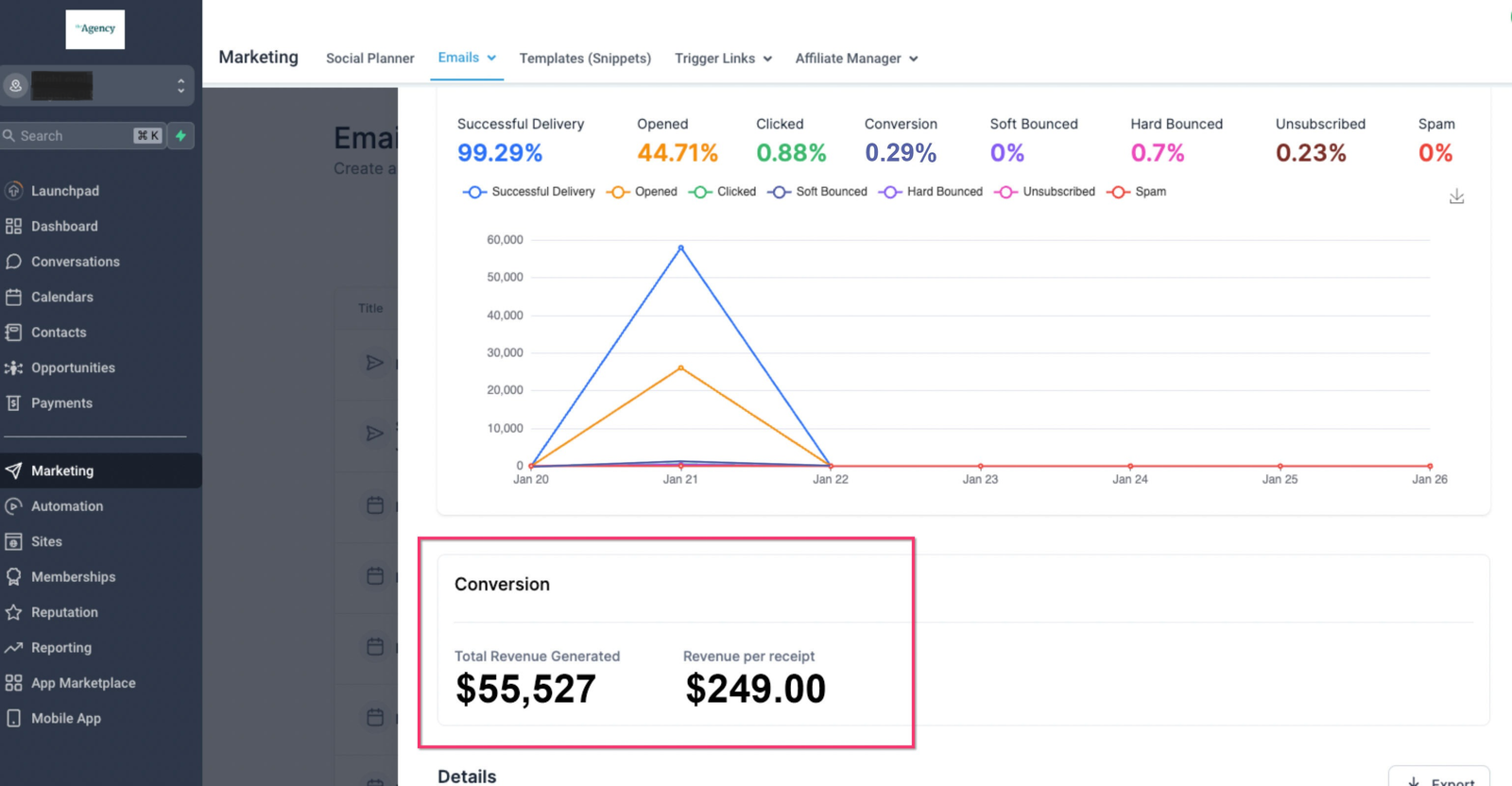
Learn how conversion metrics work for tracking email campaigns and how to edit these settings. For each campaign sent, you can track purchases made as a result within a given time window. This allows you to easily see the performance of your email campaigns and make adjustments accordingly.
TABLE OF CONTENTS
What is an Email Conversion?
An email conversion is when an email recipient opens your message and then takes a specific action, such as purchasing the advertised product, within the conversion period, also called the attribution window.
How Does Email Conversion Tracking Work?
-
It utilizes “last touched” campaign logic to attribute purchases to the most recent email campaign sent to the recipient.
-
By default, the attribution window setting is 5 days. So, the last opened or clicked email campaign within the last 5 days gets credit for the conversion, or sale, made.
-
You can change the number of days this window is open in the campaign settings.
The example provided below demonstrates the functioning of email attribution. Please note: this scenario is based on the default 5-day email attribution window.
Example Scenario
Day 1: You send an email to your subscriber and they open it to view the offer.
Day 4: Two days later, they return to make a purchase of that product.
In this case, revenue would be attributed to the initial email since it falls within the 5-day attribution window. However, if the customer were to make the purchase 12 days later, the revenue would not be attributed to the original email.
How to Use:
- Go to “Marketing” > “Emails” > “Campaigns” and find your email campaign.
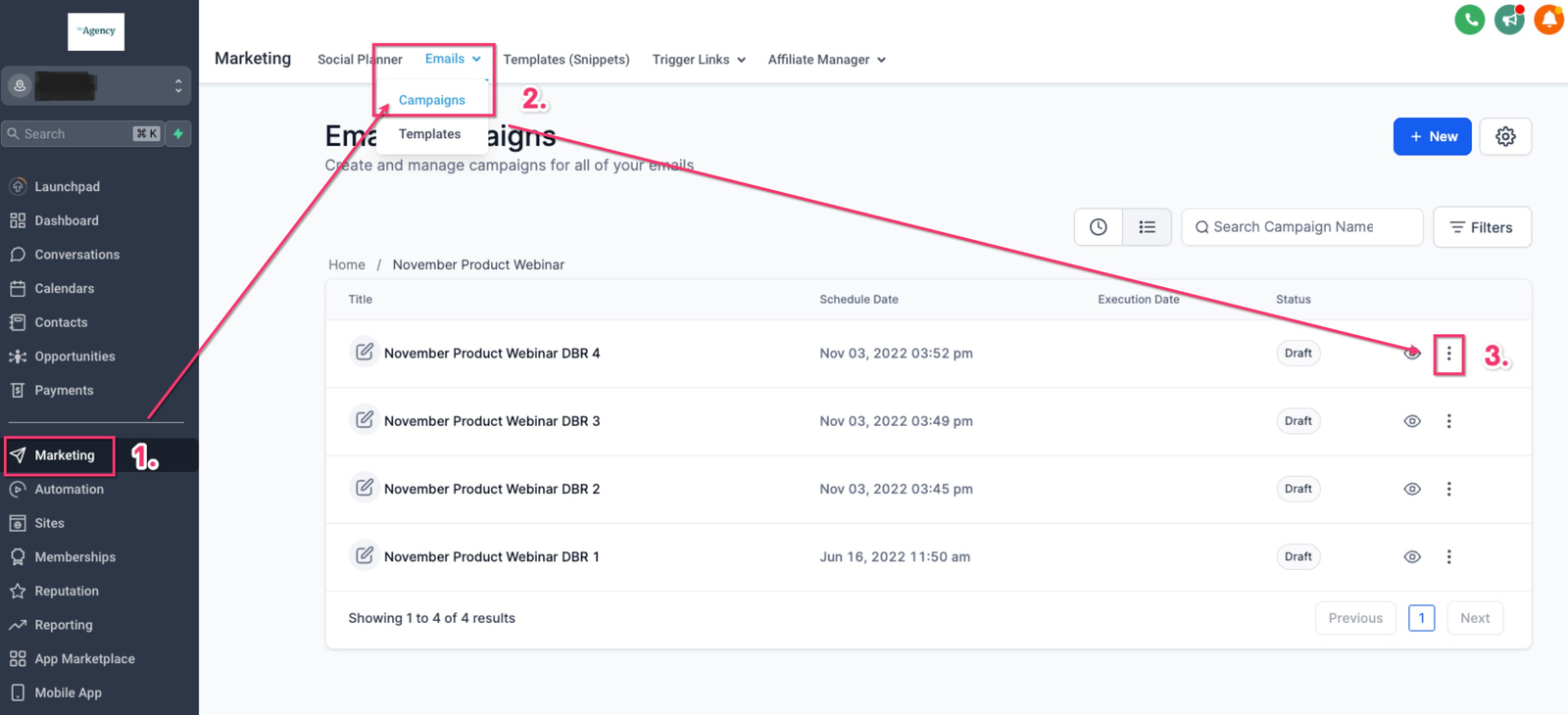
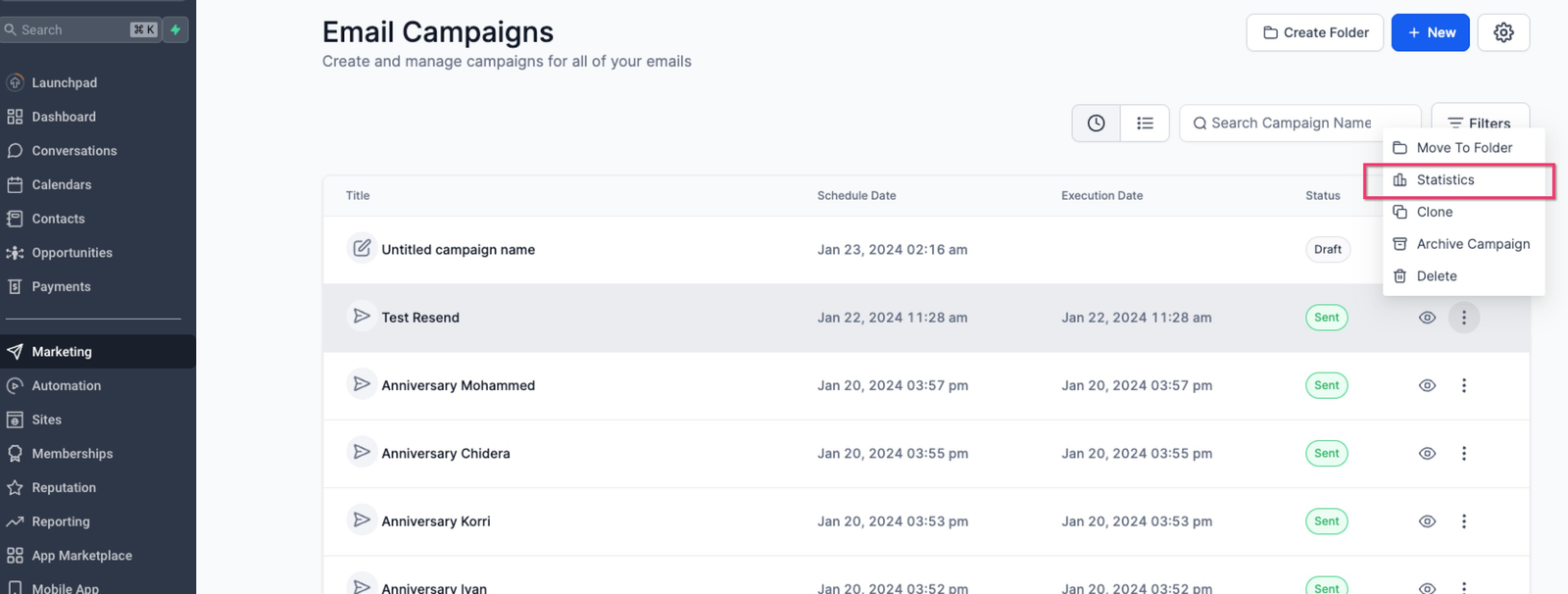
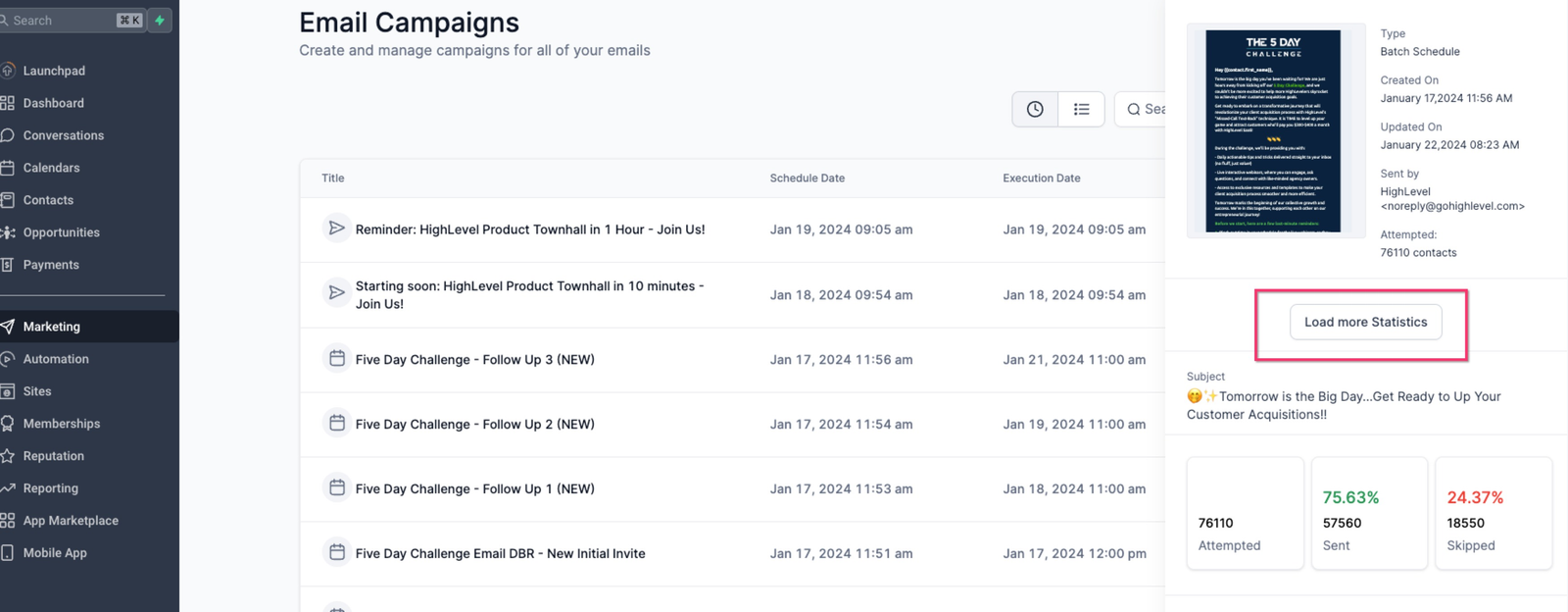
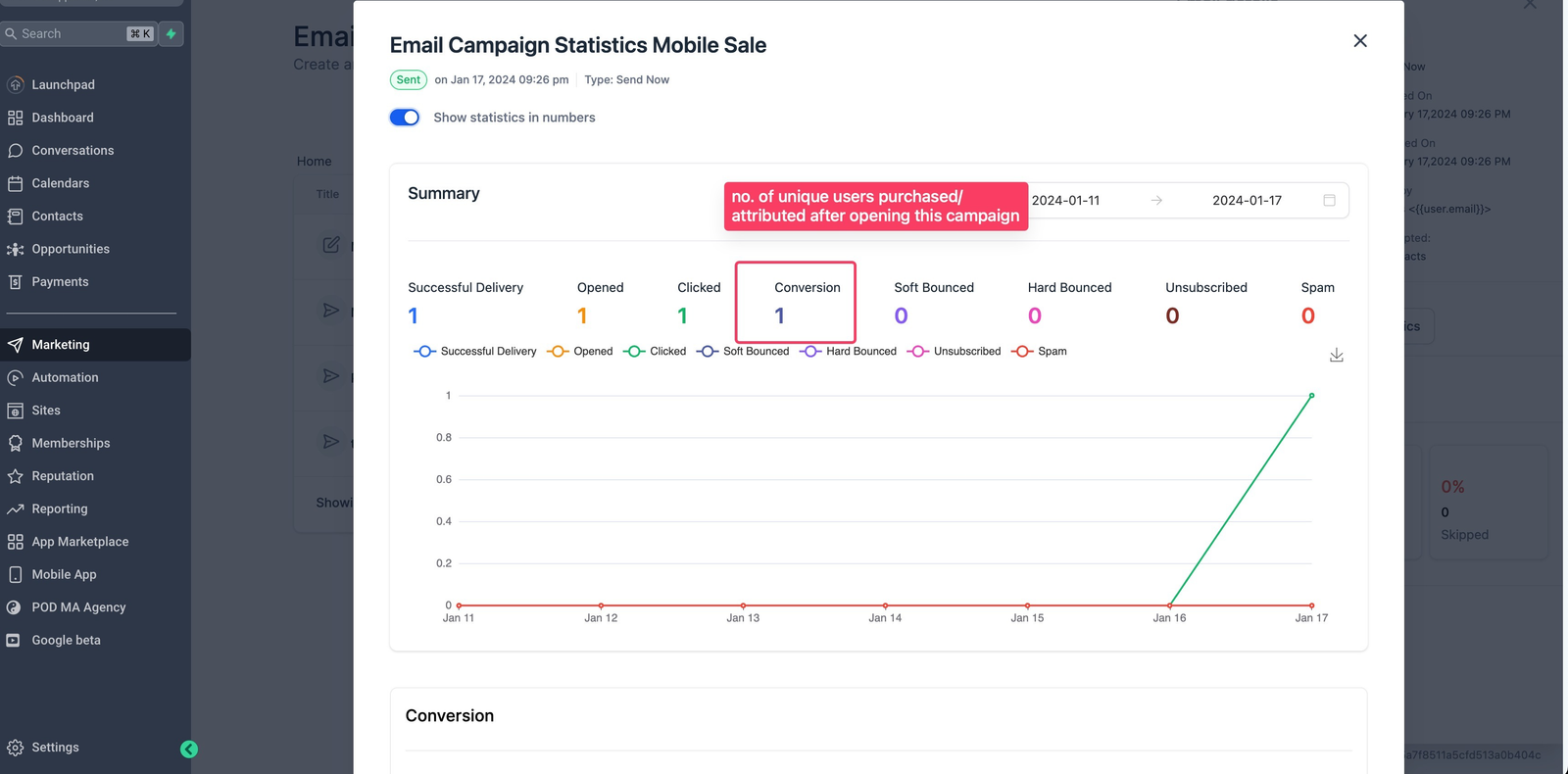
Click the “three dots” icon to the right of the campaign and select “Statistics.”
Attribution Settings
The conversion metric is a vital tool to gauge how effectively your marketing campaigns contribute to revenue generation. A key element of this metric is the attribution window, representing the timeframe when a customer’s action is linked to a specific marketing touchpoint.
Attribution Window Customization:
-
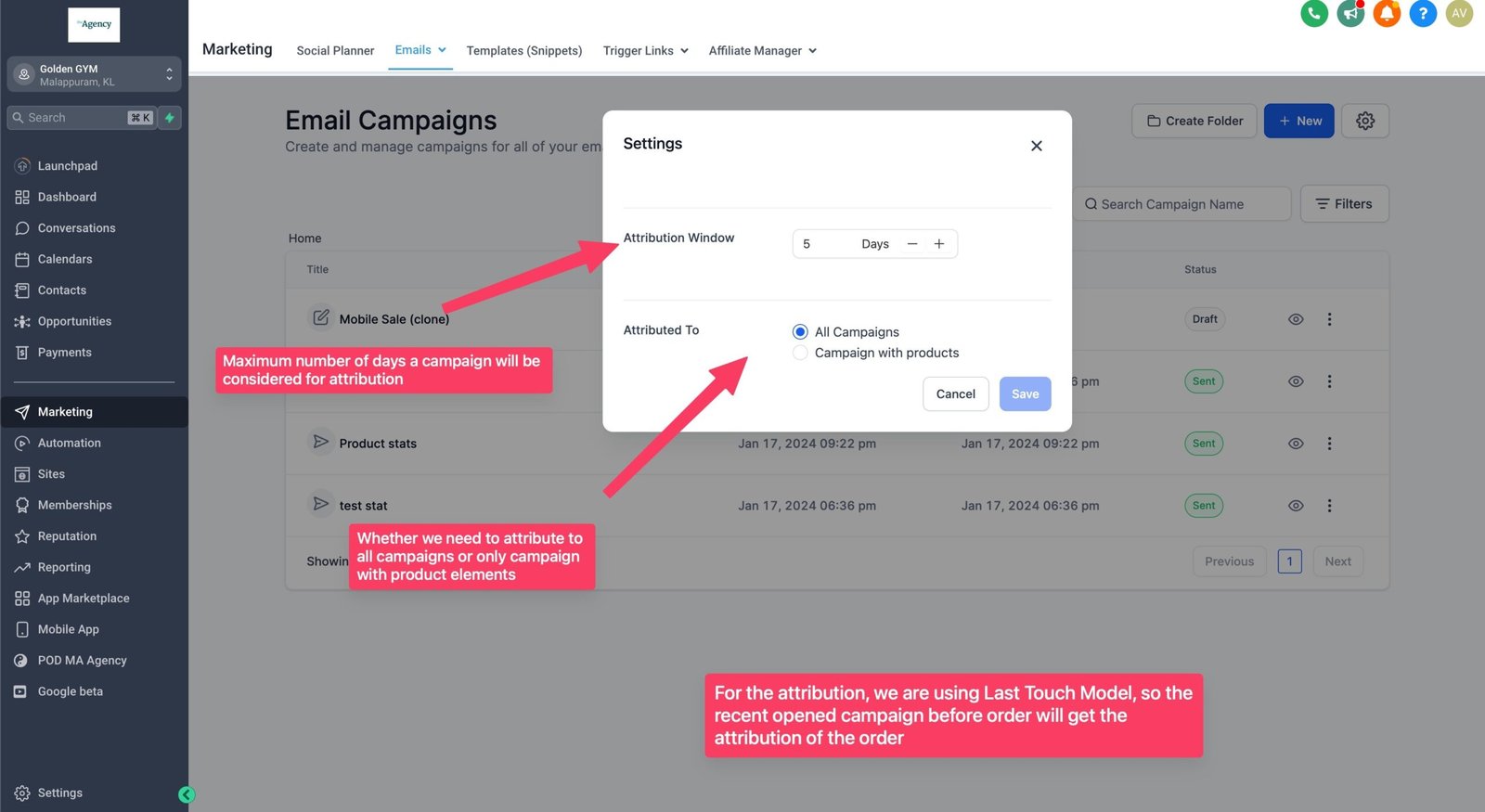
Default: Our system uses a 5-day attribution window for email campaigns.
-
Customize: Easily adjust the window in your account’s email settings to match your business needs.
Steps to Customize:
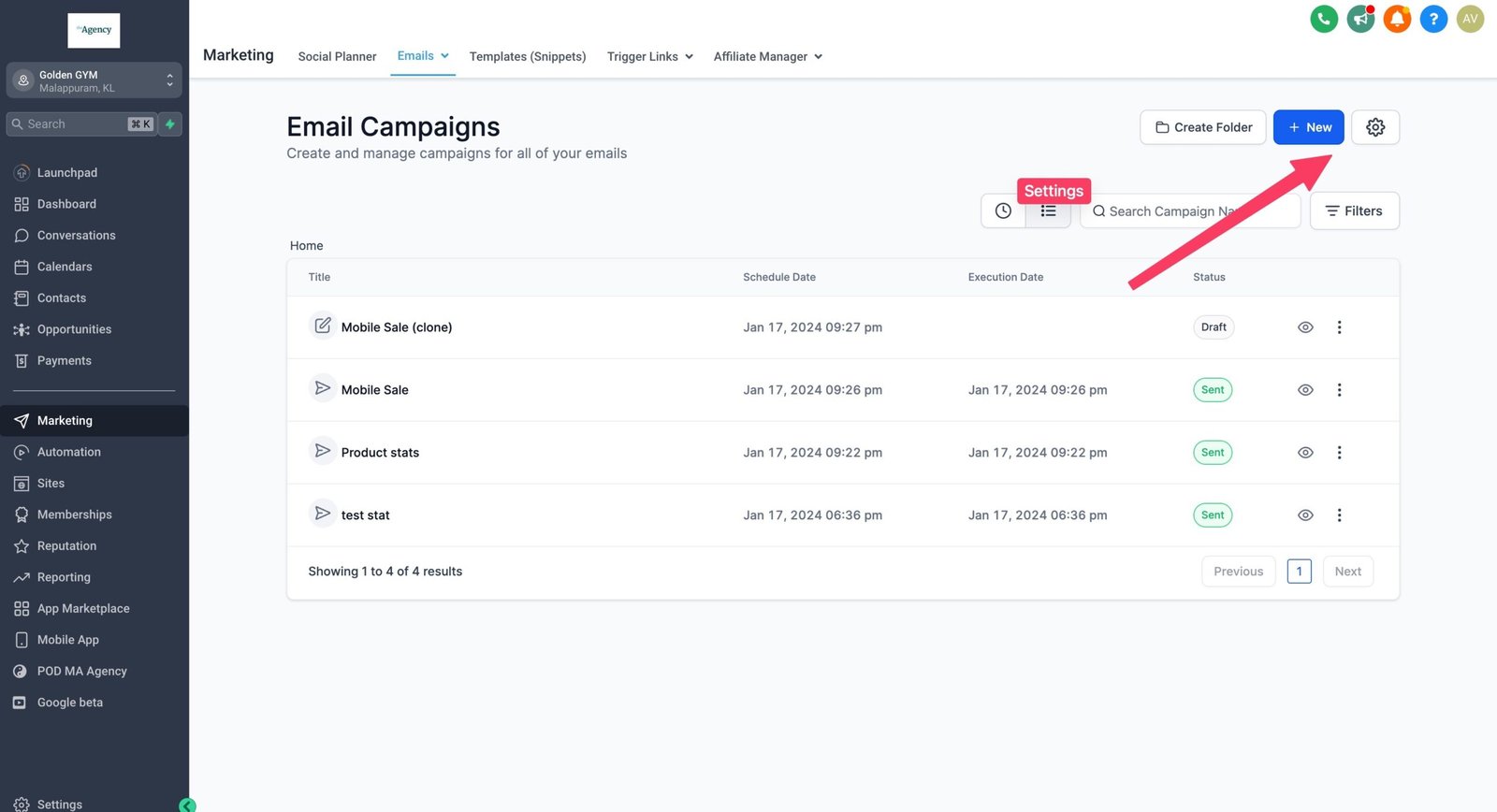
- Go to “Marketing” > “Emails” > “Campaigns.”
- Click the “gear” icon to access the settings.
Adjust the attribution window value as desired.
Why 5 Days?
Research suggests subscribers tend to forget emails after 5 days. So, this time period will reflect a more accurate reflection of the performance of a given campaign according to current industry insights.
Understanding Email Attribution:
Let’s explore how email attribution works through another example, using the default 5-day attribution window.
-
Day 1: An email is sent to your subscriber.
-
Day 3: The subscriber opens the email with a product offering.
-
Day 4: The subscriber revisits and makes a purchase.
In this scenario, revenue is attributed to the email campaign because the purchase occurred within the 5-day attribution window. However, it’s crucial to note that if the subscriber were to make the purchase on day 10, it would not be attributed to the original email.
Attribution to: Customizing Your Analysis
-
All Campaigns (Default): Choose this to track all campaigns for a comprehensive overview.
-
Product Element Specific: Choose this setting to attribute conversions exclusively to product-centric campaigns.
Customizing the attribution window and “Attributed To” settings can allow you to get insights specific to your business. With flexibility in duration and focus, our platform empowers data-driven decisions so you can optimize the performance of your campaigns over time.