
Content Management in Communities
Content Management in Communities is a powerful feature that enables group admins and members to create, manage and engage with posts and channels. With diverse capabilities, from embedding videos to managing comments and likes, this feature empowers robust and dynamic interactions within the community. Leverage these tools to drive effective conversations and ensure a vibrant community atmosphere.
Covered in this Article:
What is featured in Content Management?
Usage Cases for different combinations of Content Management:
How to Manage Content in Communities?
Creating Group Channels:
Channel Name
Channel Description
Channel Icon
How to create a post
Post Title:
Post Body:
Add Image:
Add Video:
Embed Youtube or Loom Video:
Add Attachment:
Add Link:
Add Emoji:
Channel Dropdown
Publish Post
Home Timeline
Comments and Likes
Deleting a Post
FAQs
Q: How many images can I attach to a single post?
Q: Can I change the title of my post after it has been published?
Q: What is the maximum size of video files I can upload?
Q: What happens when I add a hyperlink to my post?
Q: Can I use emojis in my post title?
What is featured in Content Management?
Content Management in Communities encompasses several components facilitating a dynamic and engaging community environment. These include:
Group Channels: These are thematic or topic-based categories within a community group that aids in organizing discussions and facilitating relevant conversations. Admins have the exclusive privilege to create these channels.
Posts: These are the main form of content within a group. Members can create rich posts which can be associated with a specific channel. Posts can include various types of content, such as texts, images, videos, and other attachments, providing a comprehensive way to share information or spark discussions.
Home Timeline: This centralized hub displays posts from all members across all channels within the group. It provides a comprehensive overview of the group’s activities, keeping members updated on the latest conversations and developments.
Embedding Videos: Posts in the community can host videos from various platforms like YouTube, Vimeo, Wistia, and Loom. This allows for more engaging and interactive content within posts.
Attachments: Posts within the community also support including various file formats such as images, GIFs, and other media. This feature further enriches the content of the posts.
Comments and Likes: These serve as key drivers for engagement within the group. Members can comment on posts, include various types of content in their comments, and express their appreciation for posts and comments through likes.
Post Deletion: Admins and moderators can delete any posts within the group that violates the community’s guidelines. Additionally, members have the right to delete their posts and comments.
Together, these components provide a comprehensive Content Management system within Communities, fostering vibrant and interactive discussions and promoting community among members.
Usage Cases for different combinations of Content Management:
Brand Awareness Campaign: A company can use Communities to raise awareness about its new product line. The company created a new group channel specifically for this campaign, and regular posts are made featuring images, GIFs, and embedded videos showcasing the products. Invitations are sent to customers and potential clients to join the community and participate in the discussion. This strategy utilizes Group Channels, Posts, Video Embedding, and Inviting Members.
Customer Support Forum: A software company uses Communities to provide customer support. Different group channels are set up for different software modules. Customers post their queries or problems in the respective channels, and the company’s support team responds promptly, including video tutorials and document attachments when necessary. The Home Timeline keeps all members updated on ongoing issues and their solutions. The company can also use this community to invite new users. This case employs Group Channels, Posts, Attachments, Home Timeline, and Inviting Members.
Education/Training Program: An online education platform can use Communities to deliver its courses. Different group channels are set up for different courses or topics. The instructors can create posts for each lesson, embed videos, attach lesson materials, and start discussions. Students can ask questions or discuss the material in the comments. The Home Timeline helps students to stay updated on new posts and ongoing discussions across different channels. This scenario leverages Group Channels, Posts, Embedding Videos, Attachments, Comments and Likes, and Home Timeline.
Internal Communication for Businesses: A company can use Communities to facilitate internal communication. Various group channels are created for different departments or project teams. Team members create posts to update their progress, ask questions, share relevant materials, etc. The Home Timeline ensures everyone stays updated on what’s happening in other teams or departments. The company also can invite new employees to the relevant groups. This situation combines Group Channels, Posts, Attachments, Comments and Likes, Home Timeline, and Inviting Members.
Community Engagement for NGOs: A non-profit organization can use Communities to engage with its community of supporters and volunteers. Various channels can be created based on different programs or causes. The organization can post updates, share stories, ask for feedback, or start discussions related to their work. Supporters and volunteers can respond with comments or likes, share their thoughts, and spread the word. This application utilizes Group Channels, Posts, Comments and Likes, and Home Timeline.
How to Manage Content in Communities?
Creating Group Channels:
Multiple channels are available within each group to categorize discussions and facilitate organized conversations. Only admins have the privilege to create these channels.
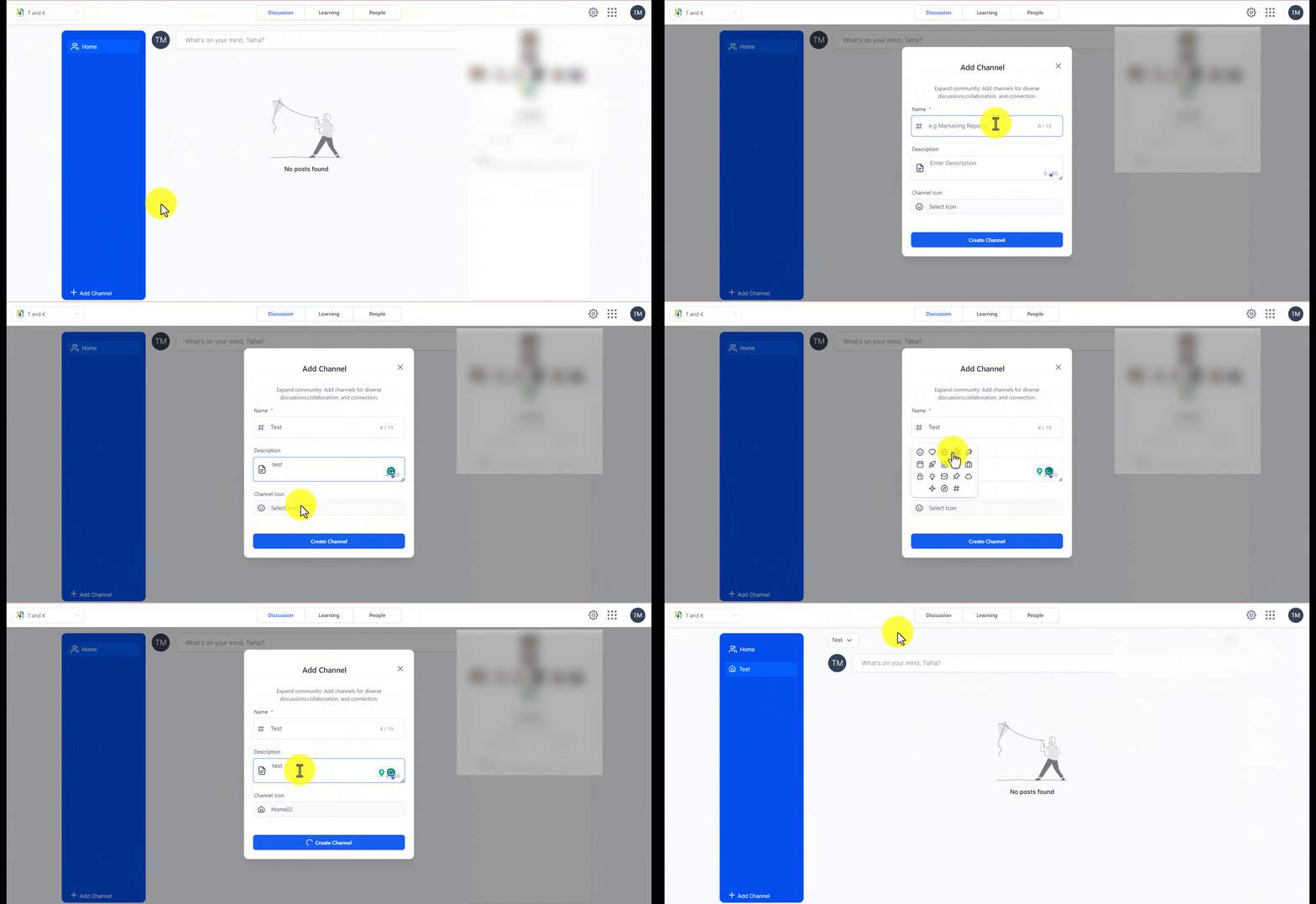
- To create a channel, locate and click the “Add Channel” button in the group interface’s left bar.
- A modal window will appear, prompting you to provide specific details for the channel creation.
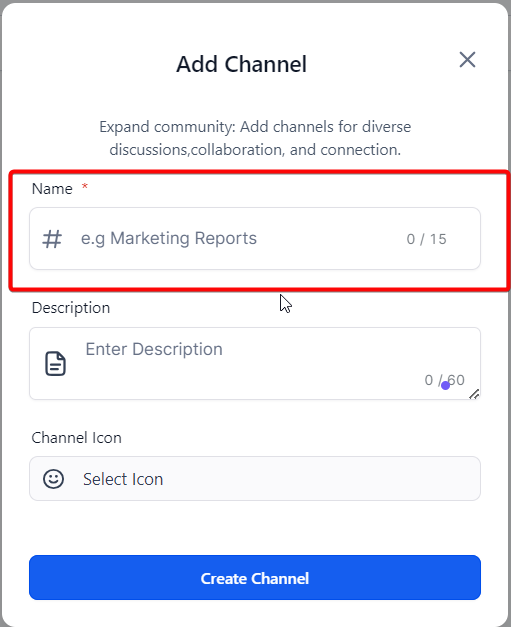
Channel Name
For instance: “Marketing Reports”
This should be a brief, succinct name for your channel that encapsulates its purpose. You have a limit of 15 characters for this field, meaning your channel name should be short.
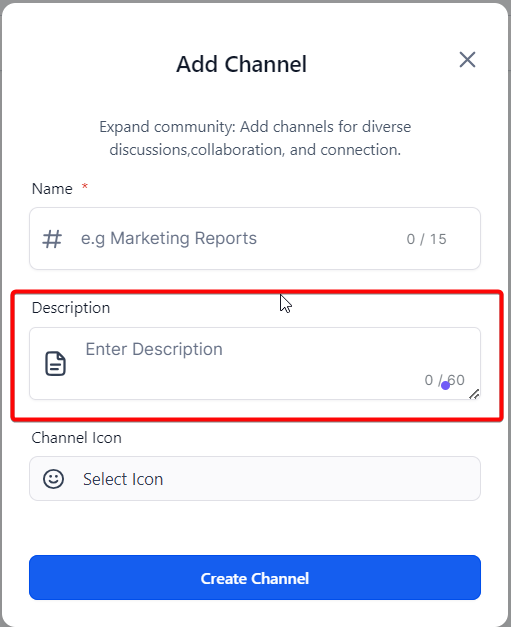
Channel Description
Example: “A space for dialogue and sharing around our marketing reports.”
This is a brief summary of your channel and the discussions it intends to facilitate. It should provide a clear context for potential members. Remember that you have a maximum of 60 characters for this description, so it should be concise yet informative.
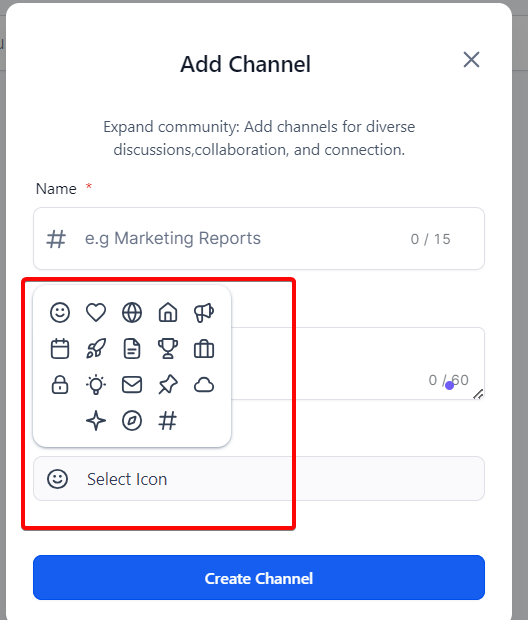
Channel Icon
Select a distinctive icon that visually symbolizes your channel. This icon will be displayed next to your channel name, offering members a visual cue that helps them identify your channel quickly.
- In the modal, enter a suitable name for the channel that clearly represents its purpose.
- Additionally, provide a brief channel description to give members an understanding of the topic or theme of the channel.
- Select a cool channel icon from the available options to enhance the visual appeal.
- Once you have entered the channel name, description, and selected an icon, create the channel.
How to create a post
Members can create rich posts within the group, each associated with a specific channel. Before creating a post, ensuring the desired channel has been created is important. Here’s a rephrased version of the process:
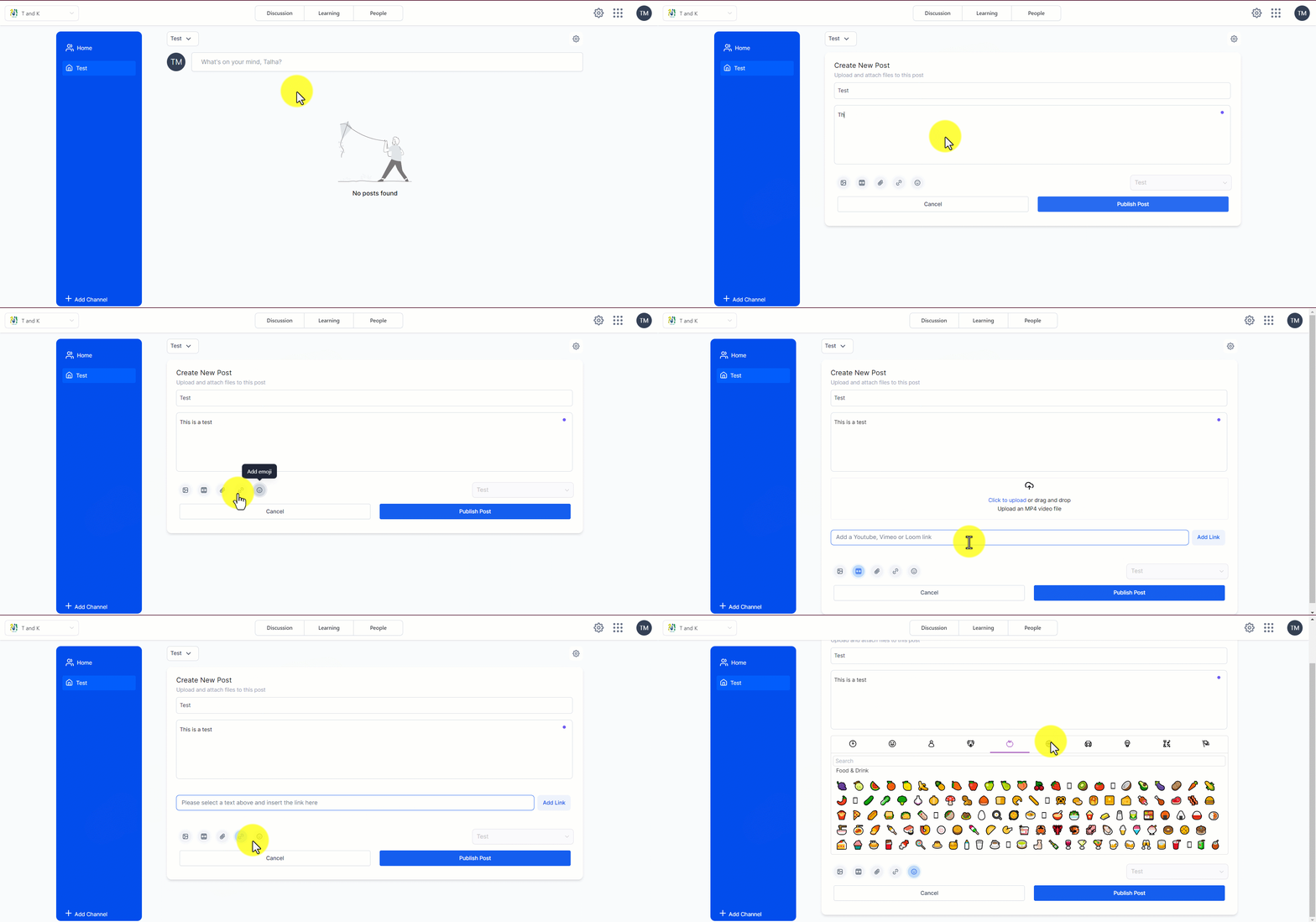
- To create a new post, navigate to the desired channel within the group.
- Enter a suitable title for your post within the channel, summarizing the content or topic.
- Provide a detailed description of the designated area for context and additional information.
- You can include attachments such as videos, PDFs, images, and GIFs to enrich your post.
Additionally, our platform supports video embedding from popular sources like YouTube, Vimeo, and Loom.
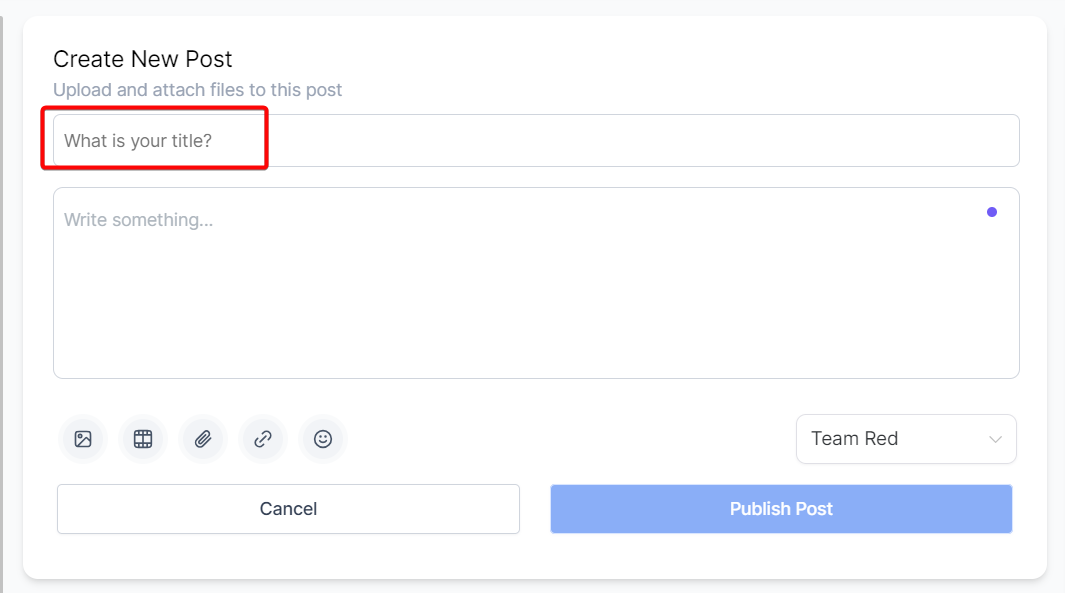
Post Title:
What’s your headline? Please provide a concise yet descriptive title to summarize your post content.
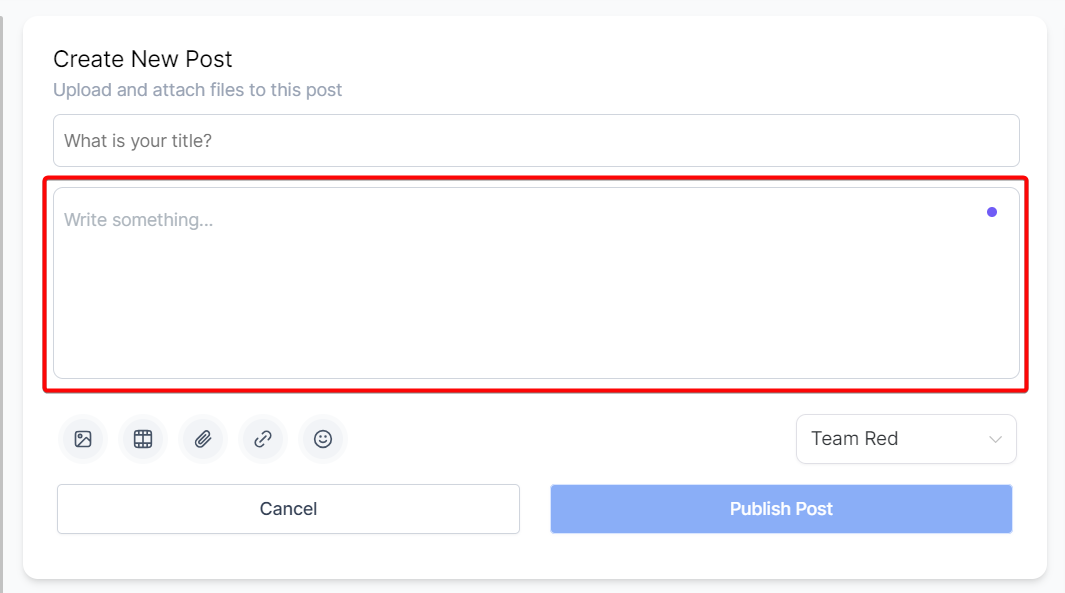
Post Body:
Write your main content here. Be it an announcement, question, or discussion starter, express your thoughts clearly and engagingly.
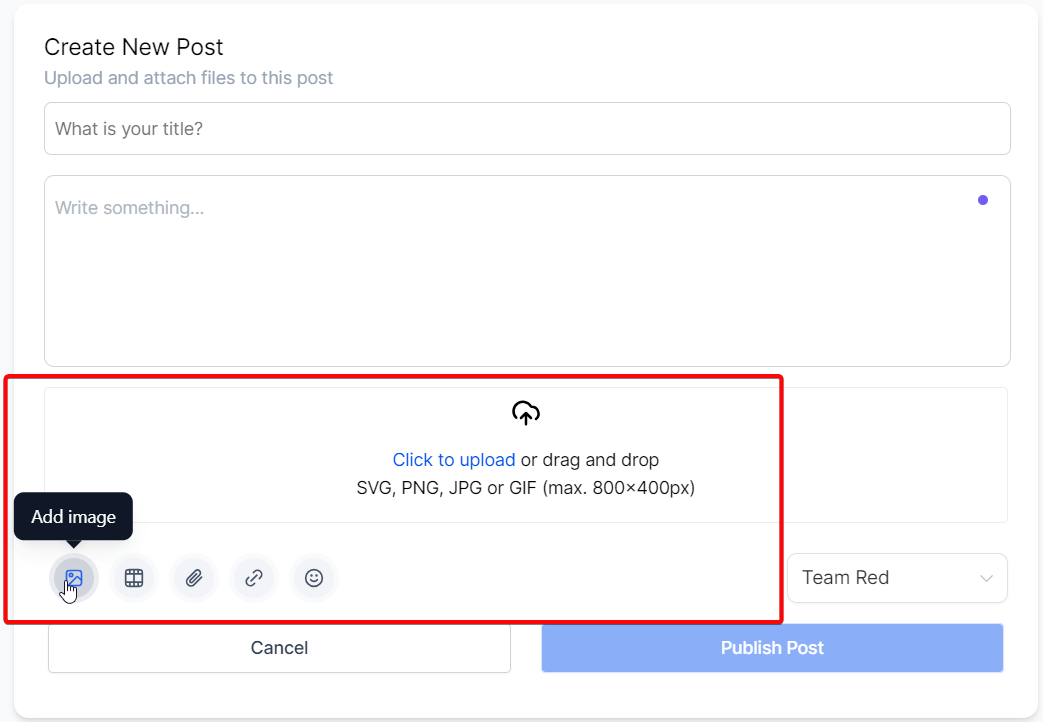
Add Image:
You can add visual appeal to your post by including images. Click the upload button or drag and drop an image file into the designated area. You can upload files in SVG, PNG, JPG, or GIF formats, with a maximum size of 800x400px.
Add Video:
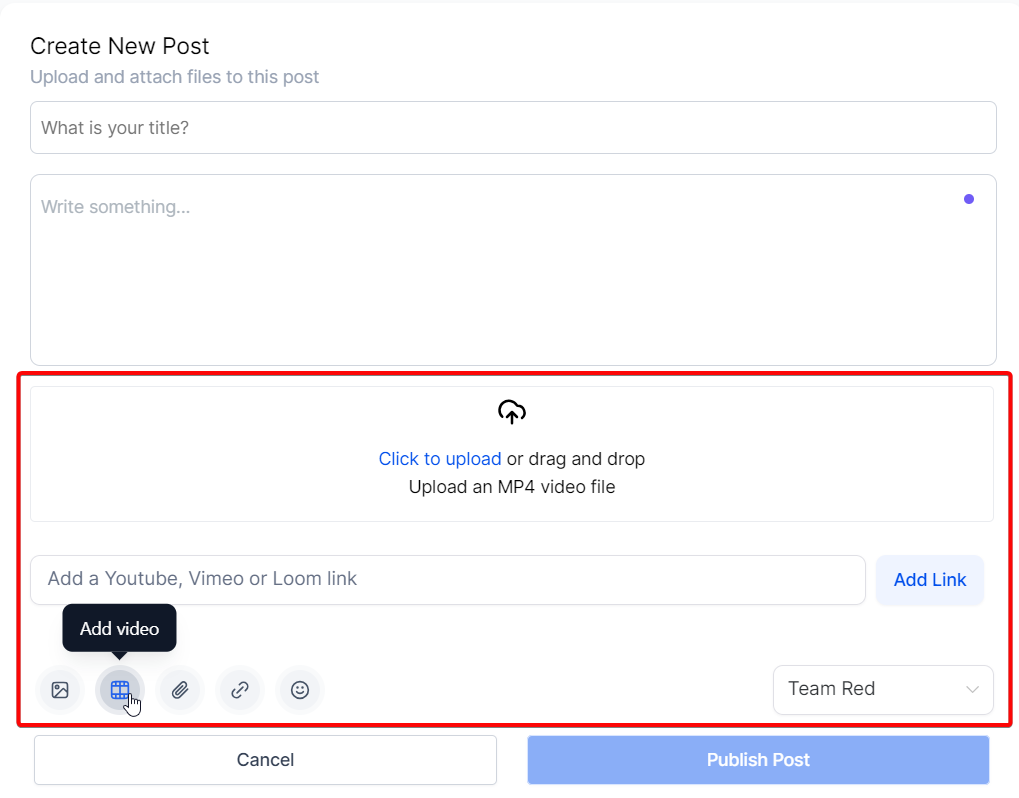
Include videos in your post for a more dynamic presentation. Upload an MP4 video file by clicking the upload button or using the drag-and-drop feature.
Embed Youtube or Loom Video:
- Posts in the community support hosting videos from various platforms such as YouTube, Vimeo, Wistia, and Loom. If you wish to attach a video from another platform to your post, follow these steps:
- Locate the video you want to share on the respective platform.
- Obtain the share link of the public video from that platform.
- Navigate to the “Create Post” section within the community.
- At the bottom of the post-creation interface, click on the video icon.
- In the designated text area, paste the share link of the video that you obtained earlier.
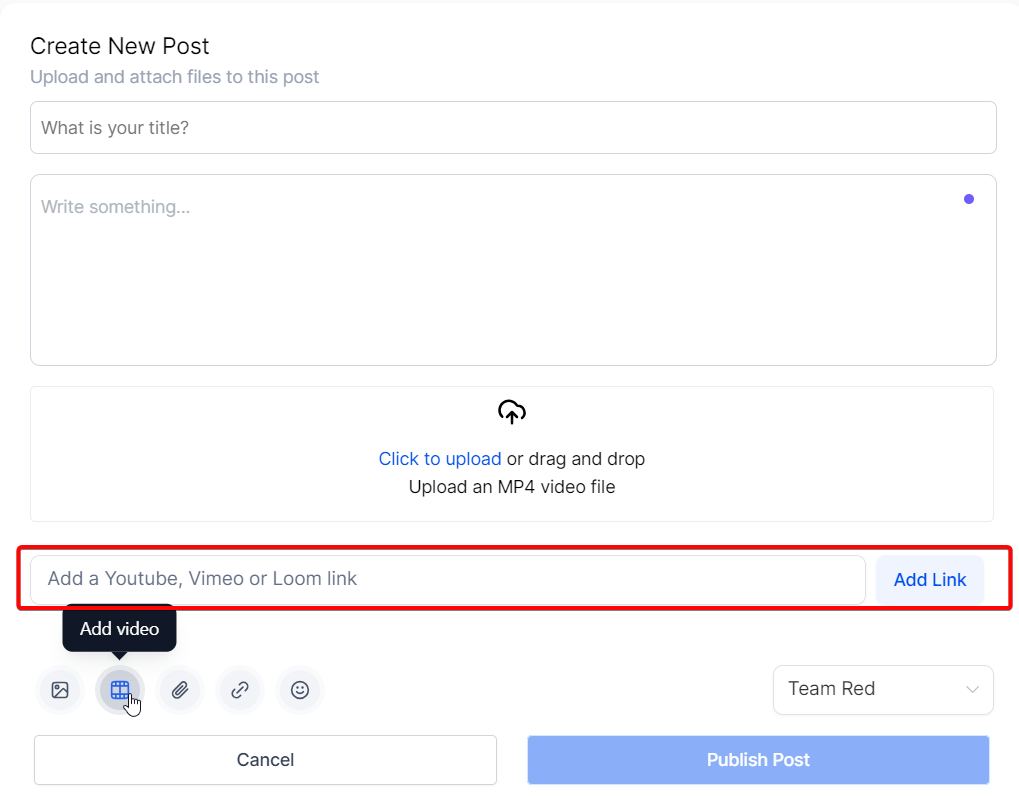
- After pasting the link, Click on Add Link and the video will be embedded within your post.
Add Attachment:
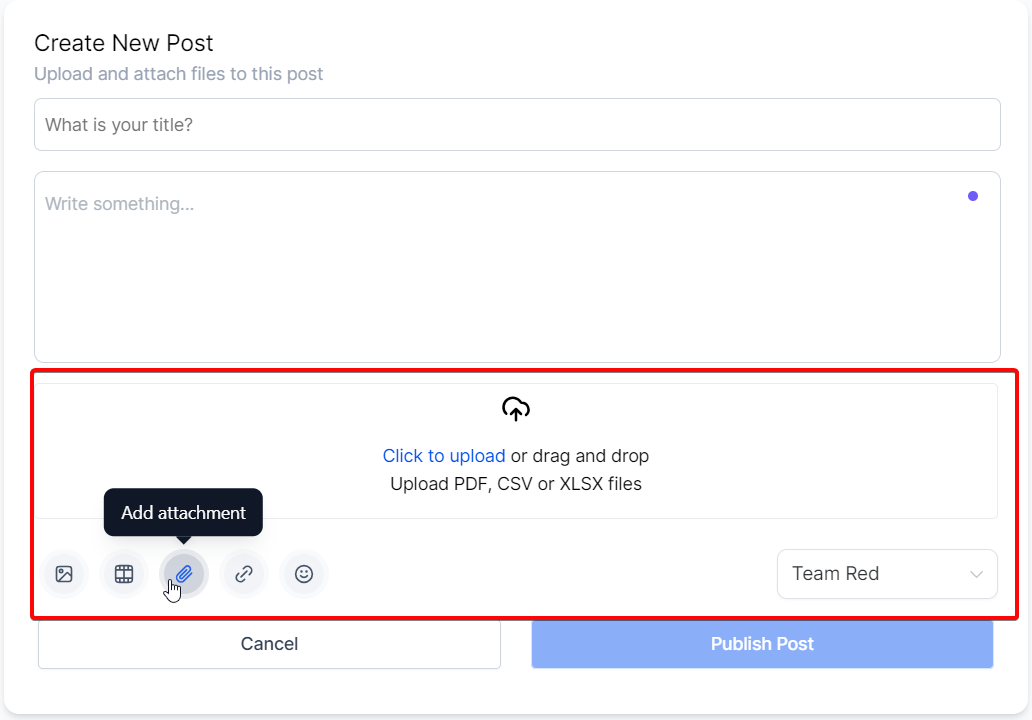
Supplement your post with files like PDFs, CSVs, or XLSX files. To upload, click the upload button or drag and drop the file into the designated area.
Add Link:
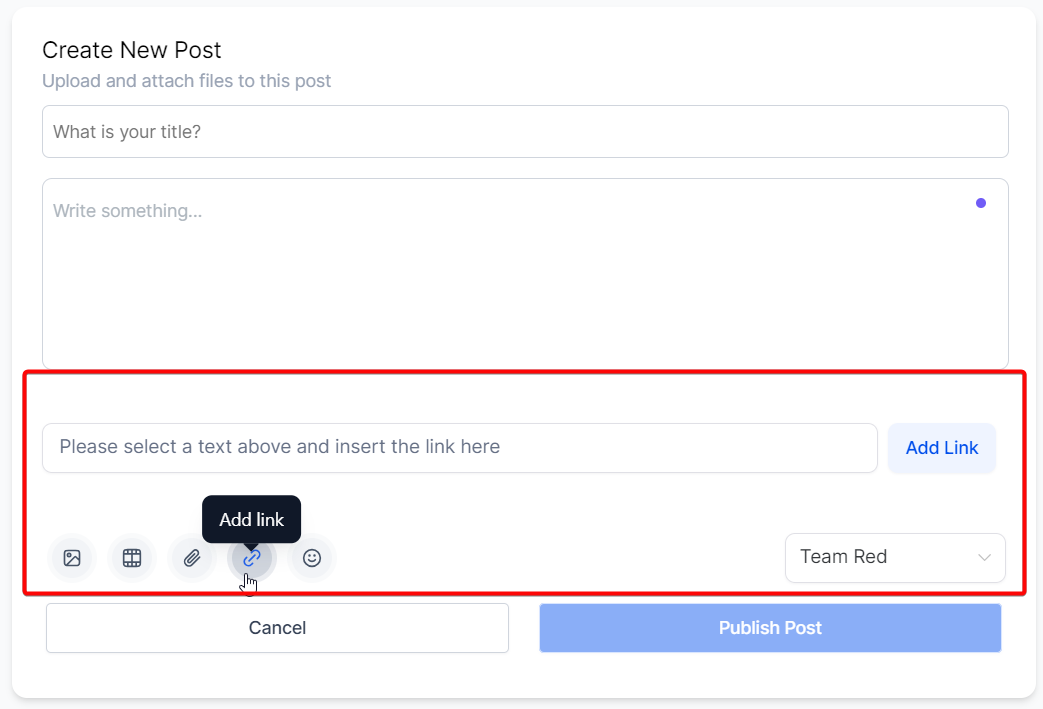
Hyperlinking text in your post can lead readers to additional resources or relevant content. To add a hyperlink, highlight the text you want to link, paste your URL in the designated area, and click ‘Add Link’.
Add Emoji:
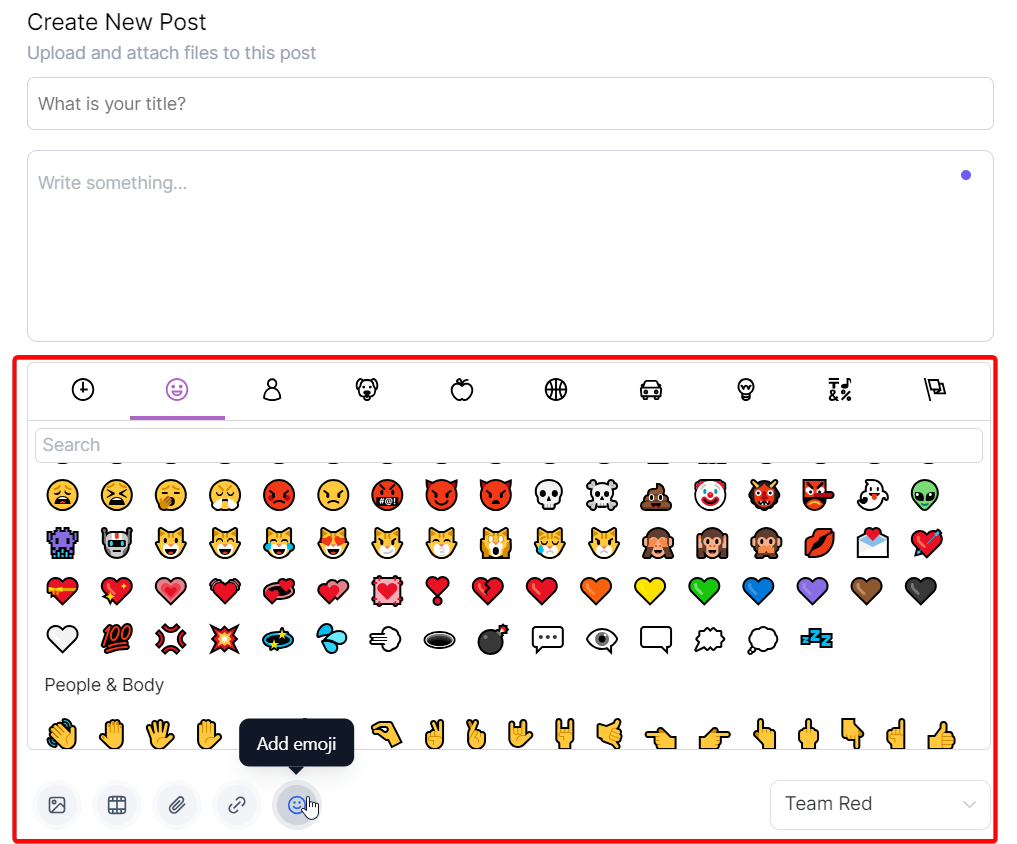
Make your post more engaging and expressive by adding emojis. Search for or select an emoji from our extensive library, which includes a wide array of emojis divided into standard categories.
Channel Dropdown
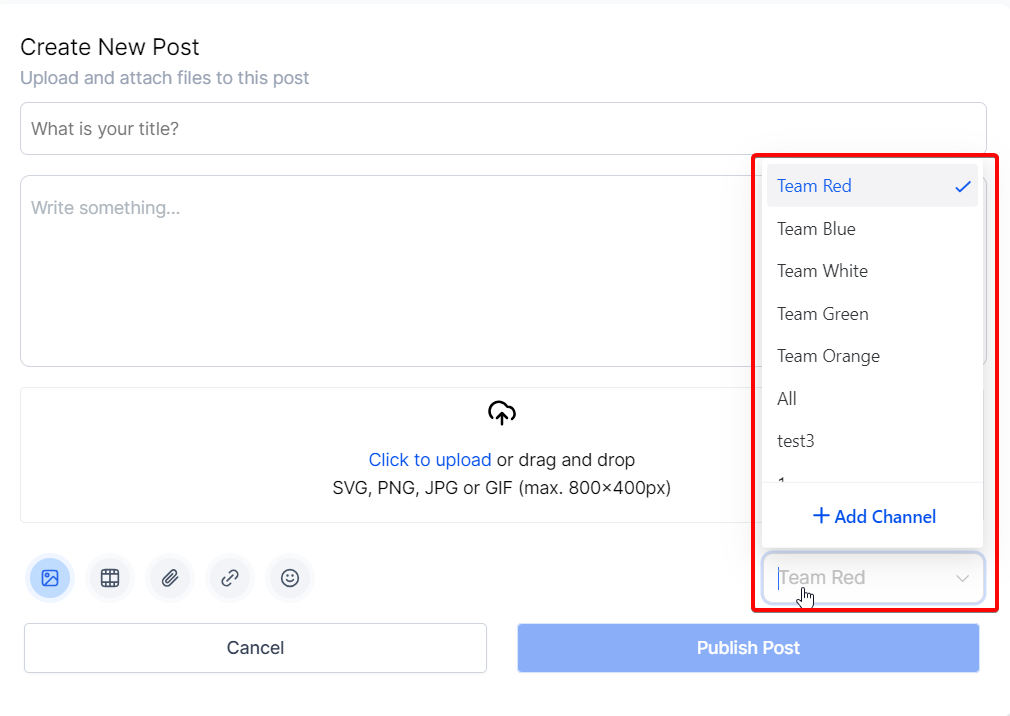
You can choose which Group Channel you want to post in and create a new Group Channel when adding a new post.
Publish Post
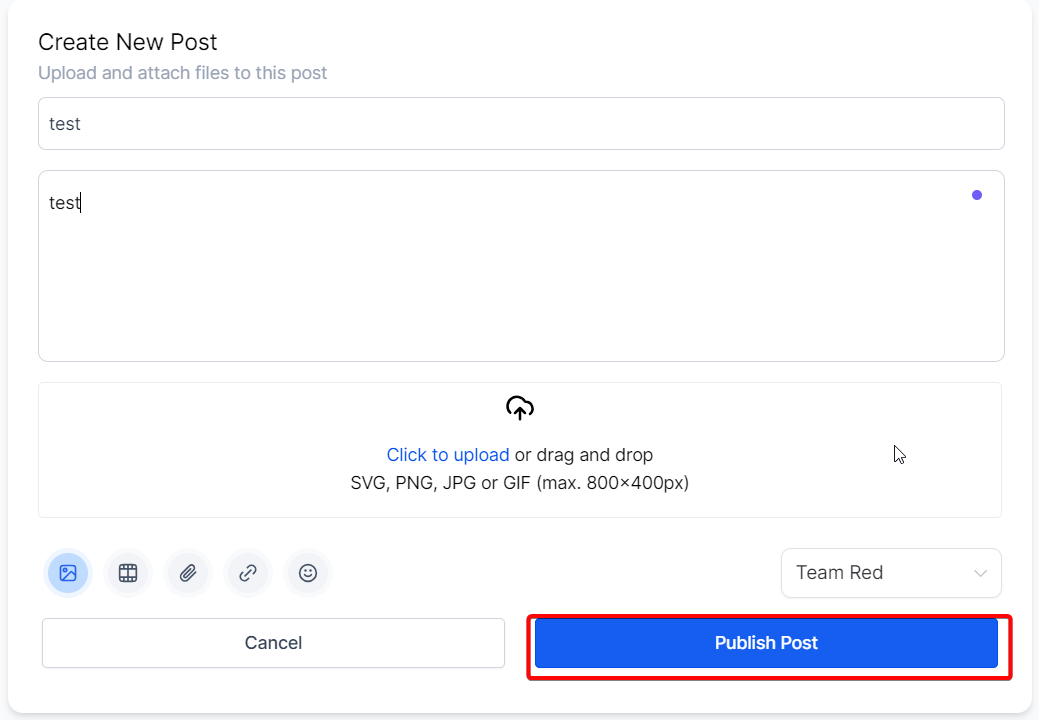
Once you have finalized the content of your post, click on the “Publish Post” button to publish it.
Home Timeline
To get a comprehensive overview of what is happening inside your group, navigate to the home timeline. It is the designated space where you can view posts from all members across all channels in one convenient location. Regularly checking the home timeline lets you stay informed and engaged with the ongoing conversations and updates within your group.
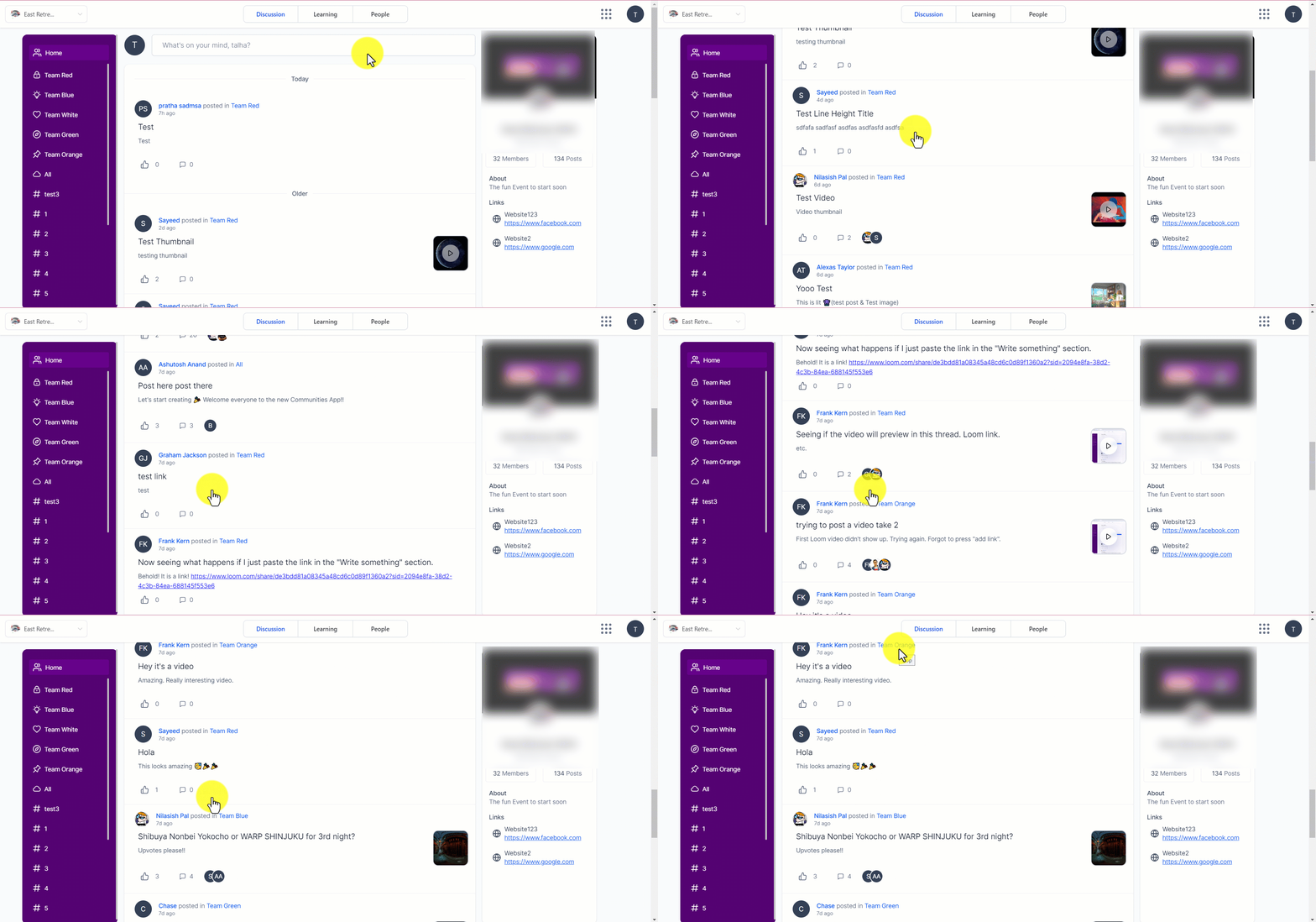
The home timeline serves as a centralized hub that displays posts from all members across all channels within the group. Accessing the home timeline lets you conveniently stay updated on your group’s latest activities and discussions.
Comments and Likes
, Posts within the group provide the functionality for comments and likes, which are crucial in driving engagement. Comments can include various types of content such as images, videos, and links.
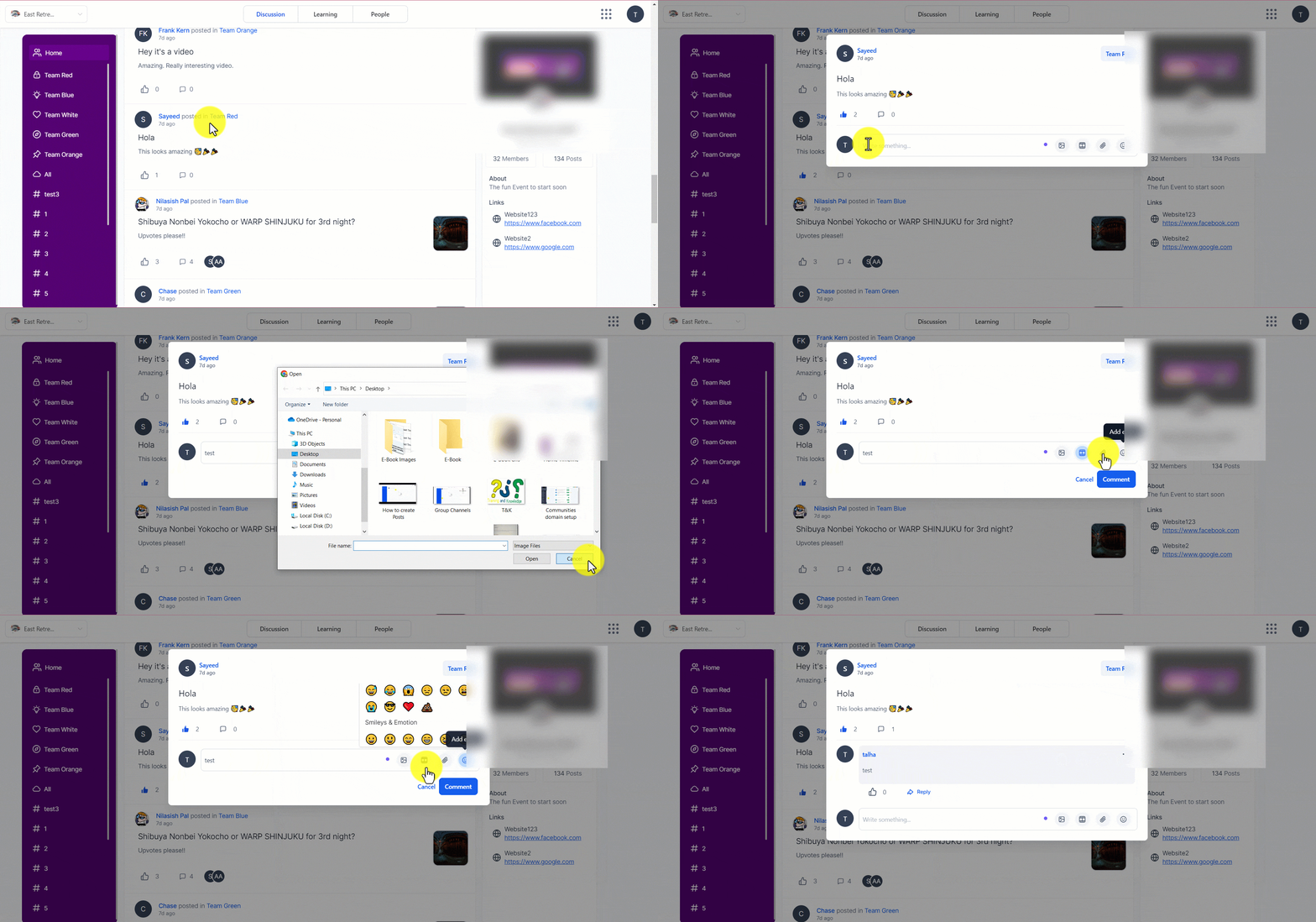
Comments and likes serve as important drivers for engagement within the group. To comment on a post, follow these steps:
- Open the post you wish to comment on within the group.
- Within the post, you will find a comment section where you can start writing your comment.
- Feel free to express your thoughts, provide additional information, or engage in a discussion related to the post.
- Furthermore, comments can include attachments such as images, videos, and links, allowing for a more dynamic conversation.
- Additionally, you can reply to a specific comment within the thread, further fostering discussions and interactions.
- You can like a Post or Comment by hitting the thumbs-up icon.
Deleting a Post
Admins and moderators have the authority to delete any posts within the group if they find them to be in violation of the terms and conditions. Additionally, members can delete their posts and comments. Follow these steps to delete a post:
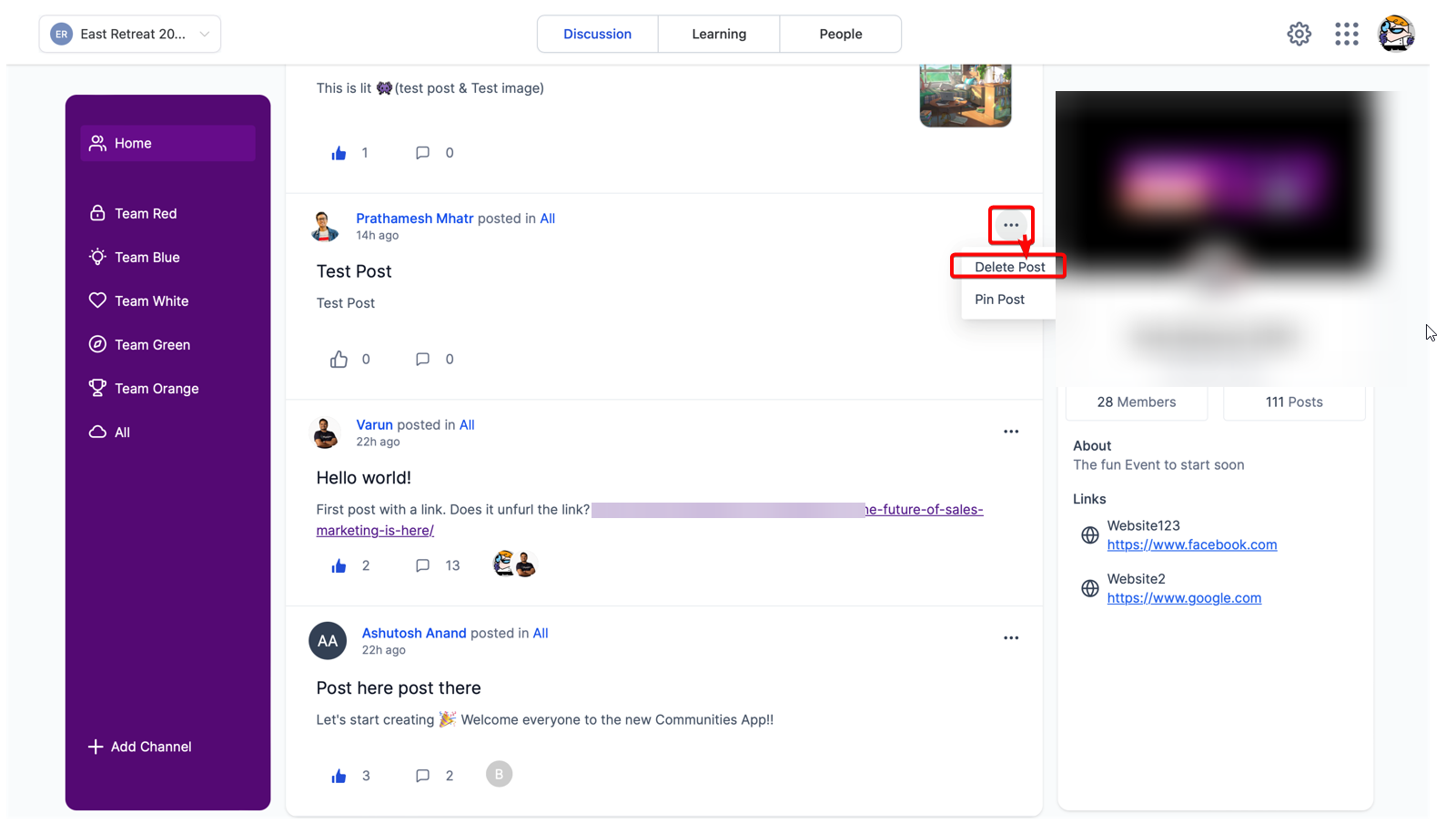
- Locate the post you want to delete within the group.
- On the right side of the post, you will find three dots icon.
- Click on the three dots icon to reveal a dropdown menu of options.
- From the menu, select the “Delete Post” option.
- By selecting this option, the post will be permanently removed from the group
FAQs
Q: How many images can I attach to a single post?
A: You can attach as many images as you like to a single post. However, we recommend limiting the number of images per post to ensure optimal loading times and readability.
Q: Can I change the title of my post after it has been published?
A: Yes, you can edit your post title after publication. Go to the post, click on the three dots icon at the top, and select ‘Edit Post’. You can then modify your title as needed.
Q: What is the maximum size of video files I can upload?
A: File Size restrictions will be defined later for this feature. For optimal performance, we recommend keeping your video files below 100MB. (This is not the official file size limit.)
Q: What happens when I add a hyperlink to my post?
A: When you add a hyperlink to your post, users can click on the linked text to be taken directly to the linked URL. This is a great way to provide additional resources or references without cluttering your post.
Q: Can I use emojis in my post title?
A: Yes, you can use emojis in your post title. However, remember that using emojis should enhance the readability and understanding of your title, not detract from it. Always consider your audience and your post’s context when choosing emojis.