Table of Contents
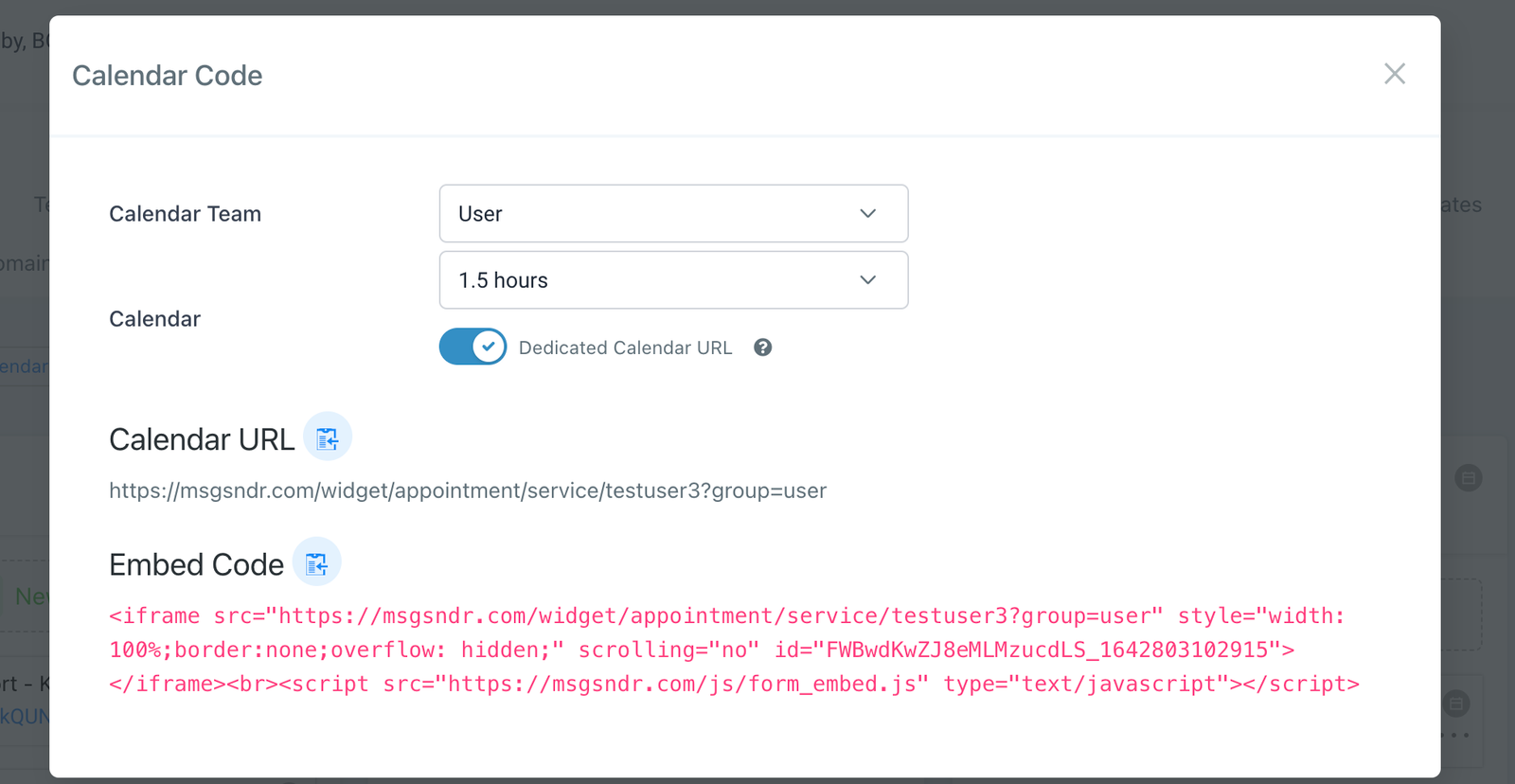
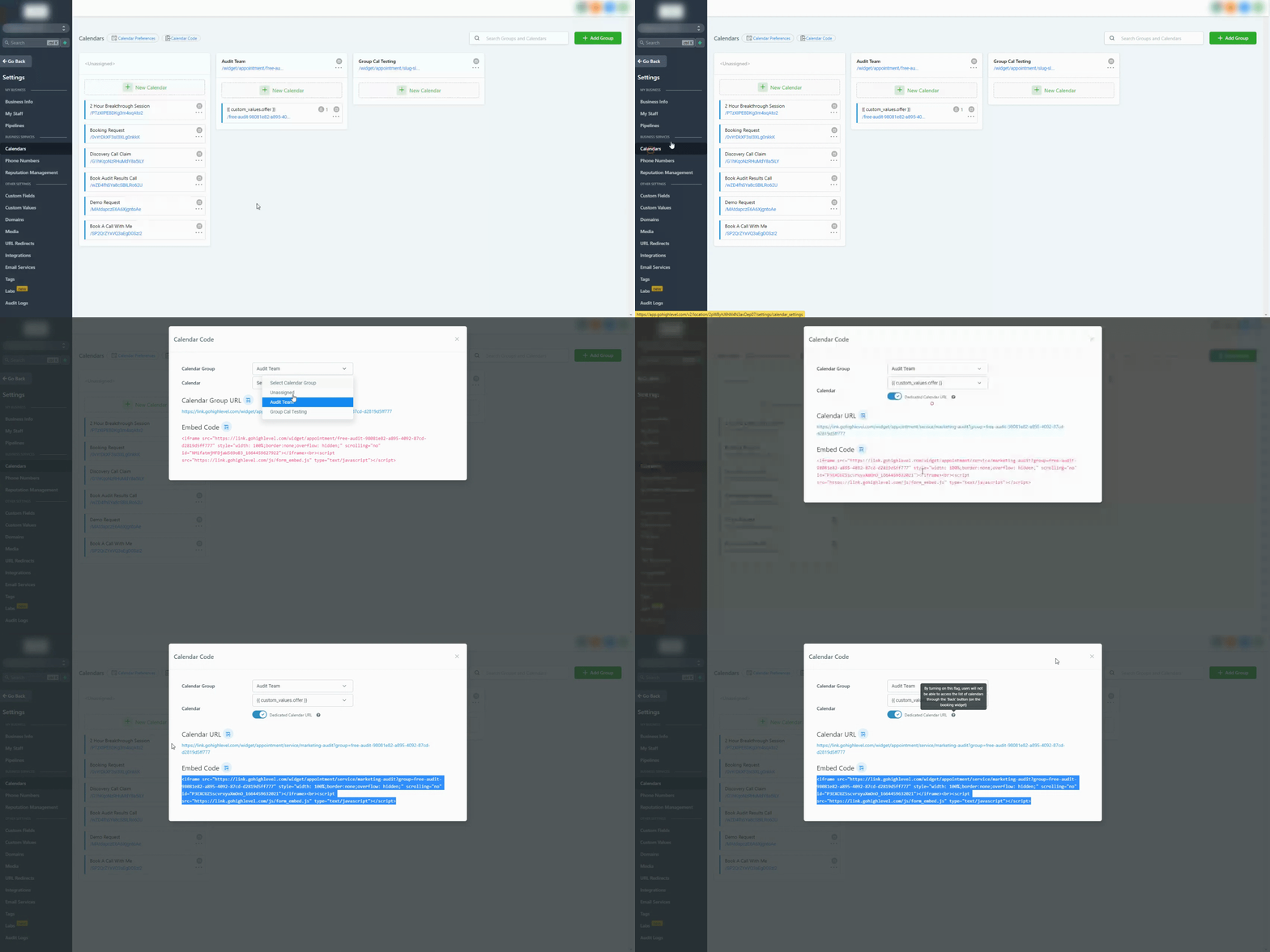
To find your calendar ID please head into your Sub-account Settings > Click on ‘Calendar Code‘ > Filter for your specific Calendar > Click on the copy ‘Embed Code‘ or ‘URL‘ button
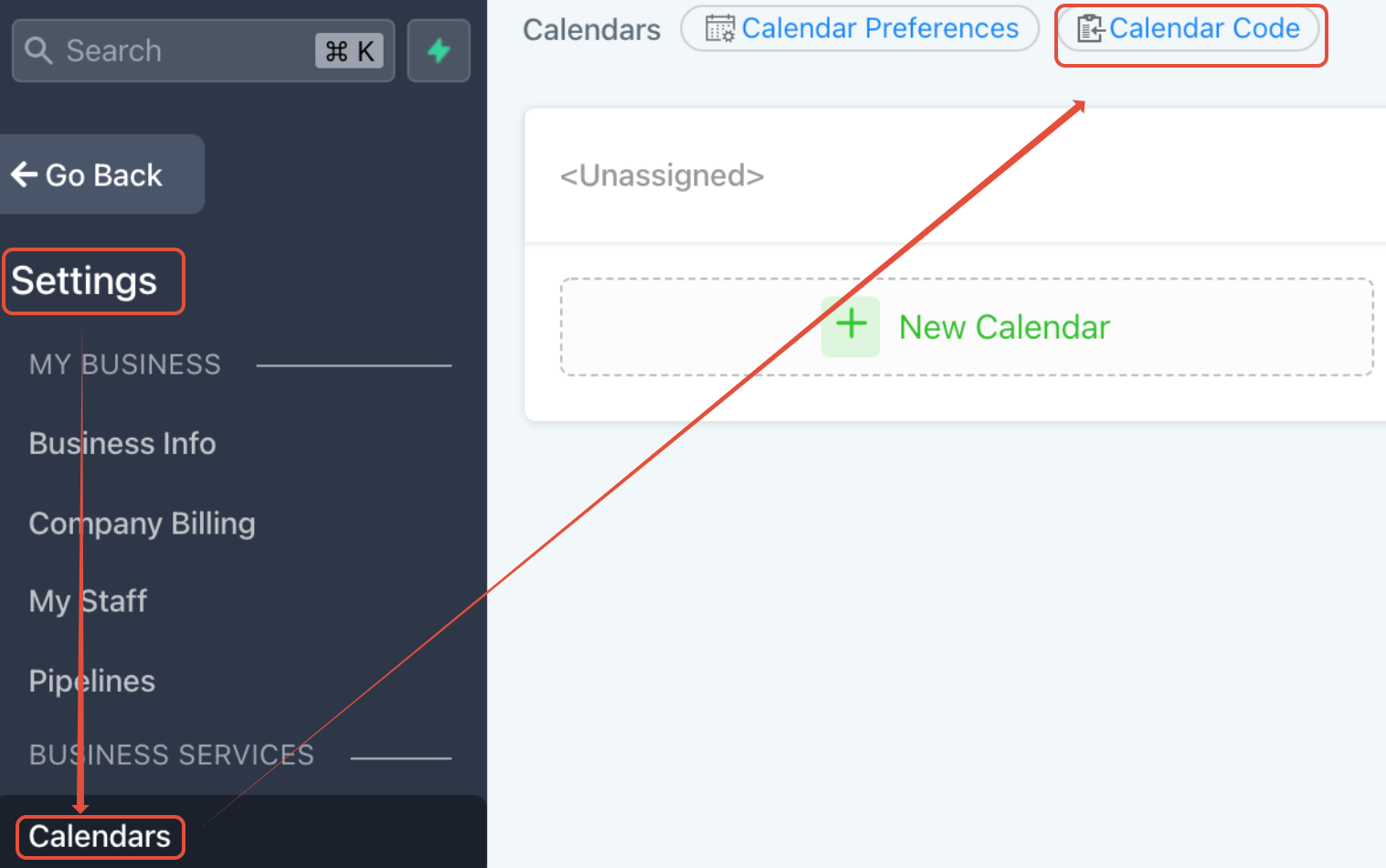
The ‘Calendar Code’ Button is located next to the ‘Calendar Preferences’ button
The highlighted code is the Calendar ID for the Group Calendar:
<iframe src="https://msgsndr.com/widget/appointment/service/testuser3?group=user"
style="width: 100%;border:none;overflow: hidden;" scrolling="no"
id="FWBwdKwZJ8eMLMzucdLS_1642802907092"></iframe><br><script
src="https://msgsndr.com/js/form_embed.js" type="text/javascript"></script>
FAQ
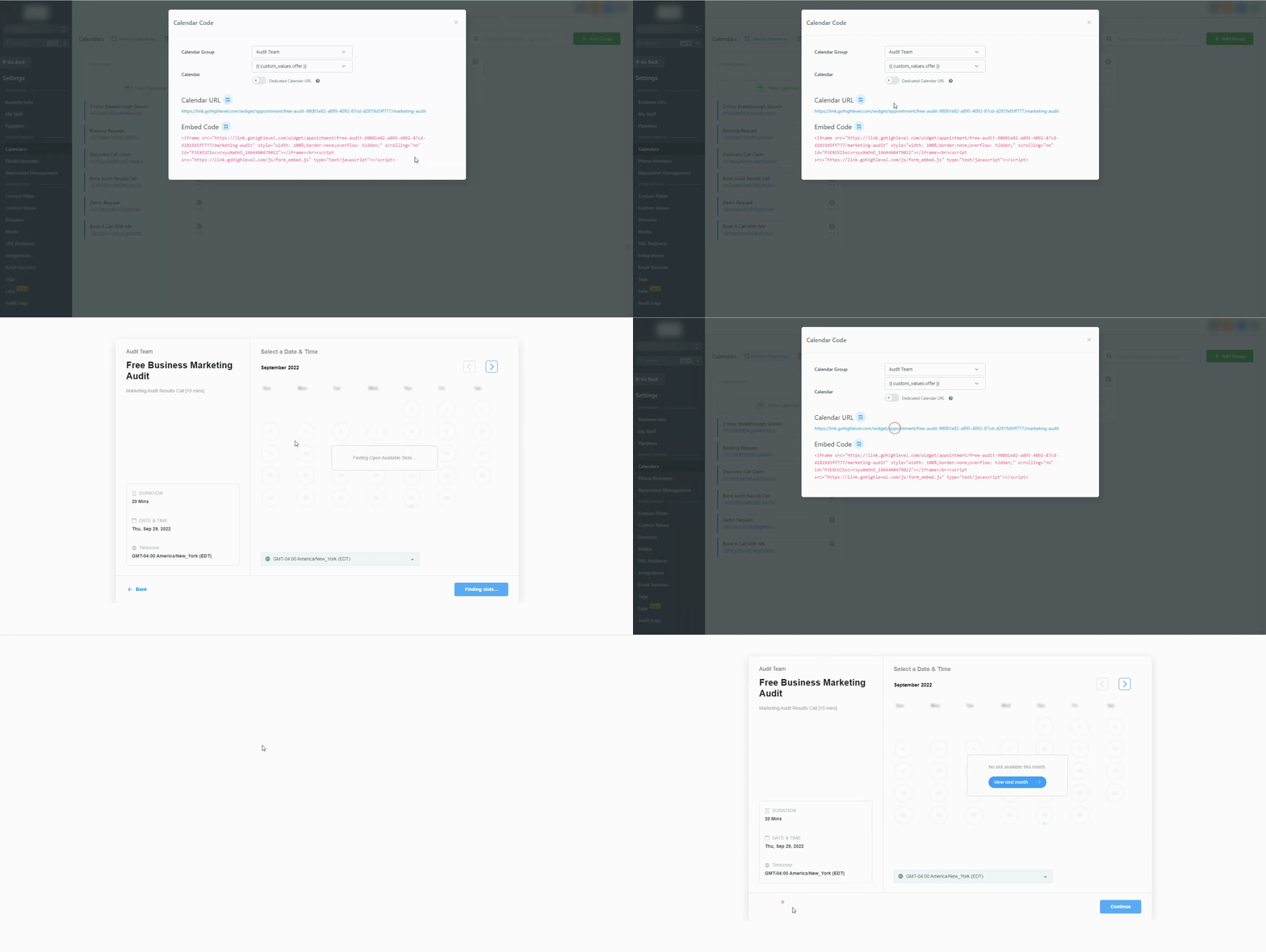
What does the Dedicated Calender URL do?
By toggling this on, users will not be able to access the list of calendars through the ‘Back‘ button (on the booking widget)