
Table of Contents
Moving numbers to an LC Phone Sub-account from the client’s own Twilio account:
1. Please provide the Location ID to our support which you are trying to move the Twilio number(s) to so we can identify the ISV account’s Account SID for you
2. Create a support ticket with Twilio support
Subject: Moving numbers request

3. CCs: copy and paste this email migration@leadconnectorhq.com
click add ( + ) so we can approve your request.
Comment:
Hi Twilio Support,
I would like to move the following phone numbers to a new sub-account –
+1 PASTE_TWILIO_NUMBER_HERE
Losing sub-account SID –
E.g. AC8a0eac4ea7651eba06137bbf1a907df62d < Replace your own Twilio sub-account SID here where the number is currently in
Gaining sub-account SID –
please contact HighLevel support to get the ISV location’s Twilio sub-account SID for you
Time-frame: ASAP
Please process this request at the earliest because it is business-critical for me
Thanks!
Product: Phone numbers
Business Impact:
P2 Degraded – Twilio or your configuration is not functioning properly or intermittently
4. Once all details above are filled out and cc’ed, Click on Submit
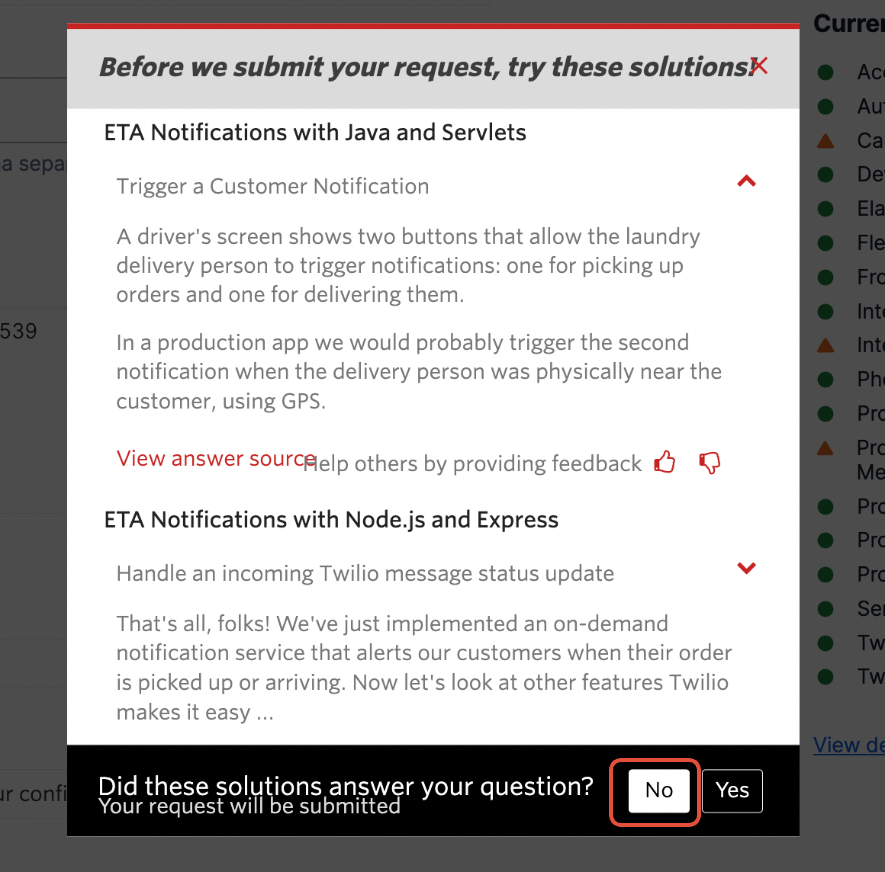
Click on NO
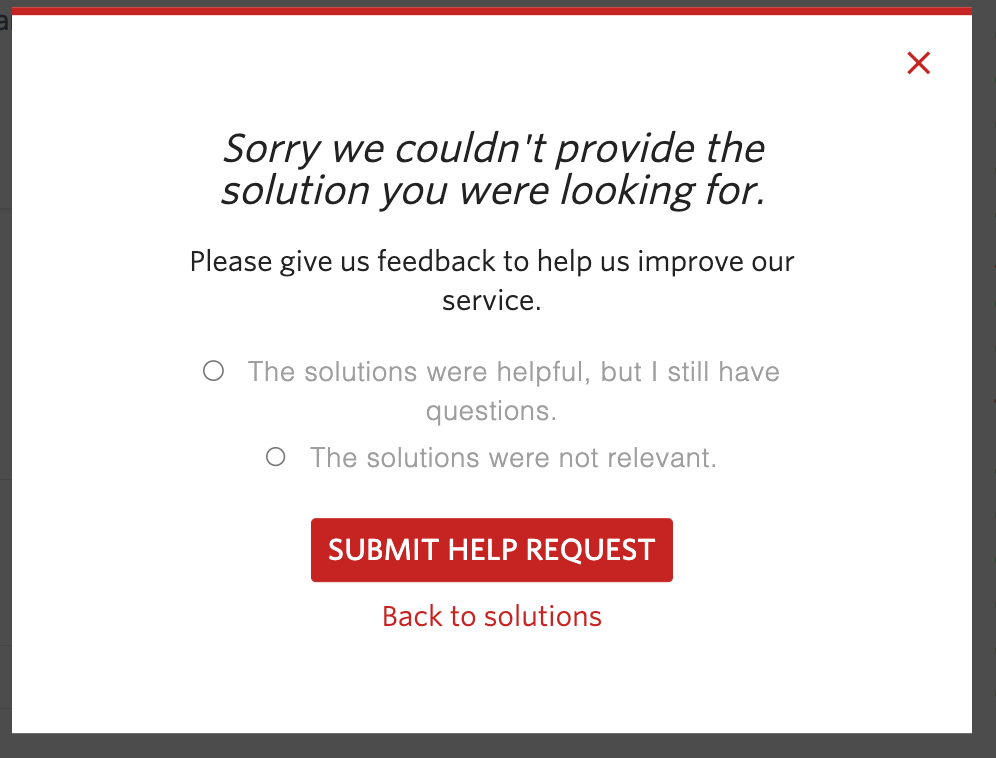
Click on
SUBMIT HELP REQUEST
Additional Resources
For more detailed information, you can refer to the following resources from Twilio:
Need Further Assistance?
If you encounter any issues or need further assistance, feel free to reach out to Twilio Support. They can provide more specific guidance based on your account and requirements.


