
Table of Contents
Customize your dashboard by easily dragging and dropping widgets.
TABLE OF CONTENTS
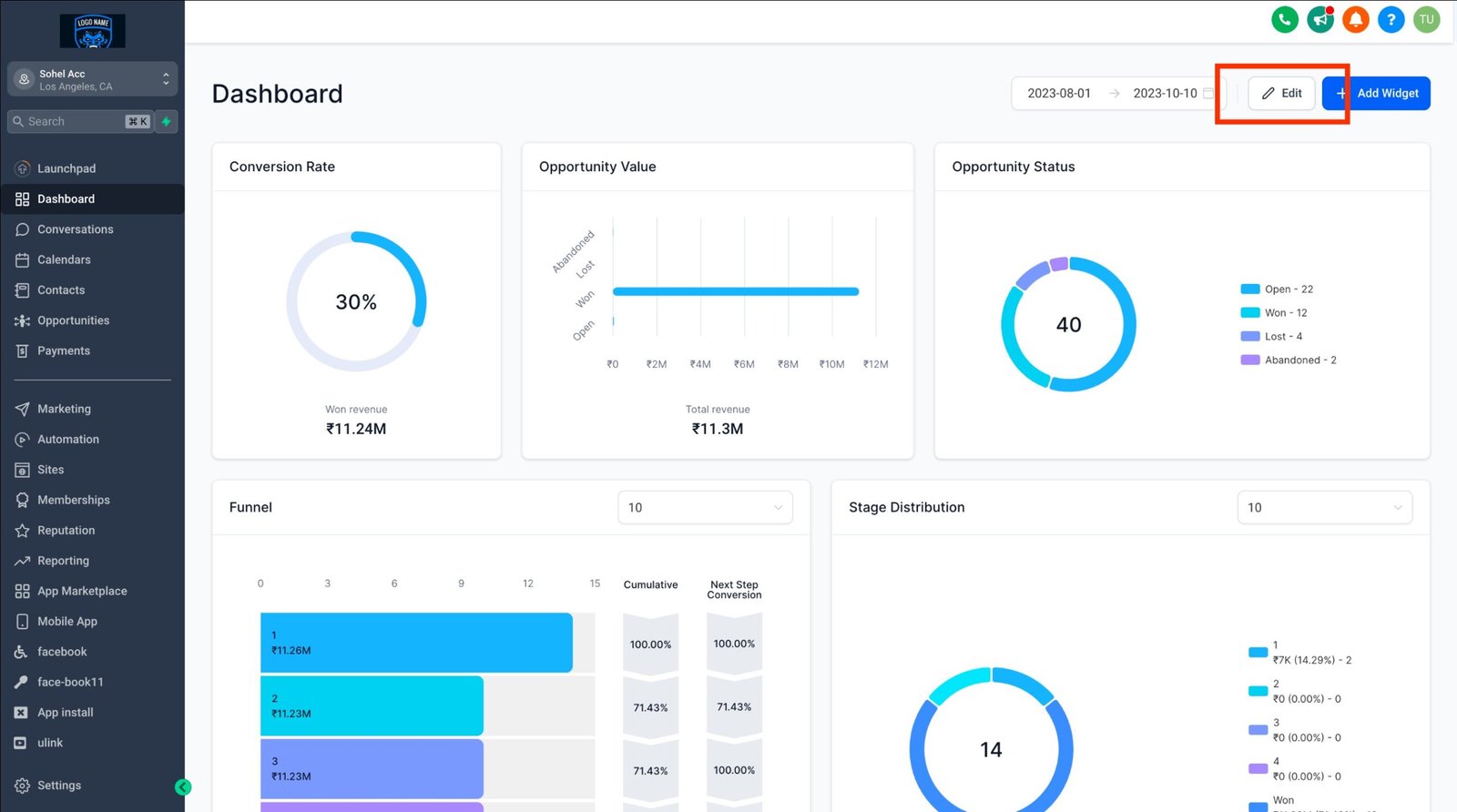
Step 1: Switch to Edit Mode
- On your dashboard, click the “EDIT” button
Step 2: Drag and drop the widget to your desired location.

Step 3: Save changes
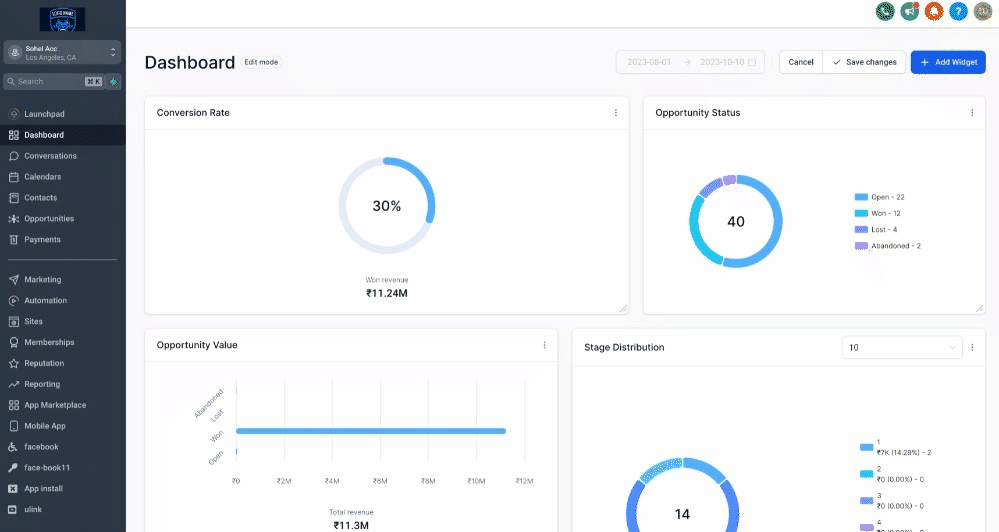
- If you want to undo the changes you’ve made, click “Cancel,” and your widgets will be restored to their previous state.
Note:
Wondering which plan unlocks the customizable Dashboard?
It’s currently available exclusively for the $497 plan and beyond. If you’re on the $97 or $297 plan, we recommend leveling up to unlock this feature.


