
Table of Contents
In this Article
-
What is In app call for IVR?
-
How to configure?
-
What are the supported communication channels?
-
What happens if I want to choose multiple channels?
What is In app call for IVR?
Previously, our IVR system only allowed calls to be routed to phone numbers. Now, we’ve added a feature that lets you route these IVR calls to either a staff member’s mobile phone or their GHL app (both web and mobile versions).
How to configure?
- Go to Settings -> My staff
- Click on Edit and go to “Call & Voicemail Settings” section.
- Select from a set of options in the “Default channel for IVR”
- Web app – Receive IVR calls on GHL web app
- Mobile app
- My Phone number
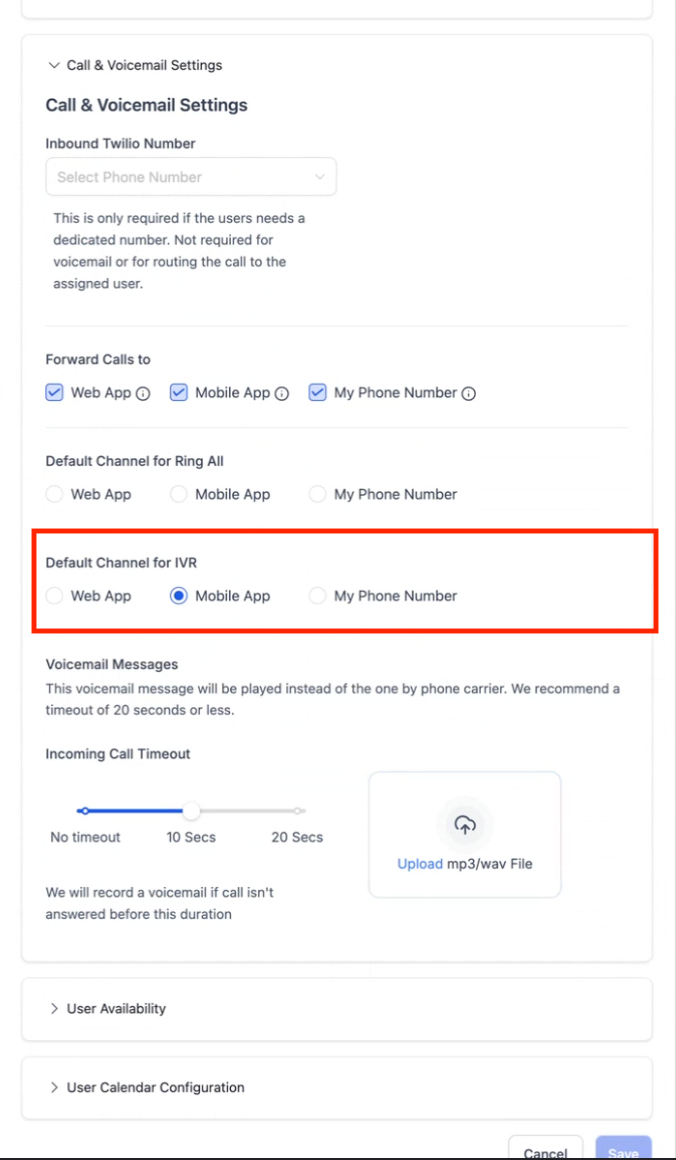
Mobile app :
Web app:
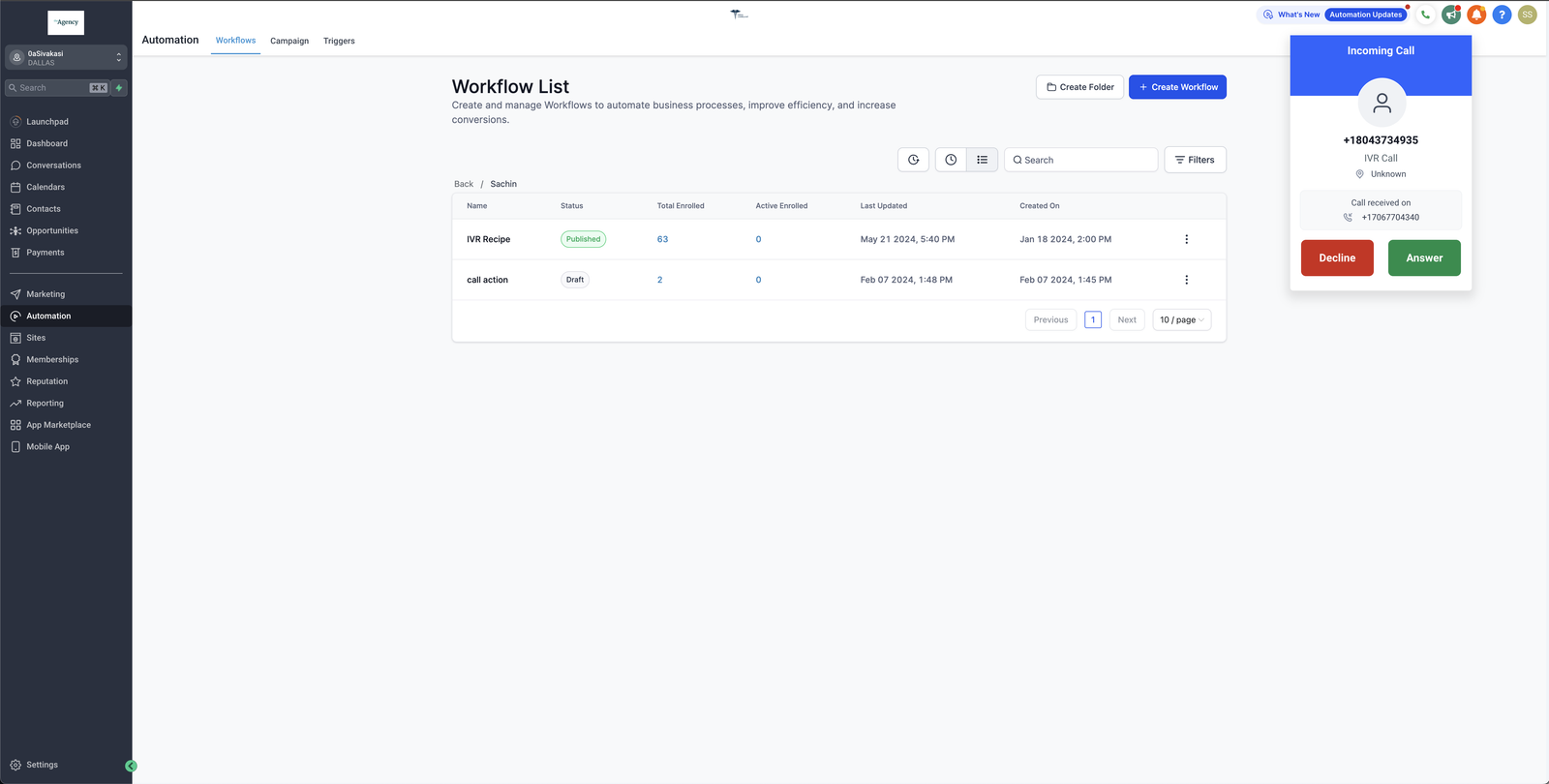
What are the supported channels?
Currently a staff member can choose either of the below as the default mode of communication for IVR
- Web app – Receive IVR calls on GHL web app
- Mobile app – Receive IVR calls on GHL mobile app
- Phone number – Recieve IVR calls on phone number
What happens if I want to choose multiple channels?
Currently only a single option is given as a default channel. Staff member can only pick one channel. The ability to select multiple channels is not available right now.


