
Table of Contents
TABLE OF CONTENTS
- Comprehensive Metrics:
- Advanced Filtering:
- Detailed Reports:
- SMS Limit
- Voicemail & Missed Call Textback Settings
More Tutorials from the Community
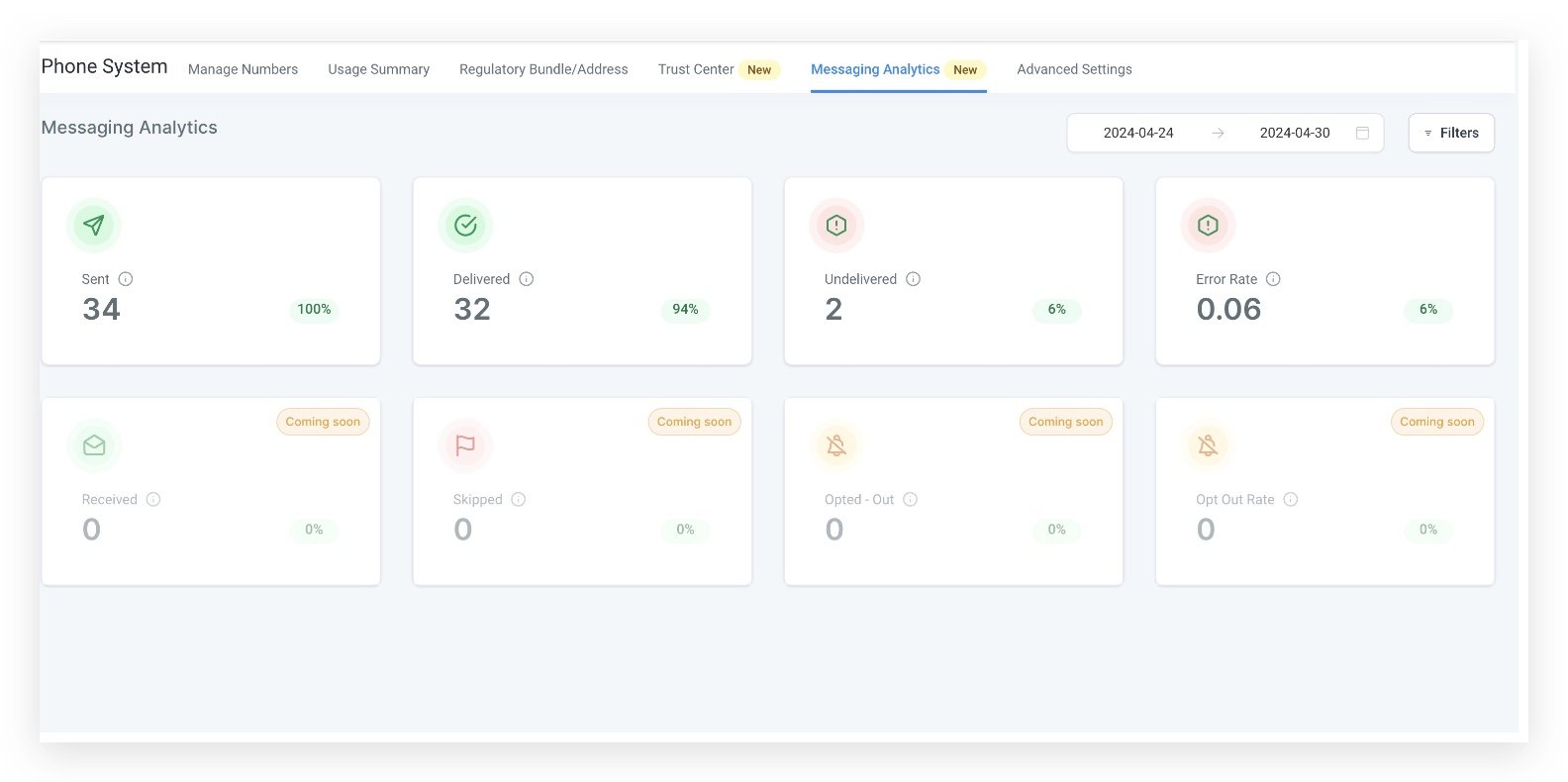
Comprehensive Metrics:
Monitor sent, delivered, undelivered, and error rates
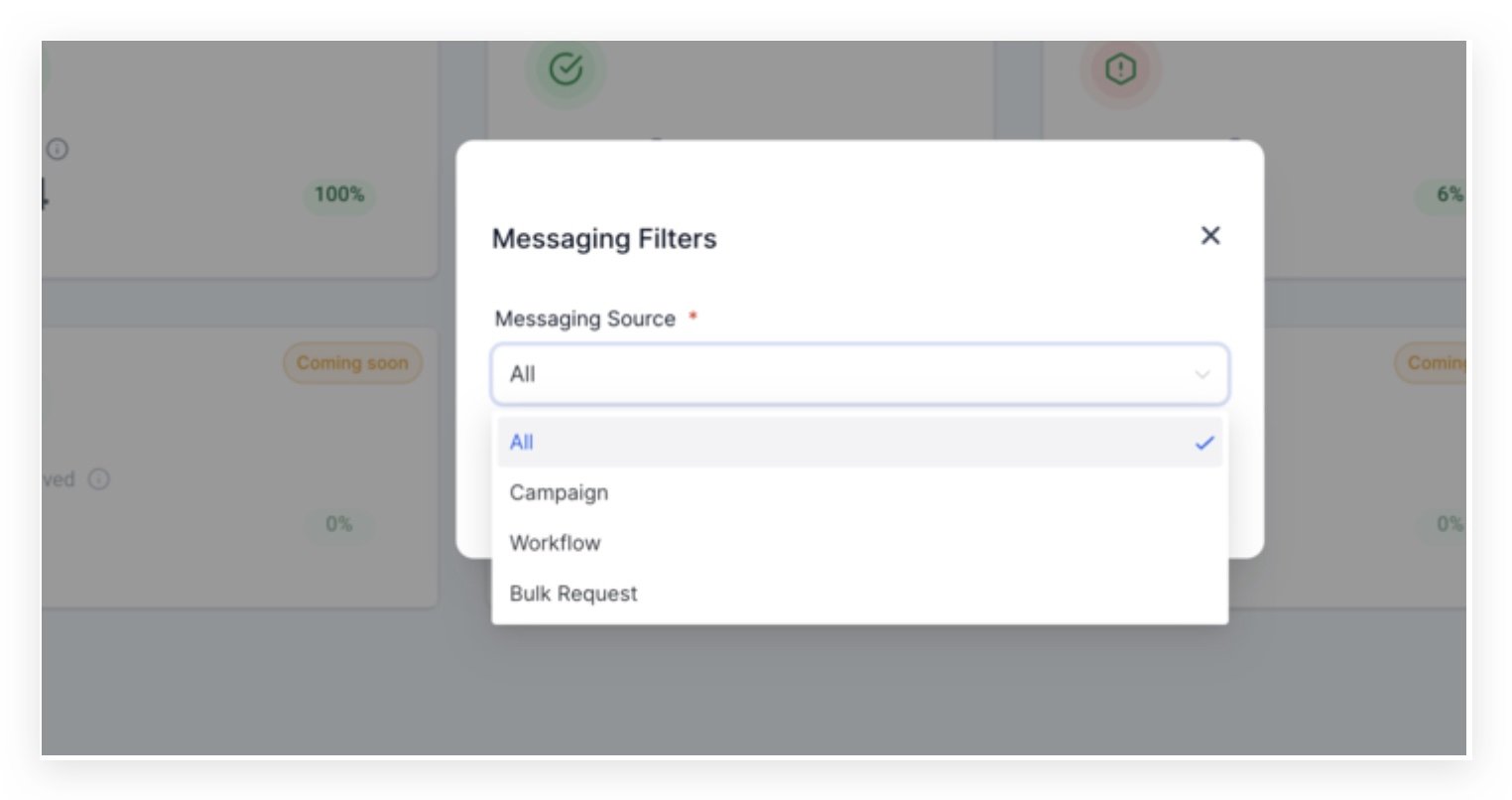
Advanced Filtering:
Utilize filters like campaign, workflow, and bulk request along with date filters to drill down into your data.
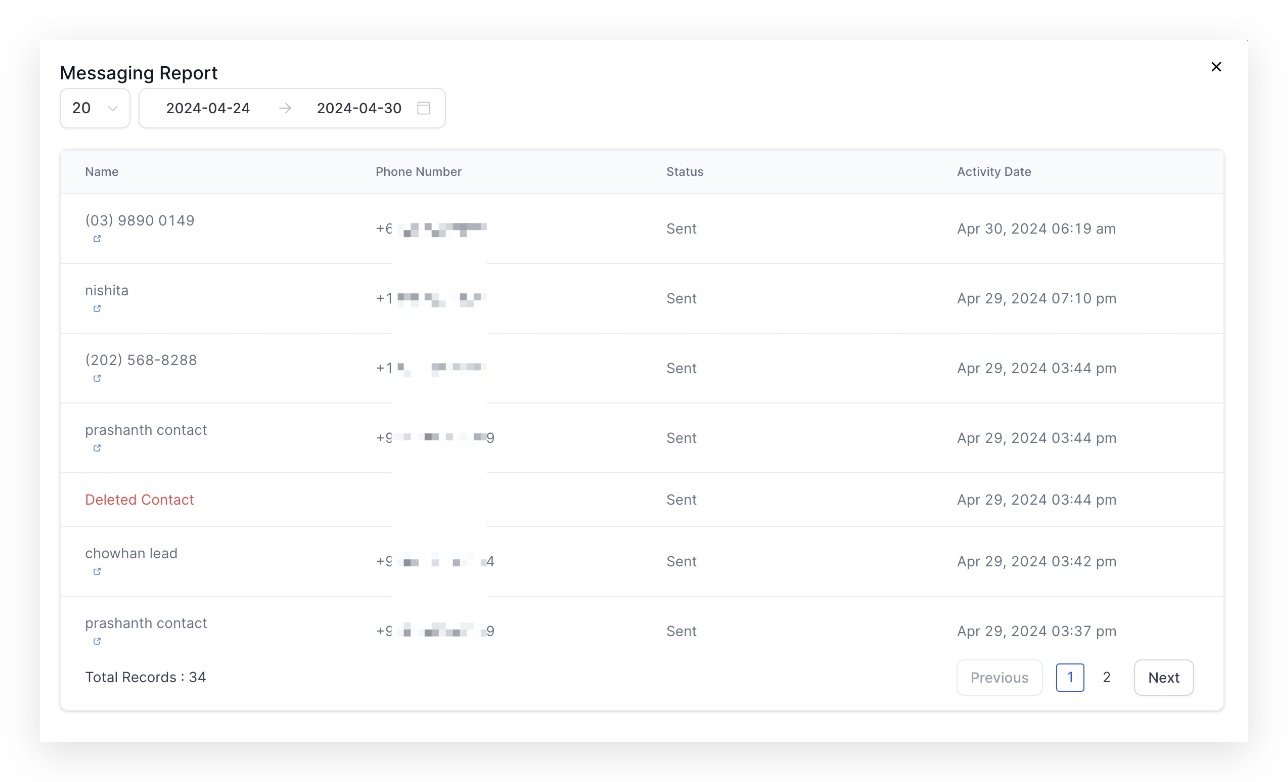
Detailed Reports:
Access detailed message reports for each status, with the ability to navigate directly to the conversation page for full context.
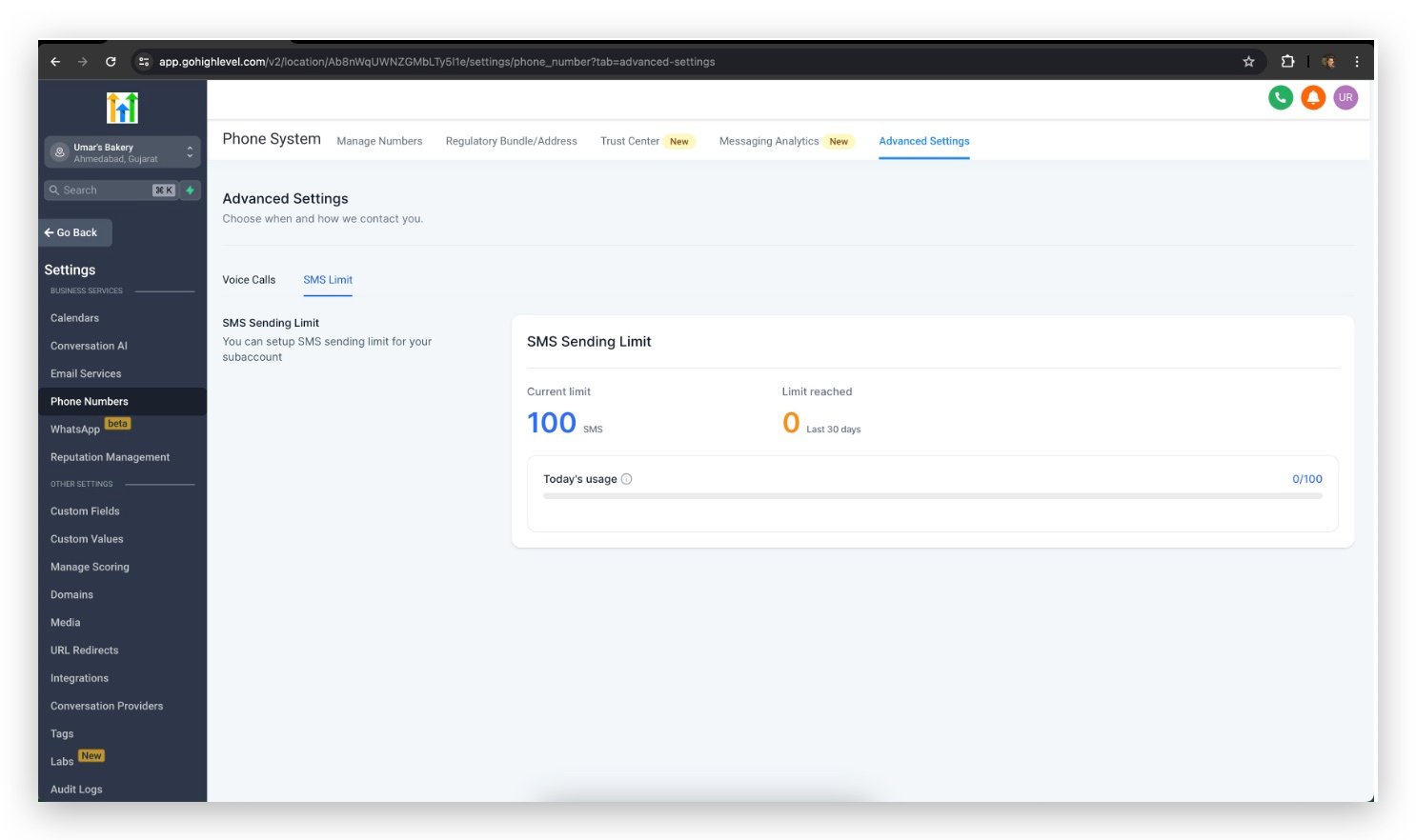
SMS Limit
Set and monitor SMS sending limits for subaccounts. View current limits and track how often these limits are reached.
Navigate to the
Settings> Labs
Select SMS Limit> Enable
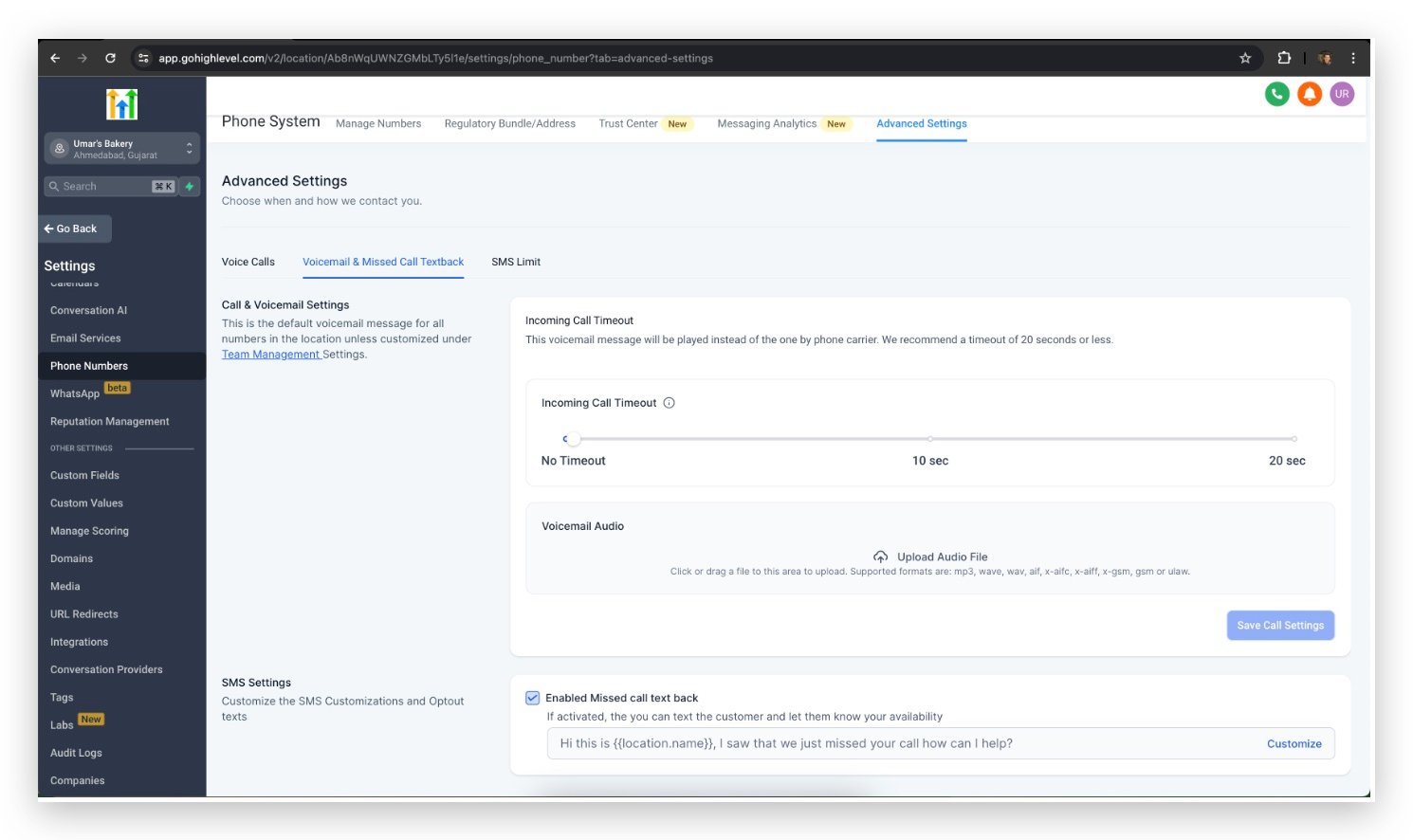
Voicemail & Missed Call Textback Settings
Upload custom voicemail greetings and set up incoming call timeouts to better manage caller experiences.
Navigate to the
Settings
>
Labs
Select
Voicemail & Missed Call Textback
> Enable
Frequently Asked Questions
Currently no frequently asked questions. Submit feedback on this article to help is add questions to this section!


