
In this article, we will discuss how you can resell Yext to your clients.
TABLE OF CONTENTS
- Pre-requisites
- Picking Your Plan
- Setting your Sales Price
- Personalising offers for certain clients
- Disabling Offers for certain clients
- How is the experience for your client?
- How do your clients discover this feature?
- How do your Clients complete the purchase?
- How does the billing work?
Pre-requisites
Connect your Agency Stripe Account
Your agency Stripe account will be used to collect subscription payments for YEXT Listings from your clients. You can connect your agency Stripe account to your agency by following this help article – https://help.gohighlevel.com/support/solutions/articles/48001171910-how-to-connect-stripe-to-your-agency-dashboard
Picking Your Plan
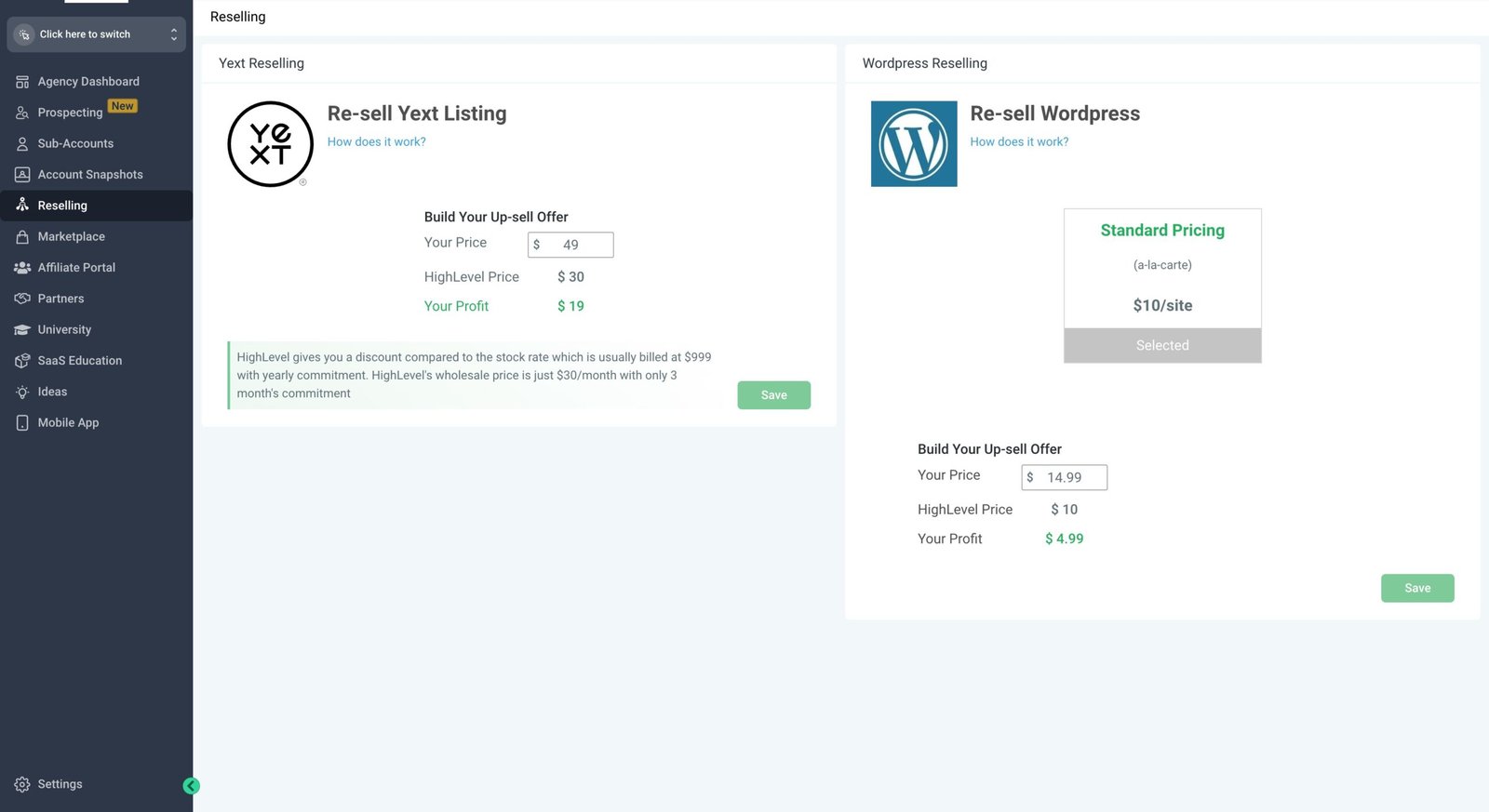
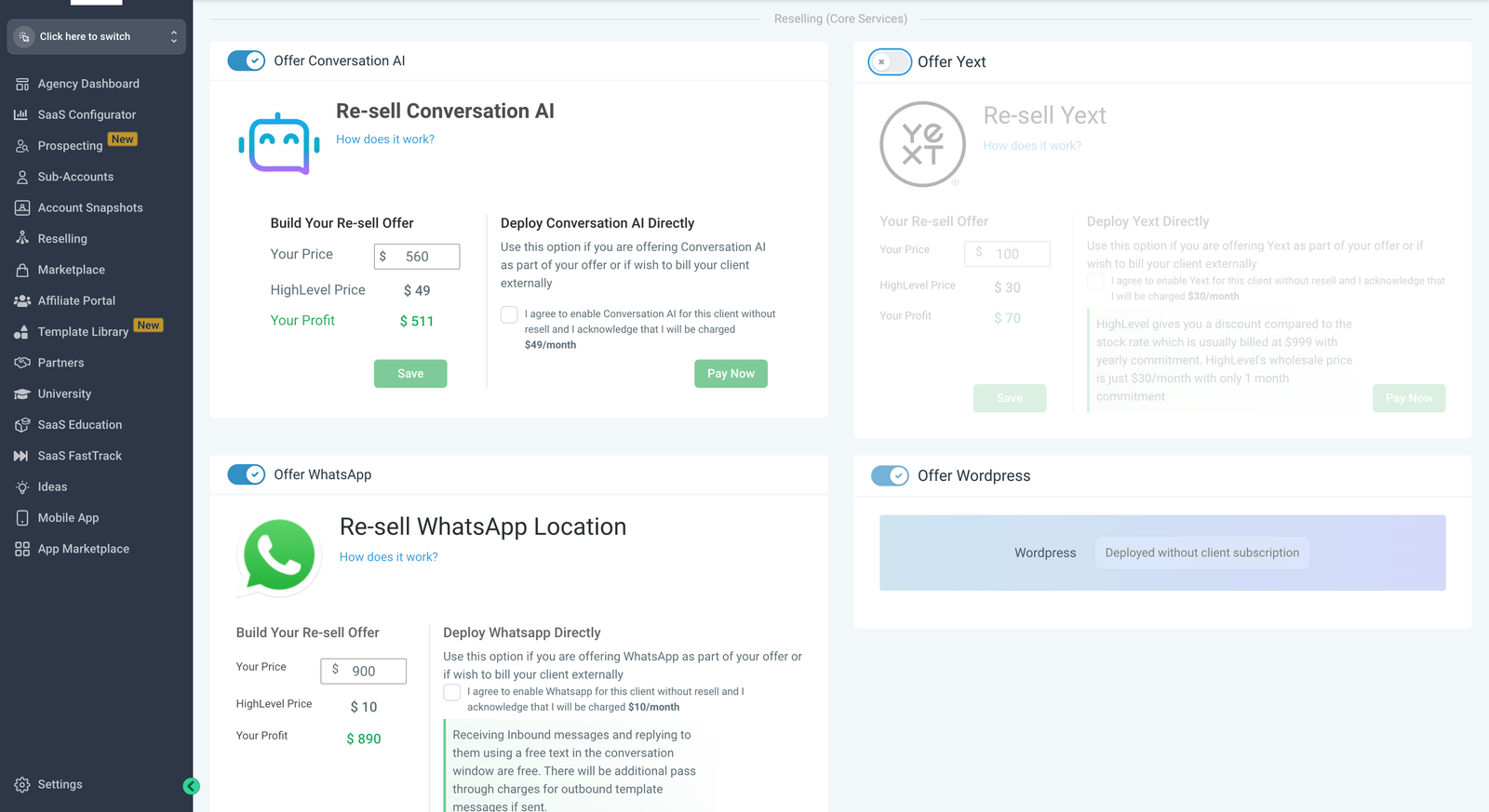
You can pick your pricing plans on Agency left menu -> reselling screen
We currently have a standard plan for all users
- Pay-as-you-go plan that charges you a monthly subscription of $30 + you can resell it for an amount of your choice
Setting your Sales Price
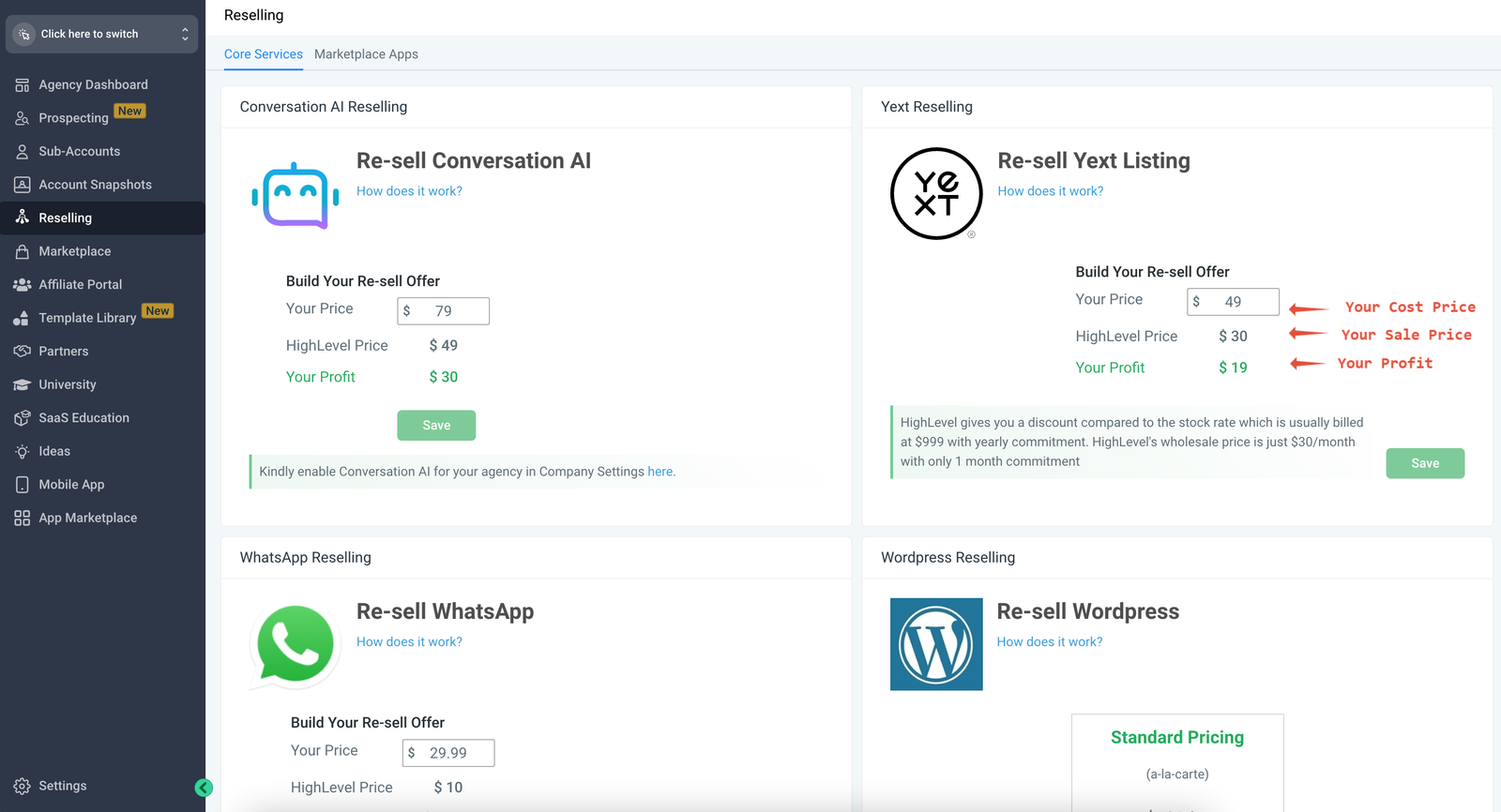
You can set your agency-wide offer by configuring it on Agency left menu -> reselling tab
Personalising offers for certain clients
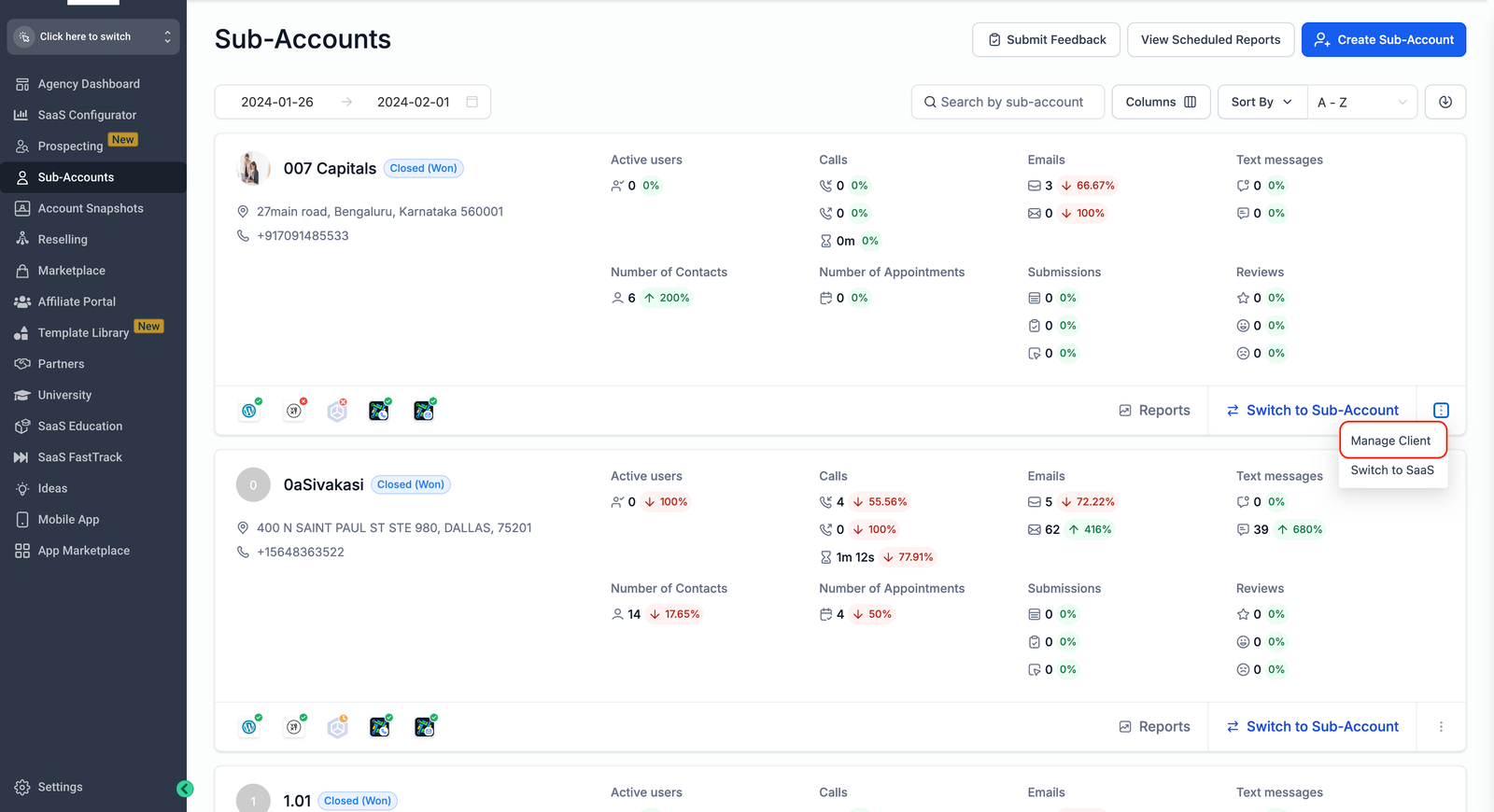
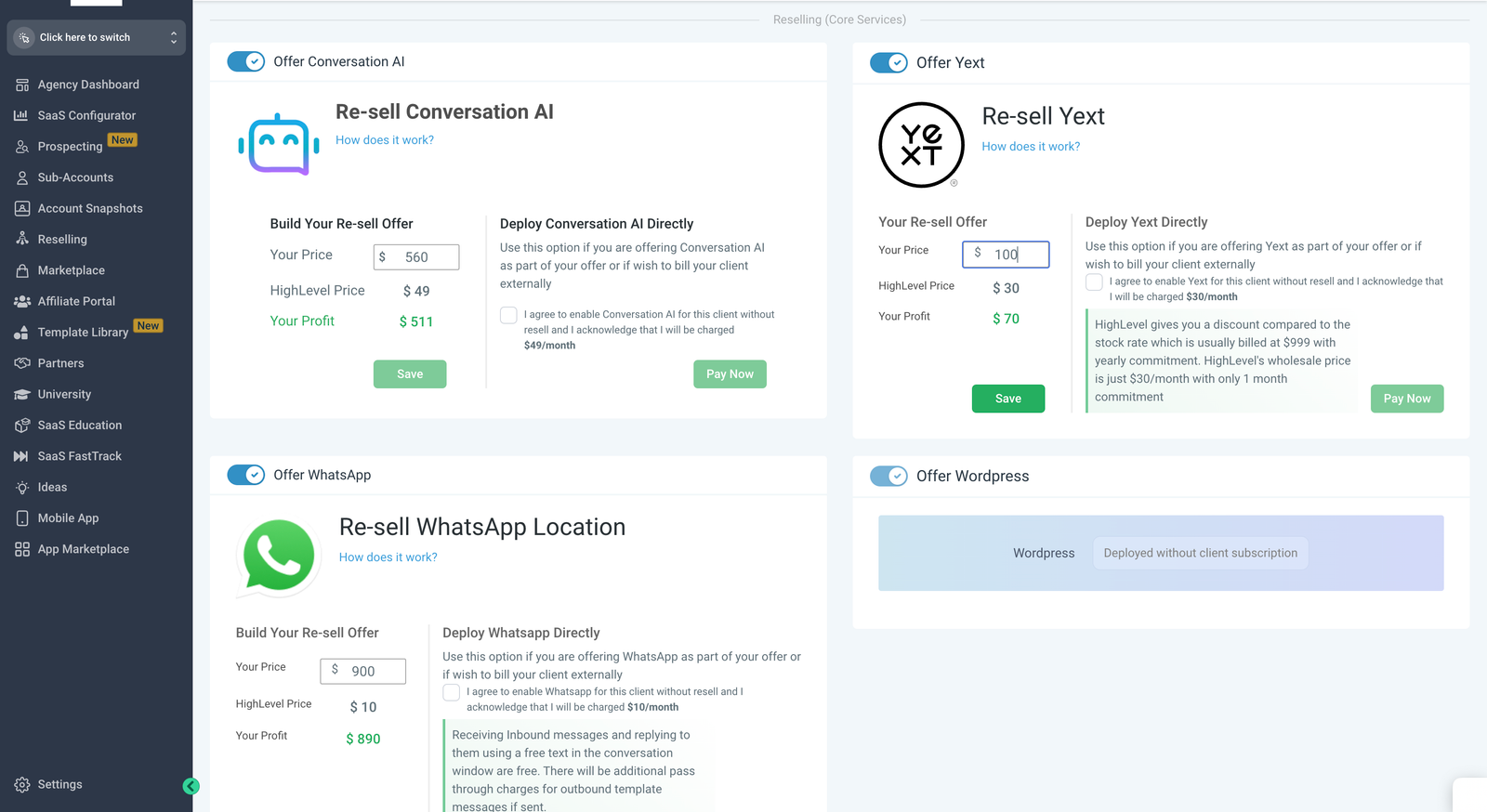
If you wish to offer a different rate to certain clients, you can do so by going to Sub-Account List -> search for a Sub-Account -> Manage Client. You can personalise your cost price for a particular sub-account.
Please note:
The Yext Listings is available for Users in USA, UK, Canada, Australia, Germany, France, and Italy
Disabling Offers for certain clients
If you have certain clients that you do not wish to offer Yext to, you can turn if off from Agency Left Menu -> List of Sub-Accounts -> Search for location -> Manage Client. Here you can toggle off the Offer Yext option for this particular sub-account.
Please note:
This offer can only be disabled before the sale has happened. Once a location already
purchases YEXT Listings, you can not disable it from here.
How is the experience for your client?
How do your clients discover this feature?
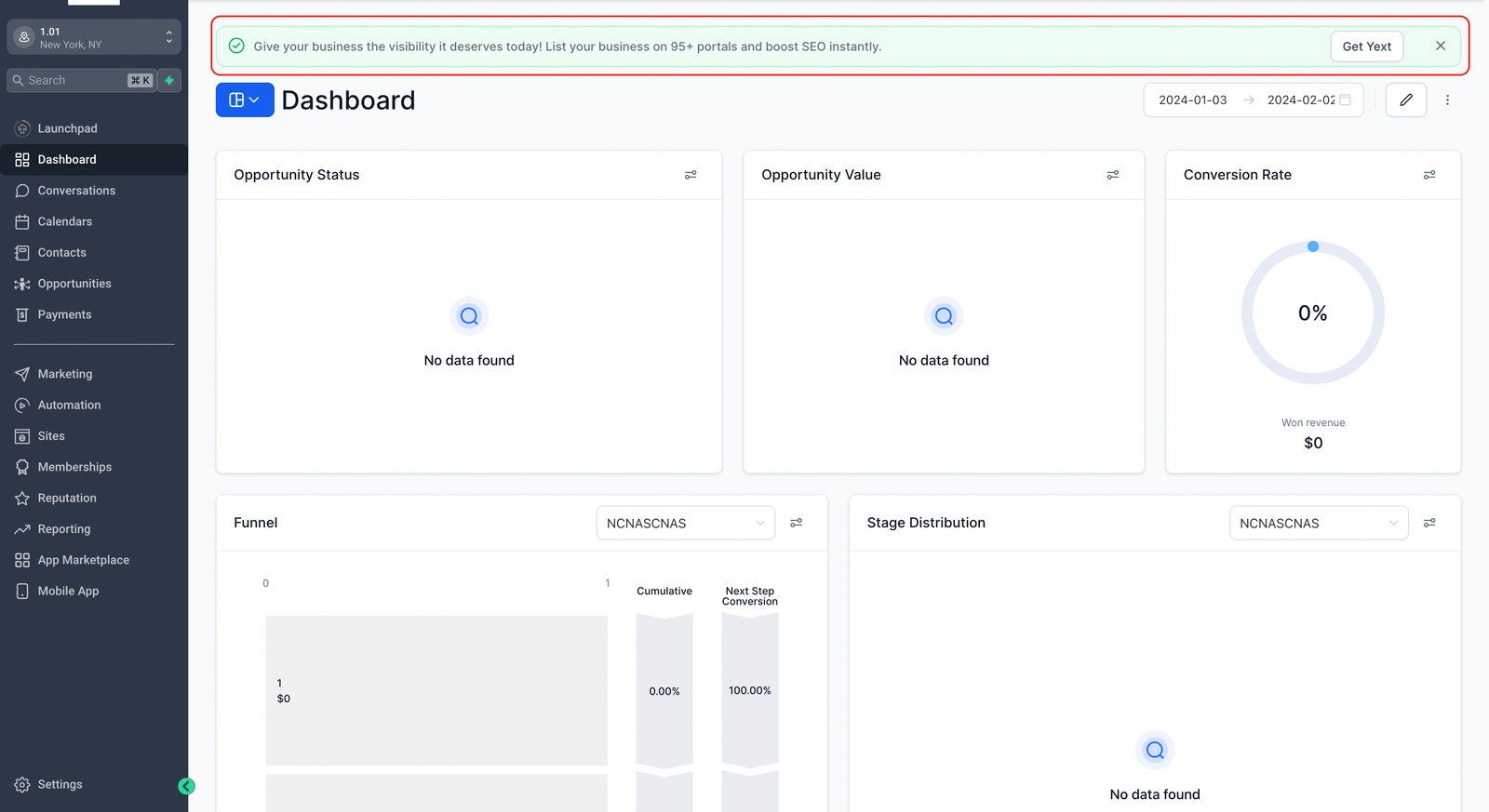
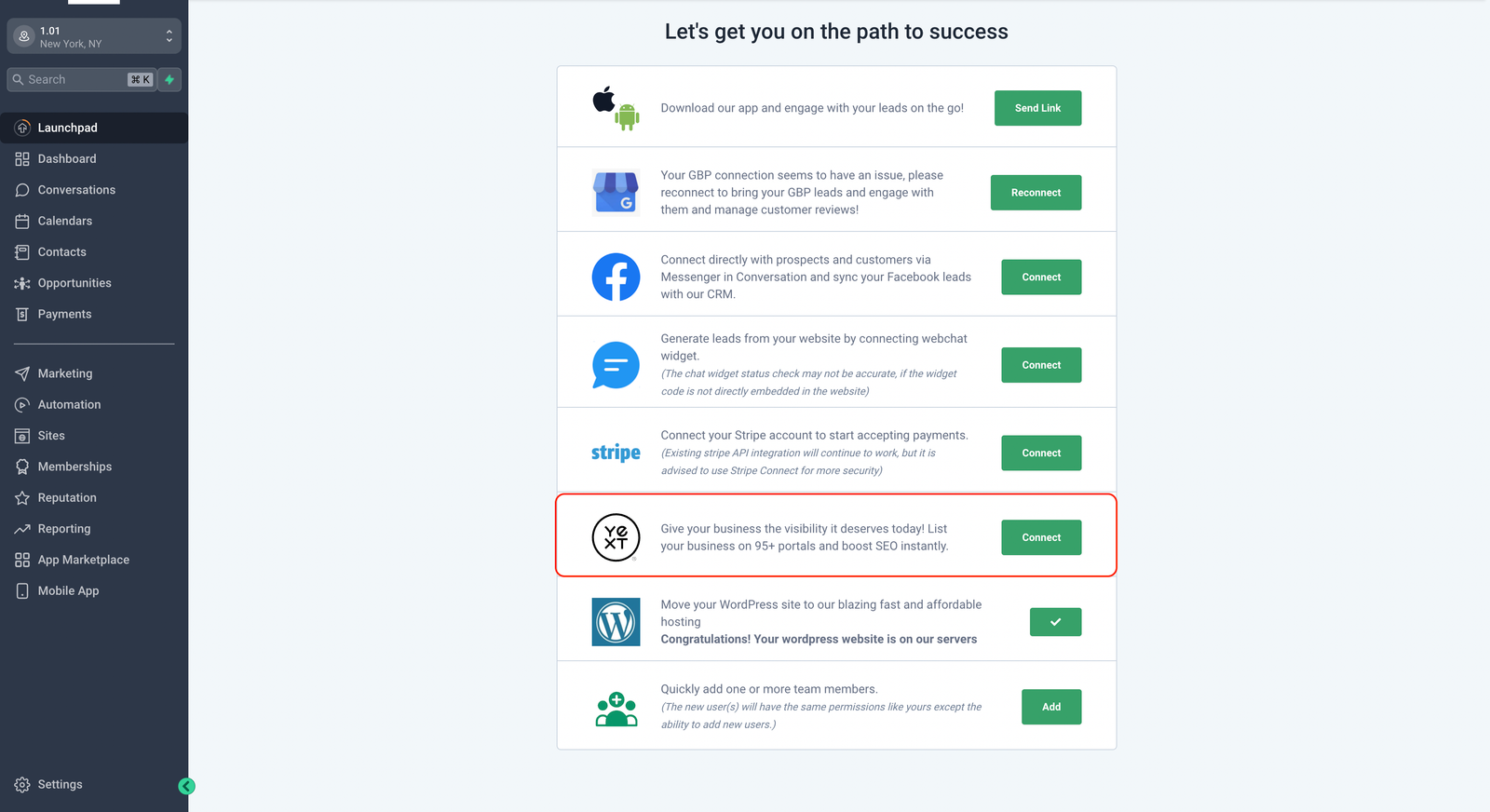
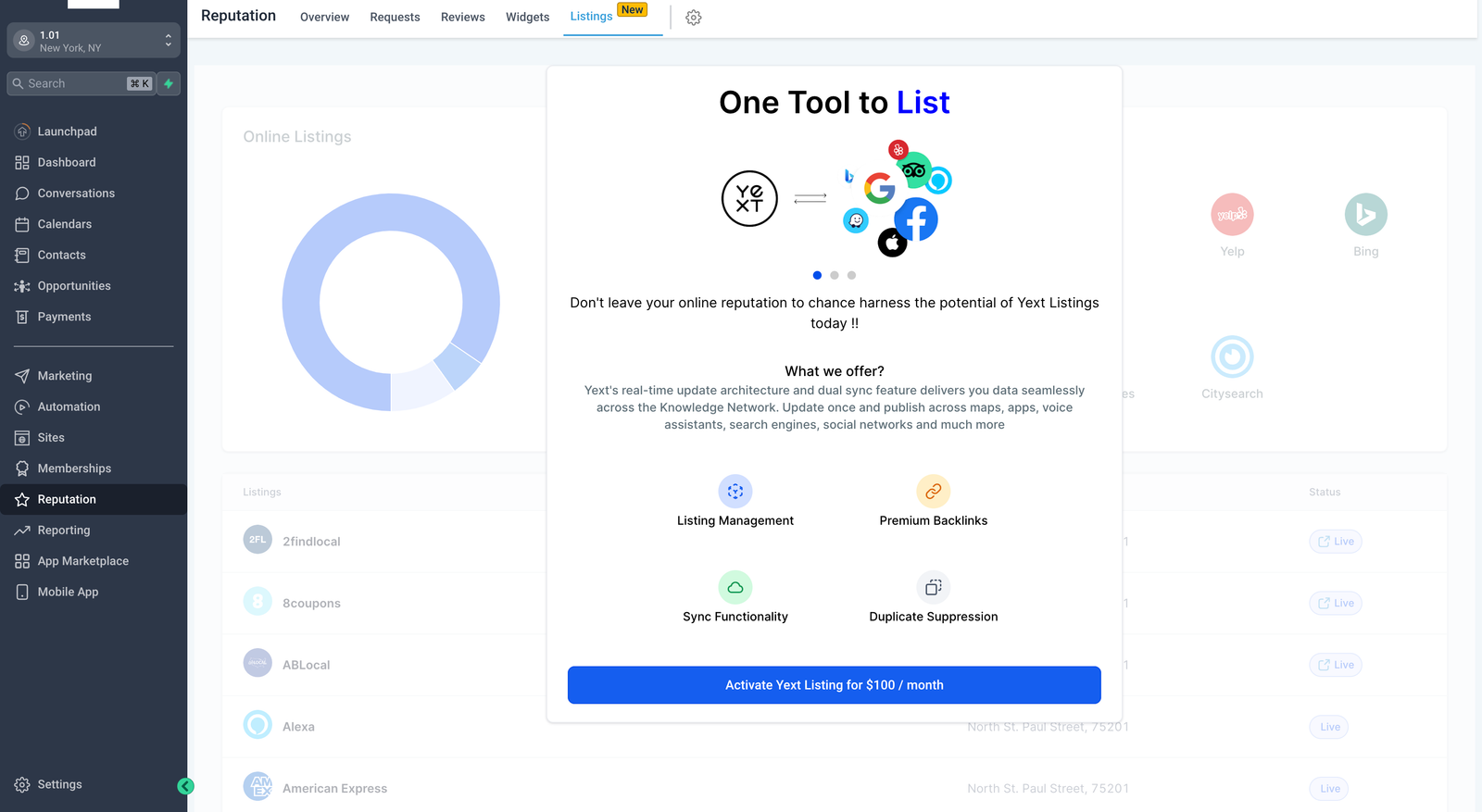
Your clients can discover your YEXT Listings offer in 3 ways
- Top bar notification banner (This is a one-time notification and once dismissed it disappears forever).
- LaunchPad item
- Location left menu -> Reputation -> Listings
How do your Clients complete the purchase?
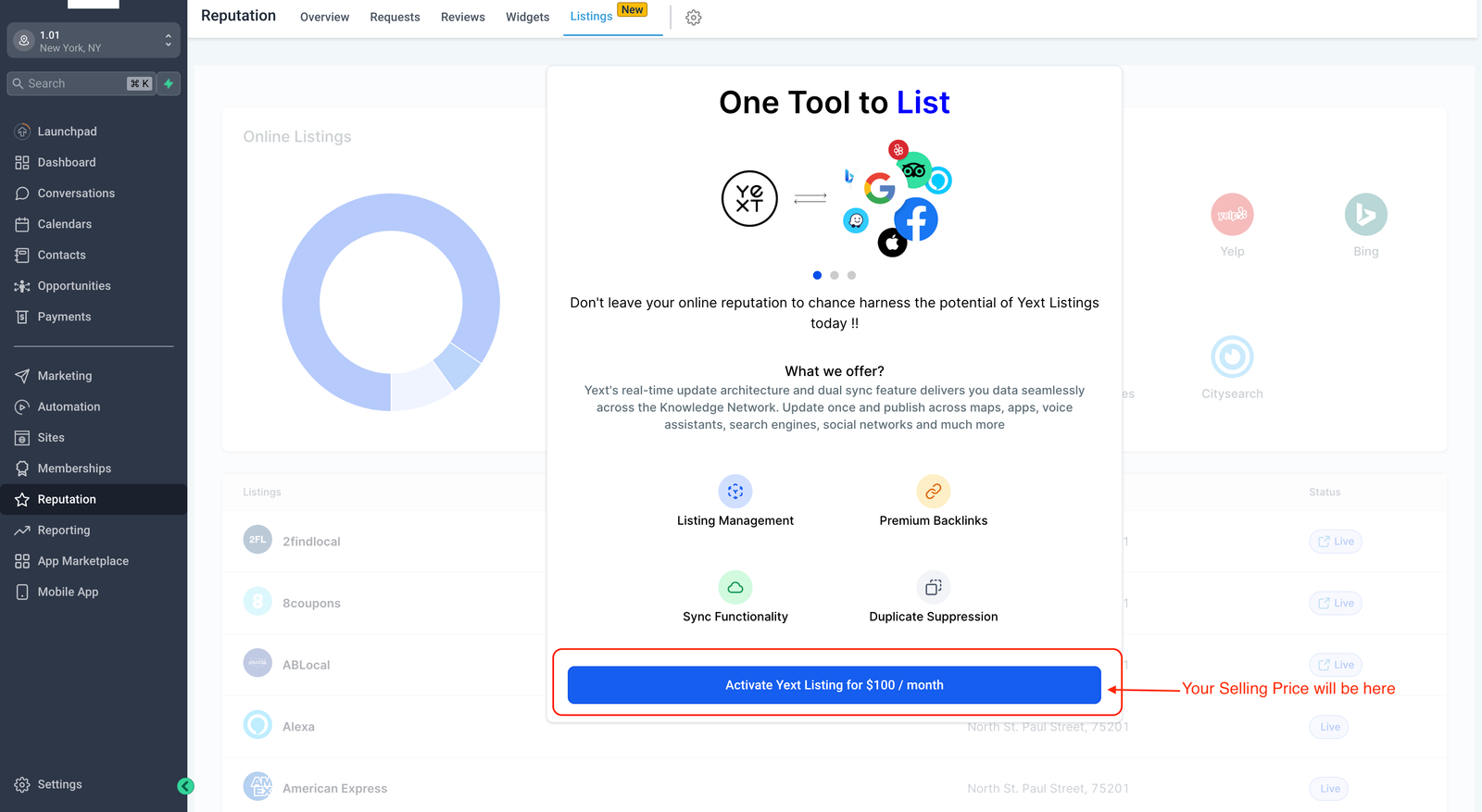
Once your clients have discovered the feature, they can proceed to purchase Yext from you by clicking on the “Activate Yext Listings” button
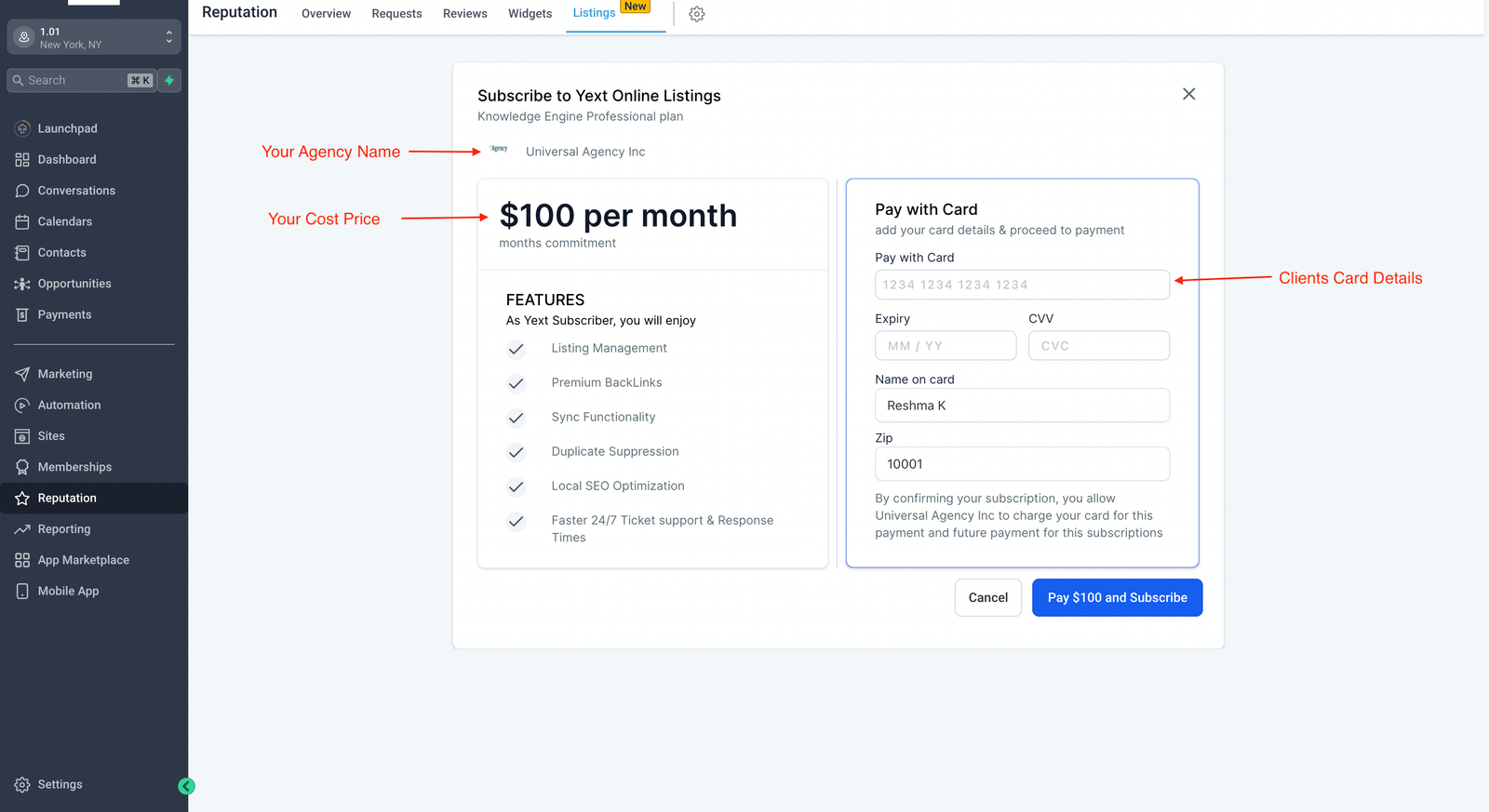
When your client clicks the “Pay and Subscribe” button the system will create the subscription, process the payment, and take them to the Yext Listings dashboard.
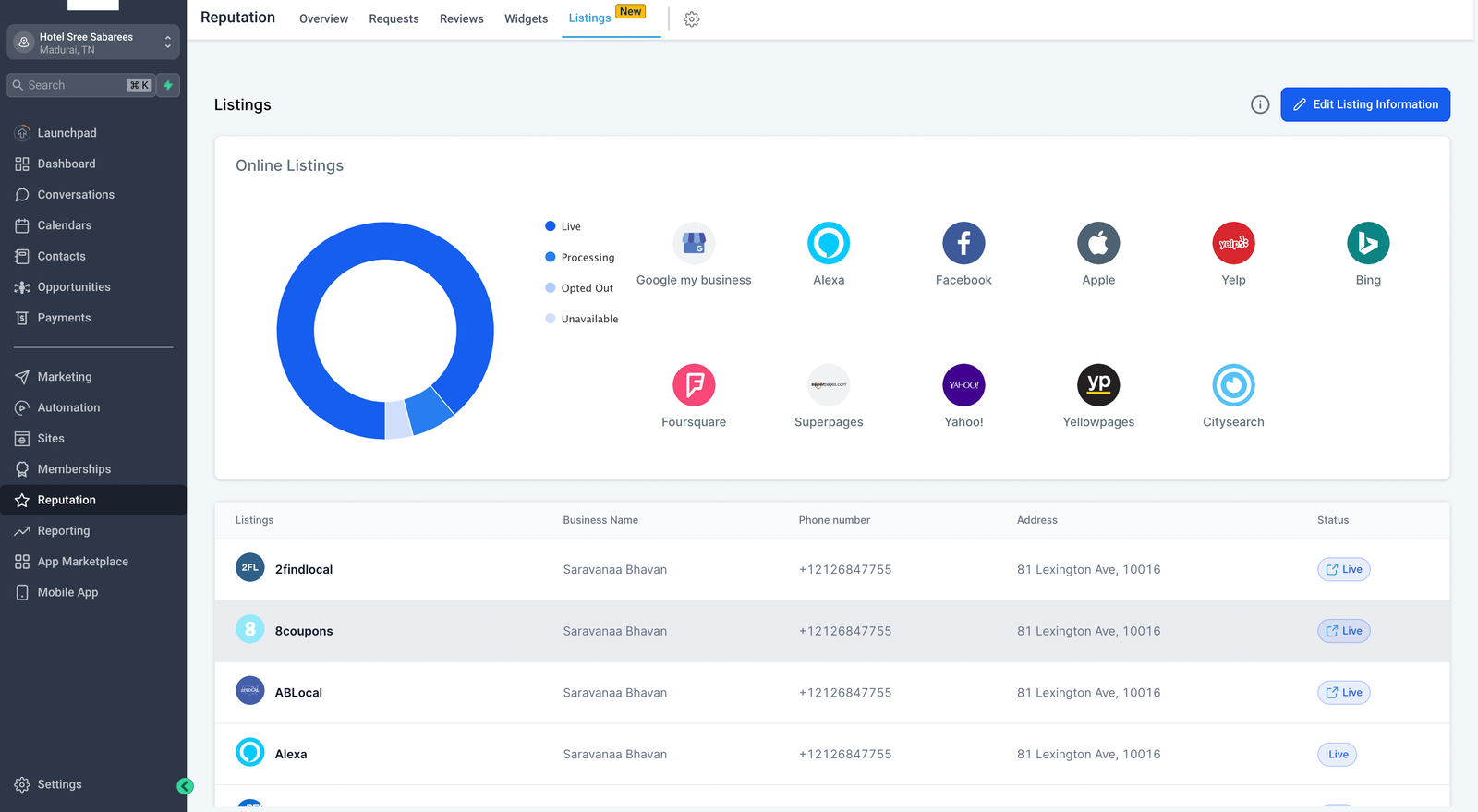
How does the billing work?
When your client purchases Yext it creates 2 subscriptions in the System
- Between your client’s card & your Stripe Account so you can collect payment from your clients
- Between HighLevel & your card so you can pay $30 / month to HighLevel


