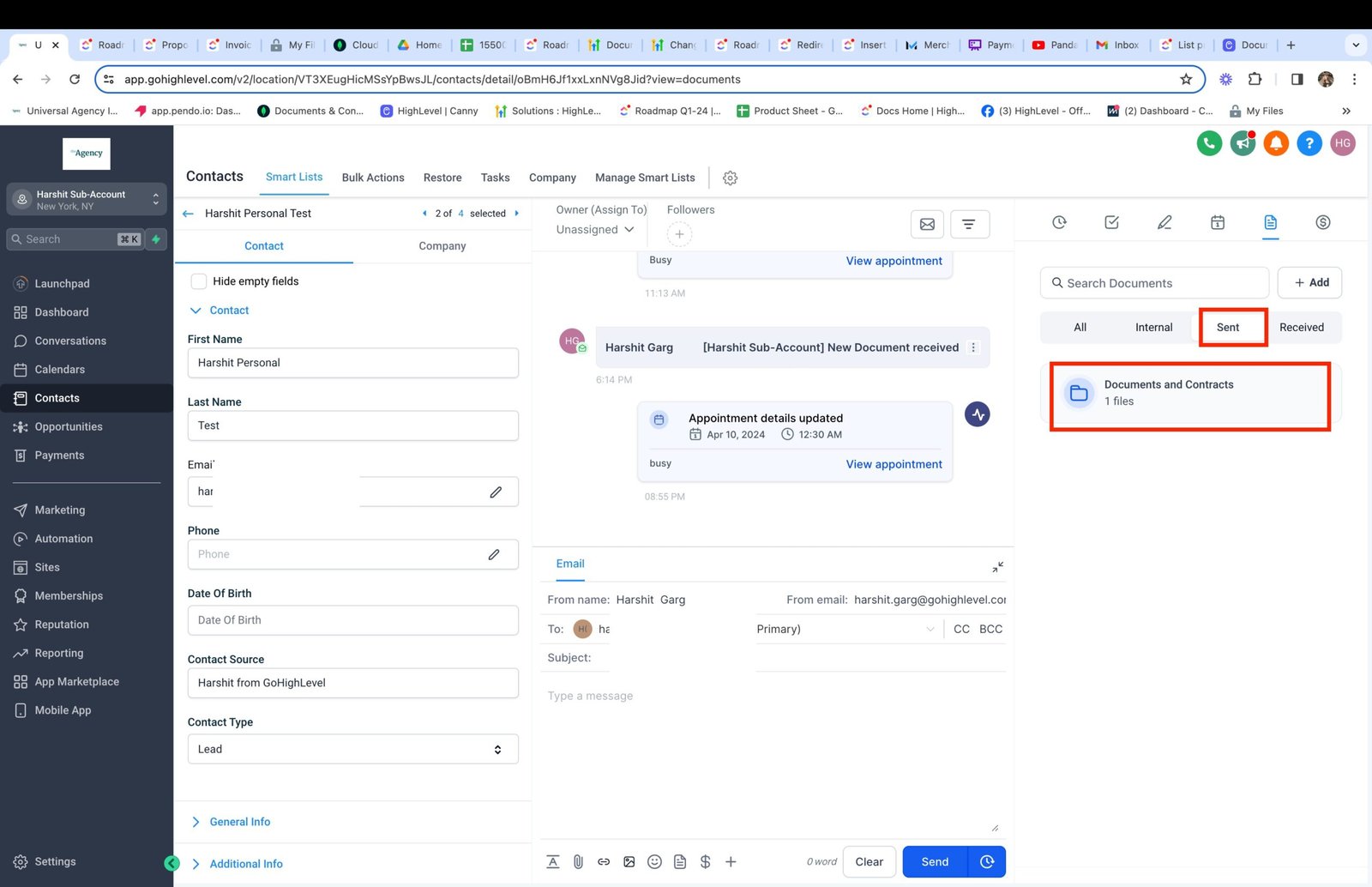
- Documents and Contracts will now be available in the document management section under Contacts
- This will list documents associated with the contact irrespective of the criteria that the contact was a primary or a secondary recipient
- Sent and Completed documents will be listed here.
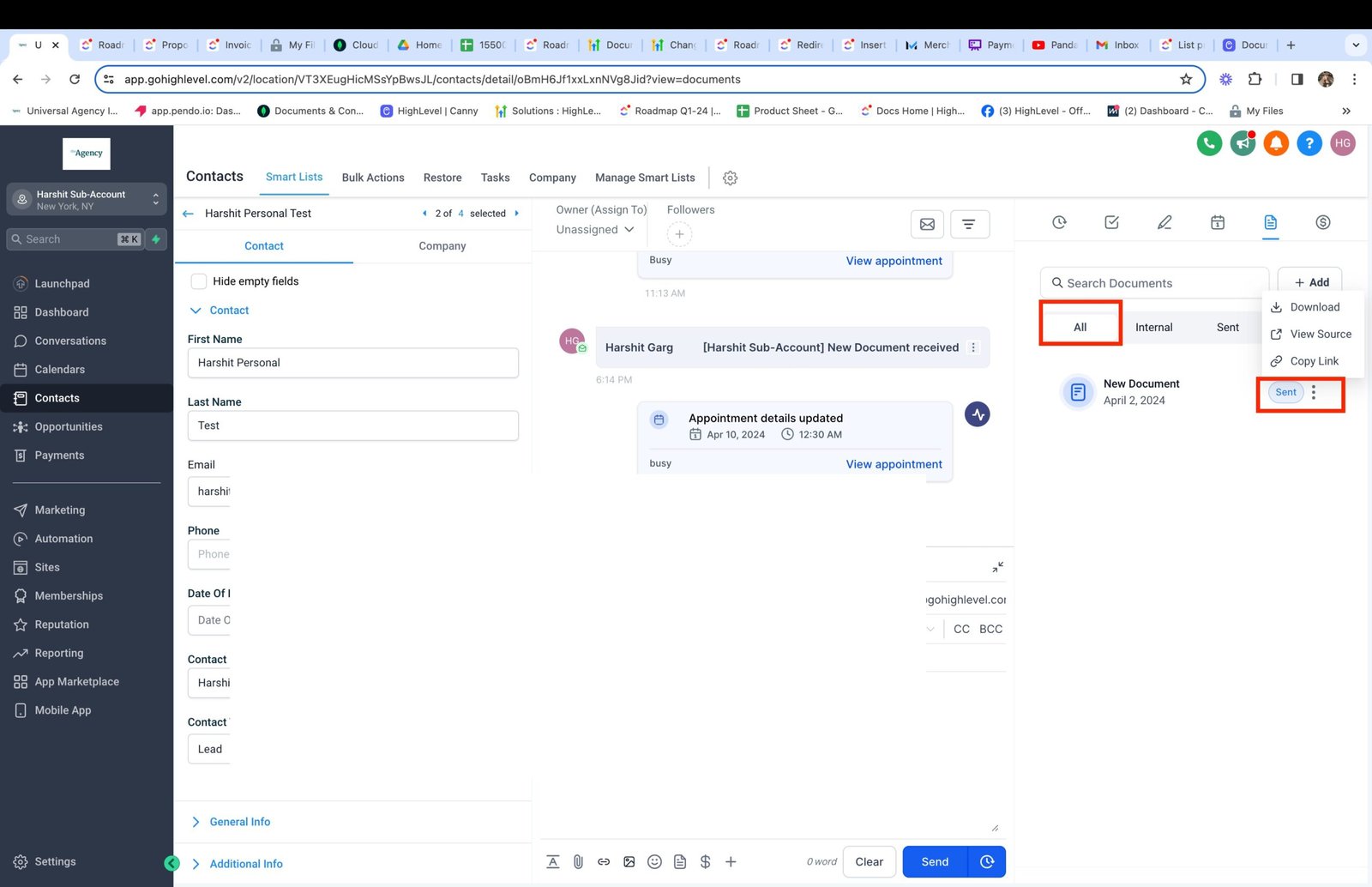
- Users will be able to download the PDF, view source of documents, copy link in case of sent documents
How to Use?
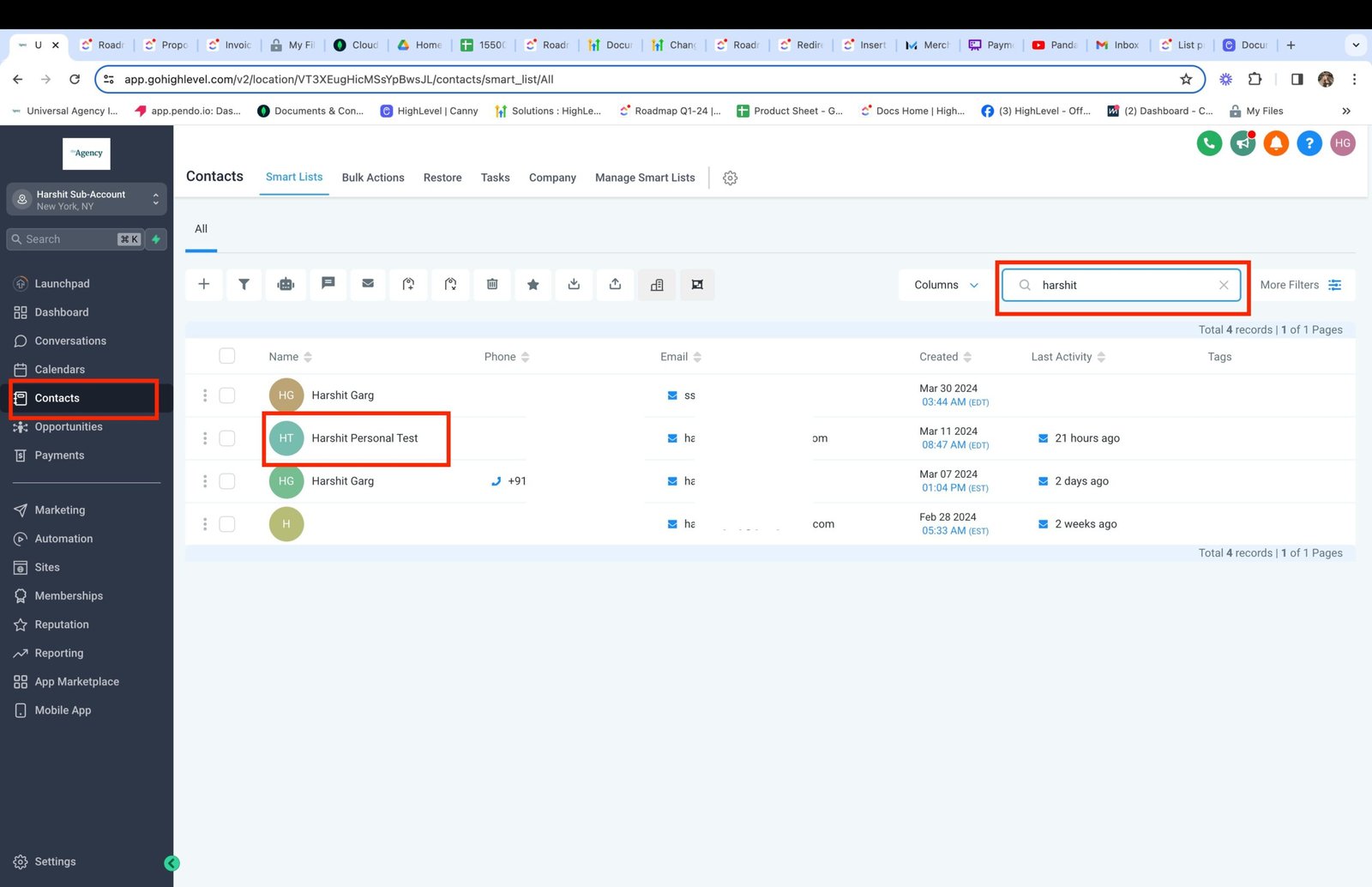
- Go to a Contact
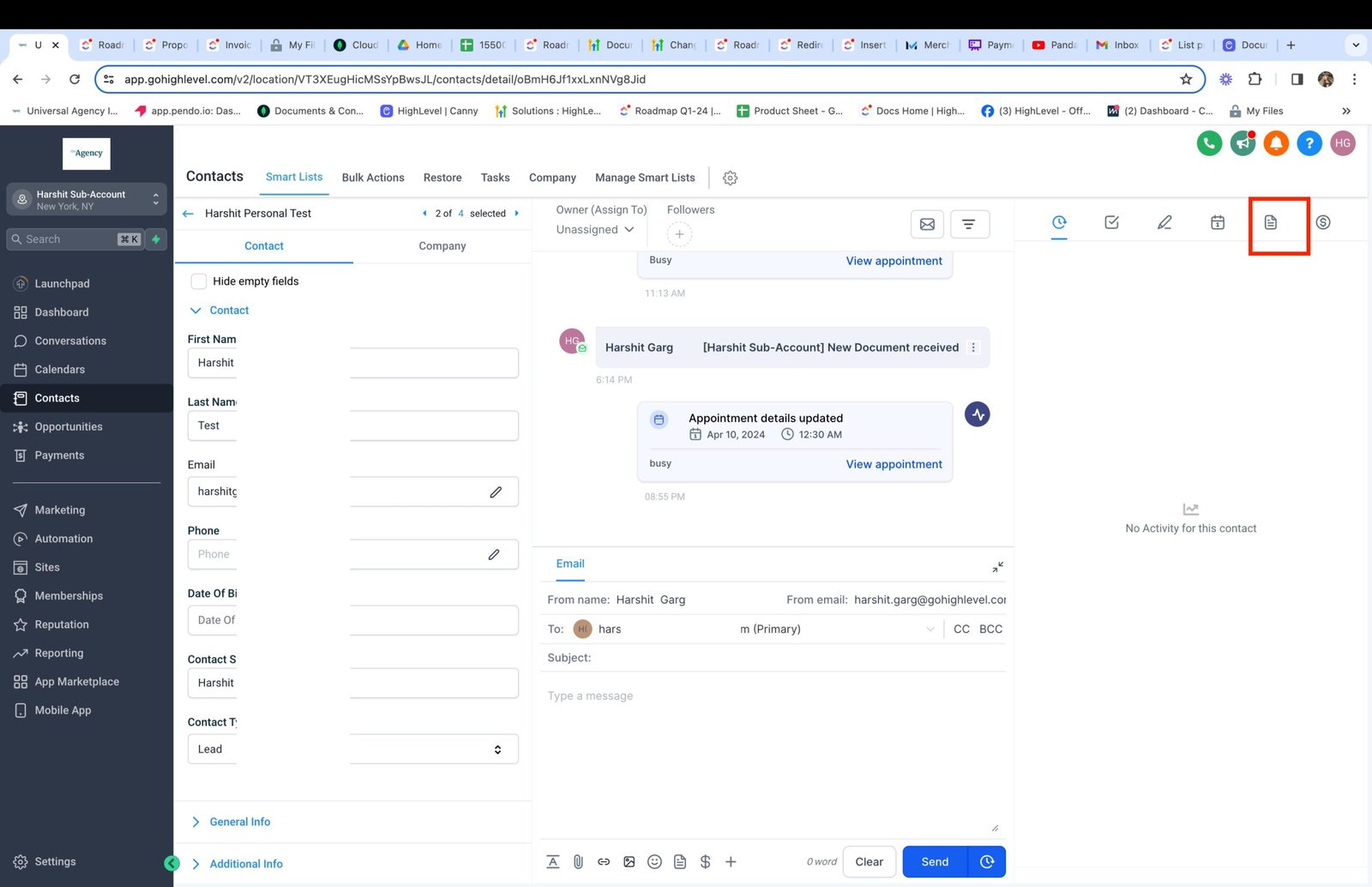
- Click on the Document Management Icon
- Under All tab: View Documents and their status. Also, get the ability to Download, View the source in the editor and copy link in case of send documents
- Get all documents in a folder within Sent Tab