Table of Contents
The WhatsApp schedule send feature enables users to easily schedule messages for their customers. With this functionality, businesses can schedule both WhatsApp templates and free-form messages, ensuring timely and efficient communication.
TABLE OF CONTENTS
How to Schedule Send WhatsApp templates
Step 1: Go Conversations > Select the contact > Select WhatsApp > Select the template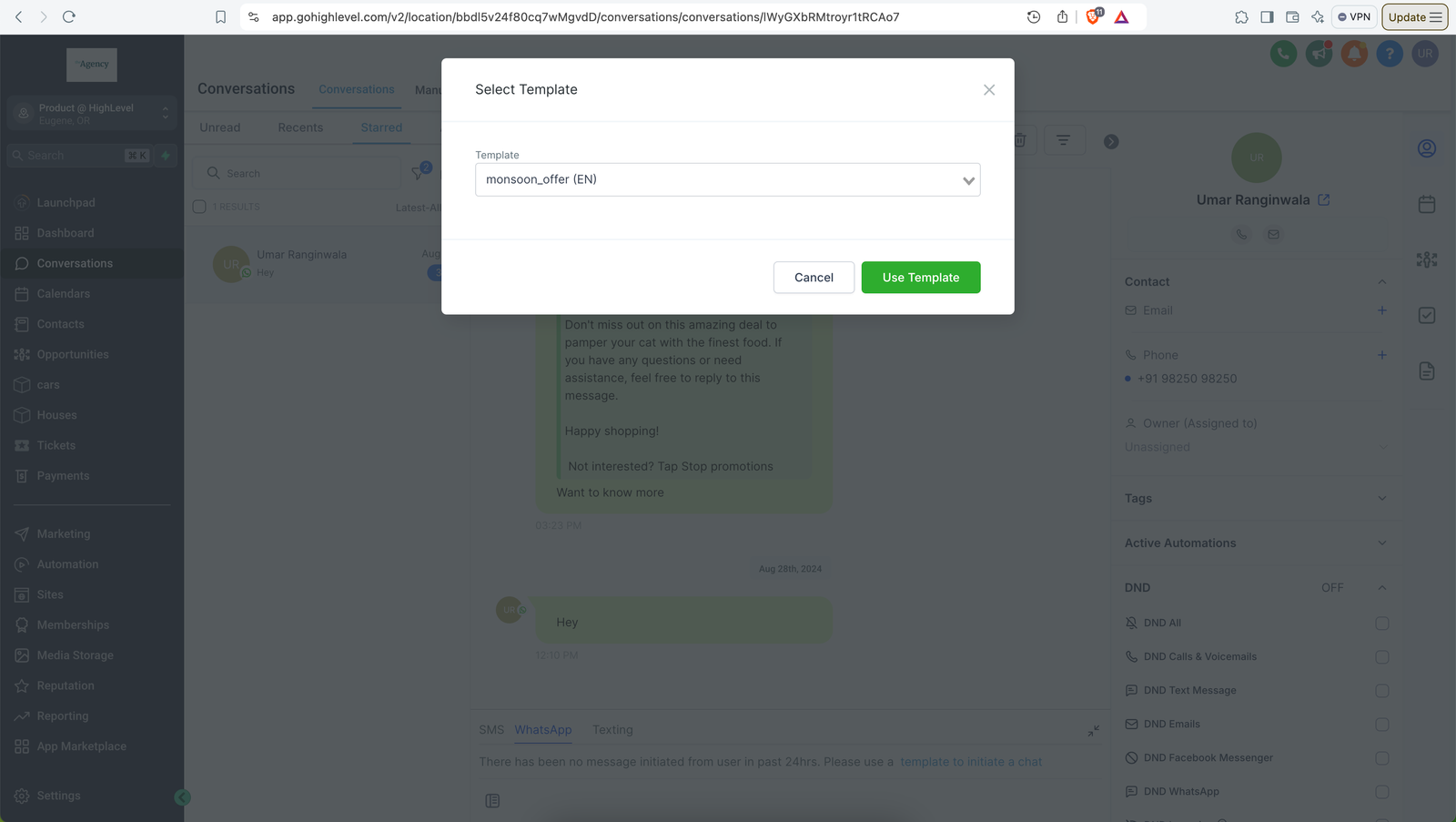
Step 2: Click on the button next to send
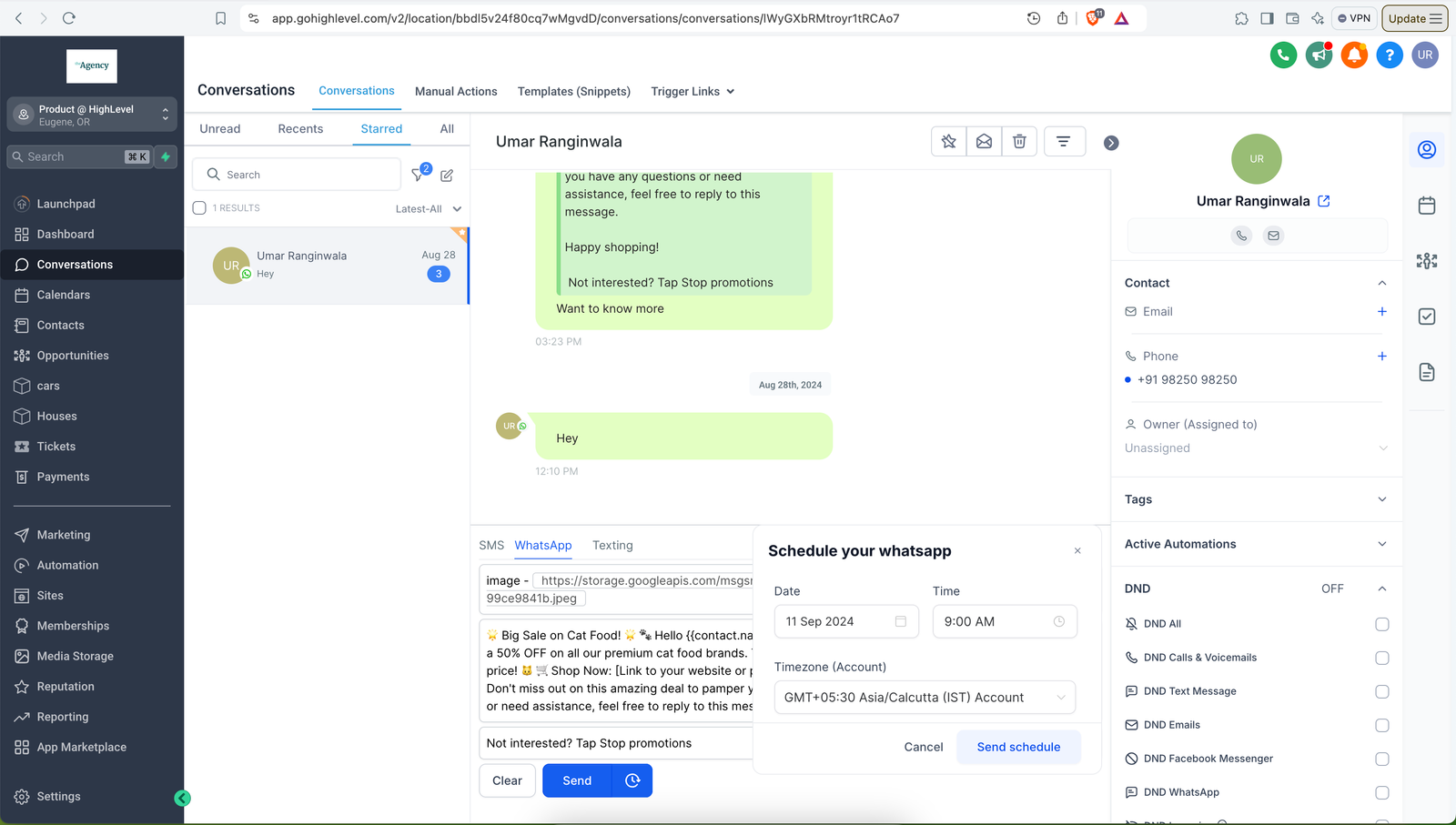 Step 3: Select date and time to send the WhatsApp template > Send Schedule
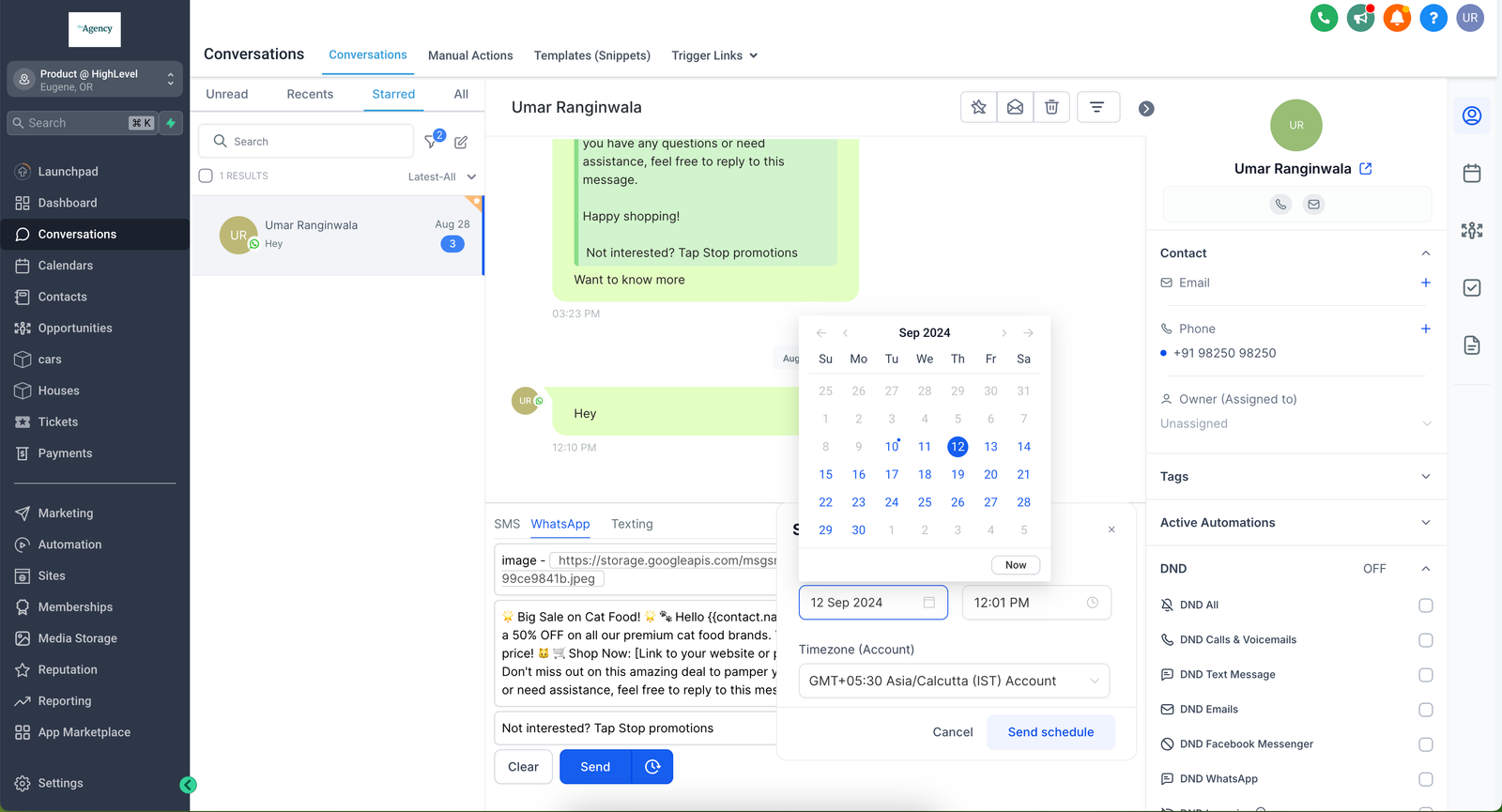
Note: Date and time should be in the future
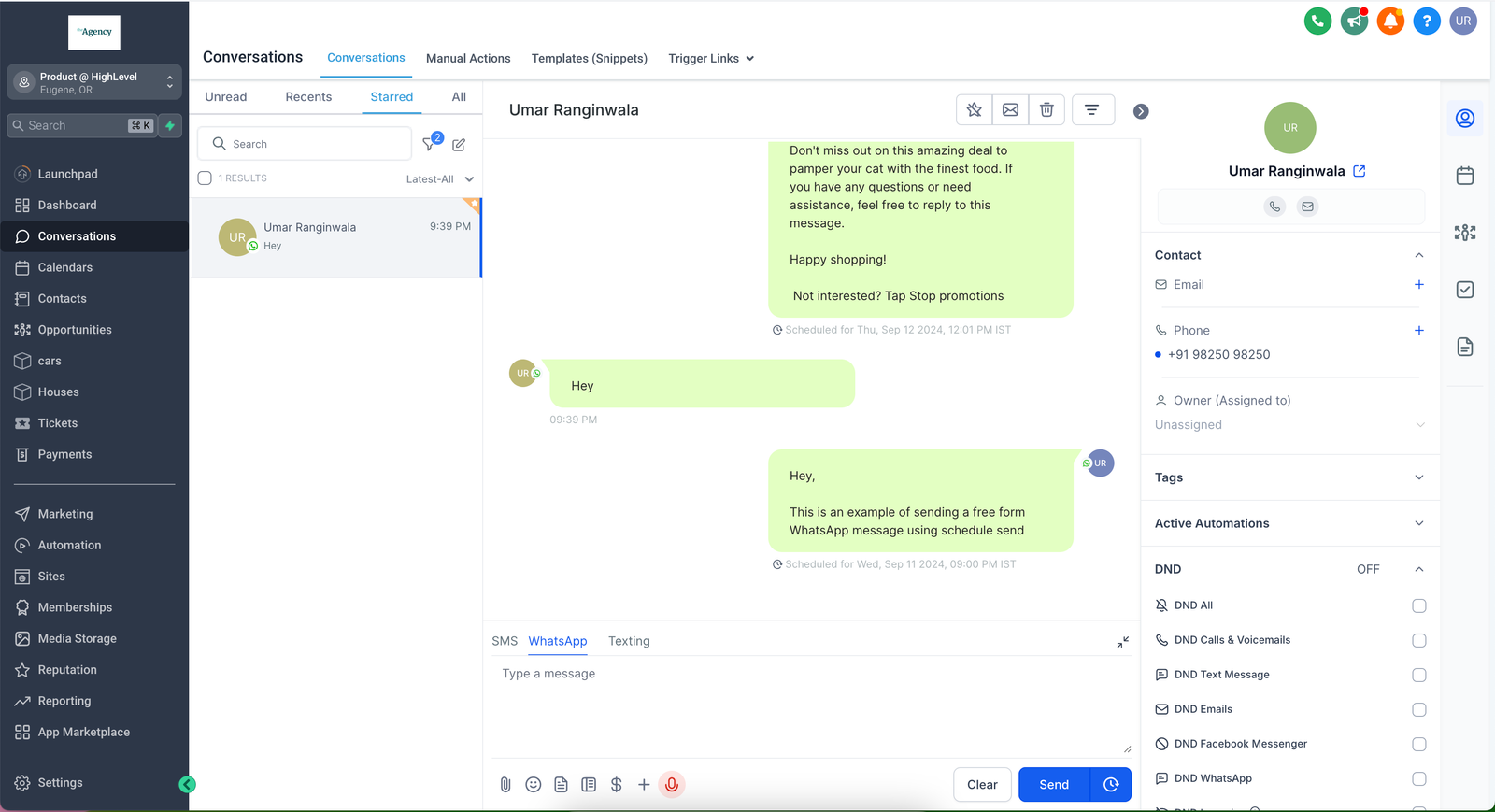
How to Schedule Send free form WhatsApp message
In order to send a free form WhatsApp message, an open Customer Service Window needs to be there with the customer
Step 1: Go Conversations > Select the contact > Select WhatsApp > Type the free form message
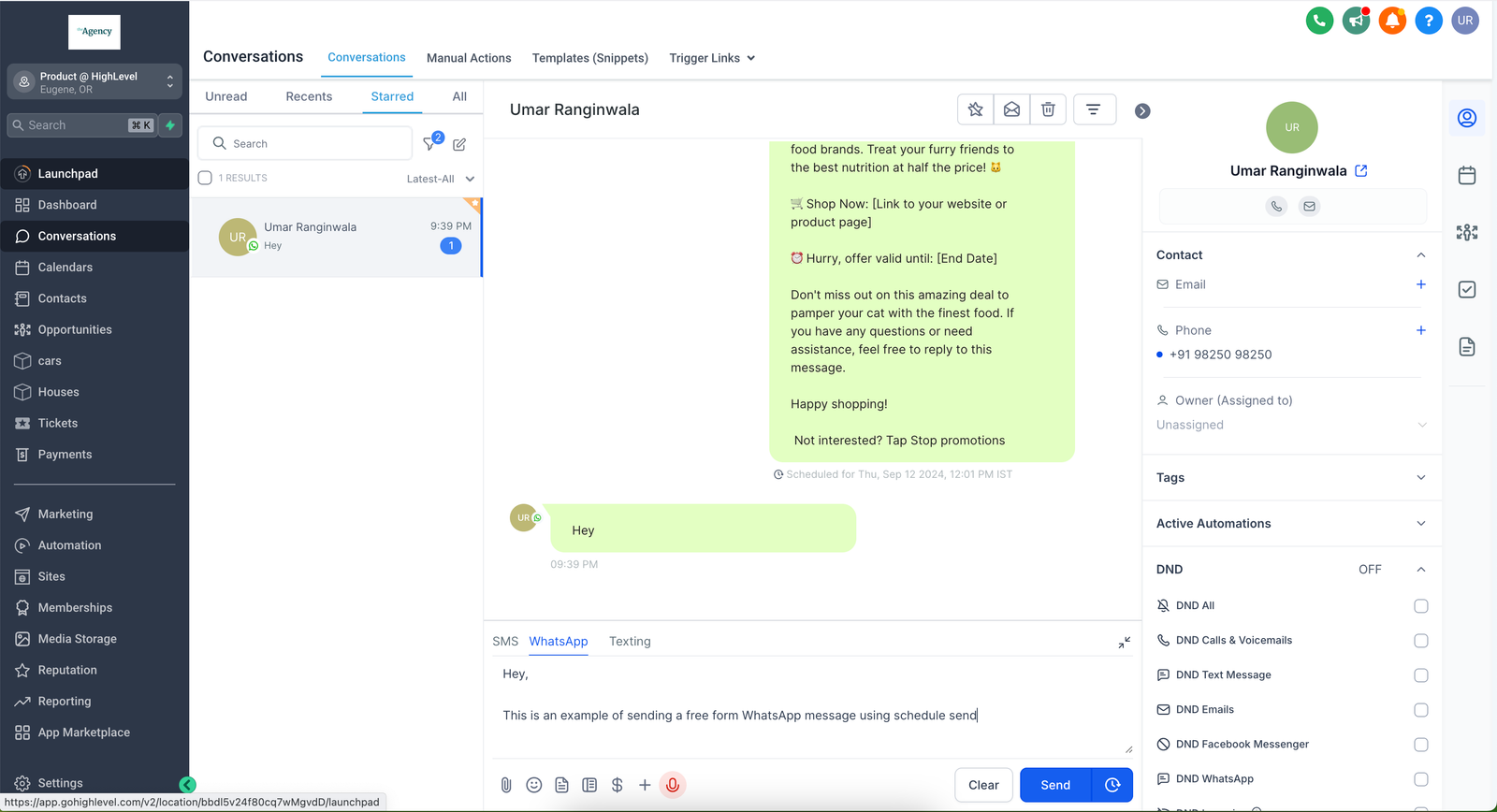
Step 2: Click on the button next to send > Select date and time
You can schedule messages upto 24 hours from the last inbound message received from the customer
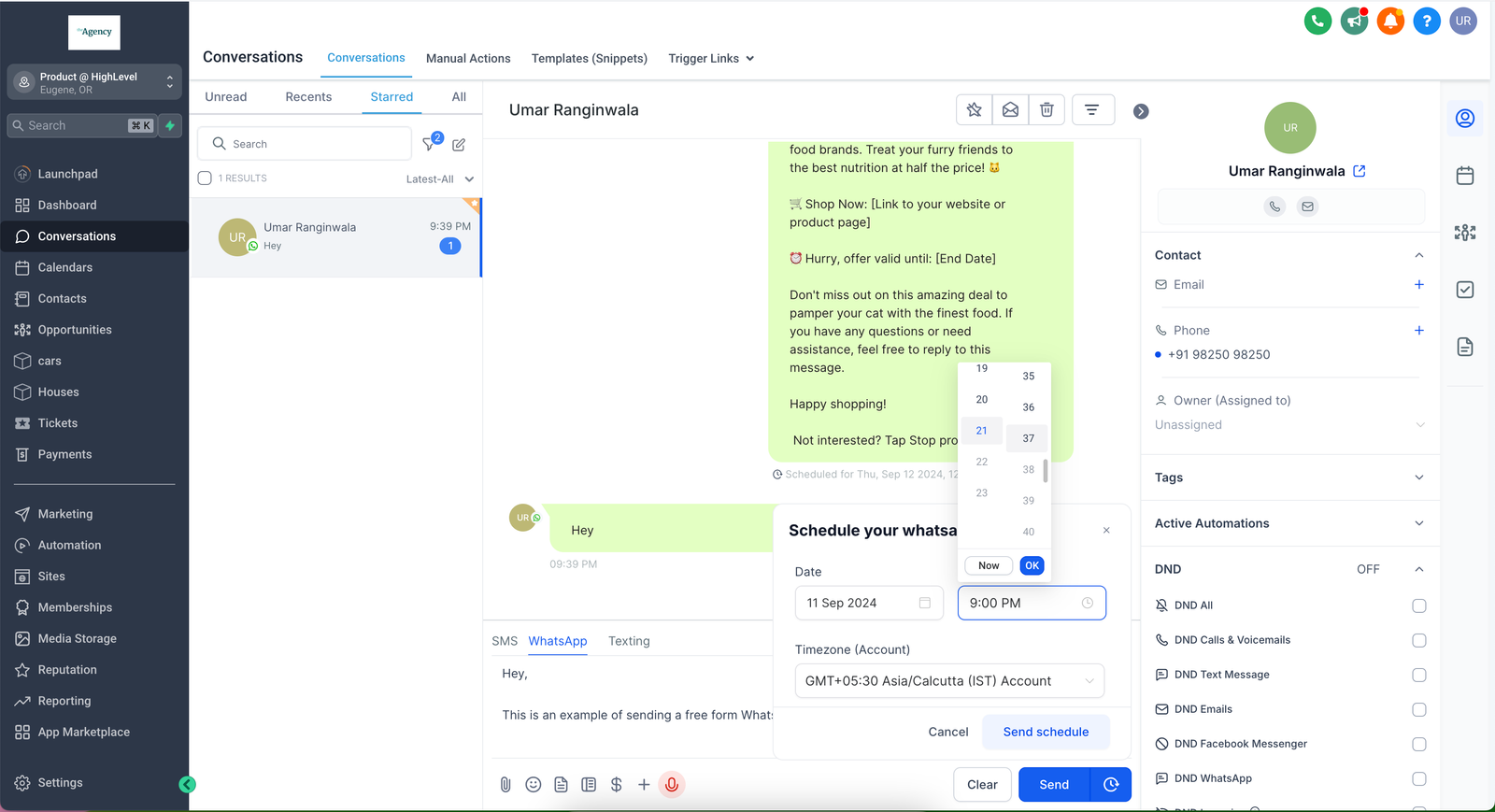
Step 3: Click on schedule send