Introducing call transcriptions for recorded calls. With call transcriptions, users can now maintain accurate records of all conversations, aiding in documentation and compliance requirements.
-
Automatic Transcriptions:
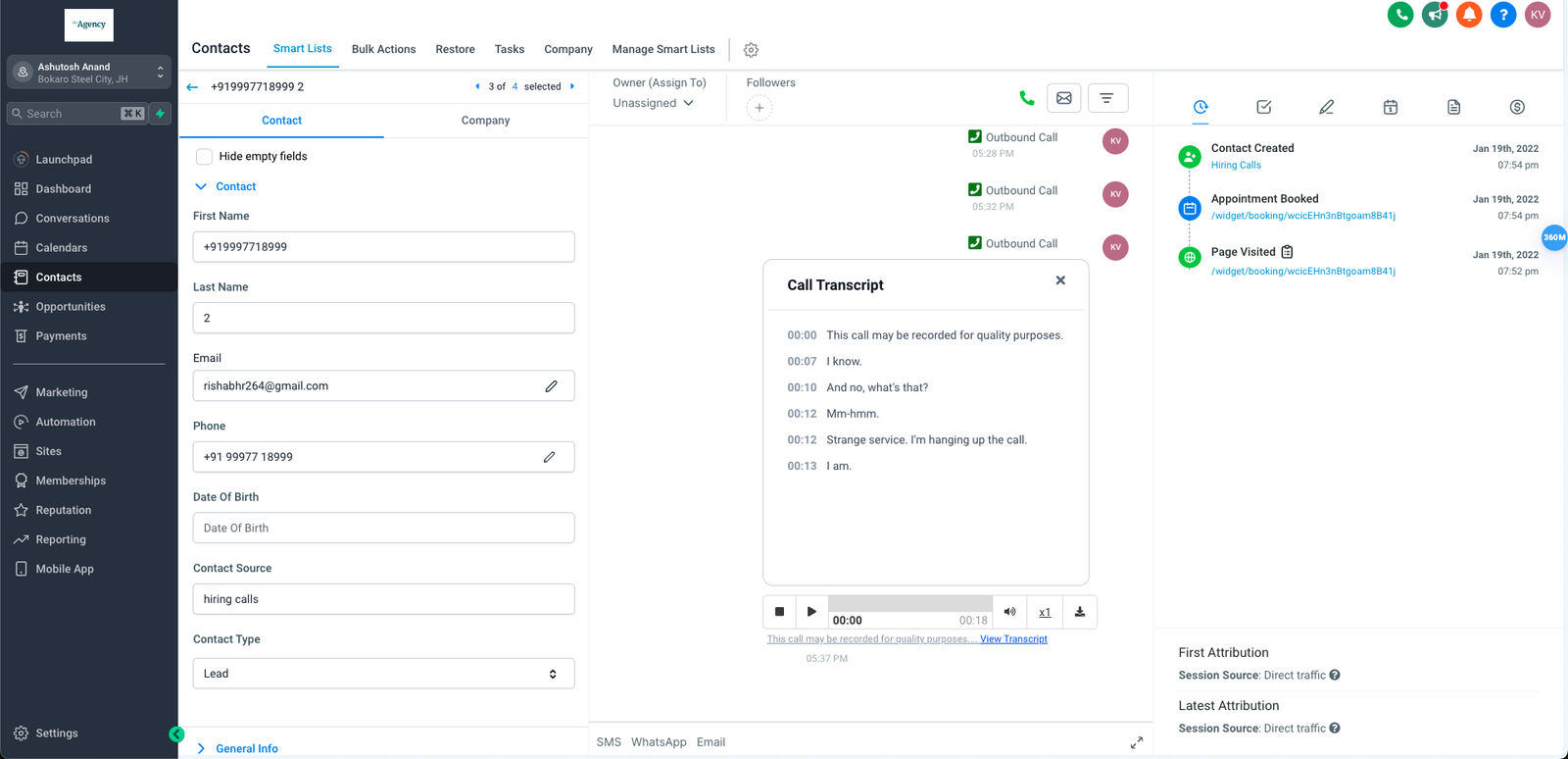
Transcriptions will be automatically generated for all outbound and inbound recorded calls, saving you time and effort
-
Easy Activation:
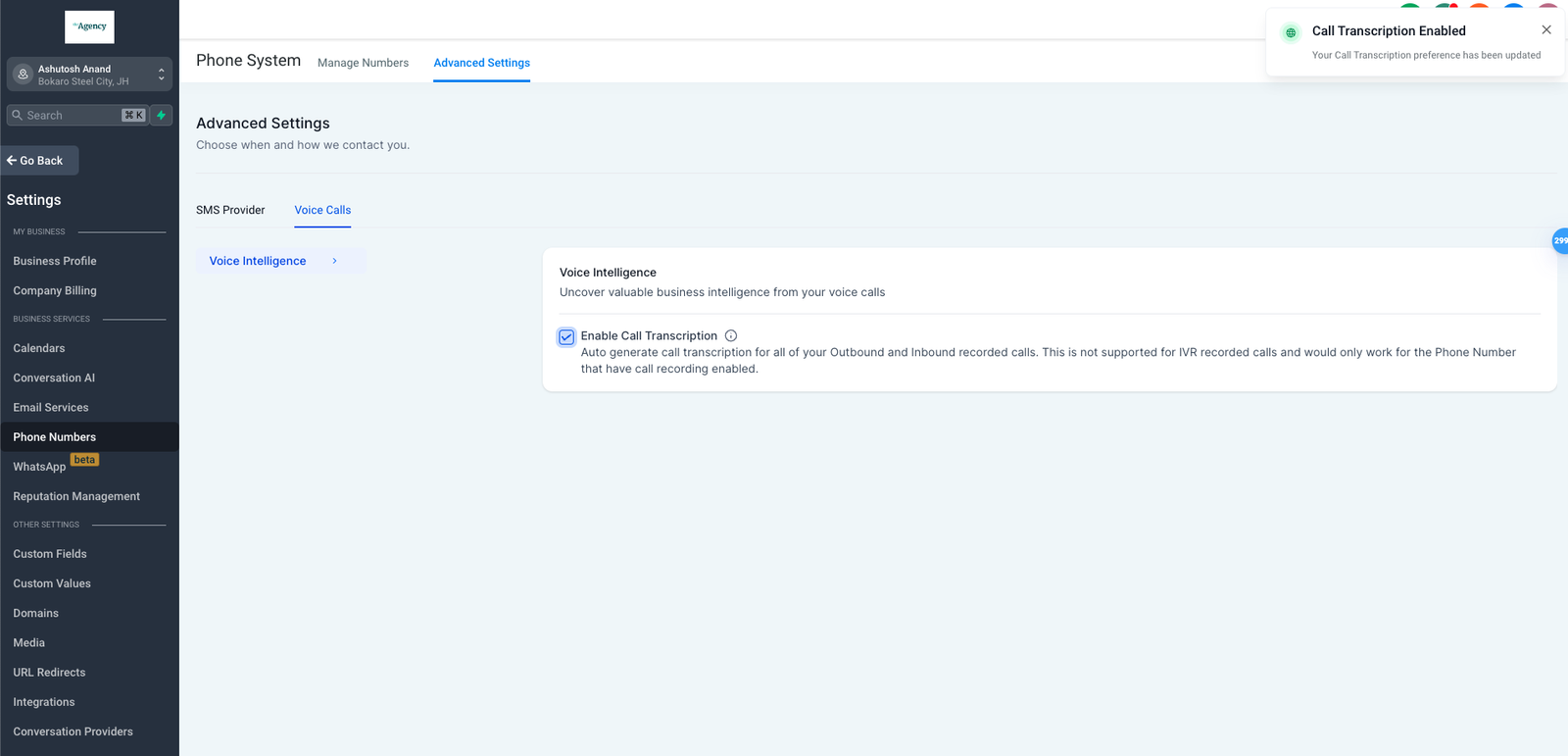
Location/Agency administrators can enable call transcription conveniently under advanced settings in the voice calls tab, streamlining the setup process.
-
Enhanced Visibility:
Transcriptions will be seamlessly integrated into the conversation page, providing easy access and reference to call content.
How will this help?
-
Efficient Documentation:
With automatic transcriptions, you can maintain accurate records of all conversations without manual effort, improving documentation and compliance.
-
Convenient Review:
Easily review call content without the need to listen to entire recordings, enhancing accessibility and efficiency.
How It Works:
- Navigate to the Settings > Phone Numbers
- Go to Advanced Settings > Voice Calls
-
Enable Call Transcription