
Table of Contents
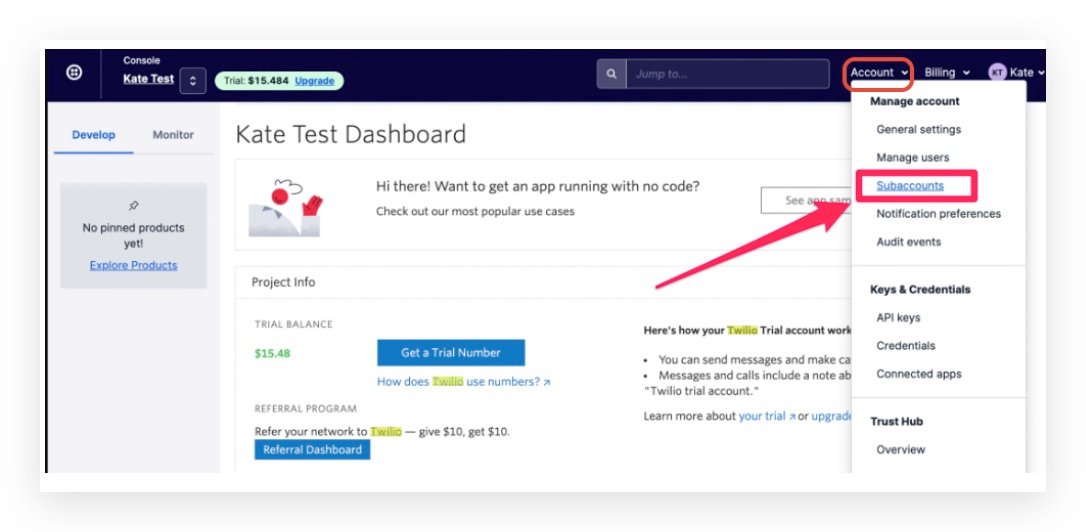
- Step 1: Go to the Account dropdown on the top-right menu, click on Subaccounts
- Step 2: If there are too many subaccounts inside Twilio, you can go back to HighLevel and copy the Account SIN for that location to search in Twilio:
- Step 3: Search based on the Twilio Subaccount SID in HighLevel agency settings -> Twilio
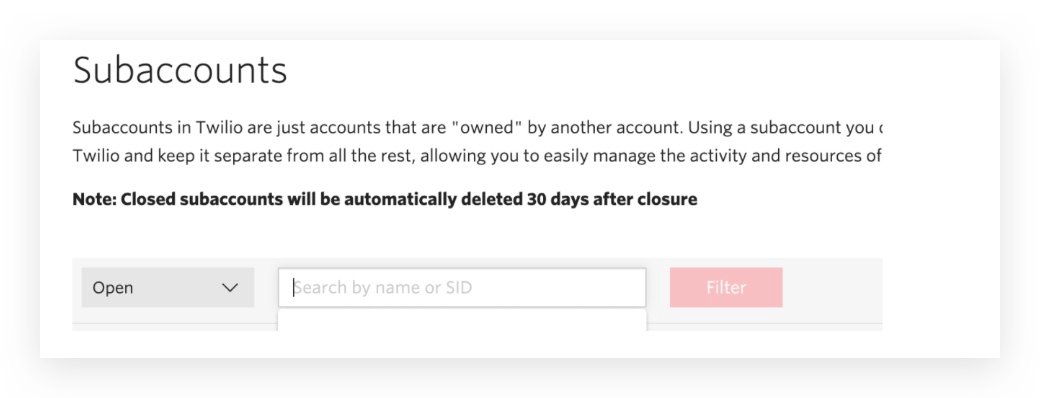
- Paste the Account SID here and click on it:
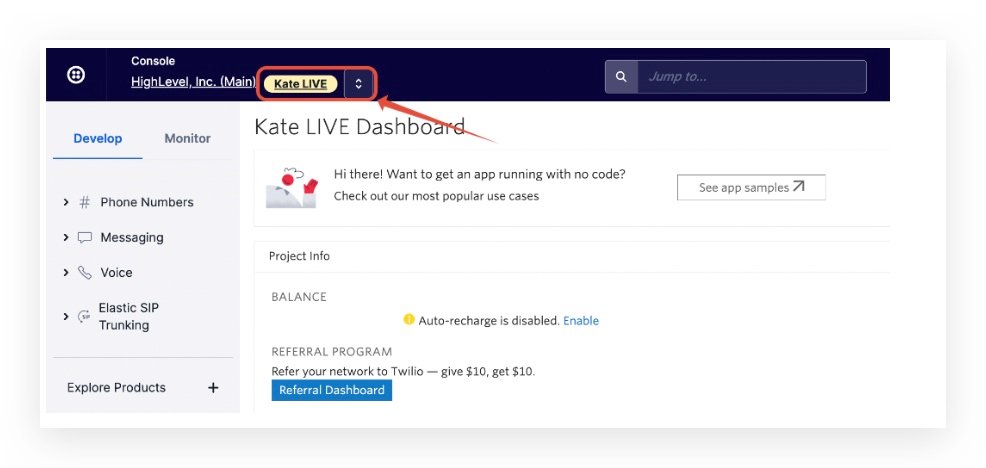
- Step 4: Click into the subaccount so you will see there's an orange text on the top left:
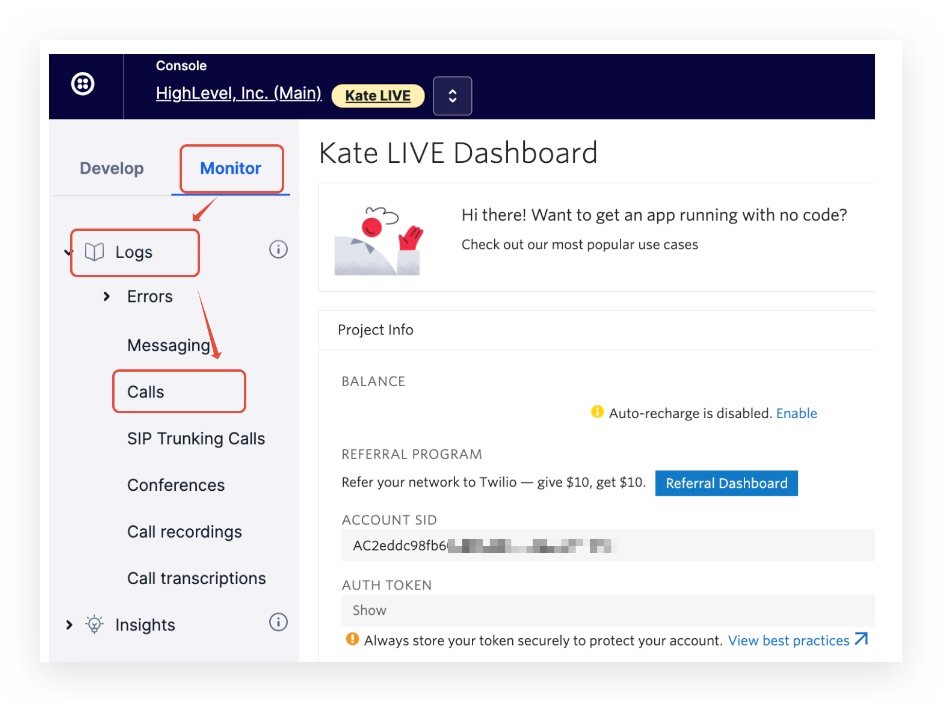
- Step 5: Click Monitor -> Logs -> Calls
- Frequently Asked Questions
TABLE OF CONTENTS
- Step 1: Go to the Account dropdown on the top-right menu, click on Subaccounts
- Step 2: If there are too many subaccounts inside Twilio, you can go back to HighLevel and copy the Account SIN for that location to search in Twilio:
- Step 3: Search based on the Twilio Subaccount SID in HighLevel agency settings -> Twilio Paste the Account SID here and click on it:
- Step 4: Click into the subaccount so you will see there’s an orange text on the top left:
- Step 5: Click Monitor -> Logs -> Calls
- Frequently Asked Questions
Troubleshooting tips when call events don’t seem to be working:
https://www.loom.com/share/02a5b726e61c4e7496b770f972e113dd?sid=15450ec1-7ce4-4d42-b2e5-2364a6966939
Step 1: Go to the Account dropdown on the top-right menu, click on Subaccounts
Step 2: If there are too many subaccounts inside Twilio, you can go back to HighLevel and copy the Account SIN for that location to search in Twilio:
https://app.gohighlevel.com/settings/twilio
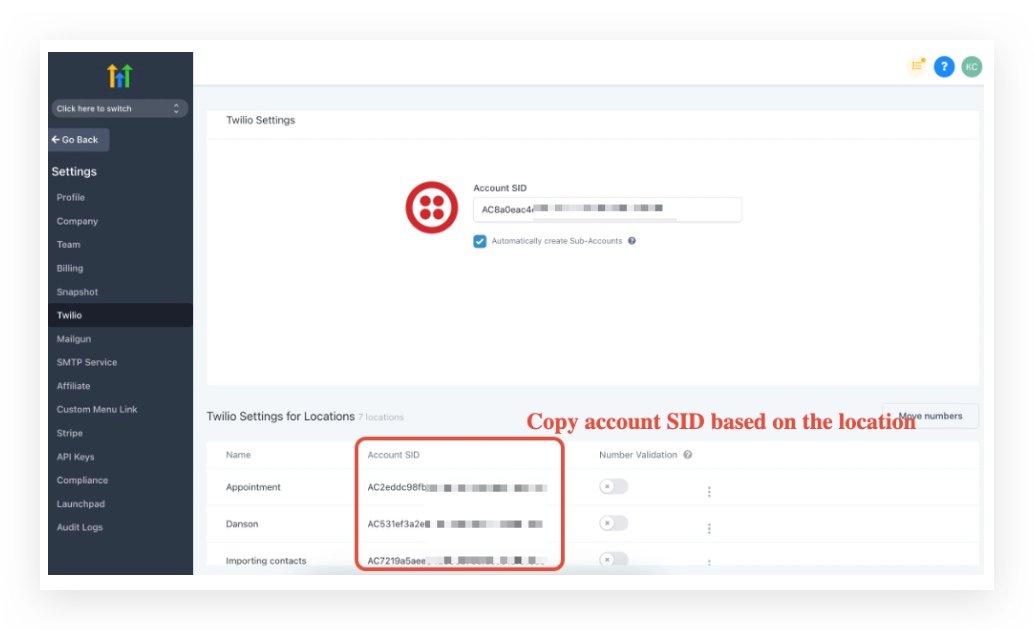
Step 3: Search based on the Twilio Subaccount SID in HighLevel agency settings -> Twilio
Paste the Account SID here and click on it:
Step 4: Click into the subaccount so you will see there’s an orange text on the top left:
Step 5: Click Monitor -> Logs -> Calls
Frequently Asked Questions
Currently no frequently asked questions. Submit feedback on this article to help is add questions to this section!


