Table of Contents
- Enable Conversation AI for your Agency
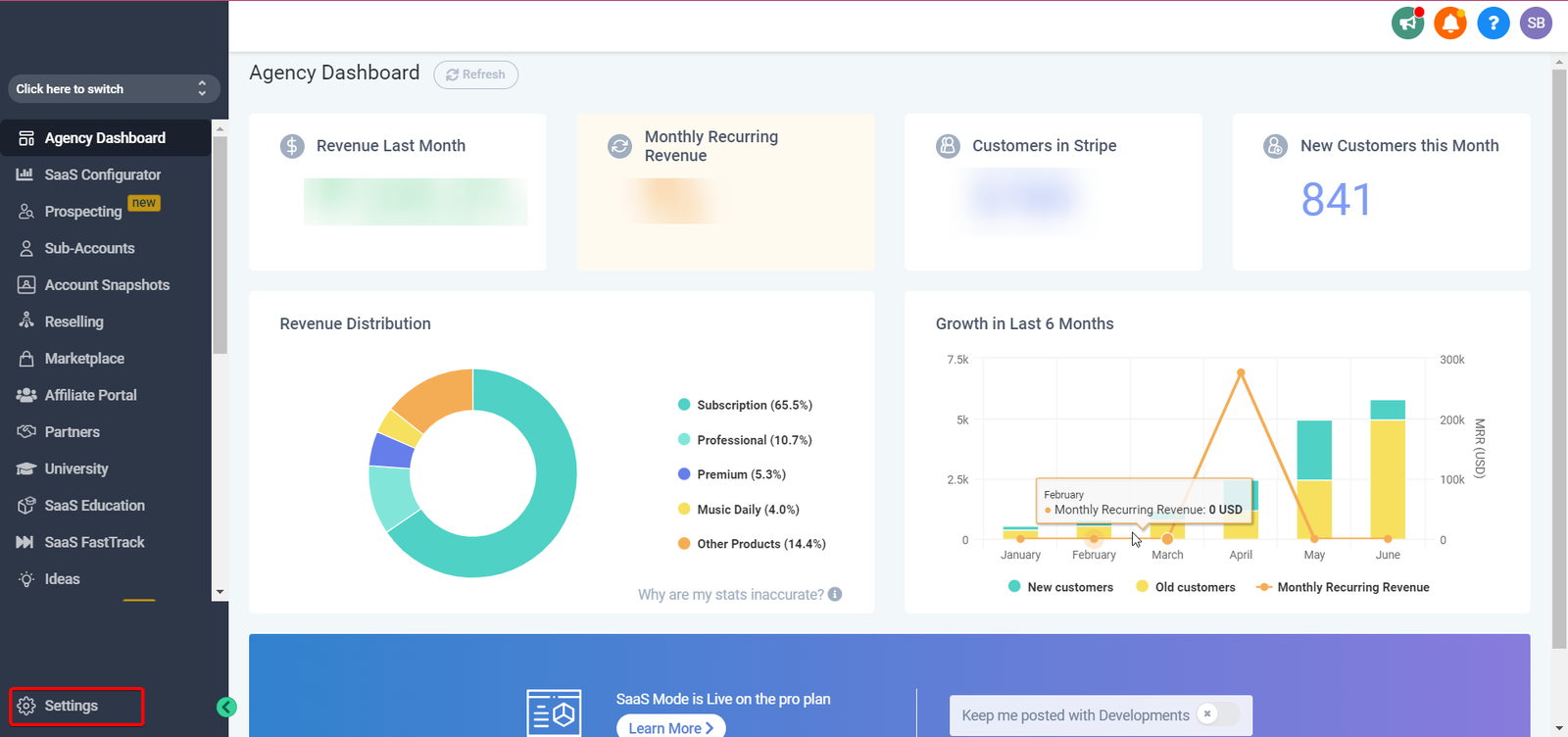
- Step 1: Navigate to your agency settings in the left sidebar.
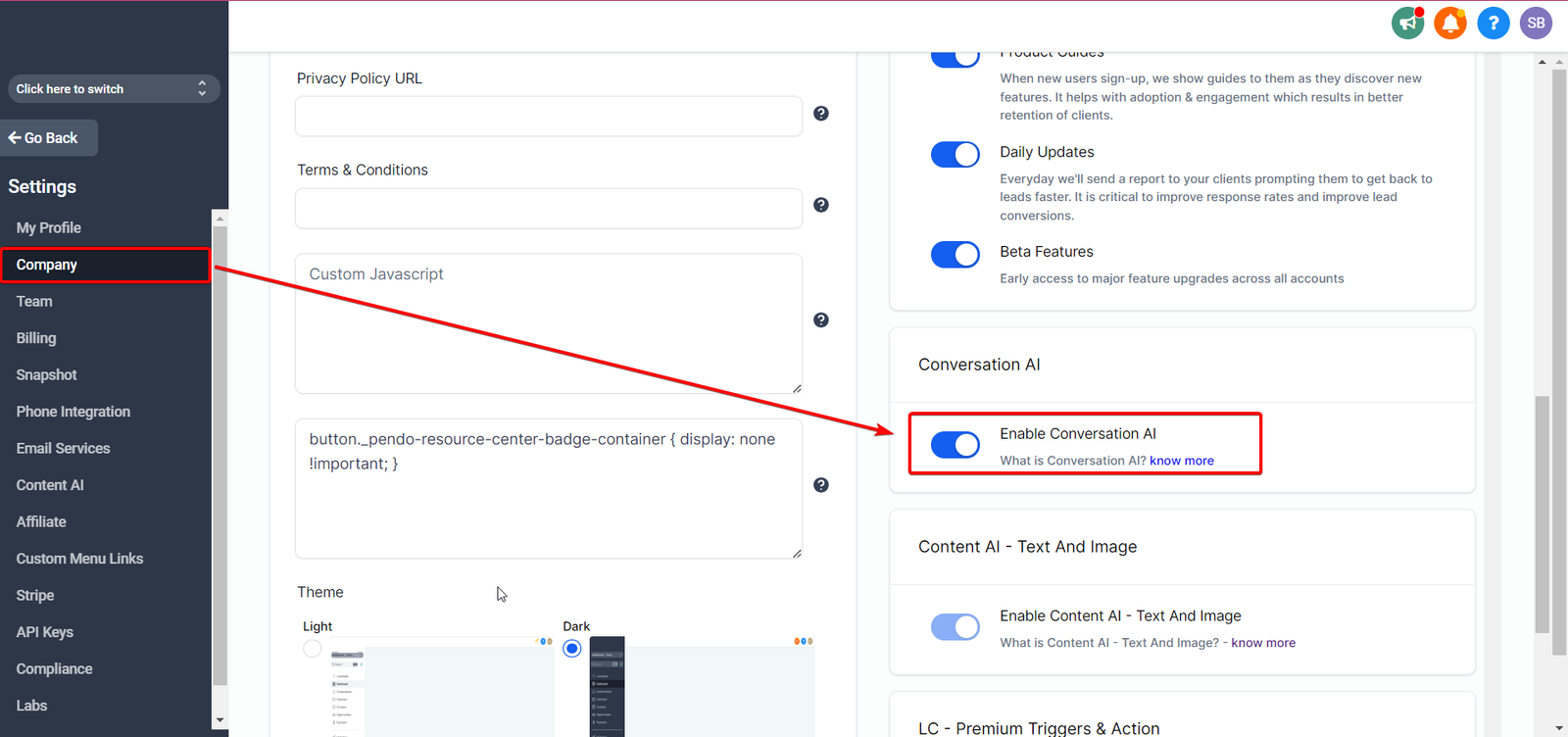
- Step 2: Go to "Company" Settings and then scroll down on the right.
- Step 3: Click the toggle "Enable Coversation AI"
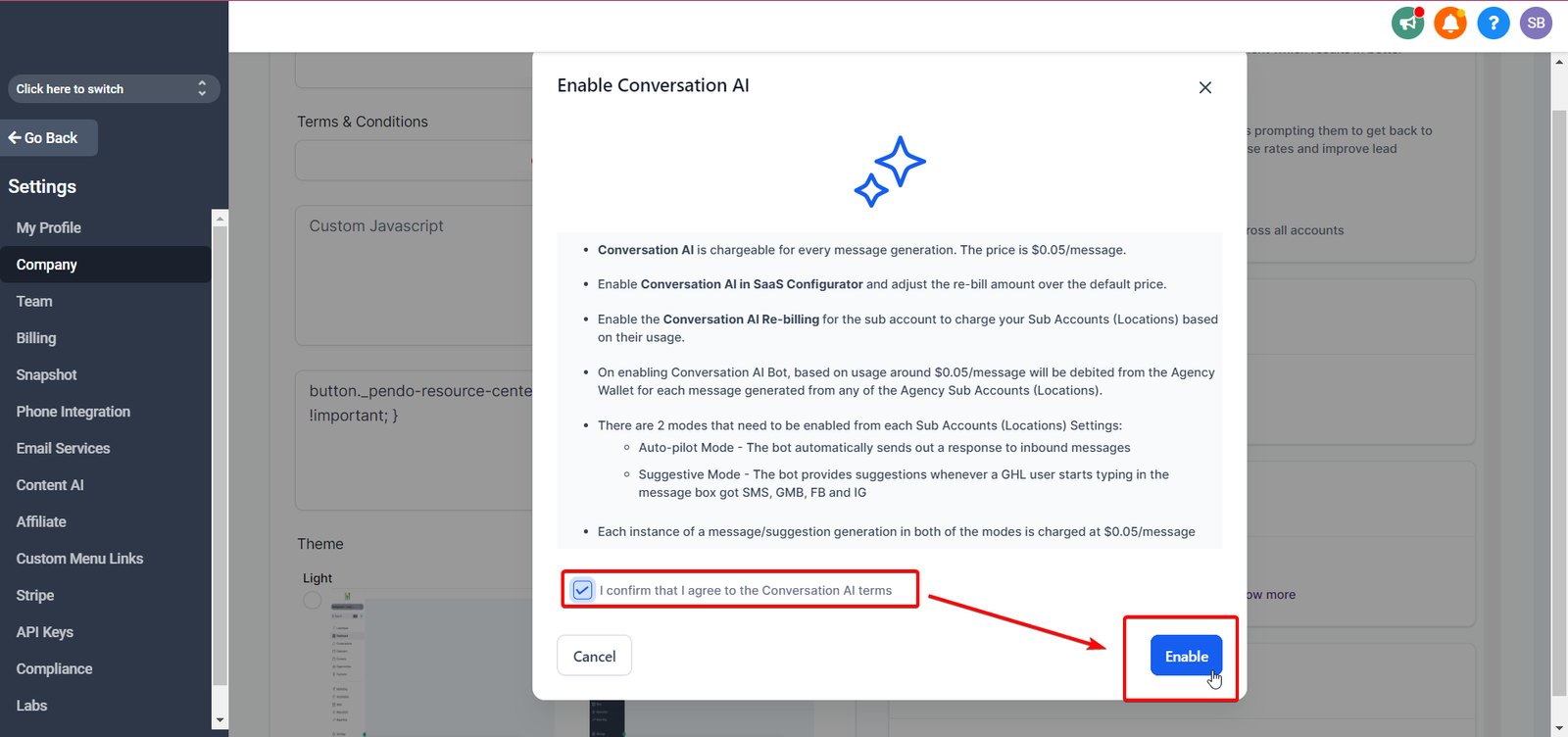
- Step 4: Accept the terms and conditions & Click Enable
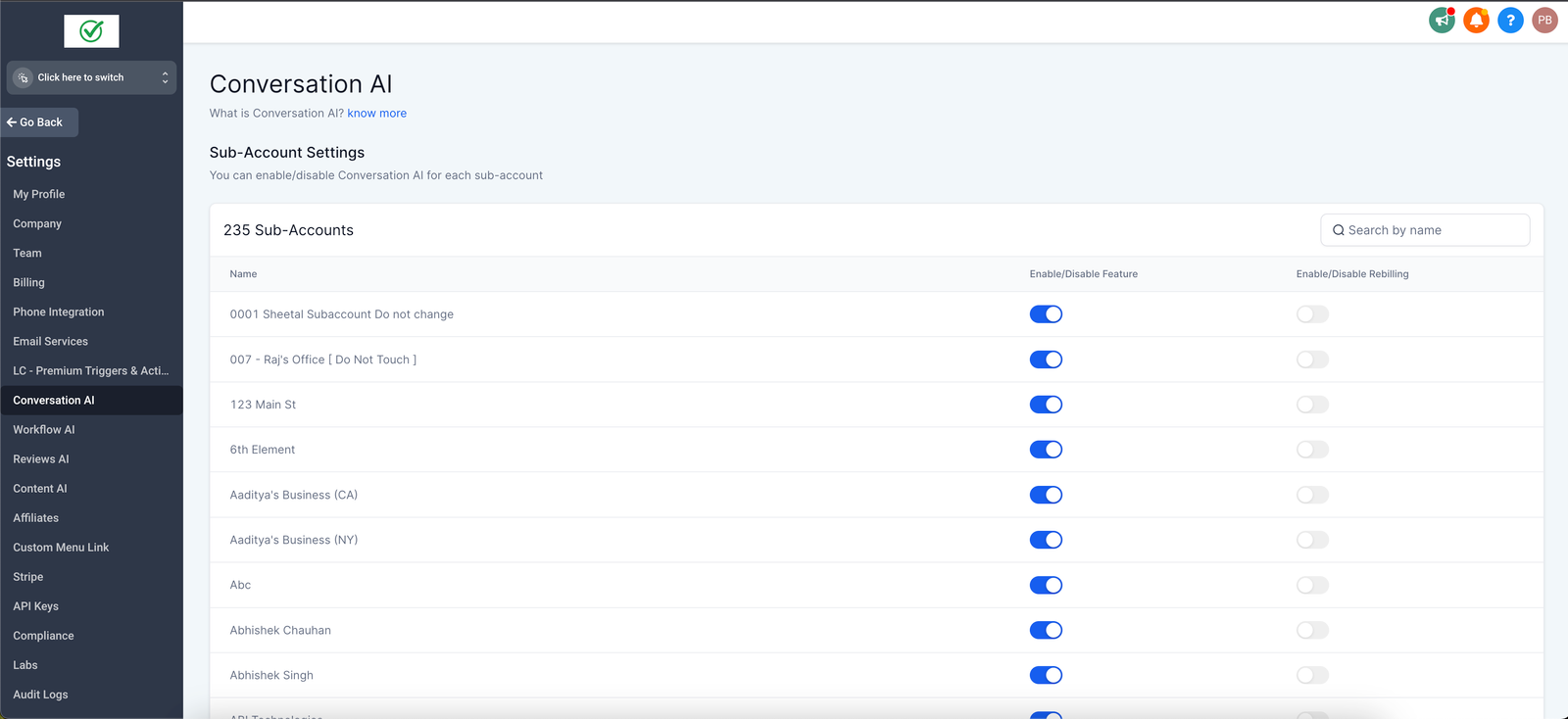
- Step 5: Utilize the new "Conversation AI" tab in Agency Settings to Manage the feature for each Sub-account (more info)
Enable Conversation AI for your Agency
Step 1: Navigate to your agency settings in the left sidebar.
Step 2: Go to “Company” Settings and then scroll down on the right.
Step 3: Click the toggle “Enable Coversation AI”
-
This toggle only enables the Conversation AI settings in all your sub-accounts. The bot is still in the OFF Mode
Step 4: Accept the terms and conditions & Click Enable
Step 5: Utilize the new “Conversation AI” tab in Agency Settings to Manage the feature for each Sub-account (more info)