
- More Tutorials from the Community
- Feature 1 - Creating Dashboard
- Feature 2 - Clone Dashboards
- Feature 3 - Manage Permissions
- Feature 4 - Delete Dashboards
- Feature 5 - Pin Dashboards
- Feature 6 - Default Dashboard
- Feature 7 - Granular Insights
- Feature 8 - Exporting Widget Records
- Feature 8 - Changing Dashboard Timezone
More Tutorials from the Community
TABLE OF CONTENTS
The Multiple Dashboards feature is a groundbreaking addition to the GHL platform, enhancing your dashboard experience and providing unprecedented flexibility. With this update, users can create, manage, and customize multiple dashboards, tailoring their data visualization to unique needs. The introduction of these features empowers users to elevate their analytical capabilities, offering a more intuitive and personalized experience.Key Benefits:
- Enhanced Flexibility: Users can now go beyond the constraints of a single dashboard, allowing them to organize and view data in a way that suits their preferences.
- Time Savings: The ability to clone dashboards simplifies the process of creating new dashboards, saving time and effort for users who need similar configurations.
- Granular Control: Custom permissions ensure that data is shared selectively, with users having precise control over who sees specific dashboards.
- Organized Insights: The option to delete dashboards and pin favorites enables users to maintain a clutter-free and organized dashboard environment.
Feature 1 – Creating Dashboard
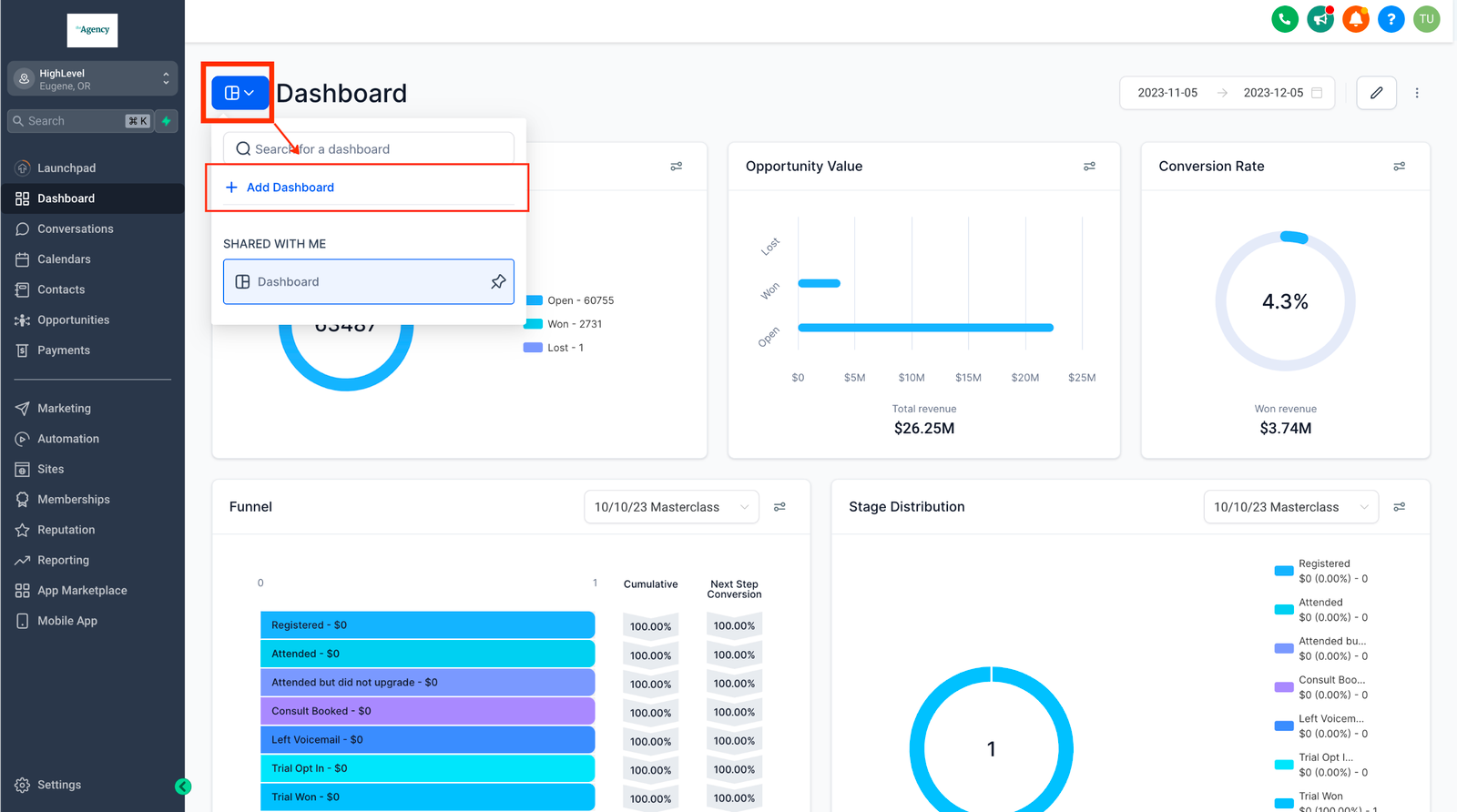 Users can create new dashboards to curate data and insights according to their specific needs. This functionality is available to users on the $497 and higher plans, including both Agency and Account users.
Feature 2 – Clone Dashboards
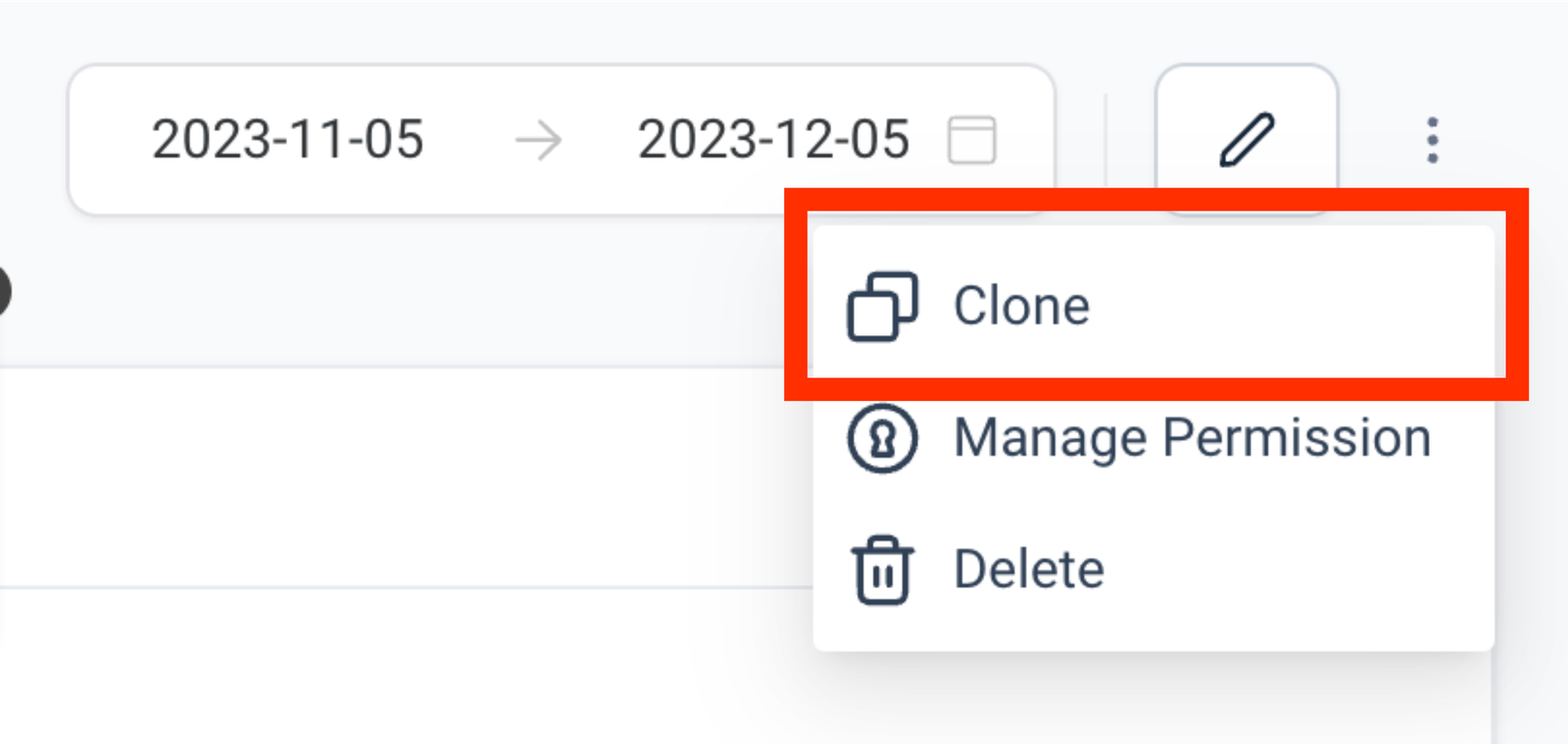 This feature enables users to duplicate existing dashboards, streamlining quick modifications and minimizing repetitive setup. Both users with Full and View-only access have the capability to clone an existing dashboard
Feature 3 – Manage Permissions
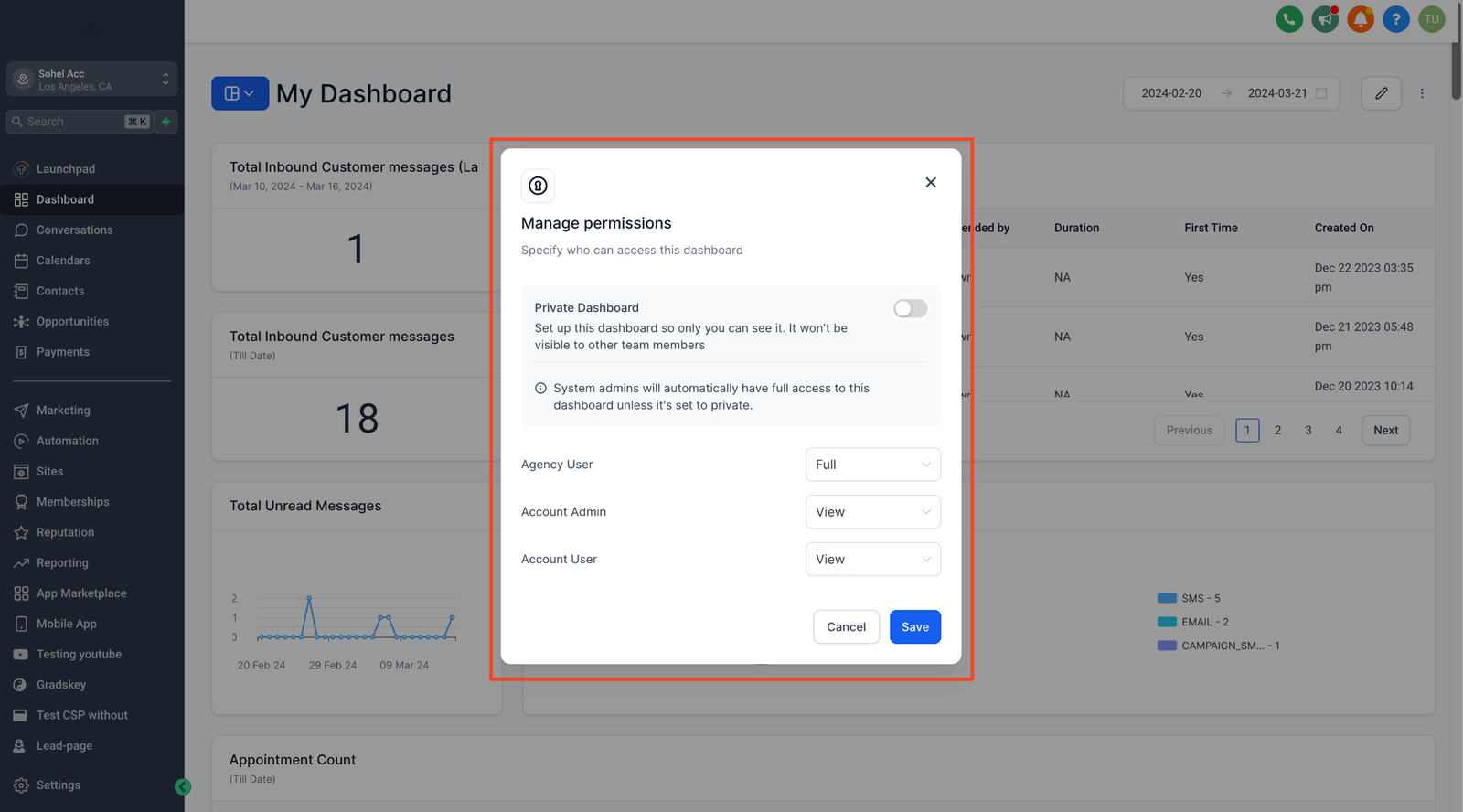 Owners and Users with FULL access to a dashboard can manage permissions for different roles. Dashboards can also be set as Private Dashboards, which won’t be visible to other team members.
Feature 4 – Delete Dashboards
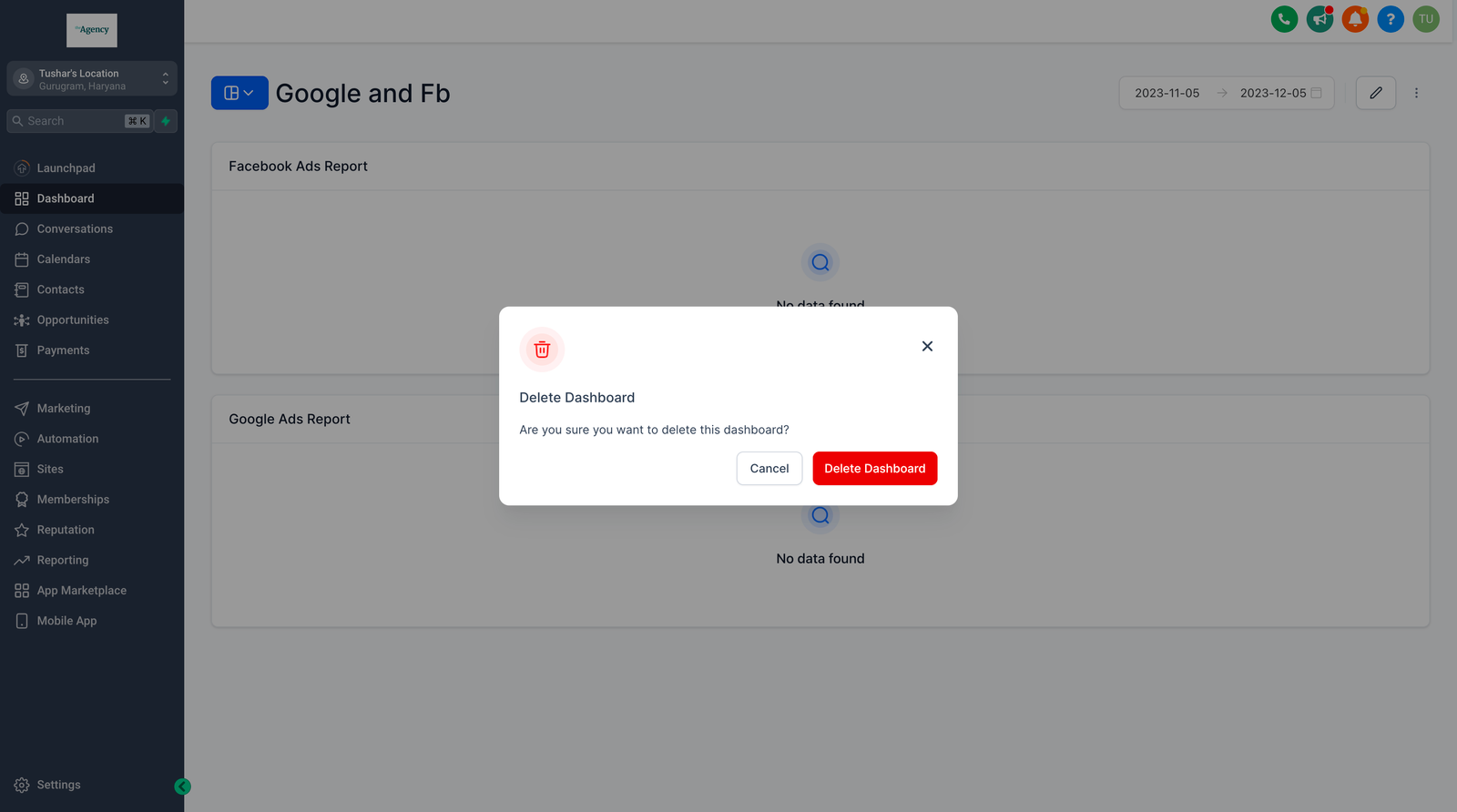 Dashboard Owners can remove dashboards they no longer need, decluttering their workspace.
Feature 5 – Pin Dashboards
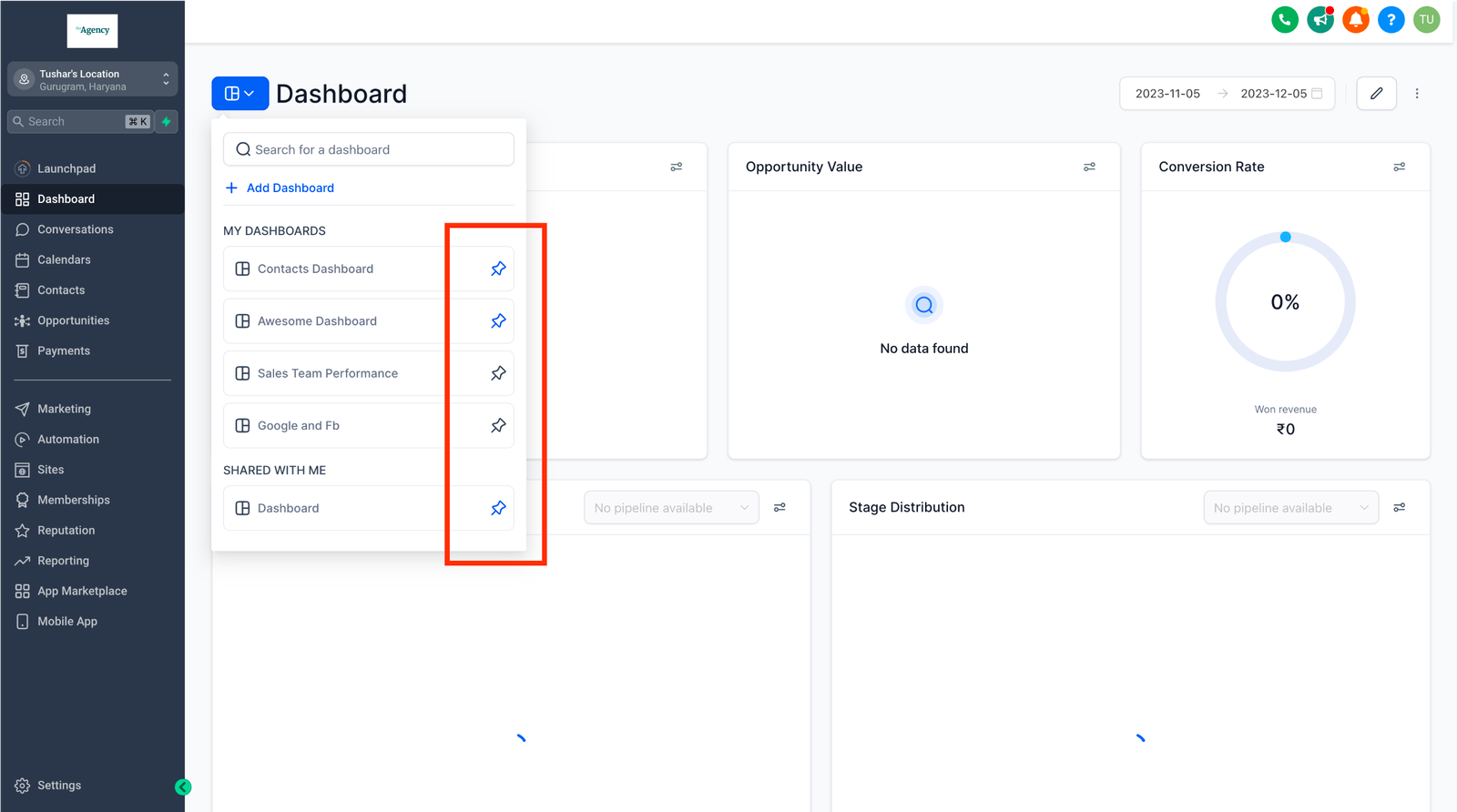 Users can prioritize important dashboards by pinning them for quick and easy access.
Feature 6 – Default Dashboard
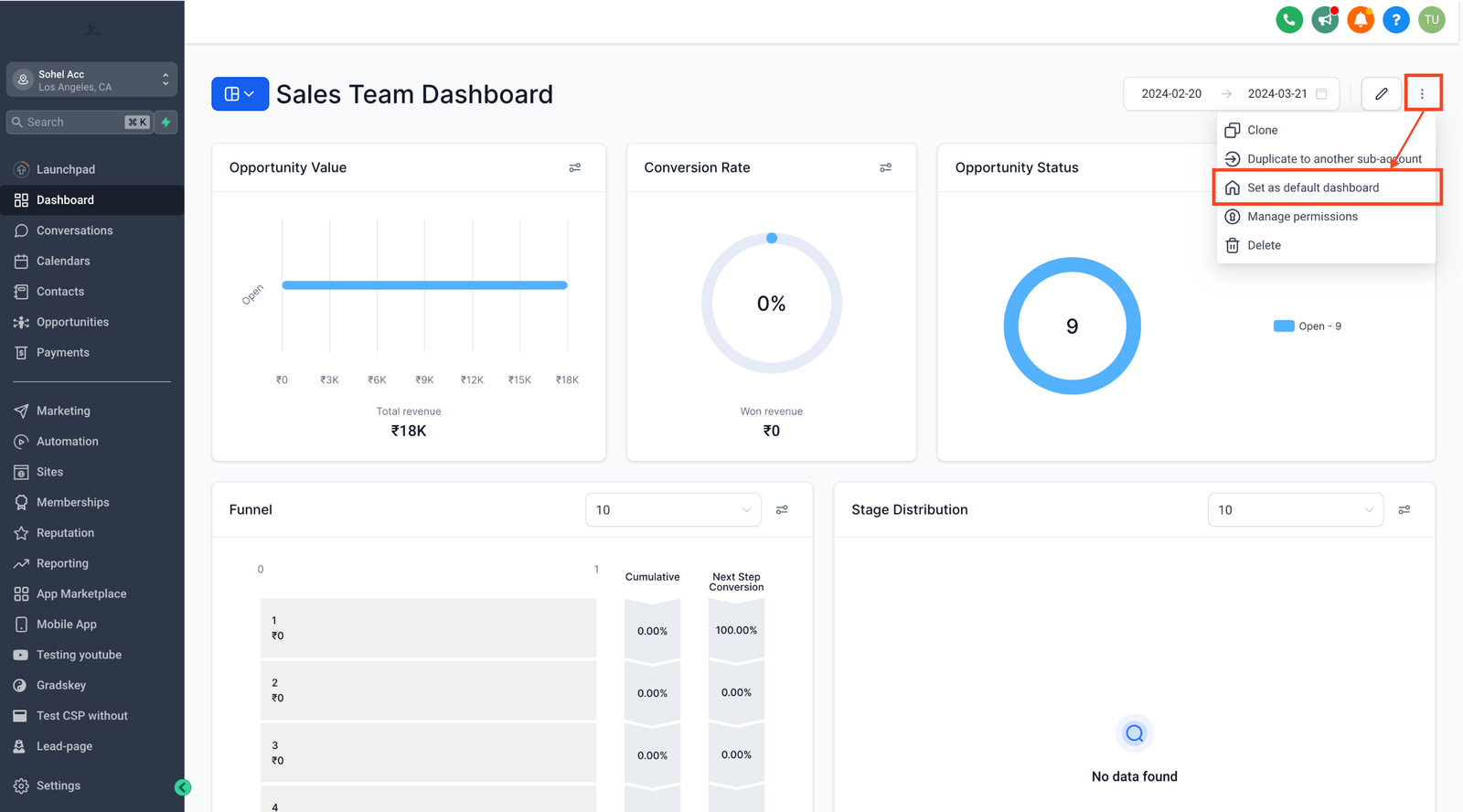
Users can set Default Dashboard and ensure that everyone starts their day with the most critical information at their fingertips, without any hassle. Default dashboards serve as the primary landing page for all users, while pinned dashboards are personal favourites that individual users can access quickly.
Feature 7 – Granular Insights
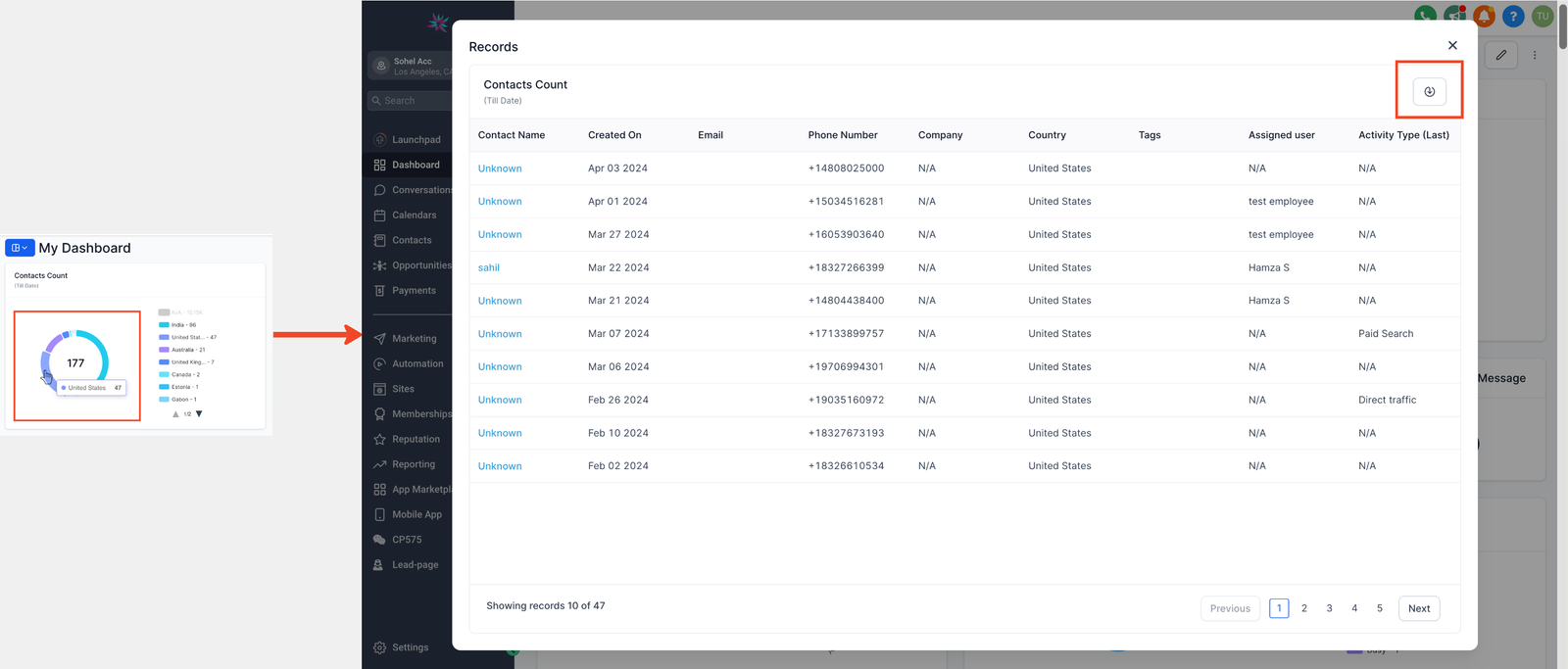
Users can view records and granular details for all charts and widgets by clicking on any component, whether it’s a node on a line graph or a bar in a bar graph, to unlock a treasure trove of data. The records can also be downloaded by clicking on the export icon on the record view pop up.
Feature 8 – Exporting Widget Records
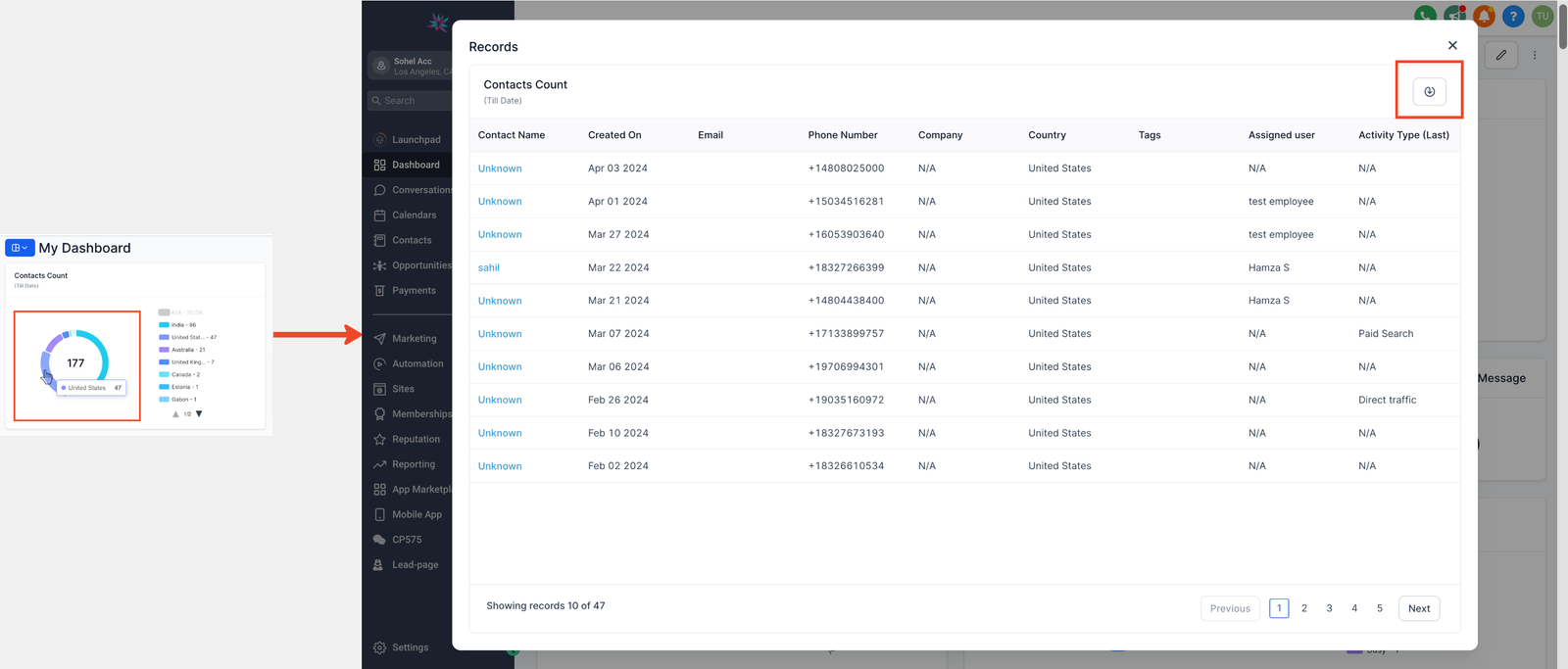
The records can be downloaded by clicking on the export icon on the record view pop up for widgets. For Table widgets the export icon is present on the widget.
Feature 8 – Changing Dashboard Timezone
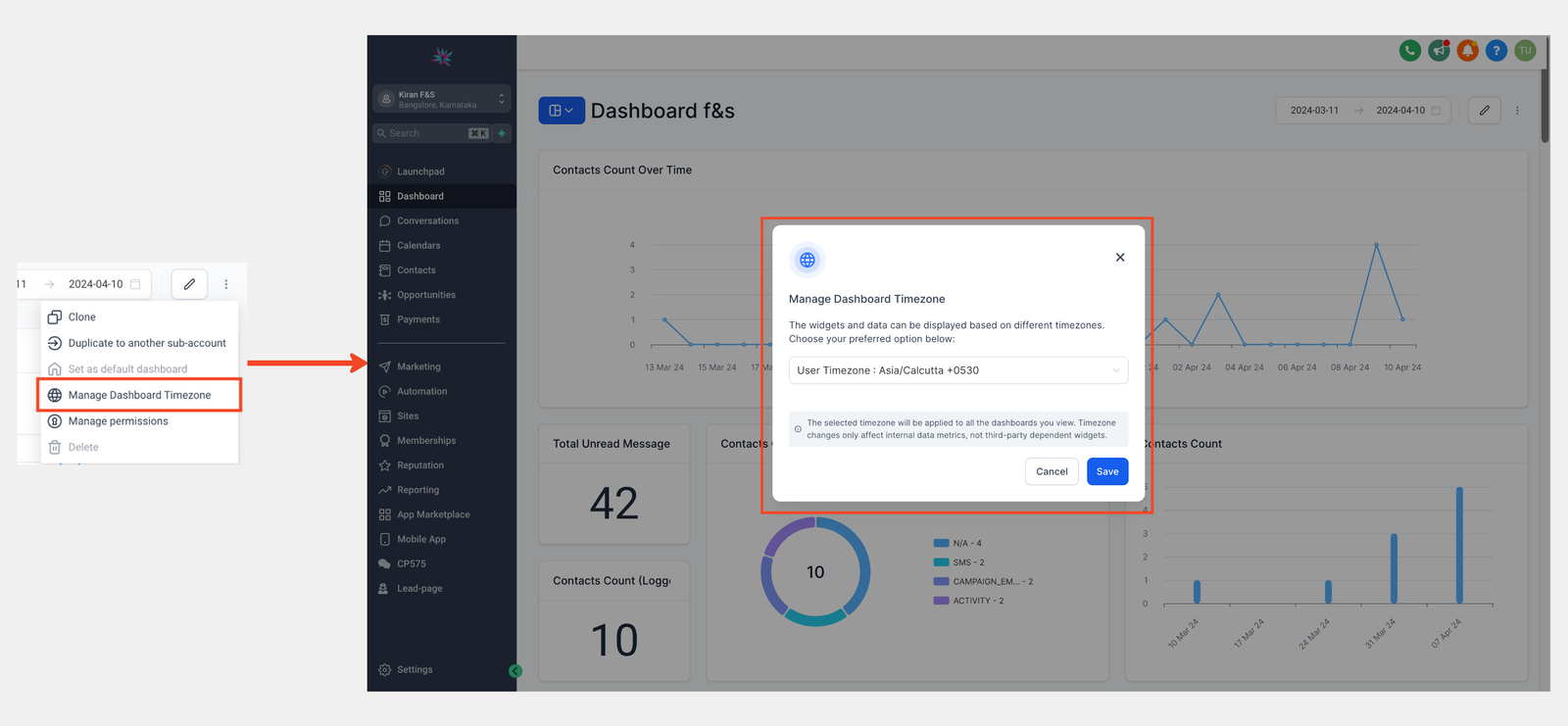
Previously, data mismatches between dashboard widgets and other platform modules caused confusion, stemming from differing time zones. With this solution, users can effortlessly synchronize their dashboard data with their local time, enhancing efficiency and accuracy. This feature provides users with the flexibility they need to optimize their data analysis.
Popular Search
automationdashboardcalendaraffcustom
Feature Document – Multiple Dashboards
3 min read
Table of Contents


