
Table of Contents
The Client Portal Notifications feature consolidates all notifications from the client portal and its associated child apps into a centralised location – the Notifications Tab. This allows users to conveniently access and manage all their notifications within the application.
In This Article
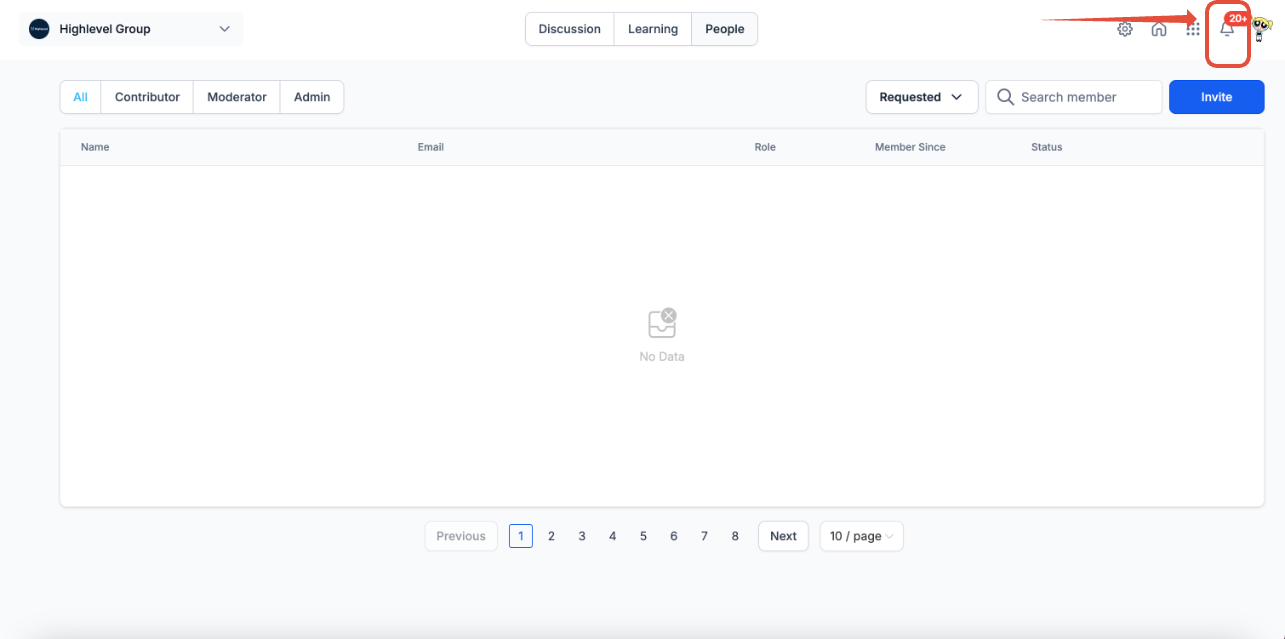
How to access Notification?
- Navigate to the Bell icon within the application.
- All notifications, including those from child apps (courses, communities), will be listed in the same place.
- Click on each notification to view details or take relevant actions.
All notifications for all community groups, will be found under the same place. For all in-app notifications, users get email notifications too
Note: All notifications sent via Client Portal (including commuities) are charged.
What notifications you will receive?
Here’s a list of notifications you will encounter in Notifications Tab:
| In-app notification type | Child – App |
In – App Notifications
|
Email notifications |
| Tagged in a Comment | Communities |  |
 |
| Tagged in a Post | Communities |  |
 |
| @everyone in comment | Communities |  |
 |
| @everyone in post | Communities |  |
 |
| Request to join (User) | Communities |  |
 |
| Request to join (Admin) | Communities |  |
 |
| Membership approved | Communities |  |
 |
| Membership declined | Communities |  |
 |
| New Course added in Learning Tab (User) | Communities |  |
 |
| New Like | Communities |  |
N/a |
| New Comment | Communities |  |
 |
| New reply on comment |
Communities
|
 |
 |


