
Admin can now set expiry for certificates issued to users
How to set an expiry?
Step 1: Expiry can either be set at the template level or at the issued certificates level
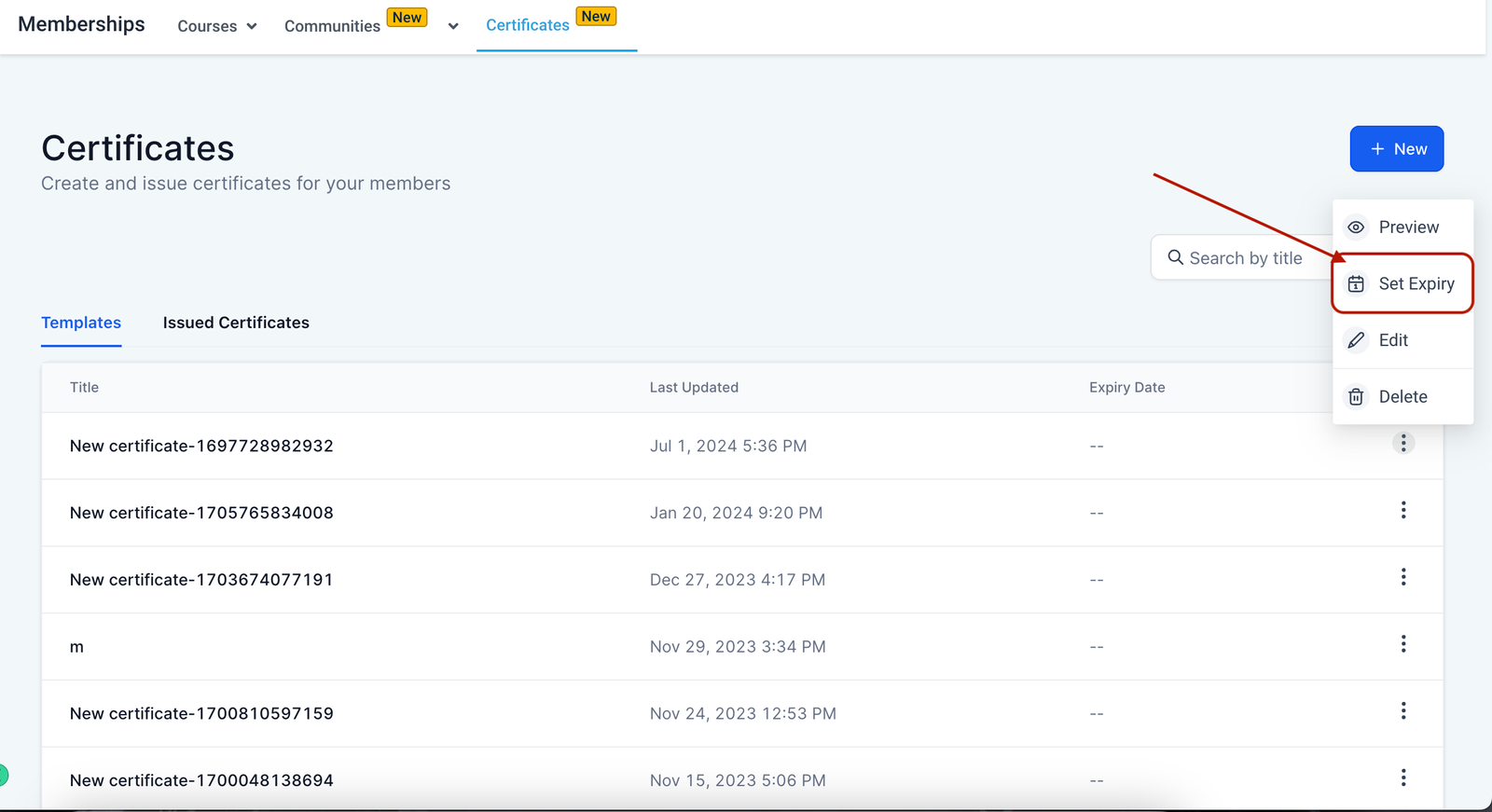
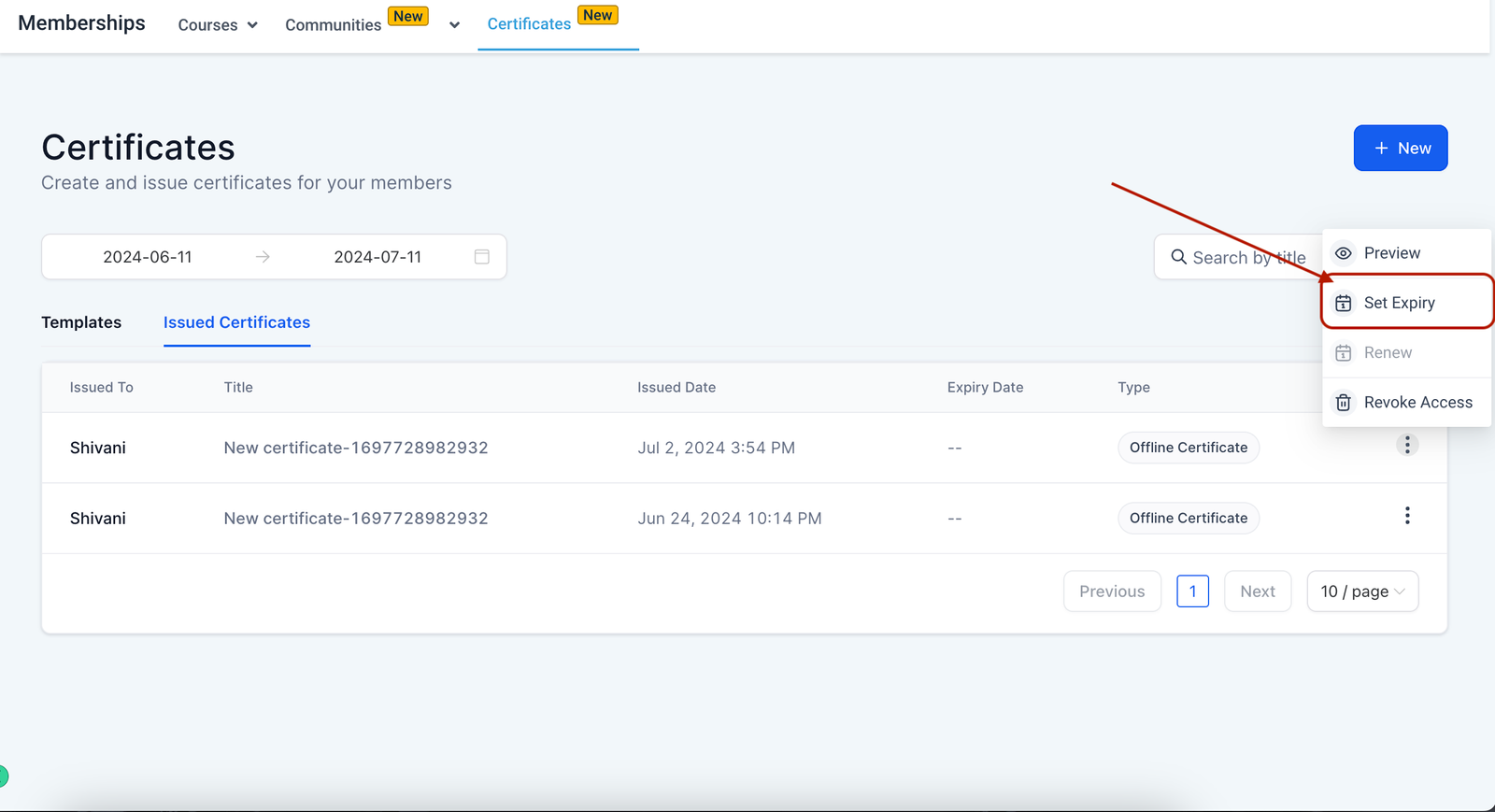
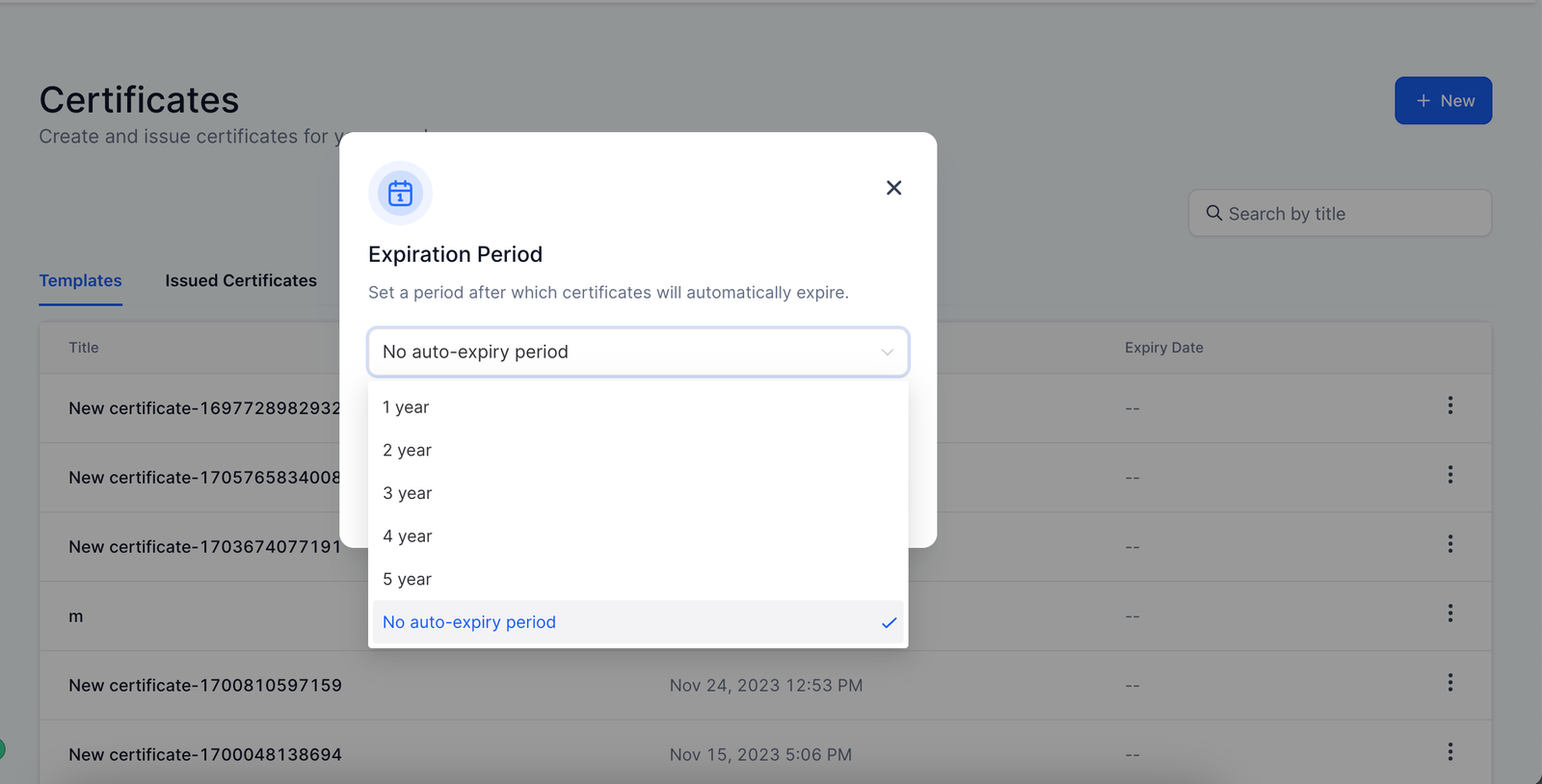
Step 2: At the template level expiry can be selected from the given options
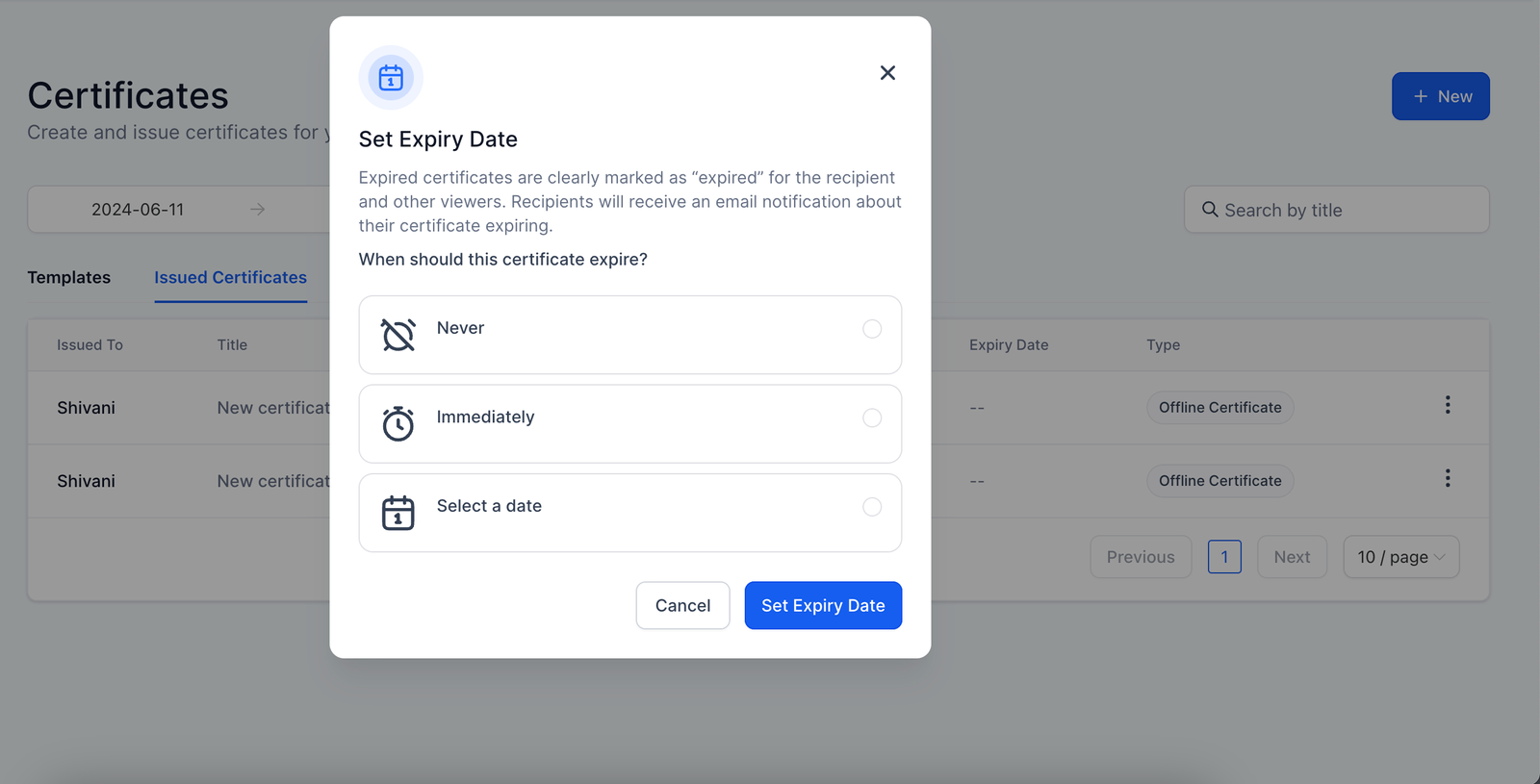
Step 3: At issued certificates level admin can choose from Never, Immediately or can manually select a date
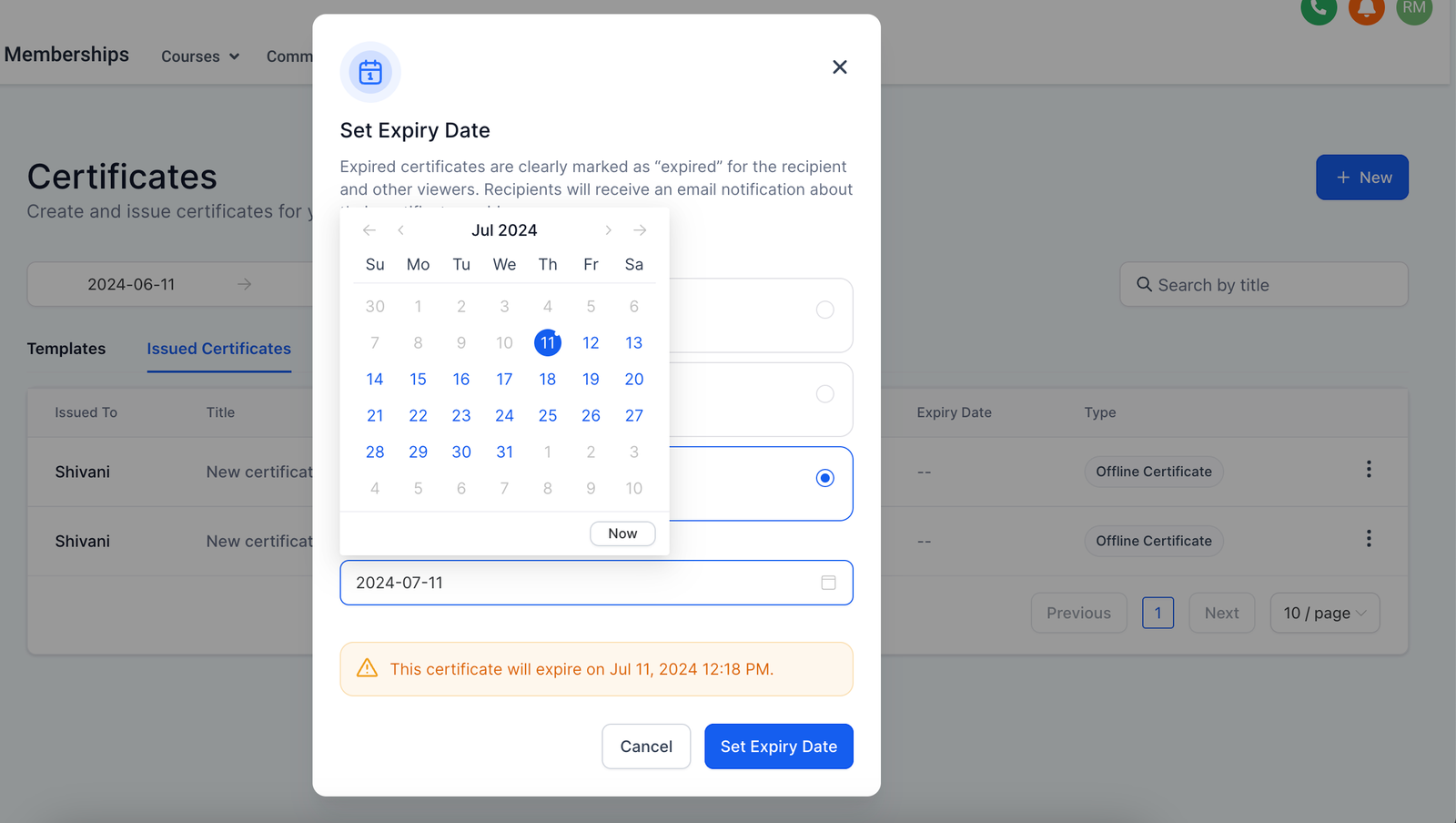
Reminder mails will be sent on T-2 and T-7 days of expiry
On expiry certificates preview won't be available for the particular user
Issued certificates have priority over template level expiry


