
Table of Contents
Restore one or multiple contacts in the platform in one go.
TABLE OF CONTENTS
Restoring a Single Contact
Step 1: Click on Contacts

Step 2: Click on Restore in the tabs on the top

Step 3: Click on Restore on the right of any of these contacts on the top right and this modal will appear.

Step 4: Click on Confirm
This will restore the contact(s):
- Opportunities
- Notes
- Tasks
- Appointments
- Conversations
- Campaigns/Workflows
Restoring Multiple Contacts
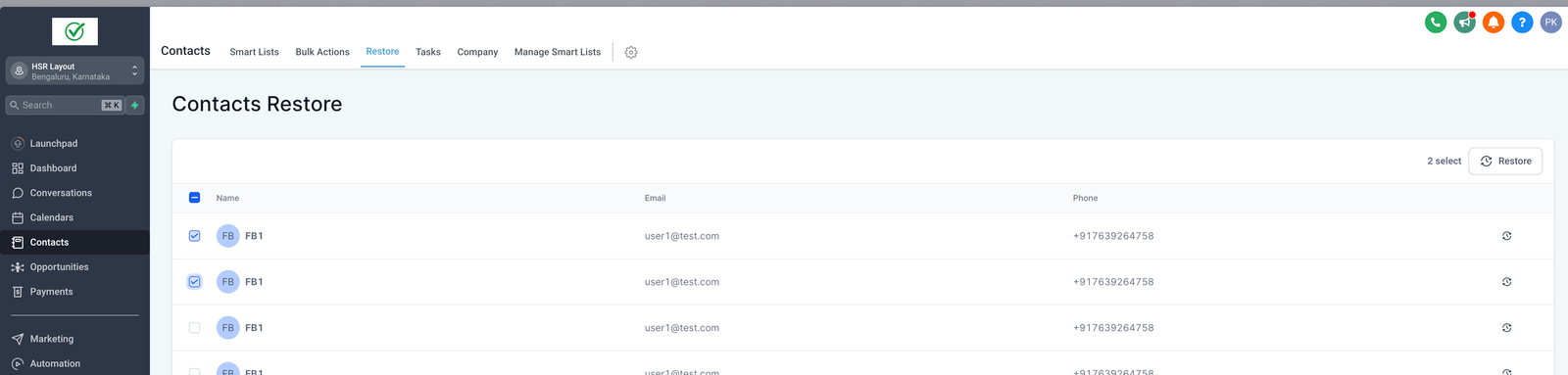
Step 1: Select multiple contacts and restore all of them in one go:
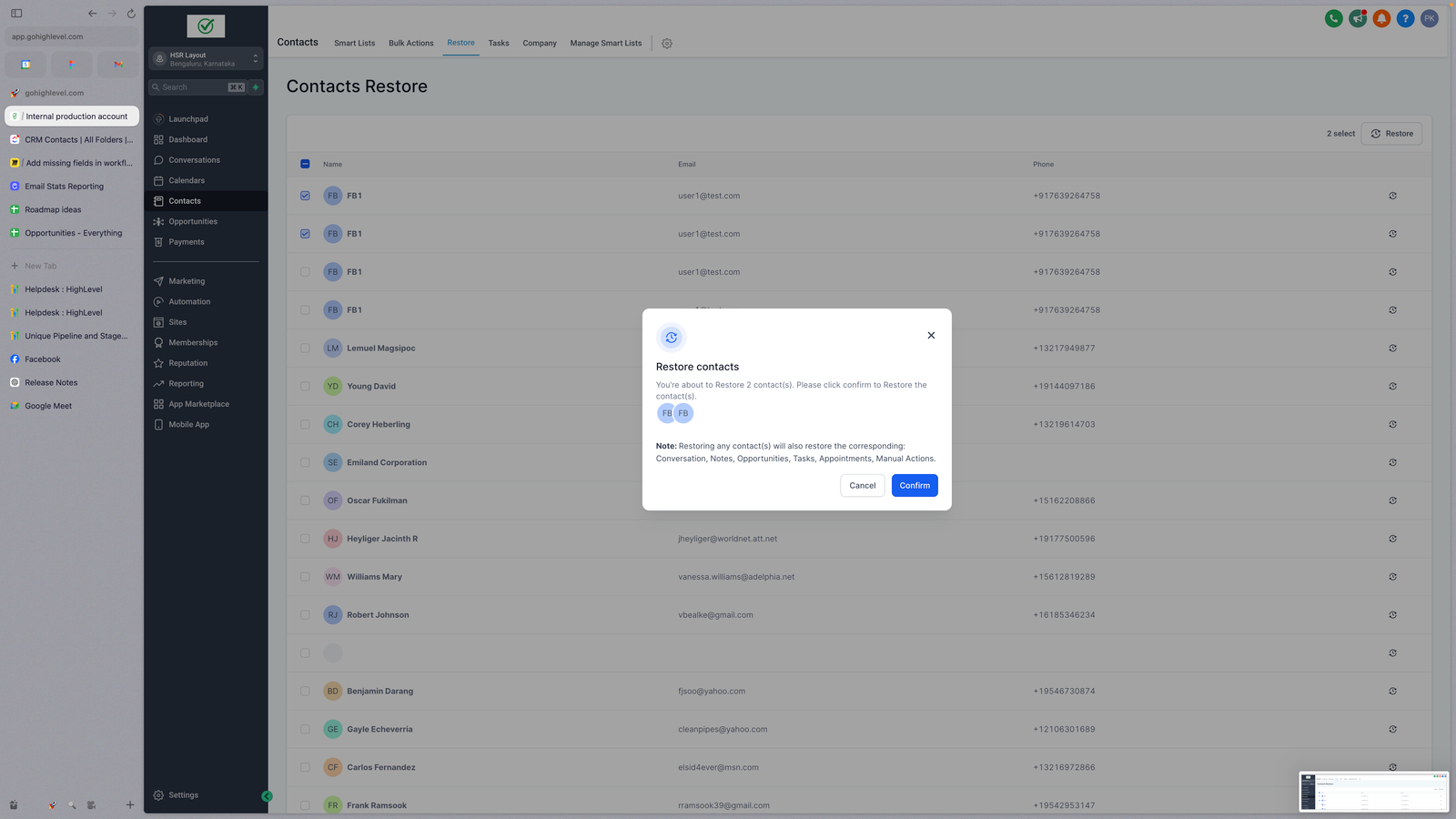
Step 2: Click on Confirm to restore all of these contacts and their related Opportunities, Conversations, Notes, Tasks, Appointments and Manual Actions
Restoring from a Bulk Delete
Step 1: Go to the Bulk Delete operation under Bulk Actions > Click on the 3 dots and click on Restore

Step 2: Restore begins and you can check the updated restore action and it’s stats on the bulk actions page


